1. تعارف
خريد ڪرڻ لاءِ مهربانيasing the E-YOOSO Z-7900 Gaming Mouse. This manual provides detailed instructions for setting up, operating, and maintaining your new gaming mouse. Please read this manual thoroughly to ensure optimal performance and longevity of your device.

Figure 1: E-YOOSO Z-7900 Gaming Mouse and its storage case.
2. مصنوعات جون خاصيتون
- Ergonomic ڊيزائن: Engineered for comfort during extended use, reducing hand fatigue.
- اعليٰ درستي وارو آپٽيڪل سينسر: Utilizes an optical sensor for accurate movement detection.
- 14 پروگراميبل بٽڻ: Customize functionality for various tasks and gaming scenarios.
- ترتيب ڏيڻ وارو DPI: Up to 10000 DPI for precise movement control.
- وسيع مطابقت: Compatible with Windows 8, Windows 7, Windows Vista, Windows XP, and Windows 10 operating systems.
- Weight Tuning Set: Allows for adjustment of mouse weight to suit user preference.
- آر بي جي روشني: Customizable RGB lighting effects.

Figure 2: Illustration of the ergonomic design for comfortable grip.
3. پيڪيج مواد
مھرباني ڪري انباڪسنگ ڪرڻ وقت پيڪيج جي مواد کي چيڪ ڪريو:
- E-YOOSO Z-7900 Gaming Mouse
- Weight Tuning Set (pre-installed or separate)
- استعمال ڪندڙ جو دستياب (ھي دستاويز)
- Note: Software CD may not be included. Refer to Section 5 for software installation.
4. سيٽ اپ
- ماؤس کي ڳنڍيو: Plug the USB connector of the E-YOOSO Z-7900 Gaming Mouse into an available USB port on your computer.
- ڊرائيور لڳائڻ: Your operating system (Windows) should automatically detect and install the necessary drivers. This is a plug-and-play device for basic functionality.
- سافٽ ويئر انسٽاليشن (اختياري پر سفارش ٿيل): For full customization of programmable buttons, DPI settings, and RGB lighting, install the dedicated software. Refer to Section 5 for detailed instructions.

Figure 3: The mouse is compatible with various Windows operating systems.
5. سافٽ ويئر جي انسٽاليشن ۽ ڪسٽمائيزيشن
To unlock the full potential of your E-YOOSO Z-7900 Gaming Mouse, including macro programming, advanced DPI settings, polling rate adjustments, and RGB lighting customization, you will need to install the dedicated software.
5.1 Obtaining the Software
As a physical software CD may not be included, please visit the official E-YOOSO support website or the product page where you purchased the mouse to find the download link for the latest software. Look for a link typically labeled "Driver Download" or "Software."
5.2 تنصيب جا مرحلا
- Download the software package to your computer.
- ڳوليو ڊائون لوڊ file (usually a .exe or .zip file) and extract it if necessary.
- انسٽالر کي ھلايو ۽ انسٽاليشن مڪمل ڪرڻ لاءِ آن-اسڪرين اشارن تي عمل ڪريو.
- Once installed, launch the software. Ensure your mouse is connected to the computer.
5.3 ڪسٽمائيزيشن آپشنز
- بٽڻ تفويض: Reassign functions to any of the 14 programmable buttons, including keyboard keys, multimedia controls, or macros.
- DPI سيٽنگون: Adjust DPI levels and create custom profileمختلف ايپليڪيشنن يا راندين لاءِ.
- پولنگ جي شرح: Modify the mouse's polling rate (e.g., 125/250/500/1000Hz) for faster response times.
- آر بي جي روشني: Customize lighting effects, colors, and brightness.
- ميڪرو ايڊيٽر: Create and assign complex macro sequences to programmable buttons.

Figure 4: The mouse supports macro editing for customizable keys.
6. آپريٽنگ هدايتون
6.1 بنيادي آپريشن
- کاٻي ڪلڪ ڪريو: بنيادي ڪارروائي.
- ساڄي ڪلڪ ڪريو: ثانوي عمل/حوالو مينيو.
- اسڪرول ويل: مٿي/هيٺ اسڪرول ڪريو، وچ ۾ ڪلڪ ڪريو.

Figure 5: Main click buttons and scroll wheel.
6.2 ڊي پي آئي ايڊجسٽمينٽ
The mouse features dedicated DPI buttons (usually located near the scroll wheel) to cycle through preset DPI levels. You can customize these levels using the software.
- کي دٻايو ڊي پي آئي + حساسيت وڌائڻ لاءِ بٽڻ.
- کي دٻايو DPI- حساسيت گهٽائڻ لاءِ بٽڻ.
- Default DPI settings typically include 500, 1000, 2000, 3000, 5000, and up to 10000 DPI.
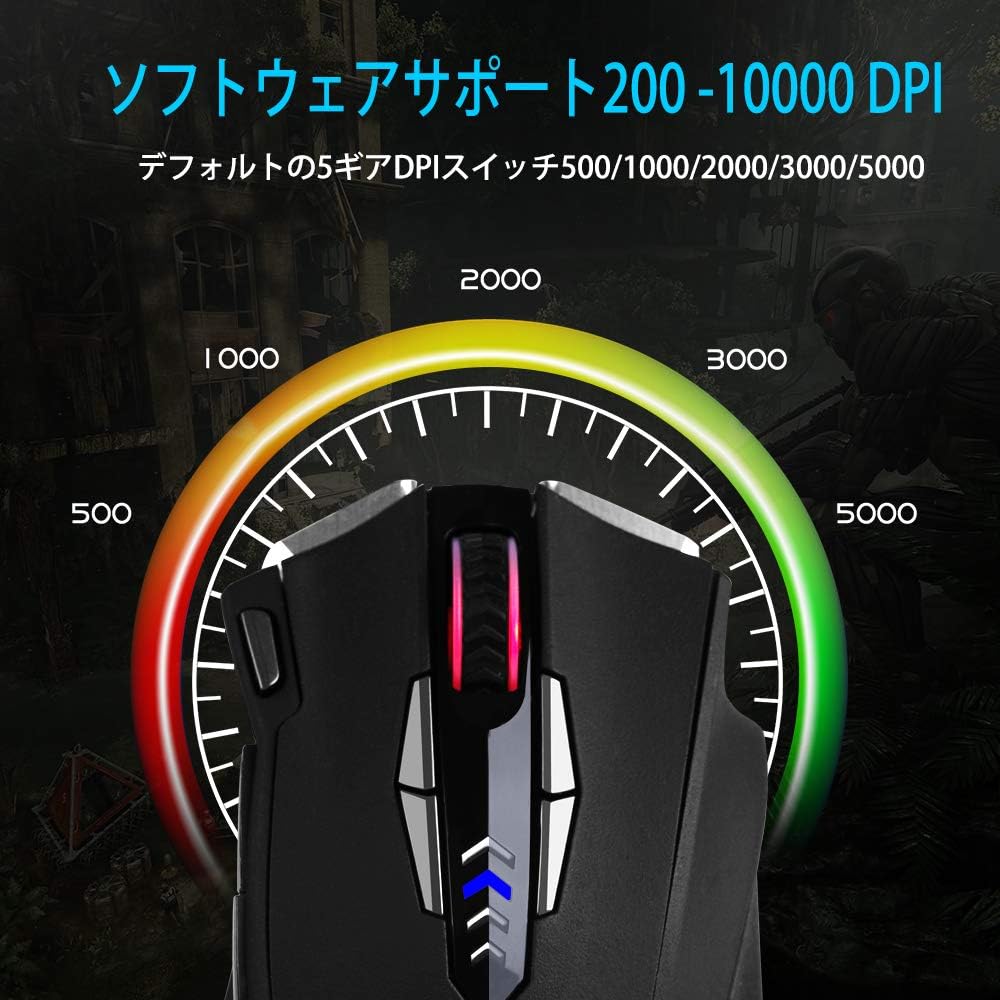
Figure 6: Visual representation of adjustable DPI levels.
6.3 پولنگ ريٽ ايڊجسٽمينٽ
The polling rate determines how often the mouse reports its position to the computer. A higher polling rate results in faster response times. This can typically be adjusted via the software or a physical switch on the mouse's underside.
- Common polling rates: 125Hz, 250Hz, 500Hz, 1000Hz.
- Adjust the polling rate according to your preference and system capabilities.

Figure 7: Polling rate switch located on the underside of the mouse.
7. سار سنڀال
مناسب سار سنڀال توهان جي گيمنگ ماؤس جي ڊگهي عمر ۽ ڪارڪردگي کي يقيني بڻائي ٿي.
- صفائي: مائوس جي مٿاڇري کي صاف ڪرڻ لاءِ نرم، سڪل ڪپڙو استعمال ڪريو. ضدي مٽيءَ لاءِ، ٿورو ڊيampڪپڙي کي پاڻي يا نرم صفائي واري محلول سان ڌوئڻ ڏيو. سخت ڪيميڪلز کان پاسو ڪريو.
- سينسر جي صفائي: Occasionally clean the optical sensor on the underside of the mouse with a cotton swab to prevent tracking issues.
- ڪيبل جي سنڀال: نقصان کان بچڻ لاءِ USB ڪيبل تي تيز موڙ يا گهڻي ڇڪڻ کان پاسو ڪريو.
- اسٽوريج: When not in use, store the mouse in a clean, dry environment, away from extreme temperatures.
8. مسئلا حل ڪرڻ
| مسئلو | ممڪن سبب | حل |
|---|---|---|
| مائوس جواب نه ڏئي رهيو آهي | USB ڪنيڪشن ڍلو، ناقص USB پورٽ، ڊرائيور جو مسئلو. |
|
| Inaccurate tracking or cursor jumps | Dirty sensor, unsuitable mouse pad surface, high DPI setting. |
|
| پروگراميبل بٽڻ ڪم نه ڪري رهيا آهن | Software not installed, incorrect button assignment, software conflict. |
|
| آر بي جي روشني ڪم نه ڪندي | Software setting, power issue. |
|
9. وضاحتون
| خاصيت | تفصيل |
|---|---|
| برانڊ | E-YOOSO |
| ماڊل نمبر | Z-7900 |
| رابطي ٽيڪنالاجي | USB ، وائرڊ |
| تحريڪ جي سڃاڻپ ٽيڪنالاجي | بصري |
| بٽڻ جو تعداد | 14 (اسڪرول ويل ڪلڪ سميت) |
| ڊي پي آءِ رينج | 10000 DPI تائين (ايڊجسٽبل) |
| پولنگ جي شرح | 125/250/500/1000Hz (Adjustable) |
| خاص خصوصيت | Ergonomic Design, Programmable Buttons, RGB Lighting, Weight Tuning |
| پيداوار جي ماپ | 4.8 x 2.8 x 1.5 انچ |
| شيءِ جو وزن | 4.6 اونس |
| مطابقت | Windows 8, 7, Vista, XP, 10 |
10. وارنٽي ۽ سپورٽ
E-YOOSO products are designed for reliability and performance. For specific warranty information, please refer to the warranty card included with your product or visit the official E-YOOSO website. For technical support, driver downloads, or further assistance, please contact E-YOOSO customer service through their official channels.
نوٽ: پراڊڪٽ جون وضاحتون ۽ خاصيتون بغير ڪنهن اڳواٽ اطلاع جي تبديلي جي تابع آهن.


