1. تعارف
The Contixo XODO WP3 Smart WiFi Plug provides intelligent control over your home appliances. This device allows you to remotely manage connected electronics via a smartphone application, voice commands through Amazon Alexa or Google Home Assistant, and scheduled timers. This manual outlines the steps for setup, operation, and maintenance to ensure optimal performance and user experience.
2. حفاظت جي ڄاڻ
- Ensure the plug is used within its specified electrical ratings (voltage, current, power).
- ڊوائيس کي جدا يا تبديل نه ڪريو.
- پاڻي يا خشڪ ماحول جي نمائش کان بچڻ.
- ٻارن جي پهچ کان پري رکو.
- ڊوائيس صرف اندروني استعمال لاء ٺهيل آهي.
- This smart plug requires a 2.4 GHz Wi-Fi network for connectivity. It is not compatible with 5 GHz Wi-Fi networks.
- The thermoplastic construction provides protection against power surges.
3. پراڊڪٽ ختمview
The XODO WP3 Smart WiFi Plug features a compact design, integrating two standard AC outlets and two USB charging ports. This allows for simultaneous control of multiple devices from a single wall outlet.
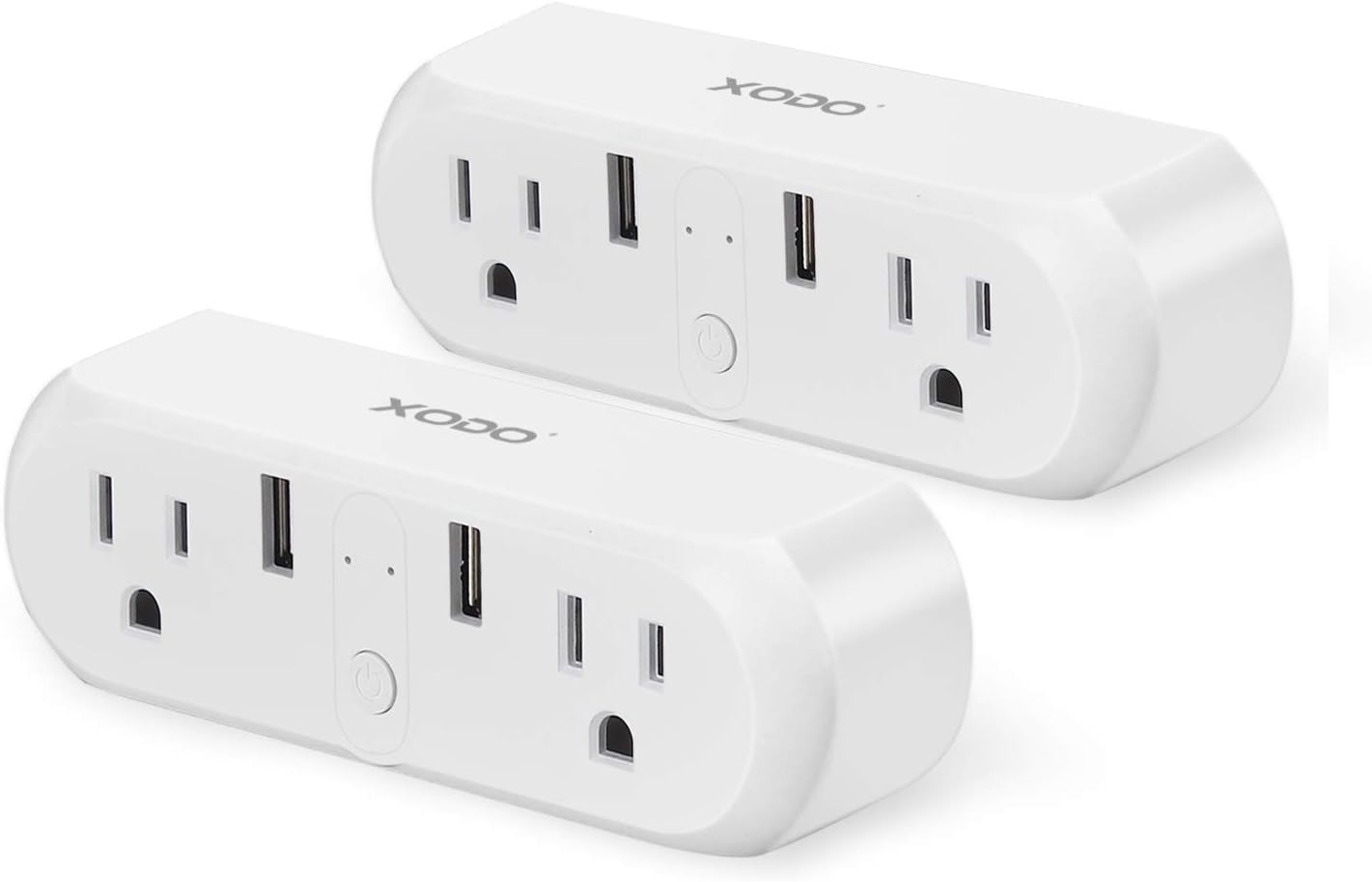
Image: Two XODO WP3 Smart WiFi Plugs, showcasing their design and dual outlet/USB configuration.

Image: A hand holding a single XODO WP3 Smart WiFi Plug, demonstrating its compact and portable size.
اهم خاصيتون:
- ريموٽ ڪنٽرول: Manage devices from anywhere using the Xodo Smart app.
- وائس ڪنٽرول: هينڊز فري آپريشن لاءِ Amazon Alexa ۽ گوگل هوم اسسٽنٽ سان مطابقت رکندڙ.
- شيڊولنگ ۽ ٽائمر: Set automatic on/off schedules for connected appliances.
- گروپ ڪنٽرول: Control multiple plugs simultaneously or individually.
- توانائي جي بچت: Monitor and manage power consumption.
4. سيٽ اپ
4.1 ايپ جي انسٽاليشن
- ڊائون لوڊ ڪريو Xodo Smart ايپل ايپ اسٽور (iOS ڊوائيسز لاءِ) يا گوگل پلي اسٽور (اينڊرائيڊ ڊوائيسز لاءِ) مان ايپ.
- نئين اڪائونٽ لاءِ رجسٽر ٿيو يا جيڪڏهن توهان وٽ اڳ ۾ ئي آهي ته لاگ ان ٿيو.

Image: A smartphone displaying the Xodo Smart app's connection screen, indicating device initialization.
4.2 ڊوائيس جوڙڻ
- Plug the XODO WP3 Smart WiFi Plug into a standard wall outlet.
- Open the Xodo Smart app and tap the "+" icon to add a new device.
- Follow the on-screen instructions to connect the smart plug to your 2.4 GHz وائي فائي نيٽ ورڪ. Ensure your smartphone is also connected to the same 2.4 GHz network during the pairing process.
- No separate hub is required for operation.
- Once connected, you can rename the plug for easier identification (e.g., "Living Room Lamp").
5. آپريٽنگ هدايتون
5.1 بنيادي آن/آف ڪنٽرول
After successful pairing, you can turn the connected appliance on or off directly from the Xodo Smart app by tapping the device icon.
5.2 Voice Control with Alexa and Google Home
The XODO WP3 Smart WiFi Plug is compatible with Amazon Alexa and Google Home Assistant, allowing for hands-free control.
- Enable the "Xodo Smart" skill/service in your Alexa or Google Home app.
- Link your Xodo Smart account.
- دريافت ڪريو ڊوائيسز.
- وائس ڪمانڊ استعمال ڪريو جيئن ته:
- "اليڪسا، لونگ روم آن ڪر l"amp."
- "Hey Google, turn off the coffee maker."

Image: A XODO WP3 Smart Plug powering a desk lamp, with a Google Home speaker demonstrating voice control functionality.
5.3 ريموٽ ڪنٽرول
Control your devices from any location with an internet connection using the Xodo Smart app on your smartphone.

Image: A woman using her smartphone to control devices remotely, illustrating the convenience of the smart plug.
5.4 شيڊولنگ ۽ ٽائمرز
Set custom schedules and timers for your appliances to automate their operation.
- In the Xodo Smart app, select the desired plug and navigate to the 'Schedule' or 'Timer' section.
- Set specific times for devices to turn on or off (e.g., lights at dusk, heater before arrival).
- Create recurring schedules for daily or weekly automation.

Image: A kitchen environment with a XODO WP3 Smart Plug and a smartphone showing the app's scheduling interface, demonstrating automated control.
5.5 Group and Individual Control
The Xodo Smart app allows you to name each plug individually. You can also create groups to control multiple plugs simultaneously with a single command or tap.

Image: A XODO WP3 Smart Plug connected to a wall outlet, powering a juicer and an electric kettle, illustrating its application for various appliances.
6. سار سنڀال
- To clean the smart plug, disconnect it from the power outlet and wipe it with a dry, soft cloth.
- مائع صاف ڪندڙ يا رگڙيندڙ مواد استعمال نه ڪريو.
- Ensure the device is completely dry before reconnecting it to power.
7. مسئلا حل ڪرڻ
- ڊوائيس وائي فائي سان ڳنڍيل نه آهي: Ensure your Wi-Fi network is 2.4 GHz. The plug does not support 5 GHz networks. Check your Wi-Fi password and router settings.
- ايپ جواب نه ڏئي رهي آهي: Close and reopen the Xodo Smart app. Ensure your smartphone has a stable internet connection.
- وائس ڪنٽرول ڪم نه ڪري رهيو آهي: Verify that the Xodo Smart skill/service is enabled and linked correctly in your Alexa or Google Home app. Ensure your voice assistant device is online and within range.
- Plug not powering on: Check if the wall outlet is functioning correctly. Ensure the plug is securely inserted.
If issues persist, please refer to the customer support section for assistance.
8. وضاحتون

Image: Technical specifications for the Xodo WiFi Smart Plug, including electrical ratings and connectivity details.
| تفصيل | تفصيل |
|---|---|
| پيداوار جو نالو | Xodo WiFi Smart Socket |
| ماڊل | WP3 |
| درجه بندي Voltage | 100V-240V AC 50Hz-60Hz |
| موجوده درجه بندي | وڌ ۾ وڌ 10A |
| Dual USB Port Output | 5V/2A |
| وڌ ۾ وڌ پاور | 1100W |
| ڪم ڪندڙ درجه حرارت | -20 ~ 60 ° سي |
| سپورٽ سسٽم | Android يا iOS |
| وائي فائي معياري | 802.11 b/g/n 2.4GHz |
| پيداوار جي ماپ | 1.2 x 2.1 x 1.2 انچ |
| شيءِ جو وزن | 10.9 اونس |
9. وارنٽي ۽ سپورٽ
Contixo is committed to providing outstanding customer service and technical support. Should you encounter any problems or require assistance with your XODO WP3 Smart WiFi Plug, please contact our US-based customer service team.
For support, please visit the official Contixo webسائيٽ تي وڃو يا پنهنجي پراڊڪٽ پيڪنگنگ سان مهيا ڪيل رابطي جي معلومات جو حوالو ڏيو.
آن لائين وسيلا:
Visit the Contixo Store on Amazon


