1. تعارف
This manual provides essential information for the safe and efficient operation of your Baseus 30000mAh USB-C Portable Power Bank X30. Please read these instructions thoroughly before use and retain them for future reference.

Image 1: Baseus 30000mAh Portable Power Bank X30, showcasing ان جي چمڪندڙ ڪاري ڊيزائن.
2. مصنوعات جون خاصيتون
- اعلي ظرفيت: وڌايل پاور لاءِ 30000mAh جي بيٽري.
- گھڻن ٻاھرين بندرگاھن: Equipped with 2x USB-A and 1x USB-C output ports for simultaneous charging of multiple devices.
- Versatile Input Ports: Features USB-C, Micro-USB, and Lightning input ports for convenient recharging.
- تيز چارج: Supports 3A fast charging and up to 32W total output. Capable of 100W laptop ultra-fast charging (with compatible cables/devices).
- ڊجيٽل ڊسپلي Integrated 3-model smart digital display shows power percentage ، جلدtage/current, and charging/recharging time.
- بلٽ ان ڪيبل: Includes integrated cables for various device types, eliminating the need to carry extra cables.
- انٽيگريٽيڊ ٽارچ: Dual LED lights for emergency illumination.
- ڪمپيڪٽ ۽ پورٽبل: Slim design (0.7 inches thick) and lightweight (0.99 lbs) for easy transport.
- اعليٰ حفاظت: Intelligent protection against overcharging, overheating, and short circuits.
- وسيع مطابقت: Compatible with a broad range of devices including iPhones, iPads, MacBooks, Samsung Galaxy phones, Pixel phones, and AirPods.

Image 2: Close-up of the power bank's ports, highlighting Type-C, Micro, iP inputs, and USB1, USB2 outputs for triple-device charging.

Image 3: The power bank's digital display showing power, voltage/current, and charging/recharging time.
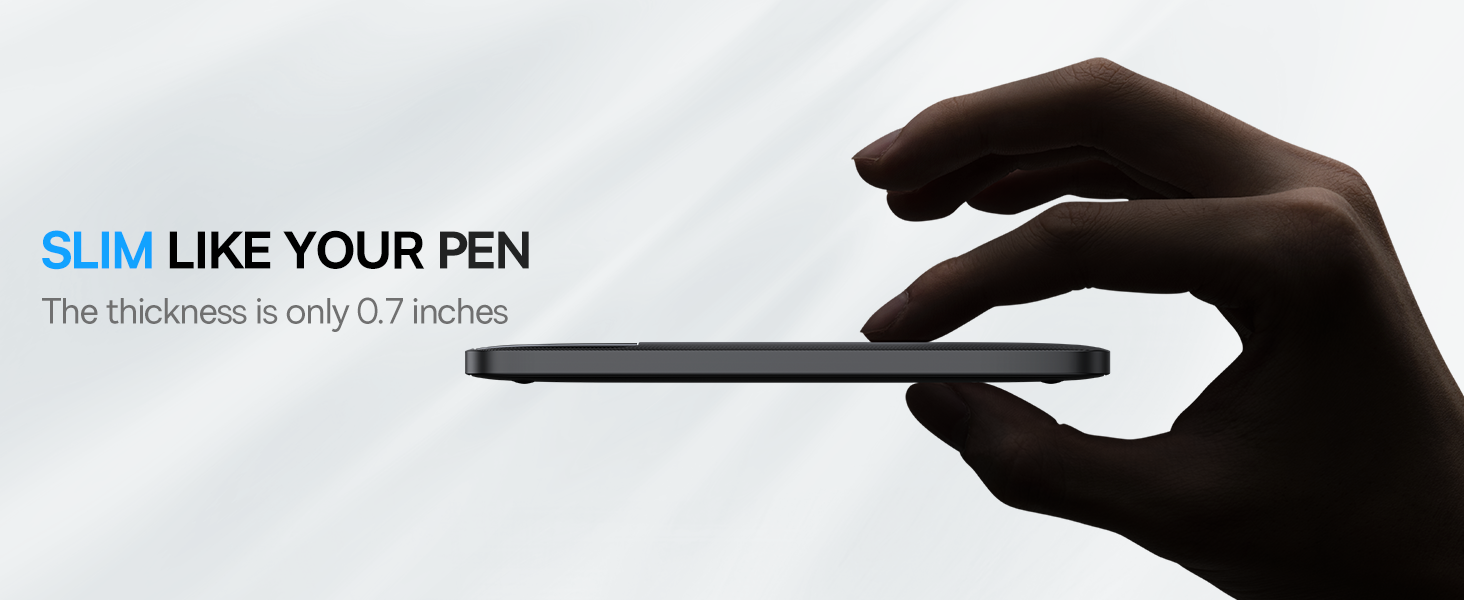
Image 4: The power bank's slim profile, emphasizing its portable design.

Image 5: The power bank demonstrating 100W ultra-fast charging for a MacBook Pro.

Image 6: The power bank displaying compatibility with a wide range of electronic devices.
3. سيٽ اپ
3.1 انباڪسنگ
پيڪيج کولڻ تي، تصديق ڪريو ته سڀئي جزا موجود آهن:
- Baseus 30000mAh Portable Power Bank X30
- USB-C کان USB-C ڪيبل
- استعمال ڪندڙ جو دستياب (ھي دستاويز)

Image 7: Contents of the Baseus Power Bank package, including the power bank, USB-C cable, and user manual.
3.2 شروعاتي چارج
Before first use, fully charge the power bank. Connect the provided USB-C cable to the power bank's USB-C input port and a compatible power adapter (not included). The digital display will show the charging progress.
4. آپريٽنگ هدايتون
4.1 چارجنگ ڊوائيسز
توهان جي ڊوائيسز کي چارج ڪرڻ لاء:
- بلٽ ان ڪيبل استعمال ڪندي: Gently pull out the appropriate built-in cable (Lightning, Micro-USB, or USB-C) and connect it to your device.
- Using External Cables: پنهنجي ڊوائيس جي چارجنگ ڪيبل کي پاور بينڪ جي USB-A يا USB-C آئوٽ پُٽ پورٽن مان ڪنهن هڪ سان ڳنڍيو.
- The power bank will automatically begin charging. The digital display will show the power bank's remaining charge.

Image 8: The power bank simultaneously charging an iPhone XR, iPhone XS, and iPad Air 2, demonstrating its multi-device capability.

Image 9: A person charging a smartphone using the power bank's built-in cable, emphasizing convenience for travel.
4.2 پاور بئنڪ کي ري چارج ڪرڻ
پاور بئنڪ کي ري چارج ڪرڻ لاءِ:
- Connect a compatible charging cable to one of the power bank's input ports (USB-C, Micro-USB, or Lightning).
- Connect the other end of the cable to a power source (e.g., wall adapter, computer USB port).
- The digital display will indicate the charging status. The power bank can be fully recharged in approximately 1.5 hours with chargers above 65W.

Image 10: The power bank being recharged, illustrating its fast recharge capability when using a 65W+ charger.
4.3 ٽارچ استعمال ڪندي
To activate the built-in LED flashlight, double-press the power button. Double-press again to turn it off. This feature is useful in low-light conditions or emergencies.
4.4 سرڪاري پراڊڪٽ وڊيو
Video 1: An official product video from Baseus US Tech demonstrating the 30000mAh Power Bank's features and usage.
5. سار سنڀال
- صفائي: پاور بينڪ کي صاف ڪرڻ لاءِ نرم، سڪل ڪپڙو استعمال ڪريو. مائع صاف ڪندڙن کان پاسو ڪريو.
- اسٽوريج: پاور بئنڪ کي سڌي سج جي روشني ۽ انتهائي گرمي پد کان پري ٿڌي، سڪل جاءِ تي رکو.
- بيٽري جي سنڀال: بيٽري جي زندگي کي وڌائڻ لاءِ، جيڪڏهن باقاعده استعمال ۾ نه هجي ته پاور بينڪ کي گهٽ ۾ گهٽ هر ٽن مهينن ۾ هڪ ڀيرو مڪمل چارج ۽ ڊسچارج ڪريو.
6. مسئلا حل ڪرڻ
| مسئلو | ممڪن سبب | حل |
|---|---|---|
| پاور بينڪ چارج نه ٿي رهيو آهي. | Cable not connected properly; faulty cable/adapter; power bank fully discharged. | Ensure all connections are secure. Try a different cable or adapter. Allow sufficient time for initial charge if fully depleted. |
| ڊوائيس پاور بينڪ مان چارج نه ٿي رهي آهي. | Power bank is low on charge; device cable not connected properly; incompatible device. | Recharge the power bank. Ensure the cable is securely connected to both the power bank and the device. Verify device compatibility. |
| سست چارج. | Using a non-fast charging port/cable; device not supporting fast charging. | Ensure you are using a fast-charging port and cable. Check if your device supports fast charging. |
7. وضاحتون
- ماڊل: X30
- بيٽري جي گنجائش: 30000 مليamp ڪلاڪ
- پيداوار جي ماپ: 6.22 x 2.87 x 1.3 انچ
- شيء جو وزن: 1.37 پائونڊ
- بيٽري جو قسم: ليٿيم پوليمر (1 گهربل، شامل)
- خاص خاصيتون: Fast Charging, Portable Charger, Wireless
- ڪنيڪٽر جو قسم: USB (USB-C, Micro-USB, Lightning inputs; USB-A, USB-C outputs)
- ٺاهيندڙ: بيسس
- رنگ: ڳاڙهو ڳاڙهو

Image 11: An internal diagram illustrating the high-density polymer batteries and smart chip for efficient and safe power management.
8. وارنٽي ۽ سپورٽ
وارنٽي جي معلومات يا ٽيڪنيڪل سپورٽ لاءِ، مھرباني ڪري سرڪاري بيسس جو حوالو ڏيو webسائيٽ تي وڃو يا سڌو سنئون انهن جي ڪسٽمر سروس سان رابطو ڪريو. خريداري جي ثبوت طور پنهنجي خريداري جي رسيد رکو.
وڌيڪ مدد لاء، دورو ڪريو جي ايميزون تي بيسس اسٽور.


