1. تعارف
The TP-Link Deco S4 AC1900 Mesh WiFi System is designed to provide seamless, whole-home wireless coverage. This system replaces traditional routers and range extenders, creating a unified network with a single network name and password. Devices automatically switch between Deco units as you move through your home, ensuring the fastest possible speeds and eliminating Wi-Fi dead zones.
Each Deco S4 unit features 2 Gigabit Ethernet ports with WAN/LAN auto-sensing capabilities, allowing any unit to function as a Wi-Fi router. The system supports Wi-Fi 5 AC1900 speeds and is compatible with various internet service providers (a modem is required).
2. دٻي ۾ ڇا آهي
- 3 x Deco S4R Units
- 1 x RJ45 ايٿرنيٽ ڪيبل
- 3 x پاور اڊاپٽر
- 1 x تڪڙي انسٽاليشن گائيڊ
3. پراڊڪٽ ختمview
The Deco S4 units are compact and designed to blend into any home environment. They provide extensive coverage and support numerous devices simultaneously.

Figure 1: Three Deco S4 units included in the 3-pack.
The mesh technology ensures that your Wi-Fi signal is strong and consistent across your entire home, eliminating areas with poor connectivity.
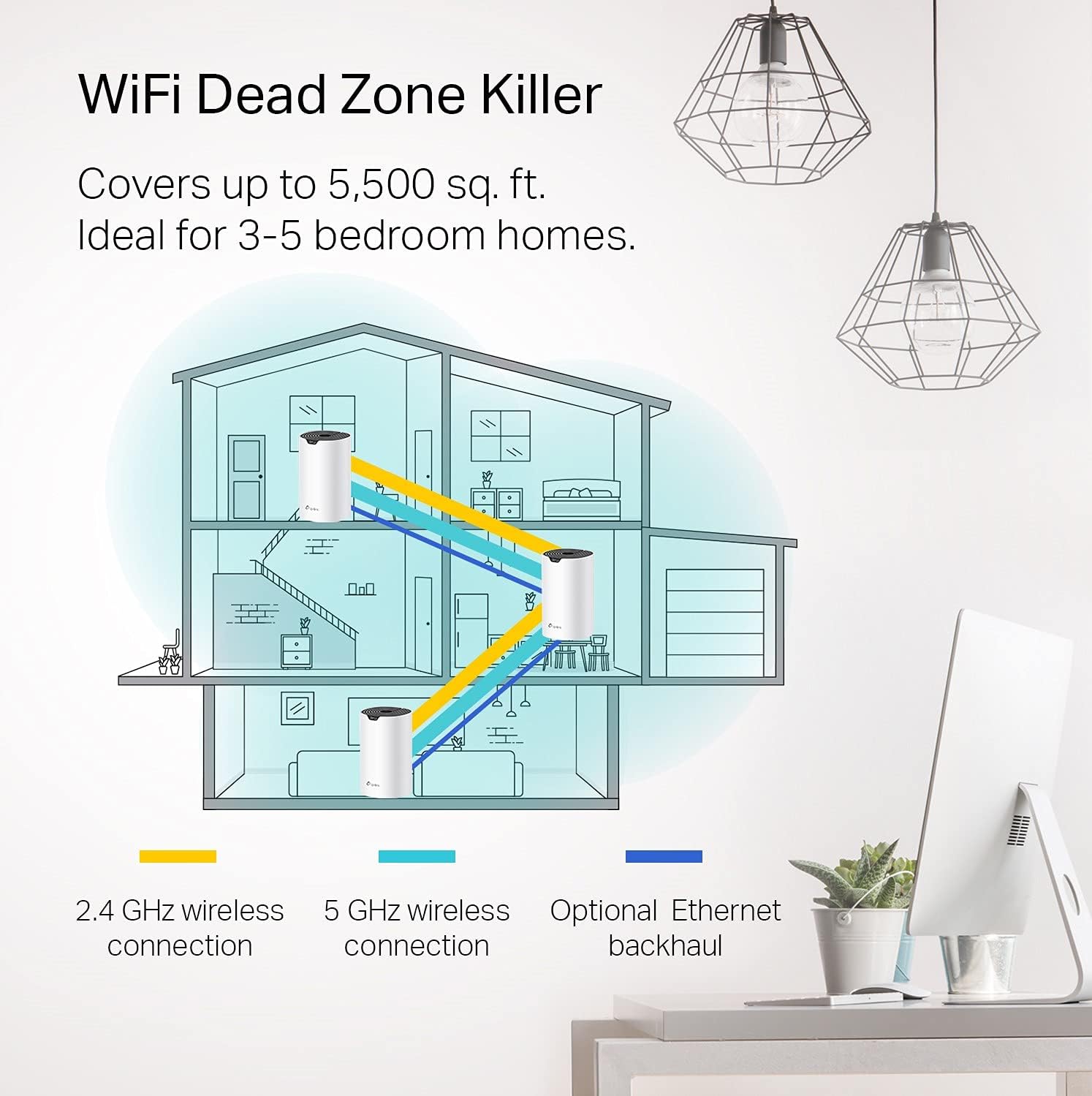
Figure 2: Illustration of Deco S4 units providing Wi-Fi coverage throughout a multi-story home, eliminating dead zones.
The system is capable of handling multiple devices and high-bandwidth activities without buffering, thanks to its AC1900 speeds.

Figure 3: Deco S4 supporting multiple simultaneous connections for streaming, gaming, and smart home devices.
4. سيٽ اپ گائيڊ
Setting up your TP-Link Deco S4 system is a straightforward process using the Deco mobile application.
- Connect Deco to your modem: Plug one Deco unit into your cable modem using the provided Ethernet cable. Power on both the Deco unit and your modem.
- ڊيڪو ايپ ڊائون لوڊ ڪريو: Download and install the TP-Link Deco app on your Android or iOS device. The app is available on the Google Play Store and Apple App Store.
- ايپ اندر ڏنل هدايتن تي عمل ڪريو: Launch the Deco app and follow the step-by-step instructions to configure your Deco system. This includes creating your Wi-Fi network name and password.
- Add Additional Units: Once the first unit is set up, the app will guide you through adding the remaining Deco units to expand your Wi-Fi coverage. Place them strategically around your home for optimal signal.
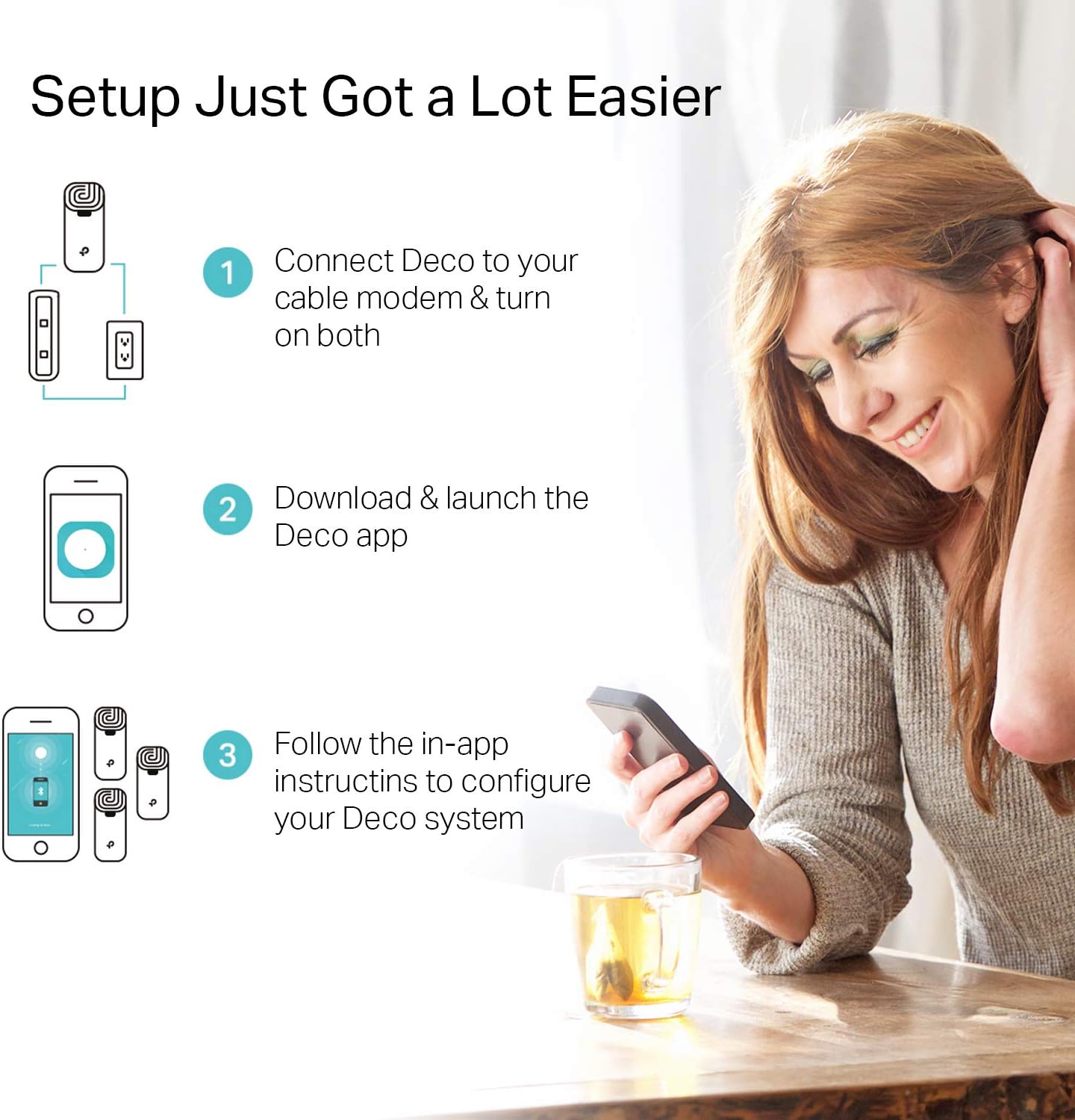
Figure 4: Visual guide to the quick and easy setup process via the Deco app.
Video 1: A demonstration of setting up the Deco Mesh WiFi System to eliminate dead zones.
5. توهان جي ڊيڪو سسٽم کي هلائڻ
5.1 بي عيب رومنگ
The Deco system creates a single, unified Wi-Fi network. As you move around your home, your devices automatically connect to the Deco unit with the strongest signal, ensuring uninterrupted connectivity without manual switching.
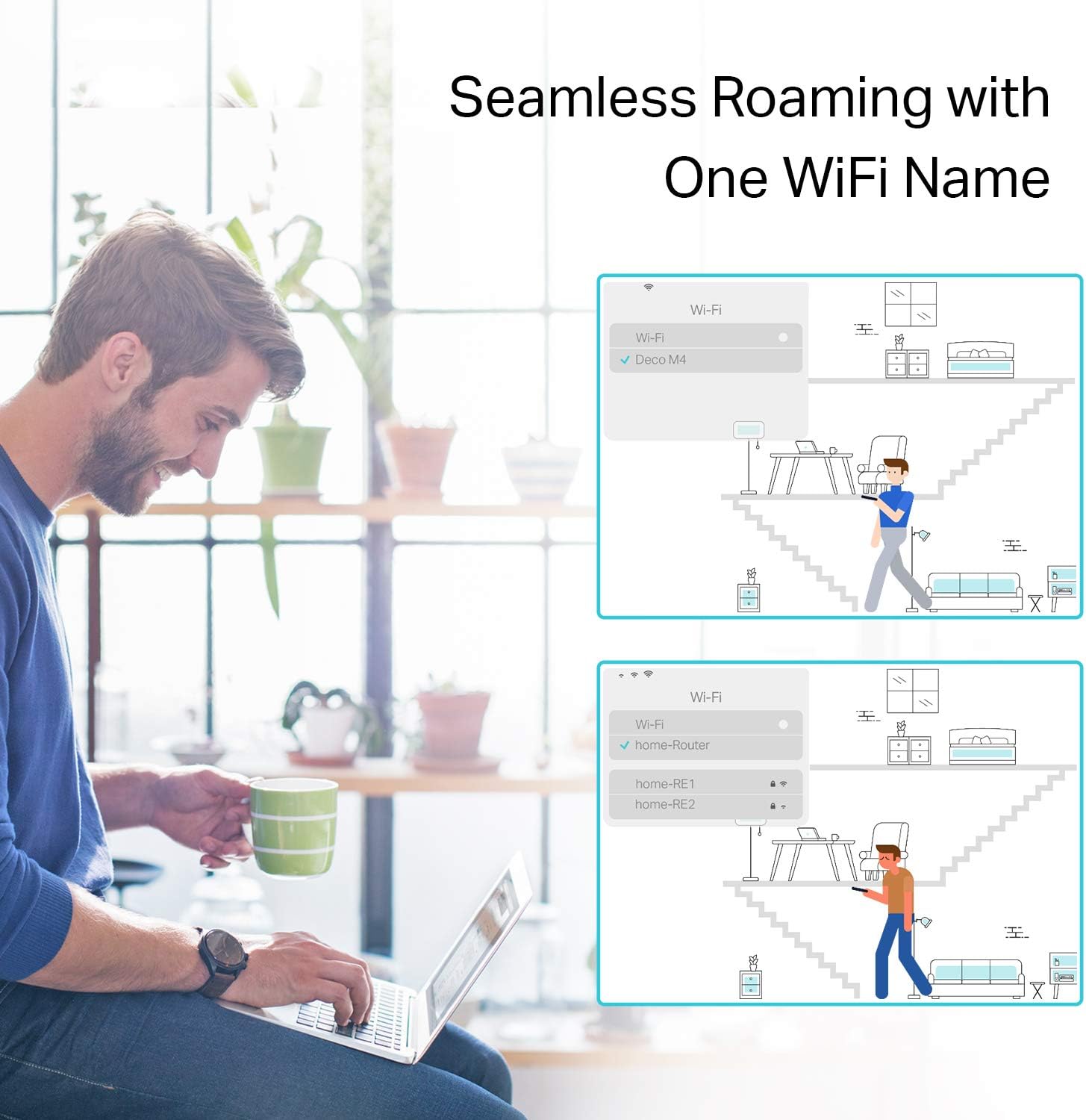
Figure 5: Devices seamlessly switch between Deco units for continuous Wi-Fi coverage.
5.2 والدين سنڀال
The Deco app provides robust parental controls to manage internet access for family members. You can:
- Filter Content: نامناسب کي بلاڪ ڪريو websites based on age-appropriateness.
- Set Time Limits: Control how much time each person can spend online.
- View بصيرت: Monitor visited websites and online time.
- ڪنيڪشن معطل ڪريو: Temporarily pause internet access for specific profiles.
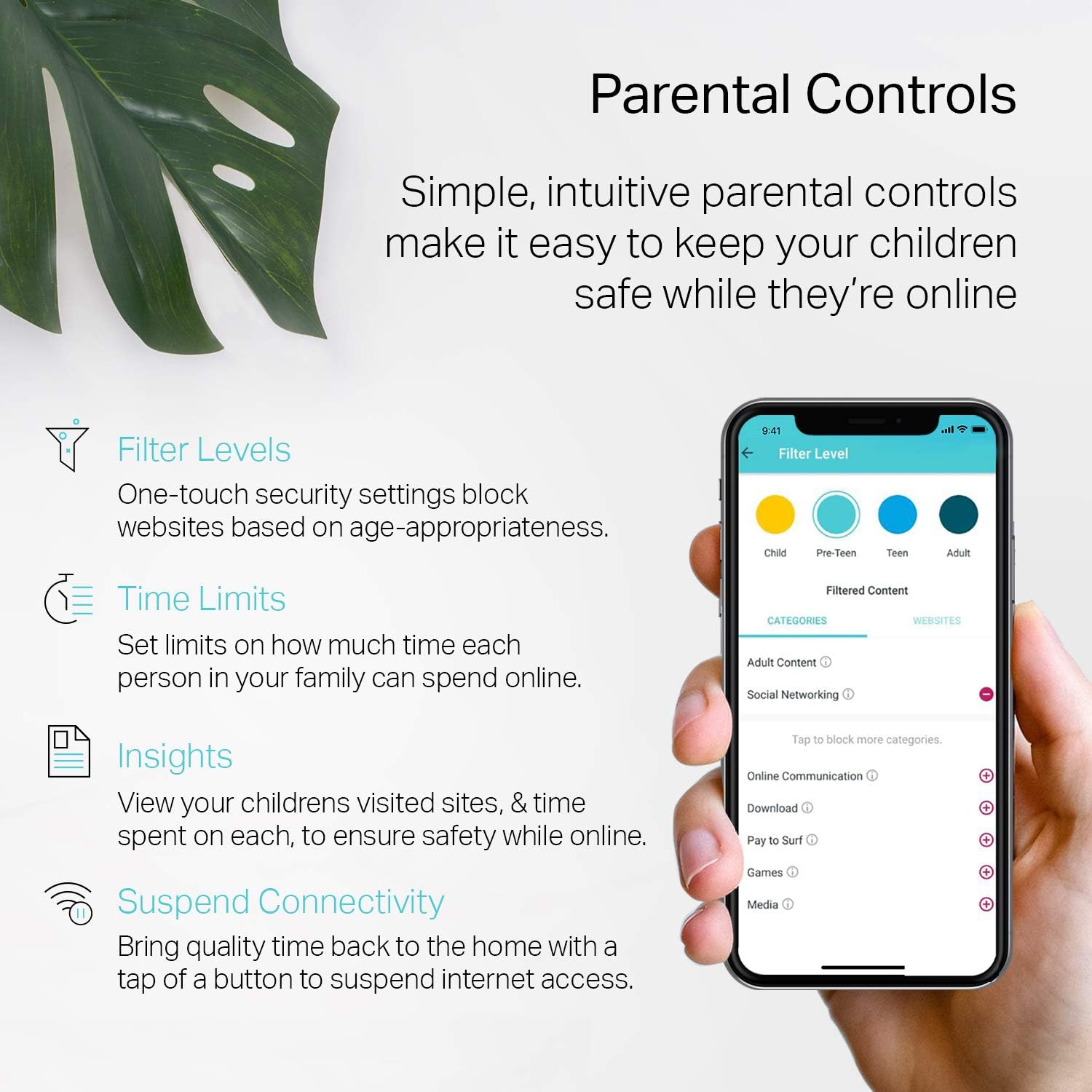
Figure 6: The Deco app's parental control features for managing family internet usage.
5.3 Alexa سان وائس ڪنٽرول
The Deco S4 system works with Alexa, allowing you to control certain functions with voice commands, such as turning guest Wi-Fi on or off.
وڊيو 2: هڪ استعمال ڪندڙ ٻيهرview highlighting the ease of use and features of the Deco system, including app control.
6. سار سنڀال
Regular maintenance ensures optimal performance of your Deco system.
- فرم ويئر اپڊيٽس: The Deco app will notify you of available firmware updates. It is recommended to keep your system updated to benefit from the latest features and security enhancements.
- ريبوٽنگ: If you experience connectivity issues, a simple reboot of your Deco units and modem can often resolve the problem. This can typically be done via the Deco app or by unplugging and replugging the power adapters.
7. مسئلا حل ڪرڻ
The LED indicator on your Deco unit provides information about its status:
- سڪل ا Whiteو: ڊيڪو شروع ٿي رهيو آهي.
- ٻرندڙ نيرو: Deco سيٽ اپ لاء تيار آهي.
- سڪل سائو: Deco is online and working correctly.
- مضبوط ڳاڙهو: Deco has an issue (e.g., no internet connection). Refer to the app for details.
For more detailed troubleshooting, consult the Deco app's help section or the TP-Link support webسائيٽ.
Video 3: A user's perspective on key considerations before purchasing and setting up the TP-Link Deco Mesh WiFi System.
8. وضاحتون
| برانڊ | ٽي پي لنڪ |
| ماڊل نالو | Deco S4(3-Pack) |
| وائرليس ڪميونيڪيشن معياري | 802.11ac |
| فريڪوئنسي بينڊ ڪلاس | ڊبل بينڊ |
| رابطي ٽيڪنالاجي | Ethernet، وائي فائي |
| خاص خصوصيت | رسائي جي موڊ |
| ڪوريج | 5,500 چورس فوٽ تائين (3-پيڪ) |
| Ethernet بندرگاهن | 2 Gigabit Ethernet ports per unit (6 total for 3-pack) |
| طول و عرض | 3.57 x 3.57 x 6.39 انچ |
| شيءِ جو وزن | 4.2 پائونڊ |
9. وارنٽي ۽ سپورٽ
وارنٽي جي معلومات ۽ ٽيڪنيڪل سپورٽ لاءِ، مھرباني ڪري سرڪاري ٽي پي-لنڪ جو دورو ڪريو. website or contact their customer service. Details can typically be found in the Quick Installation Guide included with your product.
قانوني ترديد: Maximum wireless transmission rates are physical rates derived from IEEE Standard 802.11 specifications. Range, coverage, and maximum quantity of connected devices are based on test results under normal usage conditions. Actual wireless data throughput, wireless coverage, and quantity of connected devices are not guaranteed and will vary due to environmental factors, network conditions, and client limitations. Clients need to support 802.11k/v/r and may require additional setup. Performance may vary depending on the client device. Actual network speed may be limited by the rate of the product's Ethernet WAN or LAN port, the rate supported by the network cable, Internet service provider factors, and other environmental conditions.
For further assistance, you may contact TP-Link support via:
- فون: (866) 225-8139
- Webسائيٽ: myproducts.tp-link.com/us
- اي ميل: سپورٽ. يو ايس اي [ايميل محفوظ ٿيل]


