1. تعارف
This manual provides detailed instructions for the installation, operation, and maintenance of your Denver SHC-150 WiFi/IP Indoor Security Camera. Please read this manual thoroughly before using the product to ensure proper functionality and safety. Keep this manual for future reference.

تصوير 1.1: سامهون view of the Denver SHC-150 Indoor Security Camera.
2. پراڊڪٽ ختمview
2.1 اهم خاصيتون
- Indoor IP dome camera with infrared LEDs for night use.
- 1 Megapixel HD video camera at 12 frames per second.
- WiFi (WEP/WPA/WPA2) and LAN function.
- Compatible with Tuya IoT platform and Denver Smart Home app (iOS/Android).
- Motorized pan (355°) and tilt (90°).
- Integrated speaker and microphone for two-way audio.
- Infrared range up to 10 meters.
- Motion detection with manual access.
- Micro SD card slot for up to 128GB storage (memory card not included).
2.2 ڪئميرا جا حصا

تصوير 2.1: Diagram illustrating the main components of the SHC-150 camera.
The camera features a photoresistance sensor, IR LEDs, HD lens, microphone (MIC), and motorized pan/tilt mechanism on the front. The rear includes a reset hole, TF (Micro SD) card slot, speaker, antenna, and DC power port.
3. سيٽ اپ
3.1 دٻي ۾ ڇا آهي
- Denver SHC-150 Security Camera
- پاور اڊاپٽر
- Mounting Accessories (for wall mounting)
- استعمال ڪندڙ دستي
3.2 جسماني تنصيب
The Denver SHC-150 camera is designed for indoor use and can be placed on a flat surface or mounted on a wall. Ensure the camera is positioned within range of your WiFi network and has a clear view علائقي جو توهان مانيٽر ڪرڻ چاهيو ٿا.
- ڪئميرا لاءِ مناسب جڳھ چونڊيو.
- If wall-mounting, use the provided mounting accessories to securely attach the camera.
- Connect the power adapter to the DC port on the camera and plug it into a power outlet. The camera will power on and initiate its startup sequence.
3.3 ايپ جي انسٽاليشن ۽ جوڙو ٺاهڻ
The SHC-150 camera operates with the Tuya IoT platform, compatible with the Denver Smart Home app.
- ڊائون لوڊ ڪريو ڊنور سمارٽ گهر ايپ اسٽور (iOS) يا گوگل پلي اسٽور (Android) تان ايپ.
- نئين اڪائونٽ لاءِ رجسٽر ٿيو يا جيڪڏهن توهان وٽ اڳ ۾ ئي آهي ته لاگ ان ٿيو.
- ايپ ۾، نئين ڊوائيس شامل ڪرڻ لاءِ "+" آئڪن تي ٽيپ ڪريو.
- Select "Security Camera" or search for "SHC-150".
- Follow the on-screen instructions to connect the camera to your WiFi network. This typically involves scanning a QR code displayed on your phone with the camera lens or entering your WiFi credentials.
- Once connected, the camera will appear in your device list within the app.
4. آپريٽنگ هدايتون
4.1 زنده View ۽ پين/ٽِلٽ ڪنٽرول
Access the live video feed from your camera through the Denver Smart Home app. You can remotely control the camera's viewزاويه.

تصوير 4.1: Remote control of camera pan and tilt via smartphone app.
- زنده مان view screen in the app, use the directional controls to pan the camera horizontally up to 355 degrees and tilt it vertically up to 90 degrees.
4.2 ٻه طرفي آڊيو
ڪئميرا ۾ هڪ بلٽ ان مائڪروفون ۽ اسپيڪر آهي، جيڪو ٻه طرفي رابطي کي فعال بڻائي ٿو.
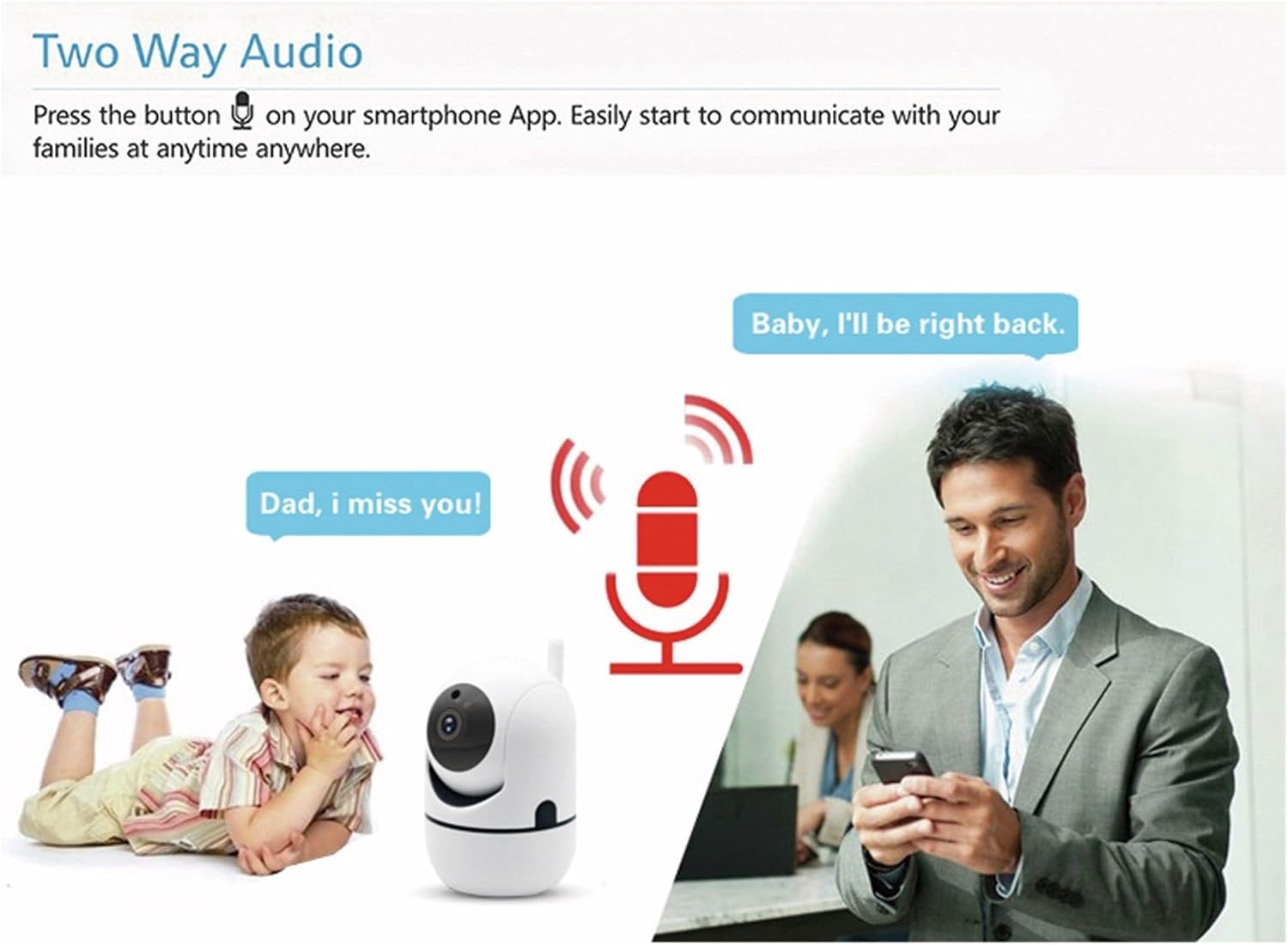
تصوير 4.2: Two-way audio allows communication through the camera.
- ايپ جي لائيو ۾ مائڪروفون آئڪن تي ٽيپ ڪريو view ڪئميرا جي اسپيڪر ذريعي ڳالهائڻ لاءِ.
- The camera's microphone will pick up audio from its surroundings, which you can hear through your smartphone.
4.3 حرڪت جي چڪاس
ڪئميرا حرڪت کي ڳولي سگهي ٿو ۽ توهان جي اسمارٽ فون ڏانهن الرٽ موڪلي سگهي ٿو.
- Enable motion detection in the Denver Smart Home app settings for your camera.
- Configure alert sensitivity and notification preferences as needed.
- The camera also supports automatic motion tracking, allowing it to follow detected movement within its 355° pan and 120° tilt range.
4.4 رات جو خواب
The integrated infrared LEDs provide clear video monitoring in low-light or no-light conditions.

تصوير 4.3: Infrared night vision automatically activates in low light, with a range of up to 10 meters.
- جڏهن روشني جي سطح گهٽ هوندي آهي ته رات جو نظارو پاڻمرادو چالو ٿي ويندو آهي.
- The infrared range extends up to 10 meters.
4.5 رڪارڊنگ ۽ اسٽوريج
The camera supports local storage via a Micro SD card.
- Insert a Micro SD card (up to 128GB, not included) into the TF card slot on the camera.
- Configure recording settings (e.g., continuous recording, event-triggered recording) within the Denver Smart Home app.
- رڪارڊ ٿيل فوtagاي تائين رسائي ۽ ٻيهر حاصل ڪري سگهجي ٿوviewايپ ذريعي رجسٽر ٿيو.
5. سار سنڀال
- صفائي: ڪئميرا لينس ۽ جسم کي صاف ڪرڻ لاءِ نرم، سڪل ڪپڙو استعمال ڪريو. سخت ڪيميڪلز يا رگڙيندڙ ڪلينر استعمال ڪرڻ کان پاسو ڪريو.
- سافٽ ويئر اپڊيٽ: Regularly check the Denver Smart Home app for firmware updates to ensure optimal performance and security.
- پاور سائيڪل: جيڪڏهن ڪئميرا ۾ ڪو مسئلو پيش اچي ٿو، ته ان کي ڪجهه سيڪنڊن لاءِ پاور سورس کان ان پلگ ڪرڻ جي ڪوشش ڪريو ۽ پوءِ ان کي واپس پلگ ان ڪريو.
6. مسئلا حل ڪرڻ
6.1 Camera Not Connecting to WiFi
- Ensure your WiFi network is 2.4GHz. The camera does not support 5GHz WiFi.
- Verify that the WiFi password entered in the app is correct.
- Place the camera closer to your WiFi router during the initial setup process.
- Reset the camera by pressing the reset button (refer to Image 2.1 for location) and attempt pairing again.
6.2 خراب وڊيو معيار
- پنهنجي انٽرنيٽ ڪنيڪشن جي رفتار چيڪ ڪريو. HD اسٽريمنگ لاءِ هڪ مستحڪم ۽ تيز ڪنيڪشن جي ضرورت آهي.
- پڪ ڪريو ته ڪئميرا لينس صاف ۽ مٽي يا داغ کان پاڪ آهي.
- Adjust the video quality settings within the Denver Smart Home app if available.
6.3 حرڪت جي ڳولا ڪم نه ڪري رهي آهي
- تصديق ڪريو ته ايپ سيٽنگز ۾ حرڪت جي سڃاڻپ فعال آهي.
- حرڪت جي سڃاڻپ جي حساسيت کي ترتيب ڏيو.
- پڪ ڪريو ته ڪئميرا کي روڪڻ ۾ ڪا به رڪاوٽ نه آهي view.
6.4 Micro SD Card Not Recording
- Ensure the Micro SD card is inserted correctly and fully.
- Check if the Micro SD card is formatted correctly (usually FAT32). Format it via the app if necessary.
- Verify that recording settings are configured in the app.
- The card might be full; consider enabling loop recording or replacing the card.
7. وضاحتون

تصوير 7.1: Product label on the back of the SHC-150 camera.
| خاصيت | تفصيل |
|---|---|
| ماڊل نالو | ايس ايڇ سي-150 |
| پراڊڪٽ ماڊل نمبر | 118101020060 |
| وڊيو قرارداد | 720p HD (1 Megapixel) |
| فريم جي شرح | 12 fps |
| رابطي | Wi-Fi (2.4GHz, WEP/WPA/WPA2), Wired LAN |
| پان زاوي | 355 درجا |
| جھڪندڙ زاويه | 90 درجا |
| نائيٽ ويزن رينج | 10 ميٽر تائين |
| آڊيو | Two-way audio (built-in speaker and microphone) |
| ذخيرو | Micro SD card slot, up to 128GB |
| پاور ان پٽ | DC 5V/1A (via power adapter) |
| طول و عرض (L x W x H) | 8.5 x 7 x 10.5 سينٽي |
| وزن | 340 گرام |
| مواد | ڌاتو |
| رنگ | اڇو |
| آپريٽنگ ماحول | صرف اندروني استعمال |
8. وارنٽي ۽ سپورٽ
Denver products are manufactured to high quality standards. This product is covered by a warranty period as per local consumer protection laws. For warranty claims, technical support, or service inquiries, please contact your retailer or visit the official Denver support webسائيٽ.
مھرباني ڪري ڪنھن به وارنٽي دعوائن لاءِ خريداري جي ثبوت طور پنھنجي خريداري جي رسيد کي برقرار رکو.


