1. تعارف
This manual provides detailed instructions for setting up, operating, and maintaining your Logitech C920x HD Pro Webcam. Designed for crisp, clear Full HD 1080p video calls and recordings, this webcam features HD autofocus, light correction, and dual microphones for superior audio quality. Please read this manual thoroughly to ensure optimal performance and longevity of your device.
2. دٻي ۾ ڇا آهي
- C920x Webڪئميرا
- 5ft USB ڪيبل
- استعمال ڪندڙ دستاويز

Figure 2.1: Logitech C920x HD Pro Webcam with its included USB cable.
3. سيٽ اپ
3.1. جسماني جڳهه
سي 920 ايڪس webcam features a versatile mounting clip that allows for secure placement on various devices:
- مانيٽر/ليپ ٽاپ اسڪرين تي: ڪلپ کوليو ۽ رکو webcam on top of your monitor or laptop screen, ensuring the front lip rests securely on the top edge and the adjustable arm supports the back.
- ٽرائيپڊ تي: جي webcam's base includes a standard tripod thread for mounting on a tripod (not included).
- فليٽ سطح تي: The clip can also be folded to create a stable base for placement on a desk or shelf.

شڪل 3.1: Webڪيم محفوظ طور تي ليپ ٽاپ اسڪرين تي لڳل آهي.

Figure 3.2: The adjustable clip allows for various mounting options.
3.2. توهان جي ڪمپيوٽر سان ڳنڍڻ
Connect the integrated 5ft USB cable from the webcam to an available USB port on your computer. The webcam is plug-and-play and should be automatically recognized by most operating systems (Windows, macOS, Chrome OS).

Figure 3.3: USB connection for easy setup.
4. آپريٽنگ هدايتون
4.1. Video Calls and Recording
The C920x delivers Full HD 1080p video at 30 frames per second, ensuring crisp and clear visuals for your video conferences and content creation. It is compatible with popular video calling applications like Skype, Zoom, and FaceTime.

Figure 4.1: High-quality video for professional communication.
4.2. آڊيو خاصيتون
Equipped with dual stereo microphones, the C920x captures natural sound, making your voice clear during calls and recordings. The microphones are positioned on either side of the lens for optimal sound pickup.

Figure 4.2: Dual microphones for clear stereo audio.
4.3. Automatic Light Correction and Autofocus
جي webcam automatically fine-tunes lighting conditions and features HD autofocus to produce bright, razor-sharp images even in low-light settings. This ensures consistent high-definition quality without manual adjustments.

Figure 4.3: Automatic adjustments for optimal image quality.
4.4. Logitech Capture Software
For advanced control and content creation, download and install the Logitech Capture software. This software allows you to easily create and share video content, offering features like background removal, replacement, and blurring (with included XSplit VCam license).
Figure 4.4: Logitech Capture App for enhanced control.
4.5. مطابقت
The Logitech C920x is broadly compatible with various operating systems and platforms, including Windows, macOS, Chrome OS, and popular video conferencing applications.
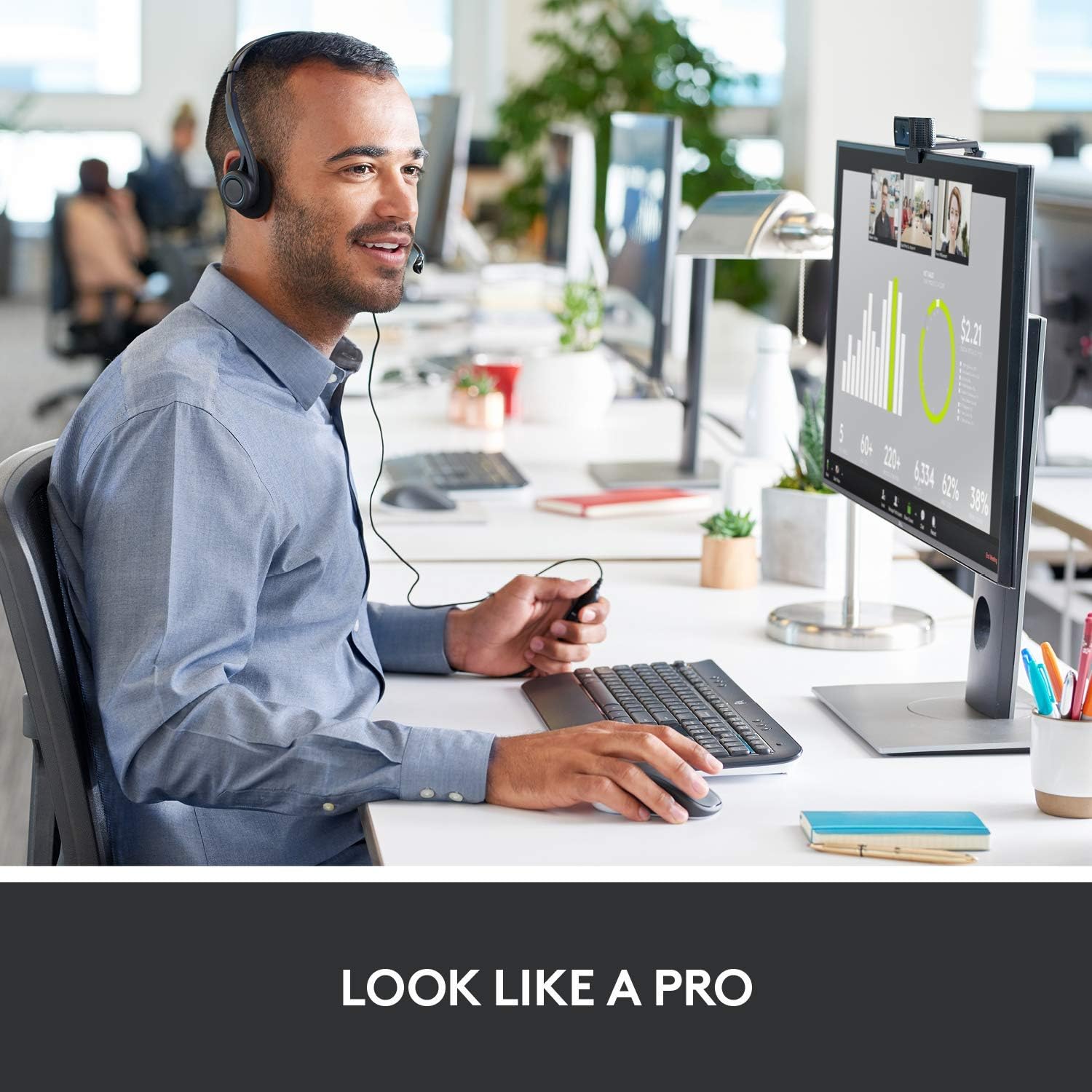
Figure 4.5: Broad compatibility with various platforms.
5. سار سنڀال
To ensure the longevity and optimal performance of your Logitech C920x HD Pro Webڪيم، انهن سادي سار سنڀال جي هدايتن تي عمل ڪريو:
- لينس جي صفائي: Gently wipe the lens with a soft, lint-free cloth. Avoid using abrasive materials or harsh chemicals that could scratch the lens.
- جسم جي صفائي: نرم استعمال ڪريو، ڊيamp cloth to clean the body of the webcam. Do not submerge the webڪيم کي پاڻي ۾ وجھو يا وڌيڪ نمي استعمال ڪريو.
- اسٽوريج: جڏهن استعمال ۾ نه هجي، ذخيرو ڪريو webڪيم کي سڌي سج جي روشني ۽ انتهائي گرمي پد کان پري ٿڌي، سڪل جاءِ تي رکو.
- ڪيبل جي سنڀال: Avoid bending or kinking the USB cable excessively to prevent internal damage.
6. مسئلا حل ڪرڻ
If you encounter issues with your Logitech C920x HD Pro Webcam, try the following troubleshooting steps:
| مسئلو | ممڪن حل |
|---|---|
| Webڪمپيوٽر طرفان ڪيم نه مليو. |
|
| خراب وڊيو معيار (ڌمڪو، ڪارو، داڻو). |
|
| ڪابه آڊيو يا خراب آڊيو معيار ناهي. |
|
For further assistance, refer to the official Logitech support webسائيٽ يا مڪمل يوزر مينوئل PDF.
7. وضاحتون
| خاصيت | تفصيل |
|---|---|
| پيداوار جي ماپ | 2.8 x 1.7 x 3.7 انچ |
| شيءِ جو وزن | 5.7 اونس |
| شيون ماڊل نمبر | 960-001335 |
| وڊيو ڪيپچر ريزوليوشن | 1080p (مڪمل HD) |
| فريم جي شرح | 30 fps |
| فوٽو سينسر ٽيڪنالاجي | CMOS |
| وڌ ۾ وڌ ايپرچر | 1.8 ف |
| رابطي ٽيڪنالاجي | USB |
| مائڪروفون | Dual Stereo Microphones |
| آٽو فوڪس | HD Autofocus |
| روشني جي اصلاح | Automatic HD Light Correction |
| ٺاهيندڙ | Logitech |
| اصل جو ملڪ | ويتنام |
8. وارنٽي ۽ سپورٽ
Logitech products typically come with a limited hardware warranty. For specific warranty details, registration, and technical support, please visit the official Logitech support website or refer to the user documentation included with your product.
توهان سرڪاري يوزر مينوئل (PDF) پڻ ڳولي سگهو ٿا. هتي.
Protection plans are available for purchase separately to extend coverage:
- 2 سالن جو تحفظ وارو منصوبو
- 3 سالن جو تحفظ وارو منصوبو
- مڪمل تحفظ (ماهوار منصوبو)


