1. تعارف
This manual provides essential information for the proper use and care of your Brinno Empower TLC2020 Time Lapse Camera and ATH1000 Waterproof Case. Please read these instructions carefully before operating the device to ensure optimal performance and longevity.
The Brinno TLC2020 is designed for capturing high-quality time-lapse, step video, and stop motion footage, particularly for long-term outdoor projects, thanks to its extended battery life and durable waterproof housing.
2. پراڊڪٽ ختمview
2.1. پيڪيج مواد
- برنو TLC2020 ٽائيم ليپس ڪيمرا
- Brinno ATH1000 Waterproof Case
- AA Batteries (4x)
- استعمال ڪندڙ جو دستياب (ھي دستاويز)
2.2. اهم خاصيتون
- High-Resolution Capture: 1080P HDR video recording.
- وسيع ميدان جو View: 118° lens for comprehensive scene capture.
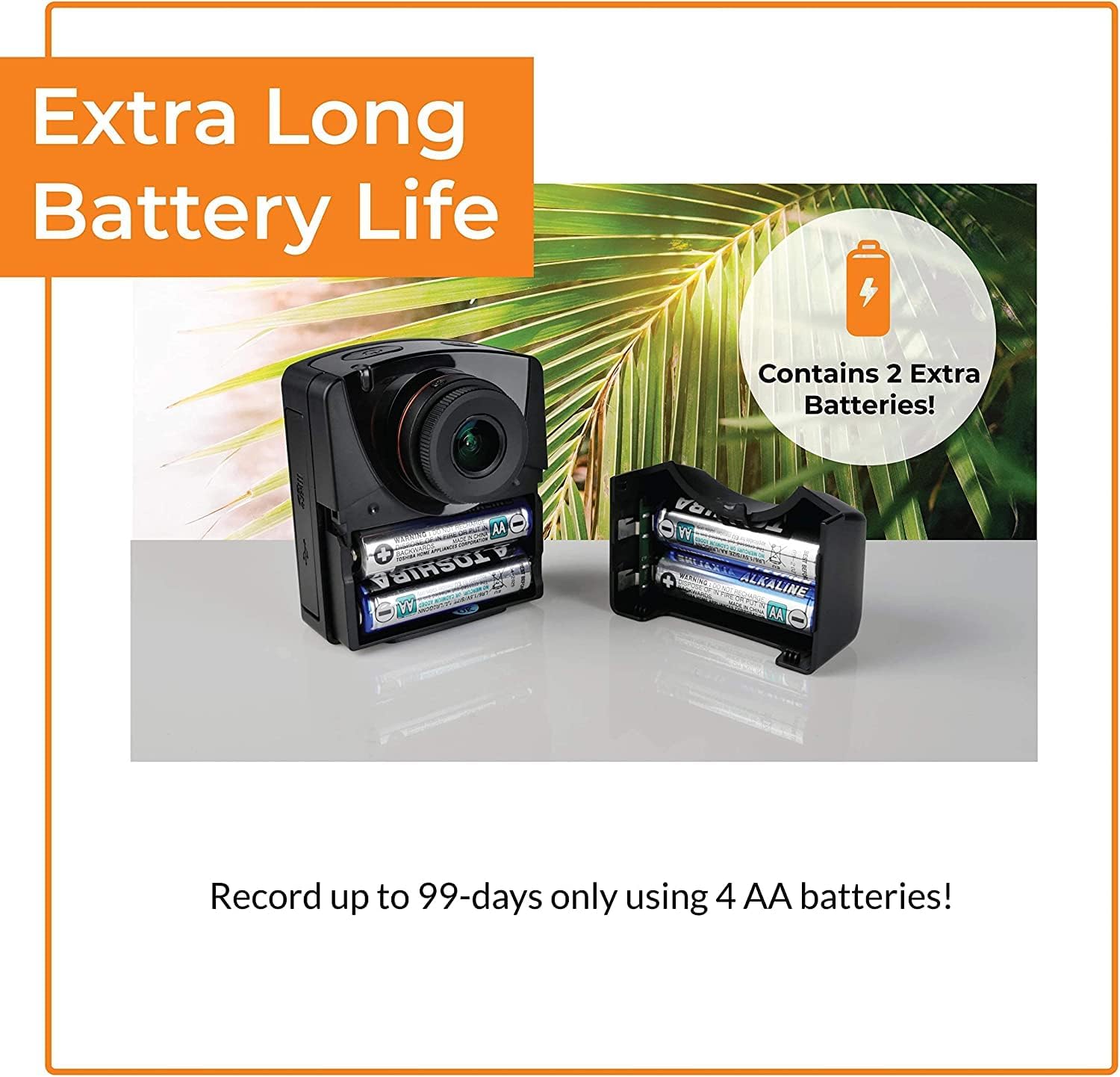
- وڌايل بيٽري جي زندگي: Up to 99 days of recording with 4 AA batteries (5-minute interval).
- Versatile Capture Modes: Time-lapse, Step Video, and Stop Motion.
- پائيدار تحفظ: ATH1000 Waterproof Case for outdoor use.
- لچڪدار شيڊولنگ: Daily timer and scheduling features to conserve battery.
- اسٽوريج: 128GB تائين مائڪرو ايس ڊي ڪارڊ کي سپورٽ ڪري ٿو.
- پورٽبل ڊيزائن: Compact and easy to deploy.
2.3. Camera and Case Components

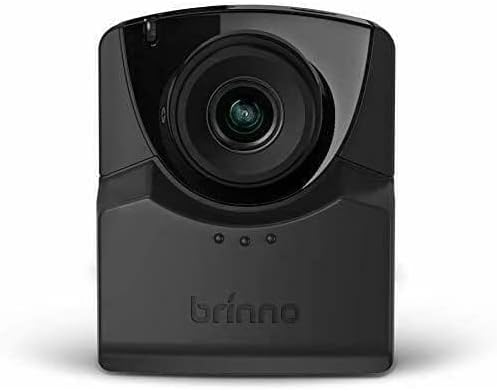
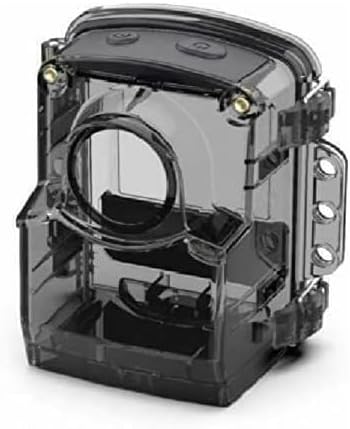
3. سيٽ اپ
3.1. بيٽري لڳائڻ
- Open the battery compartment cover on the side of the TLC2020 camera.
- Insert four (4) AA batteries, ensuring correct polarity (+/-).
- بيٽري جي ڪمري واري ڍڪ کي محفوظ طور تي بند ڪريو.

3.2. مائڪرو ايس ڊي ڪارڊ جي انسٽاليشن
- Locate the MicroSD card slot, typically near the battery compartment.
- Insert a MicroSD card (up to 128GB supported) into the slot until it clicks into place.
- ڪڍڻ لاءِ، ڪارڊ کي نرميءَ سان دٻايو جيستائين اهو ٻاهر نه اچي.

3.3. ATH1000 Waterproof Case Assembly
- Open the latches on the ATH1000 waterproof case.
- Carefully place the TLC2020 camera inside the case, ensuring it fits snugly.
- Close the latches firmly to seal the case. Verify the seal is complete before exposing to water.
3.4. شروعاتي پاور آن ۽ سيٽنگون
Press the power button to turn on the camera. The 2-inch screen will display the menu. Use the navigation buttons to set the date, time, and desired capture mode. Refer to the on-screen prompts for guidance.
4. آپريٽنگ هدايتون
4.1. Capture Modes
The TLC2020 offers three distinct capture modes:
- وقت گذرڻ: Captures a sequence of photos at set intervals, automatically compiling them into a video. Ideal for monitoring construction projects, plant growth, or environmental changes.
- قدم وڊيو: Records short video clips at selected intervals. The camera combines these clips into a continuous video, suitable for dynamic storytelling or capturing movement.
- Stop Motion: Allows manual capture of multiple photos, one frame at a time. The camera then combines these into an animated video, perfect for creative projects.


4.2. Flexible Scheduling
Utilize the camera's daily timer and scheduling feature to select specific days and hours for recording. This extends battery life by preventing unnecessary recording during inactive periods.

4.3. Video Output and Sharing
Once recording is complete, the camera automatically processes the footage into an MP4 video file. هي file is instantly available on the MicroSD card for transfer to a computer or other device for sharing.
5. سار سنڀال
5.1. بيٽري جي سنڀال
- Always use fresh, high-quality AA batteries.
- جيڪڏهن ڪئميرا ڊگهي عرصي تائين استعمال نه ٿيندو ته جيئن ليڪيج کي روڪي سگهجي ته بيٽريون ڪڍي ڇڏيون.
- Monitor battery levels regularly, especially during long-term projects.
5.2. Waterproof Case and Lens Care
- Regularly inspect the ATH1000 case for cracks or damage to maintain its waterproof integrity.
- Clean the case and camera lens with a soft, lint-free cloth. For stubborn dirt, use a mild cleaning solution and ensure no residue remains.
- Avoid abrasive materials that could scratch the lens or case.
5.3. اسٽوريج
Store the camera and case in a cool, dry place away from direct sunlight and extreme temperatures when not in use.
6. مسئلا حل ڪرڻ
6.1. ڪئميرا آن نه ٿي رهيو آهي
- پڪ ڪريو ته بيٽري صحيح طور تي داخل ٿيل آهن ۽ مڪمل طور تي چارج ٿيل آهن.
- Try replacing with new batteries.
- Verify the power button is pressed firmly.
6.2. مختصر بيٽري جي زندگي
- Utilize the flexible scheduling feature to record only during necessary periods.
- Ensure you are using high-quality alkaline or rechargeable AA batteries.
- انتهائي ٿڌو گرمي پد بيٽري جي ڪارڪردگي کي گهٽائي سگھي ٿو.
6.3. Condensation Inside Waterproof Case
- Condensation can occur with significant temperature changes and high humidity.
- Place desiccant packets (silica gel) inside the case with the camera to absorb moisture.
- Ensure the camera and case are completely dry before sealing for outdoor use.
6.4. رڪارڊنگ جا مسئلا
- Check if the MicroSD card is properly inserted and has sufficient free space.
- Ensure the MicroSD card is formatted correctly (FAT32 or exFAT).
- Verify that the recording schedule and interval settings are configured as desired.
7. وضاحتون
| خاصيت | تفصيل |
|---|---|
| برانڊ | برنو |
| ماڊل نمبر | TLC2020 |
| شيءِ جو وزن | 1.34 پائونڊ |
| پيداوار جي ماپ | 1.5 x 4.5 x 4.5 انچ |
| بيٽريون | 4 AA بيٽرين جي ضرورت آهي |
| رنگ | ڪارو |
| فوٽو سينسر ٽيڪنالاجي | CMOS |
| وڊيو ڪيپچر ريزوليوشن | 1080 ص |
| وڌ ۾ وڌ فوڪل ڊگھائي | 19 ملي ميٽر |
| وڌ ۾ وڌ ايپرچر | 2 ف |
| فليش ميموري جو قسم | مائڪرو ايس ڊي (128GB تائين) |
| وڊيو ڪيپچر فارميٽ | ايم پي 4 |
| سپورٽ آڊيو فارميٽ | AAC |
| اسڪرين جي ماپ | 2 انچ |
| رابطي ٽيڪنالاجي | USB |
8. وارنٽي ۽ سپورٽ
Brinno is committed to providing reliable products. For detailed warranty information, please refer to the official Brinno website or the warranty card included with your purchase. For technical support, product inquiries, or service, please visit the Brinno support page or contact their customer service directly.
You can find more information and support resources on the official Brinno webسائيٽ: www.brinno.com