1. تعارف
هي دستور العمل توهان جي سيٽ اپ، هلائڻ ۽ برقرار رکڻ لاءِ ضروري معلومات فراهم ڪري ٿو ViewSonic VX2776-SH 27-inch Full HD IPS monitor. Please read these instructions carefully before using the product.
جي ViewSonic VX2776-SH monitor features a 27-inch (68.58 cm) Full HD (1920x1080) IPS display, offering vibrant colors and wide viewing angles. It includes SuperClear IPS Technology, a sleek frameless design, and a 75Hz refresh rate for smooth visuals. Eye-care technologies such as Flicker-Free and a Blue Light Filter are integrated to reduce eye strain. Connectivity options include HDMI and VGA inputs.

شڪل 1: ViewSonic VX2776-SH Monitor Overview اهم خصوصيتن سان
2. پيڪيج مواد
پڪ ڪريو ته سڀئي شيون پيڪيج ۾ موجود آهن:
- ViewSonic VX2776-SH Monitor x1
- 3-pin Power Plug (IEC C13 / CEE22) x1
- HDMI ڪيبل (v1.4؛ مرد-مرد) x1
3. سيٽ اپ جون هدايتون
3.1. اسٽينڊ اسيمبلي
مانيٽر اسٽينڊ کي گڏ ڪرڻ لاءِ:
- ڇڪڻ کان بچڻ لاءِ مانيٽر جو منهن نرم، صاف مٿاڇري تي احتياط سان رکو.
- Align the triangular base with the stand neck.
- مهيا ڪيل اسڪرو استعمال ڪندي بنياد کي ڳچيءَ تائين محفوظ ڪريو.
- Attach the assembled stand to the back of the monitor by aligning the mounting points and securing it firmly.
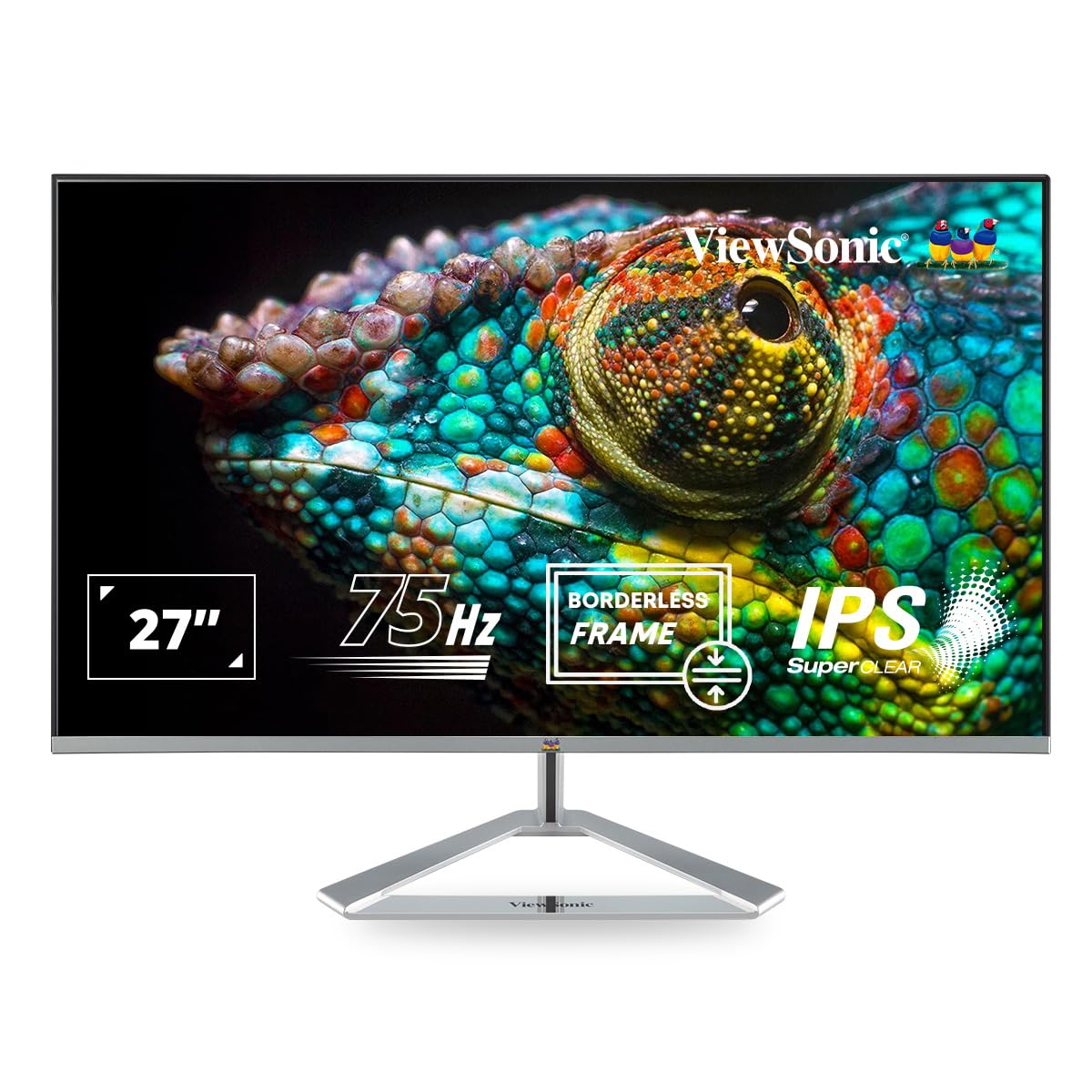
Figure 2: Monitor with Assembled Triangular Stand
3.2. مانيٽر کي ڳنڍڻ
Ensure the monitor and your computer are powered off before making any connections.
- پاور ڪنيڪشن: پاور ڪيبل کي مانيٽر جي پاور ان پٽ سان ۽ پوءِ پاور آئوٽليٽ سان ڳنڍيو.
- وڊيو ڪنيڪشن: Connect one end of the HDMI cable (or VGA cable) to the corresponding port on your computer's graphics card and the other end to an HDMI or VGA input port on the monitor. The monitor supports dual HDMI inputs.
- آڊيو آئوٽ پٽ (اختياري): If you are using external speakers or headphones, connect them to the monitor's audio out port.

Figure 3: Monitor Connectivity Ports (HDMI, VGA)
3.3. ويسا وال ماؤنٽ (اختياري)
The monitor is VESA mount compatible (100x100mm). To mount the monitor on a wall or monitor arm, remove the stand and attach the VESA-compatible bracket (not included) to the mounting holes on the back of the monitor.

Figure 4: VESA Mounting Area on Monitor Back
4. آپريٽنگ هدايتون
4.1. پاور آن/آف
مانيٽر کي آن يا آف ڪرڻ لاءِ ان جي ساڄي پاسي موجود پاور بٽڻ کي دٻايو. جڏهن مانيٽر آن هوندو ته پاور انڊيڪيٽر لائيٽ روشن ٿيندي.
4.2. آن-اسڪرين ڊسپلي (OSD) مينيو
The OSD menu allows you to adjust various display settings. Use the buttons located on the bottom right of the monitor to navigate the menu:
- او ايس ڊي مينيو کي چالو ڪرڻ لاءِ هڪ بٽڻ دٻايو.
- اختيارن مان گذرڻ لاءِ نيويگيشن بٽڻ استعمال ڪريو.
- چونڊ جي تصديق ڪرڻ لاءِ منتخب بٽڻ کي دٻايو.
- او ايس ڊي مينيو کي بند ڪرڻ لاءِ ايگزٽ بٽڻ کي دٻايو.
4.3. Viewموڊ سيٽنگون
ViewMode provides optimized presets for different screen applications. These presets adjust gamma curve, color temperature, contrast, and brightness to enhance your viewتجربو.
- راند: گيمنگ بصري لاءِ بهتر ڪيل.
- فلم: وڊيو پلے بیک لاءِ بهتر ڪيل.
- Web: عام لاءِ مناسب web برائوزنگ
- متن: Ideal for reading documents, reducing eye strain.
- مونو: مواد کي گري اسڪيل ۾ ڏيکاري ٿو.

شڪل 5: ViewMode Optimized Settings
4.4. اکين جي سنڀال جي ٽيڪنالاجي
The monitor incorporates eye-care features to promote comfortable viewing during extended use:
- چمڪندڙ مفت: Eliminates screen flickering, which can cause eye strain and fatigue.
- بليو لائيٽ فلٽر: Reduces harmful blue light emissions, helping to protect your eyes.

Figure 6: Flicker-Free Technology

Figure 7: Blue Light Filter
4.5. ايڪو موڊ
Eco Mode helps reduce power consumption and prolong the monitor's lifespan. You can enable or disable this feature through the OSD menu.

Figure 8: Eco Mode Functionality
5. سار سنڀال
To ensure optimal performance and longevity of your monitor:
- اسڪرين جي صفائي: نرم، لِنٽ فري ڪپڙي سان اسڪرين کي نرميءَ سان صاف ڪريو. ضدي نشانن لاءِ، ڊيampڪپڙي کي نرم، غير رگڙندڙ اسڪرين ڪلينر سان مسح ڪريو. ڪلينر کي سڌو سنئون اسڪرين تي نه اسپري ڪريو.
- سي جي صفائيasing: مانيٽر کي صاف ڪرڻ لاءِ نرم، سڪل ڪپڙو استعمال ڪريو casinج. مضبوط ڊٽرجنٽ يا رگڙيندڙ صاف ڪندڙ استعمال ڪرڻ کان پاسو ڪريو.
- وينٽيليشن: پڪ ڪريو ته مانيٽر تي وينٽيليشن جا سوراخ بند نه آهن ته جيئن وڌيڪ گرم ٿيڻ کان بچي سگهجي.
- بجلي بند: جڏهن مانيٽر گهڻي عرصي تائين استعمال ۾ نه هجي ته هميشه ان کي بند ڪريو.
6. مسئلا حل ڪرڻ
جيڪڏهن توهان کي پنهنجي مانيٽر سان مسئلا درپيش اچن ٿا، ته هيٺ ڏنل عام حلن جو حوالو ڏيو:
| مسئلو | ممڪن حل |
|---|---|
| اسڪرين تي ڪوبه تصوير نه آهي |
|
| تصوير ڌنڌلي يا بگڙيل آهي. |
|
| ٻاهرين اسپيڪرن/هيڊفونن مان ڪو به آواز نه ٿو اچي |
|
| Monitor power LED is off |
|
7. وضاحتون
| خاصيت | تفصيل |
|---|---|
| ماڊل نمبر | VX2776-SH |
| اسڪرين جي ماپ | 27 انچ (68.58 سينٽي) |
| پينل جو قسم | آئي پي ايس |
| اصلي قرارداد | 1920 x 1080 (مڪمل HD) |
| ريفريش جي شرح | 75Hz |
| اسپيڪٽ ريشو | 16:9 |
| رابطي | 2x HDMI (v1.4), 1x VGA |
| اکين جي سنڀال جون خاصيتون | Flicker-Free, Blue Light Filter |
| VESA جبل مطابقت | 100x100mm |
| پيداوار جي ماپ (LxWxH) | 61.4 x 18.4 x 44.3 سينٽي |
| شيءِ جو وزن | 4 ڪلو |
8. وارنٽي ۽ سپورٽ
For warranty information and technical support, please refer to the warranty card included with your product or visit the official Viewسونڪ webسائيٽ. توهان پڻ رابطو ڪري سگهو ٿا ViewSonic customer service for assistance with product registration, troubleshooting, and service inquiries.