1. تعارف
This manual provides essential information for the proper setup, operation, maintenance, and troubleshooting of your MSI GS66 Stealth 10SFS-440 gaming laptop. Please read this manual thoroughly before using your device to ensure optimal performance and longevity.
2. پيڪيج مواد
پڪ ڪريو ته سڀئي شيون پيڪيج ۾ موجود آهن:
- MSI GS66 Stealth 10SFS-440 Gaming Laptop
- پاور اڊاپٽر
If any items are missing or damaged, contact your retailer or MSI customer support.
3. پراڊڪٽ ختمview
The MSI GS66 Stealth 10SFS-440 is a high-performance gaming laptop designed for demanding applications and gaming. It features a 15.6-inch Full HD display with a 300Hz refresh rate, an Intel Core i7-10875H processor, and an NVIDIA GeForce RTX 2070 Super Max-Q graphics card.
3.1 اهم خاصيتون
- ڏيکاريو: 15.6" FHD, Anti-Glare Wide View Angle 300Hz 3ms
- پروسيسر: Intel Core i7-10875H (2.3 - 5.1GHz)
- گرافڪس: NVIDIA GeForce RTX2070 Super Max-Q 8G GDDR6
- ياداشت: 32GB (16G*2) DDR4 3200MHz (وڌ ۾ وڌ 64GB)
- اسٽوريج: 512GB NVMe SSD
- آپريٽنگ سسٽم: ونڊوز 10 پرو
- نيٽ ورڪنگ: Intel Wi-Fi 6 AX201(2*2 ax), Killer LAN E3100
- آڊيو: Dynaudio Speakers 2W*2
- Webڪيمرا: 720p HD
- ڪي بورڊ: Steel Series per-Key RGB with Anti-Ghost key (84 Key)
- ٽچ پيڊ: Silky Glass Touchpad
3.2 ليپ ٽاپ Views
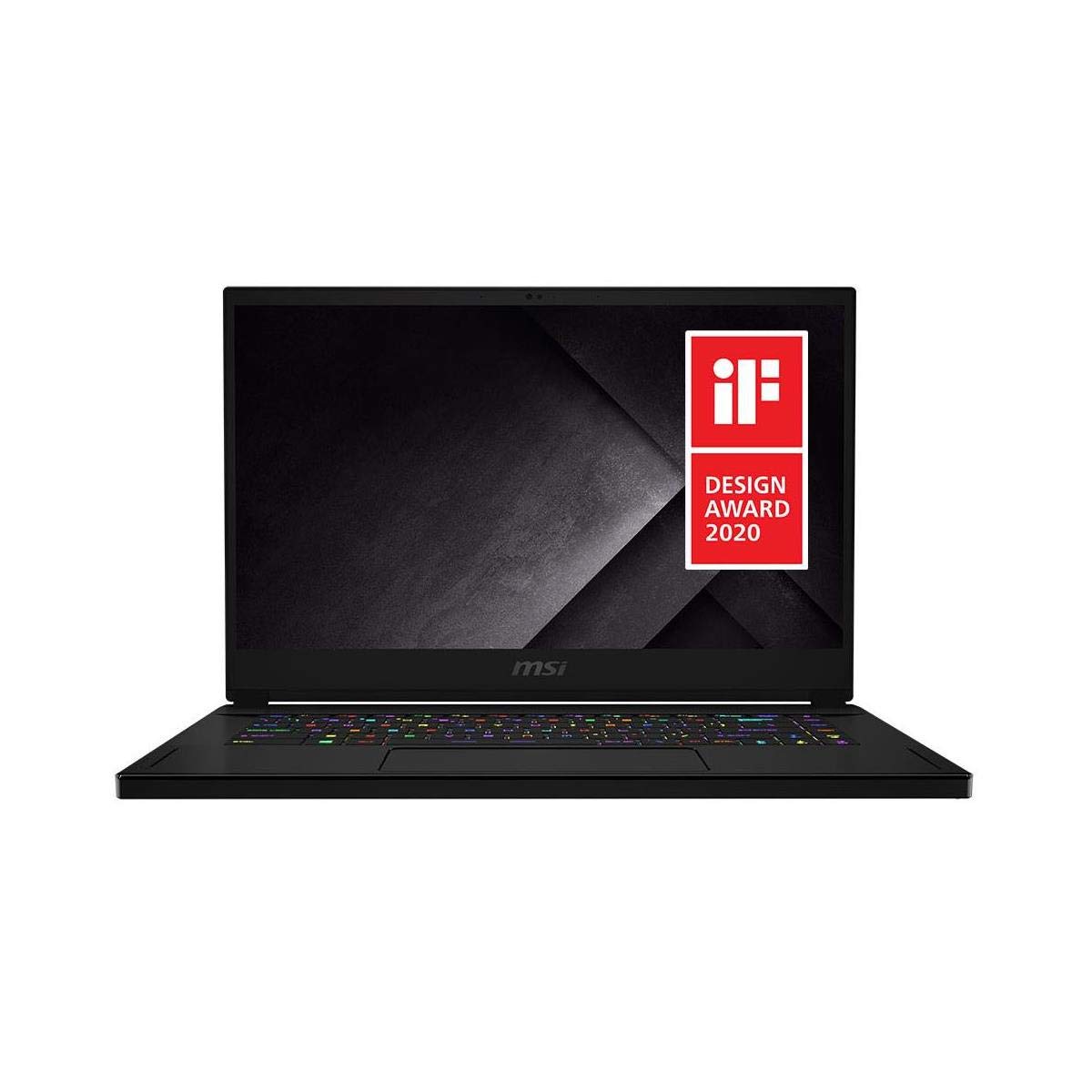
شڪل 3.2.1: سامهون view of the MSI GS66 Stealth 10SFS-440 gaming laptop, showcasing the display and RGB keyboard.
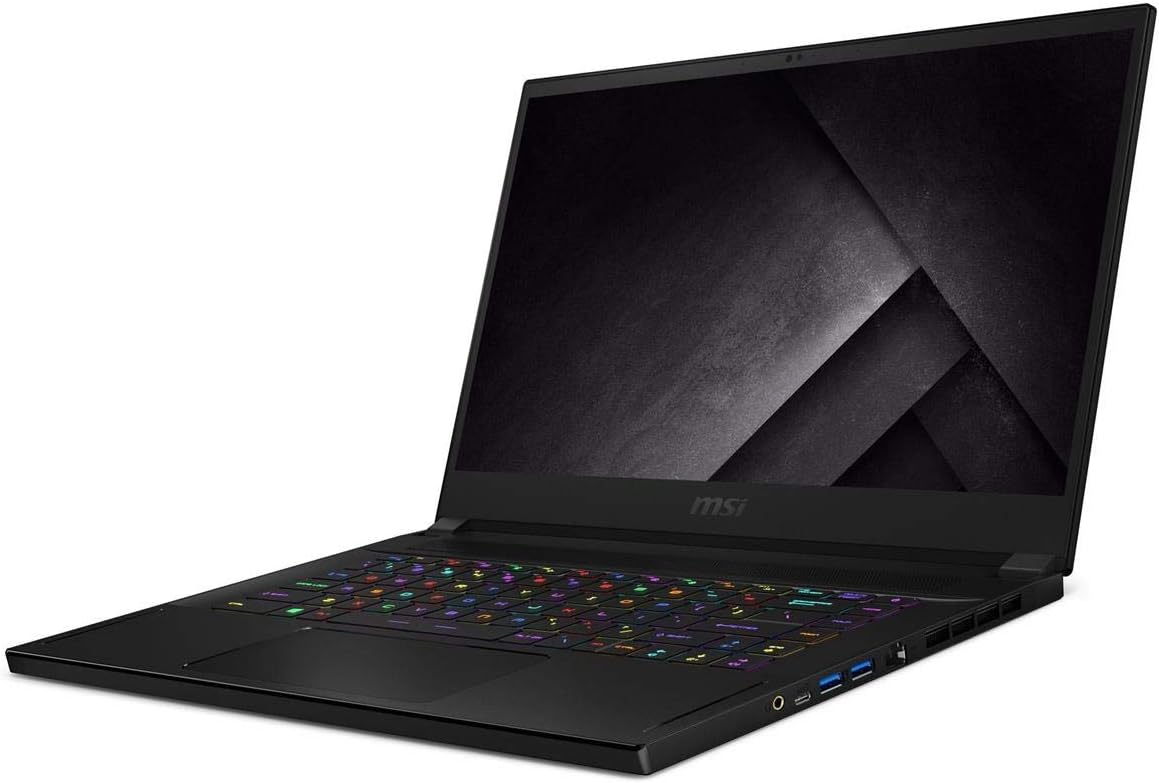
شڪل 3.2.2: زاويه view of the MSI GS66 Stealth 10SFS-440, highlighting the sleek design and keyboard layout.

شڪل 3.2.3: سائڊ پروfile of the MSI GS66 Stealth 10SFS-440, illustrating its thin chassis and port configuration.
4. سيٽ اپ
4.1 شروعاتي پاور آن
- Unpack the laptop and power adaptor from the box.
- Connect the power adaptor to the laptop's power input port and then plug it into a power outlet.
- ليپ ٽاپ جو ڍڪ کوليو. ليپ ٽاپ پاڻمرادو آن ٿي سگهي ٿو، يا توهان کي پاور بٽڻ دٻائڻ جي ضرورت پوندي.
- ونڊوز 10 پرو جي شروعاتي سيٽ اپ کي مڪمل ڪرڻ لاءِ اسڪرين تي ڏنل هدايتن تي عمل ڪريو، جنهن ۾ ٻولي، علائقو، نيٽ ورڪ ڪنيڪشن، ۽ يوزر اڪائونٽ ٺاهڻ شامل آهن.
4.2 پردي کي ڳنڍڻ
Connect external devices such as a mouse, keyboard, external monitor, or headset to the available ports on the laptop. Refer to the product overview images for port locations.
- USB بندرگاهن: For mouse, keyboard, external storage.
- HDMI پورٽ: ٻاهرين ڊسپلي لاءِ.
- آڊيو جڪس: هيڊفونز يا ٻاهرين اسپيڪرن لاءِ.
- ايٿرنيٽ پورٽ (LAN): وائرڊ نيٽ ورڪ ڪنيڪشن لاءِ.
5. آپريٽنگ هدايتون
5.1 پاور آن/آف ۽ سليپ موڊ
- پاور آن: ليپ ٽاپ چيسس تي موجود پاور بٽڻ کي دٻايو.
- بند ڪريو: ونڊوز اسٽارٽ بٽڻ تي ڪلڪ ڪريو، پوءِ پاور > شٽ ڊائون چونڊيو.
- سمهڻ جو طريقو: Close the laptop lid or click the Windows Start button, then select Power > Sleep.
5.2 ڪي بورڊ ۽ ٽچ پيڊ
The laptop features a Steel Series per-Key RGB keyboard and a silky glass touchpad. Customize keyboard backlighting and touchpad settings through the MSI Dragon Center software or Windows settings.
5.3 ڊسپلي سيٽنگون
Your laptop's 300Hz display provides a smooth visual experience. To adjust display settings:
- Right-click on the desktop and select "Display settings."
- Scroll down and click "Advanced display settings."
- Select the desired refresh rate (e.g., 300Hz) from the "Refresh rate" dropdown menu.
5.4 Performance Management (MSI Dragon Center)
Utilize the pre-installed MSI Dragon Center software to manage system performance, fan speeds, RGB lighting, and other settings. This software allows you to switch between performance modes (e.g., Extreme Performance, Balanced, Silent, Super Battery) to optimize for different tasks.
- گیمنگ موڊ: Activate for optimized gaming performance. Ensure your primary graphics card is set to the NVIDIA RTX card in NVIDIA Control Panel for best results.
- بيٽري موڊ: Select for extended battery life during general use or work.
6. سار سنڀال
6.1 صفائي
- اسڪرين ۽ چيسس کي صاف ڪرڻ لاءِ نرم، لِنٽ فري ڪپڙو استعمال ڪريو.
- ضدي نشانن لاءِ، هلڪو ڊيampڪپڙي کي پاڻي يا اسڪرين محفوظ ڪلينر سان ڌوئڻ ڏيو.
- ليپ ٽاپ تي سڌو سنئون مائع اسپري ڪرڻ کان پاسو ڪريو.
- مٽي جي جمع ٿيڻ کان بچڻ لاءِ ڪيبورڊ ۽ ٽچ پيڊ کي باقاعدي صاف ڪريو.
6.2 بيٽري جي سنڀال
- بيٽري کي بار بار مڪمل طور تي چارج ڪرڻ کان پاسو ڪريو.
- ڊگھي اسٽوريج لاءِ، بيٽري کي تقريباً 50-60٪ تائين چارج ڪريو.
- While gaming or performing intensive tasks, keep the laptop plugged in to ensure stable power and prevent rapid battery drain.
6.3 سافٽ ويئر اپڊيٽ
Regularly update your operating system, drivers (especially graphics drivers), and MSI software (e.g., Dragon Center) to ensure optimal performance, security, and compatibility.
- ونڊوز اپڊيٽس: سيٽنگون ڏانهن وڃو> تازه ڪاري ۽ سيڪيورٽي> ونڊوز تازه ڪاري.
- NVIDIA Drivers: Download from the official NVIDIA website or use GeForce Experience.
- MSI Drivers/Utilities: Check the official MSI support webتوهان جي ماڊل لاءِ سائيٽ.
6.4 اسٽوريج ۽ رام اپ گريڊ
The laptop supports upgrades for storage (NVMe SSD) and RAM (DDR4). However, upgrading internal components requires careful handling. It is recommended to consult a qualified technician or refer to official MSI service guides, as improper installation can void your warranty or damage the device. Note that internal screws may vary in size and require specific tools.
7. مسئلا حل ڪرڻ
7.1 عام مسئلا ۽ حل
| مسئلو | ممڪن حل |
|---|---|
| ليپ ٽاپ آن نه ٿي رهيو آهي | Ensure the power adaptor is securely connected to both the laptop and a working power outlet. Try a different outlet. |
| مختصر بيٽري جي زندگي | Adjust power settings in Windows or MSI Dragon Center to "Balanced" or "Super Battery" mode. Reduce screen brightness. Close unnecessary background applications. |
| تيز پرستار جو شور | This is common during intensive tasks like gaming. Ensure vents are not obstructed. Use MSI Dragon Center to adjust fan profiles. Consider a cooling pad for extended heavy use. |
| خراب وائي فائي ڪنيڪشن | Ensure you are within range of your Wi-Fi router. Update Wi-Fi drivers. Try connecting via an Ethernet cable if possible. |
| Low FPS in games | Verify that the NVIDIA GeForce RTX 2070 Super Max-Q is selected as the primary graphics card in the NVIDIA Control Panel. Ensure the laptop is plugged in and set to "Extreme Performance" mode in MSI Dragon Center. Update graphics drivers. |
| Keyboard RGB not working | Check settings within MSI Dragon Center or SteelSeries Engine software. Ensure the software is up to date. |
For issues not listed here, refer to the MSI support webسائيٽ يا ڪسٽمر سروس سان رابطو ڪريو.
8. وضاحتون
| خاصيت | تفصيل |
|---|---|
| ماڊل نالو | GS66 Stealth 10SFS-440 |
| اسڪرين جي ماپ | 15.6 انچ |
| اسڪرين جي قرارداد | 1920 x 1080 پڪسل (ايف ايڇ ڊي) |
| ريفريش جي شرح | 300Hz |
| جوابي وقت | 3ms |
| پروسيسر | Intel Core i7-10875H (2.3 - 5.1 GHz) |
| رام | 32 جي بي ڊي ڊي آر 4 (3200 ميگا هرٽز) |
| Max Memory Support | 64 جي بي |
| ذخيرو | 512 جي بي اين وي ايم ايس ايس ڊي |
| گرافڪس ڪارڊ | NVIDIA GeForce RTX2070 Super Max-Q |
| Graphics Card RAM | 8 GB GDDR6 |
| آپريٽنگ سسٽم | ونڊوز 10 پرو |
| وائرليس ڪنيڪشن | Intel Wi-Fi 6 AX201 (802.11ax) |
| وائرڊ لين | Killer LAN E3100 |
| USB 3.0 بندرگاهن | 3 |
| آڊيو | Dynaudio Speakers 2W*2 |
| Webڪئميرا | 720p HD |
| ڪي بورڊ | Steel Series per-Key RGB |
| ٽچ پيڊ | Silky Glass |
| شيءِ جو وزن | 4.63 پائونڊ (2.1 ڪلوگرام) |
| پيداوار جي ماپ (LxWxH) | 14.17 x 9.65 x 0.71 انچ (36 x 24.5 x 1.8 سينٽي) |
| رنگ | Core black |
| بيٽري | 1 ليتيم آئن بيٽري |
| خاص خصوصيت | اينٽي گليئر ڪوٽنگ |
9. وارنٽي ۽ سپورٽ
Your MSI GS66 Stealth 10SFS-440 laptop comes with a limited warranty. For detailed warranty terms and conditions, please refer to the warranty card included with your product or visit the official MSI webسائيٽ.
For technical support, driver downloads, FAQs, and service center locations, please visit the official MSI support webسائيٽ:
When contacting support, please have your laptop's serial number and model name (GS66 Stealth 10SFS-440) ready.


