1. پراڊڪٽ ختمview
The Alxum USB Fast Charging Station is designed to efficiently charge multiple devices simultaneously. Featuring 10 USB ports, including one Quick Charge 3.0 port, it provides a centralized charging solution for various electronic devices such as smartphones and tablets. This station helps organize your charging area by consolidating multiple chargers into one unit.
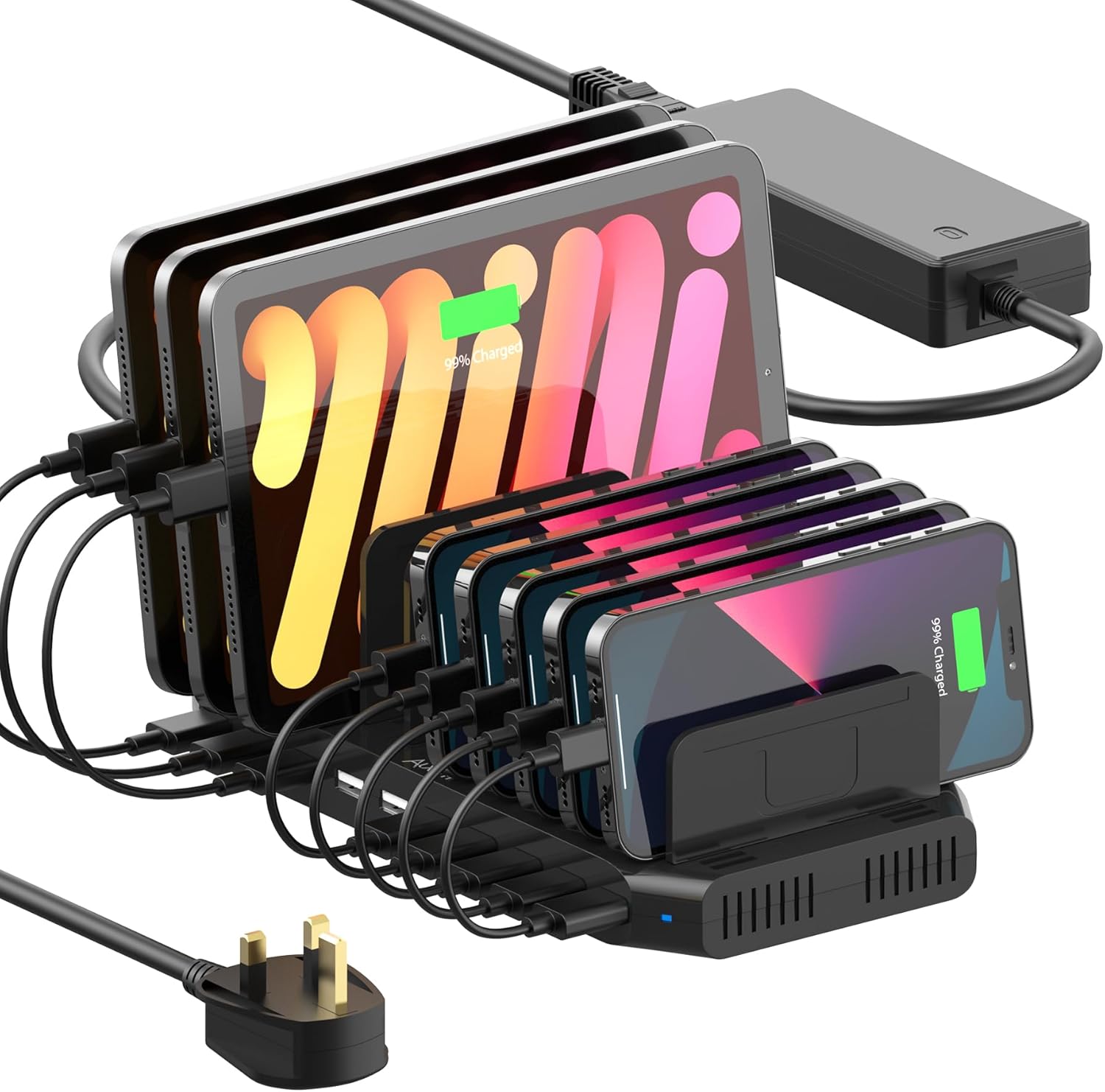
Image 1.1: The Alxum 10-Port USB Fast Charging Station in use, charging several tablets and smartphones.

تصوير 1.2: مٿيview of the Alxum 60W 10-Port Charging Station highlighting its Quick Charge 3.0 capability.
2. پيڪيج مواد
مھرباني ڪري تصديق ڪريو ته ھيٺ ڏنل سڀ شيون توھان جي پيڪيج ۾ شامل آھن:
- 1 x Alxum USB Fast Charging Station
- 1 x 15V/4A DC پاور اڊاپٽر
- 11 x Dividers (5 tall, 6 short)
- 1 x استعمال ڪندڙ دستياب (هي دستاويز)
نوٽ: Charging cables are not included and must be purchased separately.

Image 2.1: Contents of the package including the charging station, power adapter, and various sized dividers.

Image 2.2: The charging station in a home setting, emphasizing that charging cables are not supplied.
3. حفاظت جي ڄاڻ
محفوظ آپريشن کي يقيني بڻائڻ ۽ نقصان کي روڪڻ لاءِ، مھرباني ڪري ھيٺ ڏنل حفاظتي ھدايتن تي عمل ڪريو:
- Use only certified charging cables for optimal performance and safety.
- Ensure the device slots are slightly wider than your devices to prevent dividers from dislodging.
- Avoid using devices with excessively heavy cases while charging, as this may affect divider stability.
- The power adapter is UL certified and incorporates Alxum's Multi-Protect safety system, including over-charge, over-voltage, overheating, short circuit, and overcurrent protection.
- Operate the device within the specified AC 100-240V input voltage حد.
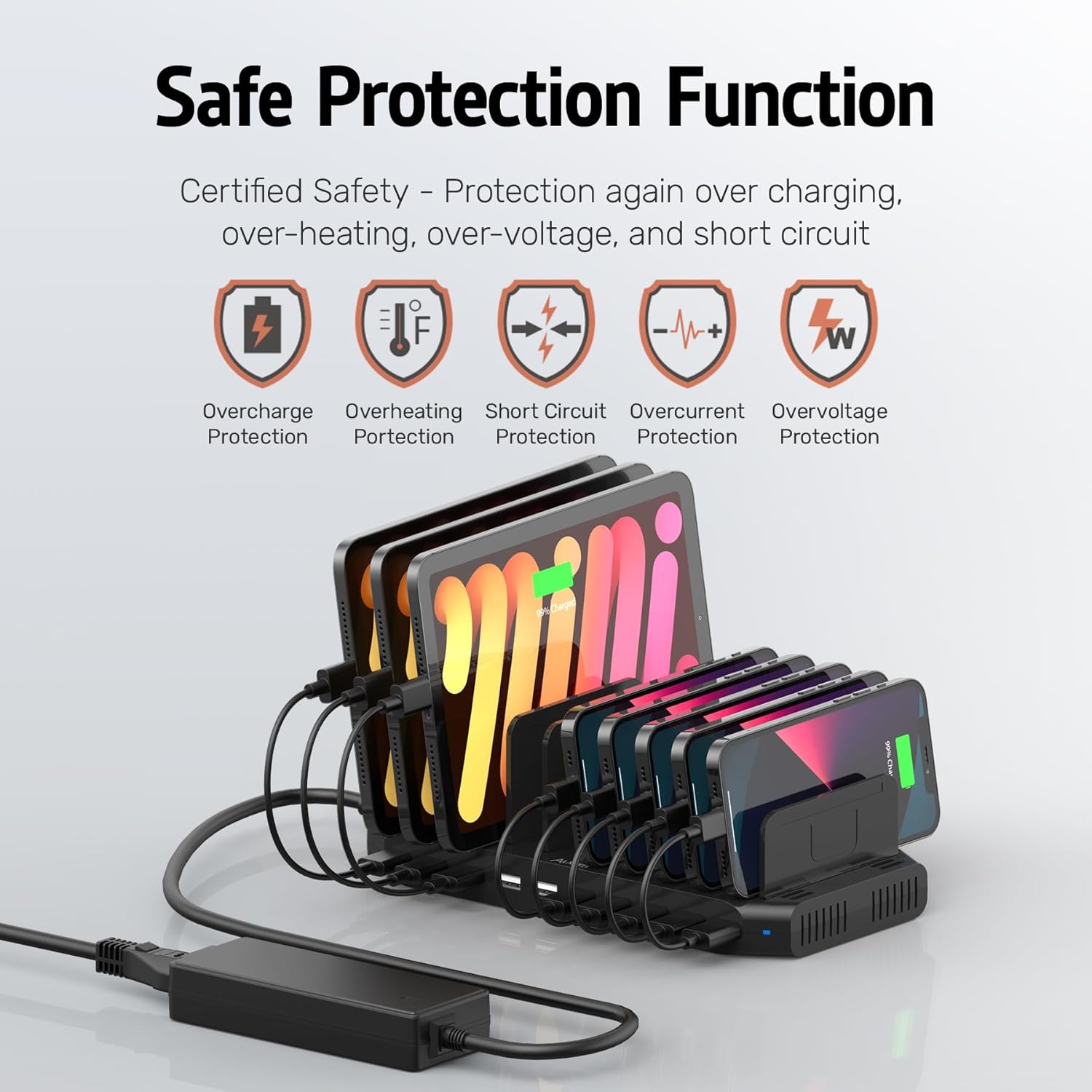
Image 3.1: Visual representation of the charging station's built-in safety protection features.
4. سيٽ اپ جون هدايتون
- پيڪ ڪريو: احتياط سان پيڪنگنگ مان سڀني اجزاء کي هٽايو.
- پاور Connectنيو: Connect the 15V/4A DC Power Adapter to the charging station's power input port, then plug the adapter into a standard AC 100-240V wall outlet.
- ورهائيندڙ انسٽال ڪريو: Insert the provided dividers into the slots on the charging station. There are 5 tall and 6 short dividers. For optimal stability, tilt the dividers at a 45-degree angle and press firmly into the slots. Arrange them according to the size of your devices.

Image 4.1: Illustration of how to install the adjustable dividers into the charging station.

تصوير 4.2: اڳوڻيample of how the charging station can organize multiple devices and cables.
5. آپريٽنگ هدايتون
The Alxum charging station offers efficient charging for a variety of devices.
- Standard Charging Ports: Nine ports provide up to 5V/2.4A (BC 1.2 technology) per port, suitable for most smartphones, tablets, and other USB-powered devices.
- Quick Charge 3.0 Port: One dedicated port supports Qualcomm Quick Charge 3.0, offering faster charging for compatible devices. This port can charge devices from 0% to 50% in approximately 35 minutes.
- جي چارج ڪرڻ جي ڊوائيسز: Connect your devices to the appropriate USB ports using their respective charging cables. Place devices between the dividers for organized charging.

Image 5.1: Details of the charging ports, including standard 2.4A ports and the Quick Charge 3.0 port.

Image 5.2: A guide illustrating the different charging technologies and their respective outputs.
مطابقت رکندڙ ڊوائيسز:
The charging station is compatible with a wide range of devices, including but not limited to:
- اسمارٽ فونز: iPhone (XS/XS Max/XR/X/8/7/7 Plus/6/6s/6s Plus/5/5S/SE/5C), Samsung Galaxy (S10/S9 Plus/S9/Note 9/A9/Note 8/S8 Plus/S8+/S7/S7/Note 4/Note 5Edge/S6/S6 Edge/S5/S4/C5), Google Pixel, HTC One, One Plus, Nexus 5/5X/6P/7, LG G3/G4/G5, SONY z5/x Performance/Z5 Premium/Z1 L39H, Motorola Moto Z/Z2 Play/Moto X/Moto M, Huawei Nova 2/P10, Mate 9/P10 Plus, Blackberry.
- ٽيبلٽس: iPad (mini/Air/Pro/Touch), other USB-A compatible tablets.
- ٻيا ڊوائيس: Power Banks, wireless earphones (e.g., AirPods), smartwatches (e.g., Apple Watch), cameras, PSP, GPS devices, headsets, Nintendo Switch.

Image 5.3: The charging station demonstrating compatibility with a wide array of electronic devices.

Image 5.4: A visual list of compatible phones, tablets, and other devices.

Image 5.5: The charging station's capacity for charging multiple tablets or smartphones simultaneously.
6. سار سنڀال
پنهنجي چارجنگ اسٽيشن جي ڊگهي عمر ۽ بهترين ڪارڪردگي کي يقيني بڻائڻ لاءِ، انهن سار سنڀال جي هدايتن تي عمل ڪريو:
- صفائي: Disconnect the power adapter before cleaning. Use a soft, dry cloth to wipe the surface of the charging station. Avoid using liquid cleaners or abrasive materials.
- اسٽوريج: جڏهن گهڻي عرصي تائين استعمال ۾ نه هجي، ته چارجنگ اسٽيشن کي سڌي سج جي روشني ۽ انتهائي گرمي پد کان پري ٿڌي، سڪل جاءِ تي رکو.
- ڪيبل جو انتظام: Regularly check charging cables for any signs of wear or damage. Replace damaged cables immediately to prevent electrical hazards.
7. مسئلا حل ڪرڻ
If you encounter issues with your Alxum charging station, refer to the following common problems and solutions:
| مسئلو | ممڪن سبب | حل |
|---|---|---|
| ڊوائيس چارج نه آهي |
|
|
| سست رفتار چارج |
|
|
| Dividers fall out easily |
|
|
| LED اشارو روشن نه آهي |
|
|
8. وضاحتون
| خاصيت | تفصيل |
|---|---|
| پيداوار جي ماپ | 9.37 x 4.64 x 1.02 انچ |
| شيءِ جو وزن | 1.69 پائونڊ |
| ماڊل نمبر | PS65B150Y4000S |
| برانڊ | الڪسم |
| ڪنيڪٽر جو قسم | USB Type-A (10 ports) |
| خاص خصوصيت | Fast Charging (Quick Charge 3.0) |
| رنگ | ڪارو |
| انٽ واليمtage | AC 100-240V |
| Ampعمر | 4 Amps (total output from power adapter) |
| Output (Standard Ports) | Up to 5V/2.4A per port (BC 1.2 Technology) |
| Output (QC 3.0 Port) | Maximum 5V/3A for QC 3.0 supported devices |
| پاور اڊاپٽر | 15V/4A DC Power Adapter (UL Certificated) |
9. وارنٽي ۽ ڪسٽمر سپورٽ
Alxum is committed to providing excellent customer service. If you have any questions, require assistance, or need to address product-related concerns, please contact our support team.
For support, please refer to the contact information provided with your purchase or visit the official Alxum website. Our customer service team is available to assist you.

Image 9.1: Alxum's commitment to 24-hour customer service and support.

