تعارف
This manual provides detailed instructions for the installation, operation, and maintenance of your BINIZE Double Din Car Stereo. Please read this manual thoroughly before using the product to ensure proper functionality and to prevent damage. Keep this manual for future reference.
پيداوار ختمview
The BINIZE Double Din Car Stereo is a 10.1-inch multimedia player running on an Android 13 system. It offers a range of features designed to enhance your in-car entertainment and navigation experience.
اهم خاصيتون:
- 10.1-inch capacitive touch screen with 1024x600 resolution.
- Android 13 Operating System with Quad-core Coretex-A7 processor (up to 1.3GHz).
- 2GB RAM + 32GB internal storage.
- وائرليس ڪار پلي ۽ اينڊرائيڊ آٽو سپورٽ.
- Wired MirrorLink for Android and iOS devices.
- Built-in Bluetooth for hands-free calling and audio streaming.
- Integrated GPS receiver for online and offline navigation.
- FM Radio tuner.
- Support for AUX, front, and rear camera inputs.
- Steering Wheel Control compatibility (manual learning required).
- Built-in Wi-Fi receiver and support for 4G communication (via external dongle, not included).
- Expandable options for OBD and tire pressure monitoring (accessories sold separately).

Figure 1: BINIZE Double Din Car Stereo Front View اهم خصوصيتن کي نمايان ڪرڻ سان.
سيٽ اپ ۽ تنصيب
Proper installation is crucial for the optimal performance of your car stereo. If you are unfamiliar with car audio wiring and installation, professional assistance is recommended.
جسماني ماپون:
The unit measures approximately 251mm (width) x 146mm (height) x 56mm (depth). Ensure your vehicle's dashboard opening is compatible with these dimensions.
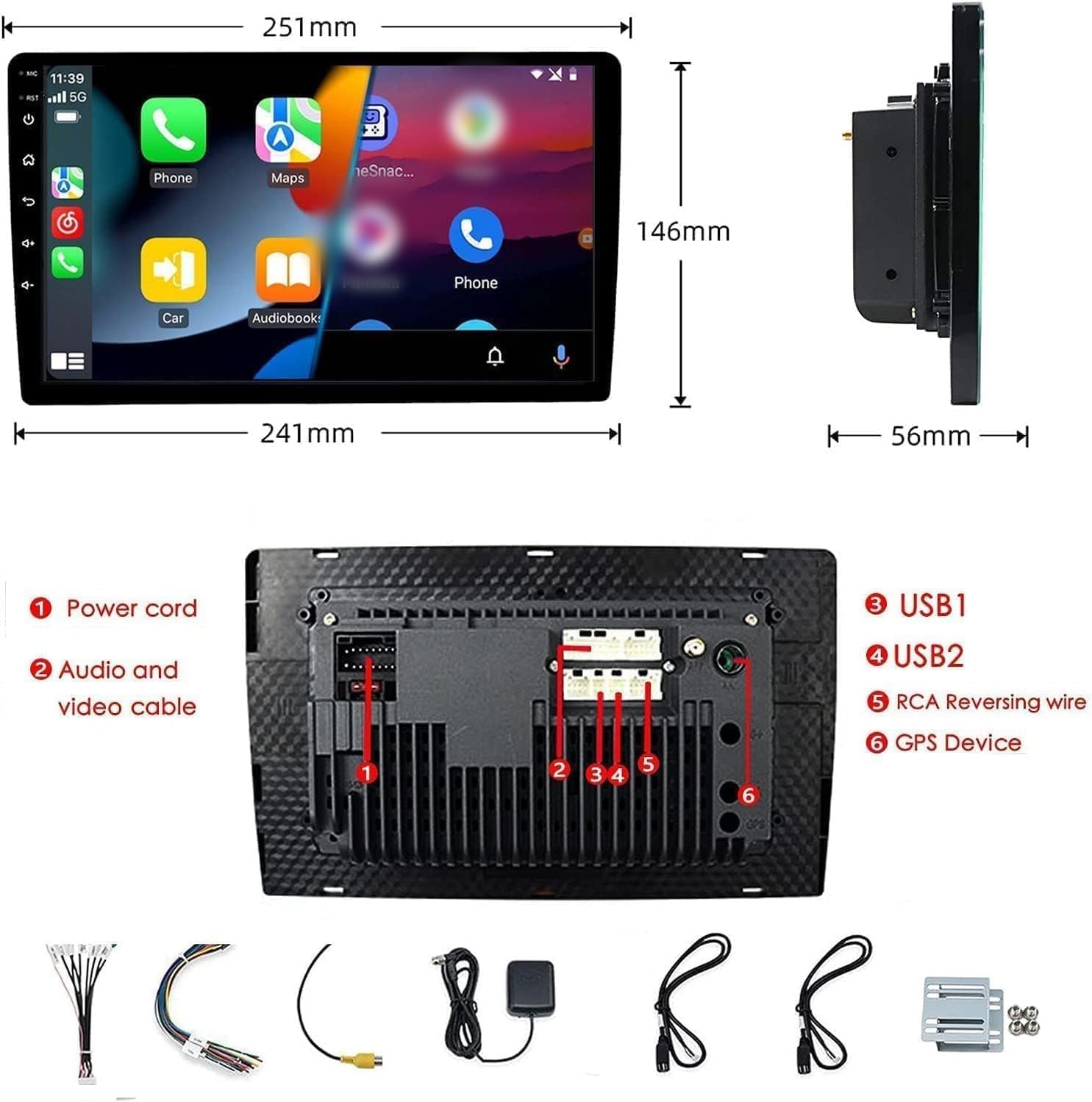
Figure 2: Unit dimensions and rear panel connection points.
وائرنگ ڪنيڪشن:
Refer to the included wiring diagram for specific connections. Key connections include:
- پاور ڪنڊ: Connect to vehicle's power supply (constant 12V, accessory 12V, ground).
- Audio and Video Cable: For external audio/video devices.
- USB پورٽس (USB1، USB2): For media playback, phone charging, and wired CarPlay/Android Auto.
- RCA Reversing Wire: Connect to the backup camera trigger wire.
- GPS Device: Connect the external GPS antenna for navigation functionality.
- Steering Wheel Control Wires (Key/SW): گاڏي جي اسٽيئرنگ ويل ڪنٽرول سان ضم ٿيڻ لاءِ.
پڪ ڪريو ته سڀئي ڪنيڪشن محفوظ ۽ صحيح طرح سان موصل آهن ته جيئن شارٽ سرڪٽ کان بچي سگهجي.
آپريٽنگ هدايتون
پاور آن / آف:
The unit will power on automatically when the vehicle's ignition is turned on. To manually power off or restart, use the power button on the front panel.
ٽچ اسڪرين آپريشن:
Navigate the interface by tapping, swiping, and pinching on the 10.1-inch capacitive touch screen, similar to a smartphone or tablet.
ايف ايم ريڊيو:
Access the FM Radio application from the main menu. You can scan for stations, save presets, and adjust volume. The unit supports standard FM frequencies.

شڪل 3: ايف ايم ريڊيو انٽرفيس.
بلوٽيون ٺاھڻ:
- پڪ ڪريو ته توهان جي موبائل فون تي بلوٽوت فعال آهي.
- On the car stereo, open the Bluetooth application.
- ڳولھيو available devices on your phone and select "BINIZE" or a similar device name.
- جيڪڏهن اشارو ڪيو وڃي ته ٻنهي ڊوائيسز تي جوڙي ڪوڊ جي تصديق ڪريو.
- هڪ ڀيرو جوڙو ٺهڻ کان پوءِ، توهان هٿ کان سواءِ ڪال ڪري سگهو ٿا ۽ آڊيو اسٽريم ڪري سگهو ٿا.
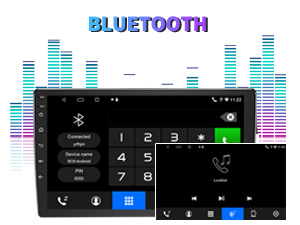
Figure 4: Bluetooth pairing screen.
اسٽيئرنگ ويل ڪنٽرول:
To use your vehicle's steering wheel controls, manual learning is required. Access the Steering Wheel Control settings in the system menu and follow the on-screen instructions to map your vehicle's buttons to the stereo functions.
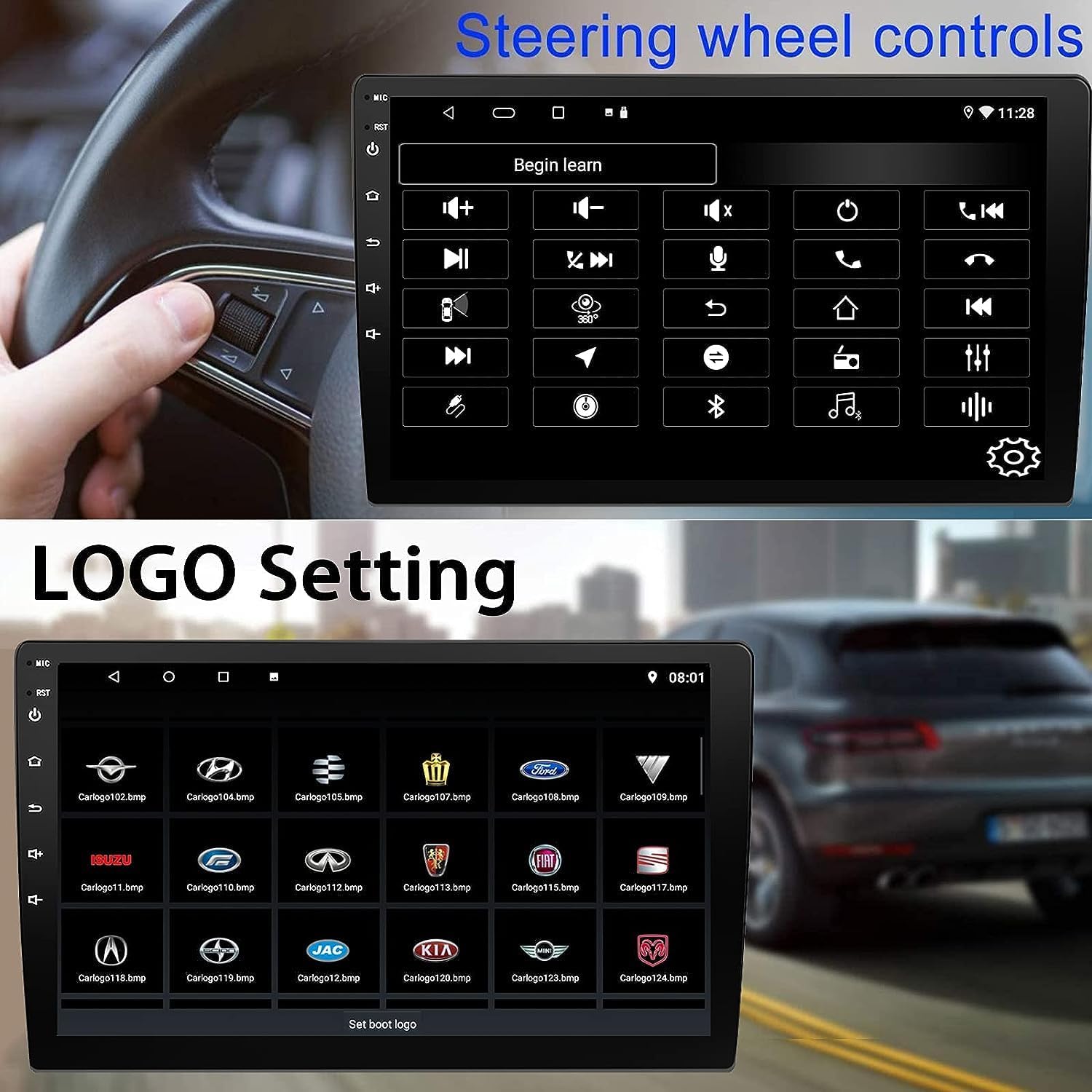
Figure 5: Steering Wheel Control setup screen.
Connectivity: CarPlay, Android Auto, and MirrorLink
وائرليس ڪار پلے:
Connect your iPhone wirelessly to access CarPlay features such as navigation, music, messages, and calls directly on the stereo display. Ensure Wi-Fi and Bluetooth are enabled on your iPhone.
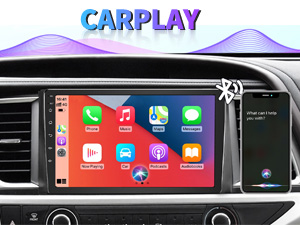
شڪل 6: وائرليس ڪار پلي انٽرفيس.
وائرليس Android آٽو:
Connect your Android phone wirelessly to use Android Auto for navigation, communication, and entertainment apps. Ensure Wi-Fi and Bluetooth are enabled on your Android device.

شڪل 7: وائرليس اينڊرائيڊ آٽو انٽرفيس.
آئيني جي لنڪ:
MirrorLink allows you to display your smartphone's screen directly onto the car stereo. This feature works with both Android and iOS devices via a wired connection. Note that CarPlay/Android Auto and MirrorLink cannot be used simultaneously.

Figure 8: MirrorLink feature displaying a phone screen on the stereo.
نيويگيشن
The car stereo features an integrated GPS receiver, supporting both online and offline navigation. Connect to Wi-Fi or a mobile hotspot to use online navigation apps. For offline navigation, you may need to download map data.

Figure 9: GPS navigation map display.
ڪئميرا ان پٽ
بيڪ اپ ڪئميرا:
The unit supports backup camera input. When properly connected, the display will automatically switch to the rear view when the vehicle is put into reverse, providing parking assistance with guidelines.
سامهون View ڪئميرا:
The stereo also supports front view camera input, allowing for enhanced visibility when maneuvering in tight spaces.

Figure 10: Backup camera and front view ڪئميرا ڏيکاري ٿو.
سار سنڀال
To ensure the longevity and optimal performance of your BINIZE car stereo, follow these maintenance guidelines:
- اسڪرين جي صفائي: ٽچ اسڪرين کي نرميءَ سان صاف ڪرڻ لاءِ نرم، لِنٽ فري ڪپڙو استعمال ڪريو. ضدي داغن لاءِ، ٿورو ڊيampڪپڙي کي پاڻي يا اسڪرين محفوظ ڪلينر سان ڌوئڻ ڏيو. سخت ڪيميڪلز يا رگڙيندڙ مواد کان پاسو ڪريو.
- عام صفائي: Keep the unit and surrounding areas free from dust and debris. Use a soft brush or compressed air to clean vents and button areas.
- سافٽ ويئر اپڊيٽ: Periodically check for available software updates through the system settings to ensure you have the latest features and performance improvements.
- انتهائي گرمي پد کان بچاء: Do not expose the unit to extreme heat or cold for extended periods, as this can affect its electronic components.
مشڪلاتون
If you encounter issues with your car stereo, refer to the following common problems and solutions:
| مسئلو | ممڪن سبب | حل |
|---|---|---|
| يونٽ پاور نه آهي. | غلط وائرنگ؛ ڦاٽل فيوز؛ گاڏي جي بجلي جو مسئلو. | Check power connections and vehicle fuses. Ensure constant 12V and accessory 12V are correctly wired. |
| آواز ڪونهي. | آواز تمام گهٽ آهي؛ خاموش چالو آهي؛ اسپيڪر وائرنگ جو مسئلو آهي. | آواز وڌايو. چيڪ ڪريو ته ميوٽ فعال آهي يا نه. اسپيڪر ڪنيڪشن جي تصديق ڪريو. |
| ڪار پلي/اينڊرائيڊ آٽو وائرليس طور تي ڳنڍجي نه رهيو آهي. | Bluetooth/Wi-Fi off on phone; Pairing issue; Software glitch. | Ensure phone's Bluetooth and Wi-Fi are on. Try re-pairing the device. Restart both phone and stereo. Some users reported needing to open phone's Bluetooth settings each time. |
| Screen too bright/dim at night. | Display settings not optimized. | Adjust brightness settings in the display menu. Consider using a screen dimming app if available. |
| بيڪ اپ ڪئميرا ڏيکاري نه رهيو آهي. | Camera not connected; RCA reversing wire not connected or faulty. | Check camera and RCA reversing wire connections. Ensure the camera is powered. |
وضاحتون
| خاصيت | تفصيل |
|---|---|
| برانڊ | بِنائيز |
| ماڊل نمبر | بنائيز |
| آپريٽنگ سسٽم | Android 13 |
| اسڪرين جي ماپ | 10.1 انچ (26 سينٽي ميٽر نظر ايندڙ ڊاگونل) |
| قرارداد | 1024x600 |
| پروسيسر | Quad-core Coretex-A7, 1.3GHz |
| ياداشت (رام) | 2 جي بي |
| اسٽوريج (ROM) | 32 جي بي |
| رابطي | Bluetooth, Wi-Fi, USB, Auxiliary |
| خاص خاصيتون | Wireless CarPlay, Wireless Android Auto, MirrorLink, GPS Navigation, Touchscreen, Built-In Bluetooth |
| آڊيو آئوٽ پٽ موڊ | اسٽيريو (2.0 سرائونڊ سائونڊ چينل ڪنفيگريشن) |
| شيءِ جو وزن | 2.94 پائونڊ |
| رنگ | ڪارو |
وارنٽي ۽ سپورٽ
وارنٽي ڄاڻ:
The BINIZE Double Din Car Stereo comes with a 1 سال مفت وارنٽي خريداري جي تاريخ کان. هي وارنٽي عام استعمال هيٺ پيداوار جي خرابين ۽ خرابين کي ڍڪيندي آهي. وارنٽي دعوائن لاءِ مهرباني ڪري خريداري جو ثبوت رکو.
ٽيڪنيڪل سپورٽ:
For any technical assistance, questions, or issues not covered in this manual, please contact our professional technical support team. You can reach us via Amazon email for 24/7 online technical support. Our team is available to assist with system upgrades and parts replacement.
We are committed to providing enthusiastic customer service and ensuring your satisfaction with the BINIZE product.


