1. تعارف
This manual provides essential information for the safe and efficient operation of your Sharp 32Bi3EA Smart Android TV. Please read these instructions thoroughly before using the television and retain them for future reference. This television features Android TV 9.0, Google Assistant with voice control, integrated Chromecast, Bluetooth connectivity, Harman/Kardon speakers, HDR10 support, and DTS Virtual X audio technology.
2. حفاظت جي ڄاڻ
بجليءَ جي جھٽڪي، باهه، يا ٽيليويزن کي نقصان کان بچڻ لاءِ هميشه هيٺ ڏنل حفاظتي احتياطن تي عمل ڪريو:
- ٽيليويزن کي مينهن يا نمي جي سامهون نه رکو.
- ڪيبنٽ نه کوليو؛ سروسنگ کي قابل اهلڪارن جي حوالي ڪريو.
- ٽيليويزن جي چوڌاري مناسب هوا جي وهڪري کي يقيني بڻايو وڃي.
- Avoid placing the television near heat sources or in direct sunlight.
- Use only the power cord supplied with the television.
- بيٽرين کي ٻارن جي پهچ کان پري رکو.
3. دٻي ۾ ڇا آهي
Verify that all the following items are included with your Sharp 32Bi3EA Smart Android TV:
- Sharp 32Bi3EA Smart Android TV Unit
- Pedestal Stand (2 pieces)
- ريموٽ ڪنٽرول
- AAA بيٽريون (2x)
- هدايت نامو (هي دستاويز)
- پاور ڪنڊ
4. سيٽ اپ
4.1. جسماني تنصيب
Your television can be installed using the included pedestal stand or mounted on a wall (wall mount not included).
Attaching the Pedestal Stand
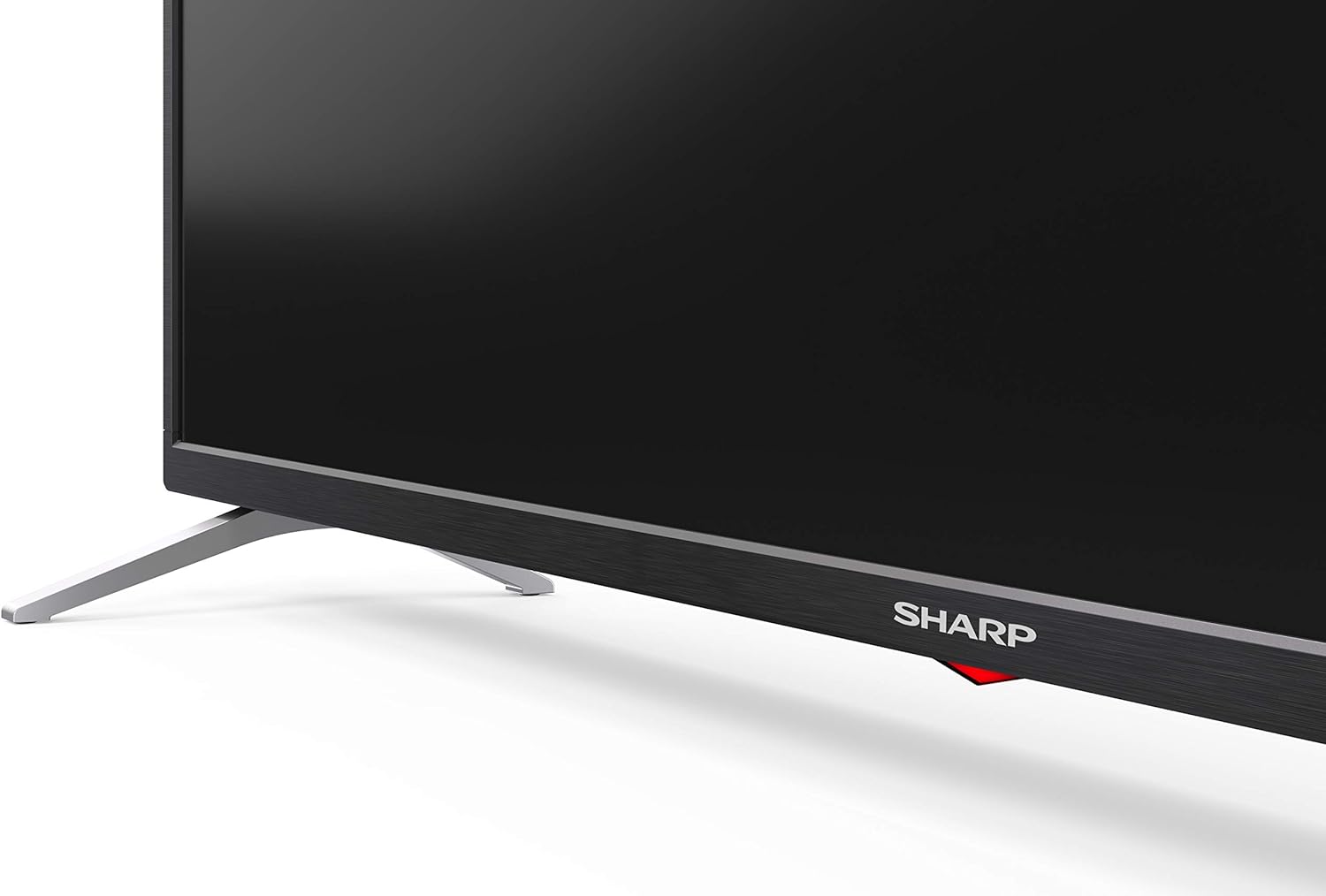
Carefully place the TV screen-down on a soft, flat surface. Align the pedestal stands with the screw holes on the bottom of the TV and secure them using the provided screws. Ensure the stands are firmly attached before placing the TV upright.

تصوير: پاسي view of the Sharp 32Bi3EA TV, illustrating the slim profile and the attached pedestal stand.
ڀت تي چڙهڻ
If you choose to wall mount the television, use a VESA compatible bracket with dimensions of 200x100 mm. Consult a professional for wall mounting to ensure proper installation and safety.
4.2. ڪنيڪشن جا آلات
Connect your external devices to the appropriate ports on the back or side of the television.
تصوير: پوئين پاسي view of the Sharp 32Bi3EA TV, highlighting the Ethernet, Optical, HDMI, USB, and AV input ports.
- HDMI پورٽس (3x): بلو ري پليئرز، گيم ڪنسولز، يا سيٽ ٽاپ باڪسز کي ڳنڍيو.
- USB Ports (2x): ميڊيا پلے بیک يا سافٽ ويئر اپڊيٽ لاءِ USB اسٽوريج ڊوائيسز ڳنڍيو.
- ايٿنيٽ پورٽ: وائرڊ انٽرنيٽ ڪنيڪشن لاءِ.
- آپٽيڪل ڊجيٽل آڊيو آئوٽ: ٻاهرين آڊيو سسٽم سان ڳنڍڻ لاءِ.
- AV ان پٽ: پراڻن ڊوائيسز لاءِ جيڪي جامع وڊيو ۽ اسٽيريو آڊيو استعمال ڪن ٿا.
4.3. Initial Power-On and Android TV Setup
After connecting the power cord and turning on the TV, follow the on-screen instructions to complete the initial setup. This includes selecting your language, connecting to a Wi-Fi network, and logging into your Google account to activate Android TV features like Google Assistant and Chromecast.
5. ٽي وي هلائڻ
5.1. ريموٽ ڪنٽرول
The included remote control allows you to navigate the Android TV interface, adjust settings, and use Google Assistant voice commands. Insert the two AAA batteries into the remote control, ensuring correct polarity.
- پاور بٽڻ: ٽي وي کي آن يا بند ڪري ٿو.
- گوگل اسسٽنٽ بٽڻ: وائس ڪنٽرول کي چالو ڪري ٿو. حڪم ٻڌائڻ لاءِ دٻايو ۽ رکو.
- نيويگيشن بٽڻ: Use the directional pad and OK button to move through menus.
- هوم بٽڻ: Android ٽي وي هوم اسڪرين ڏانهن واپس اچي ٿو.
- جلد +/-: حجم جي سطح کي ترتيب ڏئي ٿو.
- چينل +/-: ٽي وي چينلز بدلائي ٿو.
- ايپ شارٽ ڪٽ بٽڻ: Direct access to popular streaming services (e.g., Netflix, Amazon Prime Video).
5.2. سمارٽ ٽي وي خاصيتون (اينڊرائيڊ ٽي وي)
Your Sharp 32Bi3EA TV runs on Android TV 9.0, providing access to a wide range of applications and services.
- گوگل اسسٽنٽ: Use your voice to search for content, control smart home devices, get answers, and manage tasks.
- Chromecast بلٽ ان: Cast content from your compatible smartphone, tablet, or computer directly to the TV screen.
- گوگل پلي اسٽور: Download and install additional apps, games, and streaming services.
- سپورٽ ٿيل انٽرنيٽ خدمتون: Access popular platforms such as Netflix, Amazon Prime Video, HBO, Disney+, Movistar+, DAZN, Atresmedia, KODI, IPTV, Steamlink, Twitch, VLC, YouTube, Puffin TV Browser, Spotify, Deezer, and TuneIn Radio.
5.3. Audio and Video Settings
The television supports advanced audio and video technologies for an enhanced viewتجربو.
- HDR10: Provides a wider range of colors and contrast for compatible content.
- Harman/Kardon Speakers: Integrated audio system designed to deliver clear and powerful sound (2x10W).
- DTS Virtual X / DTS HD: Enhances audio with virtual surround sound capabilities.
- Active Motion 400: تيز رفتار منظرن لاءِ حرڪت جي وضاحت کي بهتر بڻائي ٿو.
5.4. ڪنيڪشن
ٽي وي مختلف ڪنيڪٽوٽي آپشن پيش ڪري ٿو:
- وائي فائي: Connects to your home wireless network for internet access.
- بلوٽوٿ: Pair with compatible devices such as headphones, soundbars, or game controllers.
6. سار سنڀال
6.1. صفائي
ٽي وي اسڪرين کي صاف ڪرڻ لاءِ، ان کي نرم، لِنٽ فري ڪپڙي سان نرميءَ سان صاف ڪريو. ضدي نشانن لاءِ، ٿورو ڊيampen the cloth with water or a specialized screen cleaner. Do not use abrasive cleaners or solvents. For the TV cabinet, use a soft, dry cloth.
6.2. سافٽ ويئر اپڊيٽ
Your Android TV may receive software updates periodically to improve performance and add new features. Ensure your TV is connected to the internet to receive these updates. You can check for updates manually through the TV's settings menu.
7. مسئلا حل ڪرڻ
جيڪڏهن توهان کي پنهنجي ٽيليويزن سان مسئلا درپيش اچن ٿا، ته هيٺ ڏنل عام حلن جو حوالو ڏيو:
| مسئلو | ممڪن حل |
|---|---|
| طاقت نه آهي | چيڪ ڪريو ته ڇا پاور ڪنڊ ٽي وي ۽ وال آئوٽليٽ ۾ محفوظ طور تي لڳل آهي. هڪ ٻيو آئوٽليٽ آزمايو. |
| ڪابه تصوير / آواز ناهي | پڪ ڪريو ته صحيح ان پٽ سورس چونڊيو ويو آهي. ٻاهرين ڊوائيسز سان ڪيبل ڪنيڪشن چيڪ ڪريو. |
| ريموٽ ڪنٽرول ڪم نه ڪري رهيو آهي | بيٽريون تبديل ڪريو. پڪ ڪريو ته ريموٽ ۽ ٽي وي جي IR سينسر جي وچ ۾ ڪا به رڪاوٽ نه آهي. |
| وائي فائي ڪنيڪشن جا مسئلا | پنهنجو روٽر ۽ ٽي وي ٻيهر شروع ڪريو. وائي فائي پاسورڊ چيڪ ڪريو. پڪ ڪريو ته ٽي وي روٽر جي حد اندر آهي. |
| Android TV apps freezing | Restart the TV. Clear the cache of the problematic app in the TV settings. Uninstall and reinstall the app. |
If the problem persists after trying these solutions, please contact Sharp customer support.
8. وضاحتون
| خاصيت | تفصيل |
|---|---|
| ماڊل نمبر | 32Bi3E |
| اسڪرين جي ماپ | 32 انچ (81 سينٽي) |
| ڊسپلي ٽيڪنالاجي | ايل اي ڊي |
| قرارداد | 720p (1366 x 768 پکسلز) |
| ريفريش جي شرح | 60 هز |
| آپريٽنگ سسٽم | Android ٽي وي 9.0 |
| خاص خاصيتون | Google Assistant, Chromecast Built-in, HDR10, DTS Virtual X, Active Motion 400 |
| آڊيو سسٽم | Harman/Kardon (2x10W) |
| رابطي | Bluetooth, Ethernet, HDMI (3x), USB (2x), Wireless (Wi-Fi) |
| وي سي اي جبل | 200x100 ملي ميٽر |
| طول و عرض (اسٽينڊ سان) | 803.0 x 542.0 x 149.0 ملي میٹر (ڊبليو ايڇ ڊي ڊي) |
| طول و عرض (بغير موقف) | 730.0 x 436.1 x 83.5 ملي میٹر (ڊبليو ايڇ ڊي ڊي) |
| وزن | 4.6 ڪلو |
| Power Consumption (1000h) | 31 kWh (Energy Class F) |

Image: Energy efficiency label for the Sharp 1T-C32BIx series, indicating an F energy class and 31 kWh per 1000 hours of operation. For more details, refer to the official EU EPREL database via the QR code or link: EPREL ڊيٽابيس.

Image: Detailed Product Information Sheet, providing comprehensive technical specifications and regulatory information for the Sharp 32Bi3EA TV in various languages.
9. وارنٽي ۽ سپورٽ
9.1. وارنٽي ڄاڻ
Your Sharp 32Bi3EA Smart Android TV comes with a standard manufacturer's warranty. Please refer to the warranty card included with your product or visit the official Sharp webتوهان جي علائقي جي مخصوص تفصيلي شرطن ۽ ضابطن لاءِ سائيٽ.
9.2. ڪسٽمر سپورٽ
For technical assistance, troubleshooting beyond this manual, or warranty claims, please contact Sharp customer support. Contact information can typically be found on the official Sharp webسائيٽ يا توهان جي ٽيليويزن سان مهيا ڪيل دستاويزن ۾.
Online resources and FAQs may also be available on the Sharp support portal.


