1. پراڊڪٽ ختمview
The Picun B27 Bluetooth Headphones are designed for versatile audio experiences, featuring low-latency technology for gaming, an extended 80-hour playtime, and comfortable over-ear design. They support both wireless Bluetooth 5.0+EDR and wired audio connections.

تصوير: سامهون view of the Picun B27 Bluetooth Headphones, showcasing the over-ear design and controls on the right earcup.
2. سيٽ اپ
2.1 هيڊفون چارج ڪرڻ
Before initial use, fully charge the headphones. A full charge takes approximately 2 hours. A 5-minute charge provides approximately 3 hours of playback.
- مهيا ڪيل USB چارجنگ ڪيبل کي هيڊفونز تي چارجنگ پورٽ سان ڳنڍيو.
- USB ڪيبل جي ٻئي ڇيڙي کي هڪ مطابقت رکندڙ USB پاور سورس سان ڳنڍيو (مثال طور، ڪمپيوٽر USB پورٽ، USB وال اڊاپٽر).
- اشاري جي روشني چارجنگ جي حالت ڏيکاريندي (تفصيل لاءِ LED اشاري سيڪشن جو حوالو ڏيو).
- مڪمل طور تي چارج ٿيڻ کان پوء، چارجنگ ڪيبل کي ختم ڪريو.
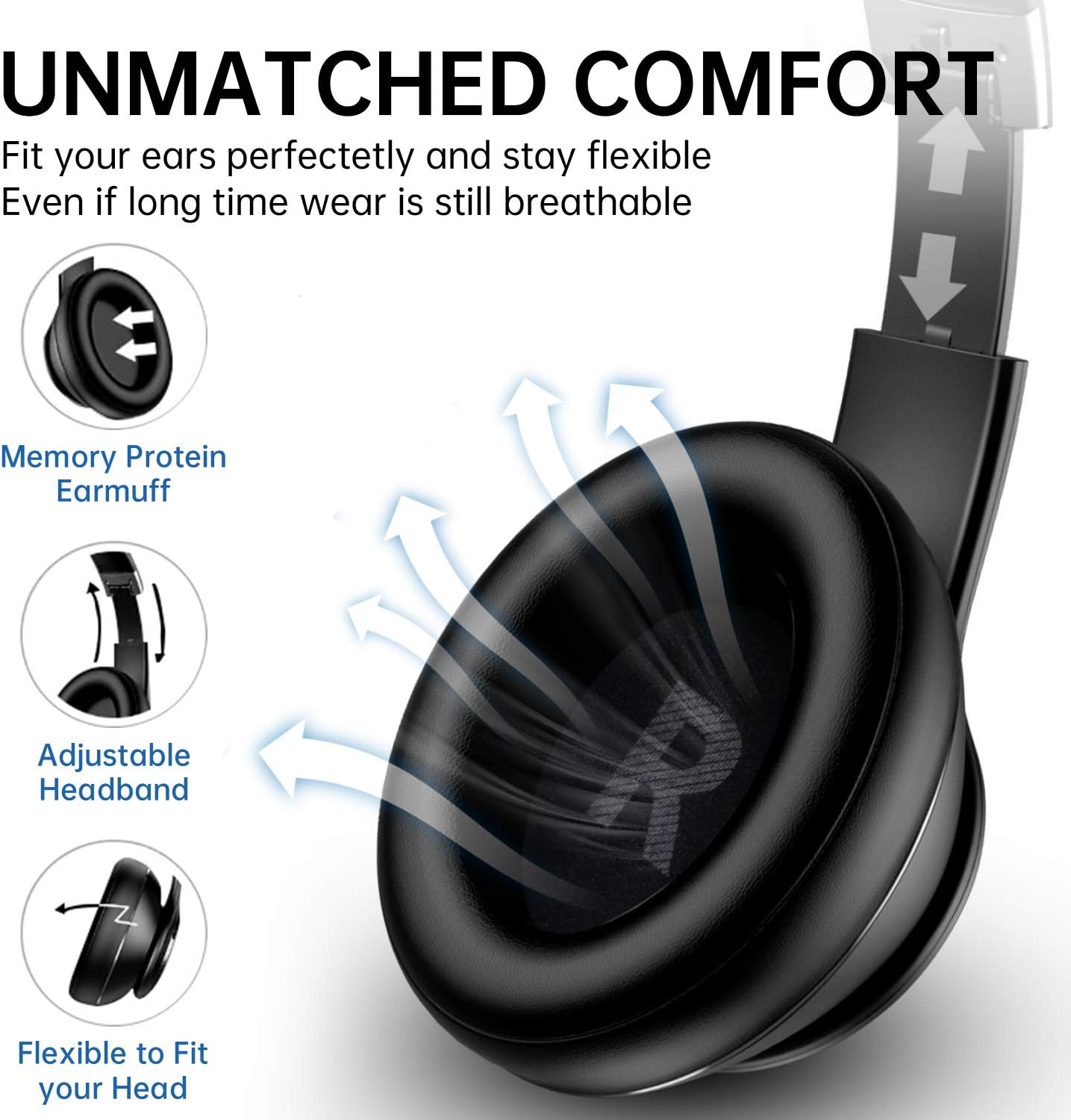
Image: Close-up of the right earcup showing the charging port, AUX input, and control buttons.
2.2 پاور آن/آف
- پاور آن ڪرڻ: Press and hold the Power button for approximately 3 seconds until the indicator light flashes.
- پاور آف ڪرڻ: پاور بٽڻ کي تقريباً 3 سيڪنڊن تائين دٻايو ۽ رکو جيستائين اشاري جي روشني بند نه ٿئي.
2.3 بلوٽوٽ جوڙي
- پڪ ڪريو ته هيڊفون بند ٿيل آهن.
- Press and hold the Power button for approximately 5 seconds until the indicator light flashes red and blue alternately, indicating pairing mode.
- پنهنجي ڊوائيس (اسمارٽ فون، ٽيبليٽ، پي سي) تي، بلوٽوٿ کي فعال ڪريو ۽ موجود ڊوائيسز جي ڳولا ڪريو.
- Select "Picun B27" from the list of found devices.
- هڪ ڀيرو جوڙيو ويو، اشاري جي روشني آهستي آهستي نيري چمڪي ويندي.

Image: Picun B27 Headphones connected wirelessly to a smartphone, demonstrating Bluetooth 5.0+EDR connectivity.
2.4 Connecting Two Devices Simultaneously
The Picun B27 headphones can connect to two Bluetooth devices concurrently.
- Pair the headphones with the first device as described in section 2.3.
- پهرين ڊوائيس تي بلوٽوٿ کي بند ڪريو. هيڊفون ٻيهر پيئرنگ موڊ ۾ داخل ٿيندا.
- هيڊفونز کي ٻئي ڊوائيس سان گڏ ڪريو.
- پهرين ڊوائيس تي بلوٽوٿ کي ٻيهر فعال ڪريو. هيڊفونز کي خودڪار طريقي سان ٻنهي ڊوائيسز سان ڳنڍجي وڃڻ گهرجي.
- You can now switch audio sources between the two connected devices without re-pairing.
2.5 Wired Mode Connection
Use the provided 3.5mm audio cable for a wired connection, which allows continued use even when the battery is depleted.
- 3.5 ايم ايم آڊيو ڪيبل جي هڪ پڇاڙي کي هيڊفونز تي AUX پورٽ ۾ داخل ڪريو.
- Insert the other end into the 3.5mm audio jack of your audio source device.
- هيڊفون پاڻمرادو وائرڊ موڊ ۾ تبديل ٿي ويندا.
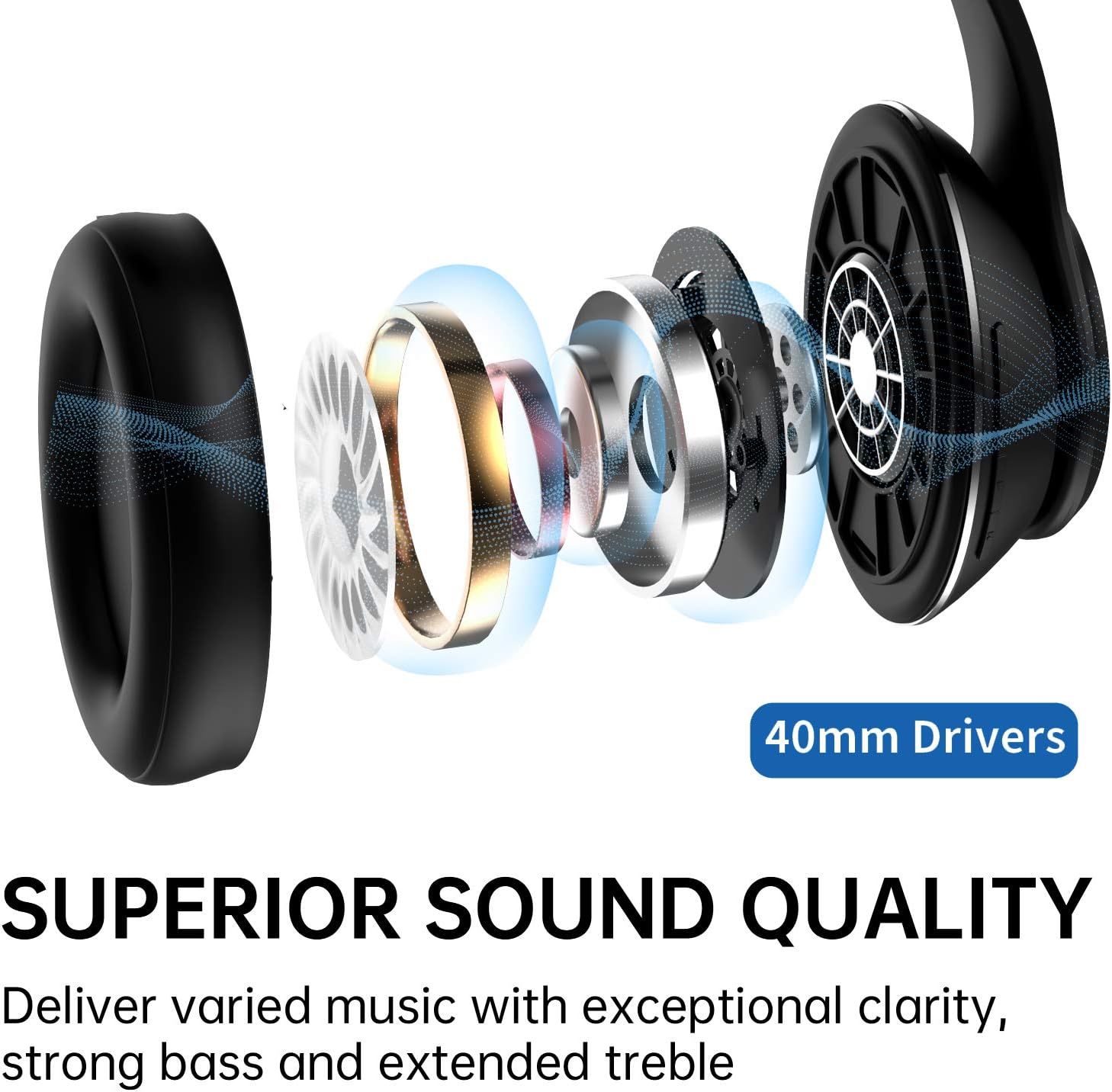
Image: Diagram illustrating the Picun B27 Headphones' ability to function in both wireless (Bluetooth) and wired (3.5mm AUX cable) modes.
3. آپريشن
3.1 ڪنٽرول ختمview
The main controls are located on the right earcup.
Image: Close-up of the right earcup, highlighting the power button, volume controls, and mode button.
| بٽڻ / عمل | فنڪشن |
|---|---|
| Power Button (Long Press 3s) | پاور آن / آف |
| Power Button (Long Press 5s from Off) | بلوٽوت جوڙڻ واري موڊ ۾ داخل ڪريو |
| Play/Pause Button (Single Press) | موسيقي هلايو/روڪيو، ڪال جو جواب ڏيو/ختم ڪريو |
| آواز وڌايو (+) (سنگل پريس) | حجم وڌايو |
| آواز گھٽايو (-) (سنگل پريس) | حجم گھٽائڻ |
| Volume Up (+) (Long Press) | ايندڙ ٽريڪ |
| Volume Down (-) (Long Press) | اڳيون ٽريڪ |
| "M" Button (Long Press 3s) | Activate/Deactivate Low Latency Mode |
| "M" Button (Single Press) | وائس اسسٽنٽ کي چالو ڪيو (سيري ، گوگل اسسٽنٽ) |
3.2 Low Latency Mode for Gaming
The headphones feature a low-latency mode, reducing audio delay to under 50ms, ideal for gaming.
- To activate low latency mode, long press the "M" button for 3 seconds.
- To deactivate, long press the "M" button again for 3 seconds.

Image: A user wearing the Picun B27 headphones while engaged in gaming, highlighting the low latency feature activated by the 'M' button.
3.3 ڪالون ڪرڻ ۽ وصول ڪرڻ
The built-in CVC 6.0 noise reduction microphone allows for clear hands-free calls.
- جواب ڏيو ڪال: پلے/پاز بٽڻ کي هڪ ڀيرو دٻايو.
- ڪال ختم ڪريو: Single press the Play/Pause button during a call.
- ڪال رد ڪريو: جڏهن ڪا ايندڙ ڪال وڄي ته پلي/پاز بٽڻ کي ڊگھو دٻايو.
- ريڊل آخري نمبر: پلي/پاز بٽڻ کي ٻٽي دٻايو.
4. سار سنڀال
4.1 صفائي
- هيڊفونز کي نرم، سڪل ڪپڙي سان صاف ڪريو.
- گھڙڻ وارا صاف ڪندڙ، الڪوحل، يا ڪيميائي محلول استعمال نه ڪريو.
- چارجنگ پورٽ ۽ آڊيو جيڪ کي مٽي ۽ ملبي کان پاڪ رکو.
4.2 اسٽوريج
- هيڊفونز کي سڌي سج جي روشني ۽ انتهائي گرمي پد کان پري ٿڌي، سڪل جاءِ تي رکو.
- فولڊ ڪرڻ لائق ڊيزائن ڪمپيڪٽ اسٽوريج جي اجازت ڏئي ٿي.

Image: The Picun B27 Headphones folded, demonstrating their space-saving design for easy portability and storage.
4.3 بيٽري جي سنڀال
- To prolong battery life, avoid fully discharging the headphones frequently.
- Charge the headphones regularly, even if not in use for extended periods.
5. مسئلا حل ڪرڻ
| مسئلو | ممڪن حل |
|---|---|
| هيڊفون آن نه ٿا ٿين. | پڪ ڪريو ته هيڊفون چارج ٿيل آهن. پاور سورس سان ڳنڍيو ۽ ٻيهر ڪوشش ڪريو. |
| بلوٽوٿ ذريعي جوڙي نه ٿو سگهجي. |
|
| ڪابه آواز يا گهٽ آواز ناهي. |
|
| Sound cuts out or is intermittent. |
|
| مائڪروفون ڪم نه ڪري رهيو آهي. |
|
| Headphones feel uncomfortable after long use. | Take off the headphones every 2-3 hours to allow your ears to relax. Adjust the headband for a better fit. |
| هيڊفونز کي ري سيٽ ڪرڻ. | If experiencing persistent issues, try resetting the headphones. Power off, then press and hold the Power button and the "M" button simultaneously for several seconds until the indicator light flashes rapidly. |
6. وضاحتون
| خاصيت | تفصيل |
|---|---|
| ماڊل | بي 27 |
| رابطي | Bluetooth 5.0 + EDR, 3.5mm AUX |
| بلوٽوٿ رينج | 10 ميٽر (33 فوٽ) تائين |
| ڊرائيور جي ماپ | 40mm Neodymium Magnetic Drivers |
| راند جو وقت | Up to 80 hours (Bluetooth mode) |
| چارج ڪرڻ وقت | لڳ ڀڳ 2 ڪلاڪ |
| مائڪروفون | Built-in CVC 6.0 Noise Reduction Mic |
| گھٽ ويڪرائي موڊ | Yes (Latency under 50ms) |
| مواد | مصنوعي چمڙو، پلاسٽڪ |
| فارم فيڪٽر | Over Ear, Foldable |
| بيٽري جو قسم | ليتيم آئن (شامل) |
| وزن | 426 گرام (تقريبن) |
| طول و عرض (پيڪيج) | 19 x 18.6 x 9.5 سينٽي ميٽر (تقريبن) |

Image: An exploded diagram illustrating the internal components of the 40mm drivers within the Picun B27 headphones, contributing to superior sound quality.
7. وارنٽي ۽ سپورٽ
Picun offers a warranty and customer support for the B27 Bluetooth Headphones.
- وارنٽي: 12 months warranty from the date of purchase.
- واپسي جي پاليسي: 30 days unconditional return policy.
- ڪسٽمر سروس: 24-hour customer-friendly service is available.
- For support inquiries, please refer to the contact information provided with your product packaging or visit the official Picun webسائيٽ.


