1. تعارف
This manual provides detailed instructions for the installation, operation, and maintenance of your Imou IPC-G22P 2MP WiFi IP Bullet Camera. This device is designed for reliable surveillance, offering 2-megapixel live monitoring, efficient H.265 video compression, and robust IP67 weather resistance for various environmental conditions.

Image 1.1: The Imou IPC-G22P Bullet Camera, showcasing its weather-resistant design suitable for outdoor use.

Image 1.2: The Imou IPC-G22P camera is suitable for diverse installation environments, including residential and commercial outdoor settings.
2. حفاظت جي ڄاڻ
Please read and follow all safety instructions carefully to prevent damage to the device or injury to yourself. Keep this manual for future reference.
- بجلي جي فراهمي: Use only the power adapter provided with the camera. Ensure the power source meets the camera's voltage گهرجون.
- تنصيب: Install the camera securely on a stable surface. Avoid placing it in areas with extreme temperatures, high humidity, or direct exposure to corrosive substances.
- پاڻي جي نمائش: While the camera is IP67 rated for weather resistance, avoid submerging it in water or exposing it to high-pressure water jets.
- صفائي: صفائي ڪرڻ کان اڳ بجلي بند ڪريو. نرم، سڪل ڪپڙو استعمال ڪريو. مائع يا ايروسول ڪلينر استعمال نه ڪريو.
- خدمت ڪرڻ: ڪئميرا کي پاڻ ڌار ڪرڻ يا مرمت ڪرڻ جي ڪوشش نه ڪريو. سڀني سروسنگ کي قابل اهلڪارن جي حوالي ڪريو.
3. سيٽ اپ
3.1 جسماني تنصيب
Mount the camera in your desired location using the provided mounting hardware. Ensure the camera has a clear field of view and is within range of your Wi-Fi network or close to an Ethernet port for wired connection.
3.2 پاور ڪنيڪشن
Connect the power adapter to the camera's power input and then plug it into a standard electrical outlet. The camera will power on automatically.
3.3 نيٽورڪ ڪنيڪشن
The Imou IPC-G22P supports both Wi-Fi and wired LAN connectivity, offering flexibility for installation.

Image 3.1: The camera supports both wireless (2.4GHz Wi-Fi) and wired (LAN) network connections for flexible installation and stable data transmission.
- وائي فائي ڪنيڪشن: For wireless setup, ensure your Wi-Fi network is 2.4GHz. The camera features an upgraded 4.5dBi antenna for stronger and more stable signal reception.
- LAN ڪنيڪشن: For a more stable and reliable connection, connect an Ethernet cable from your router to the camera's LAN port.
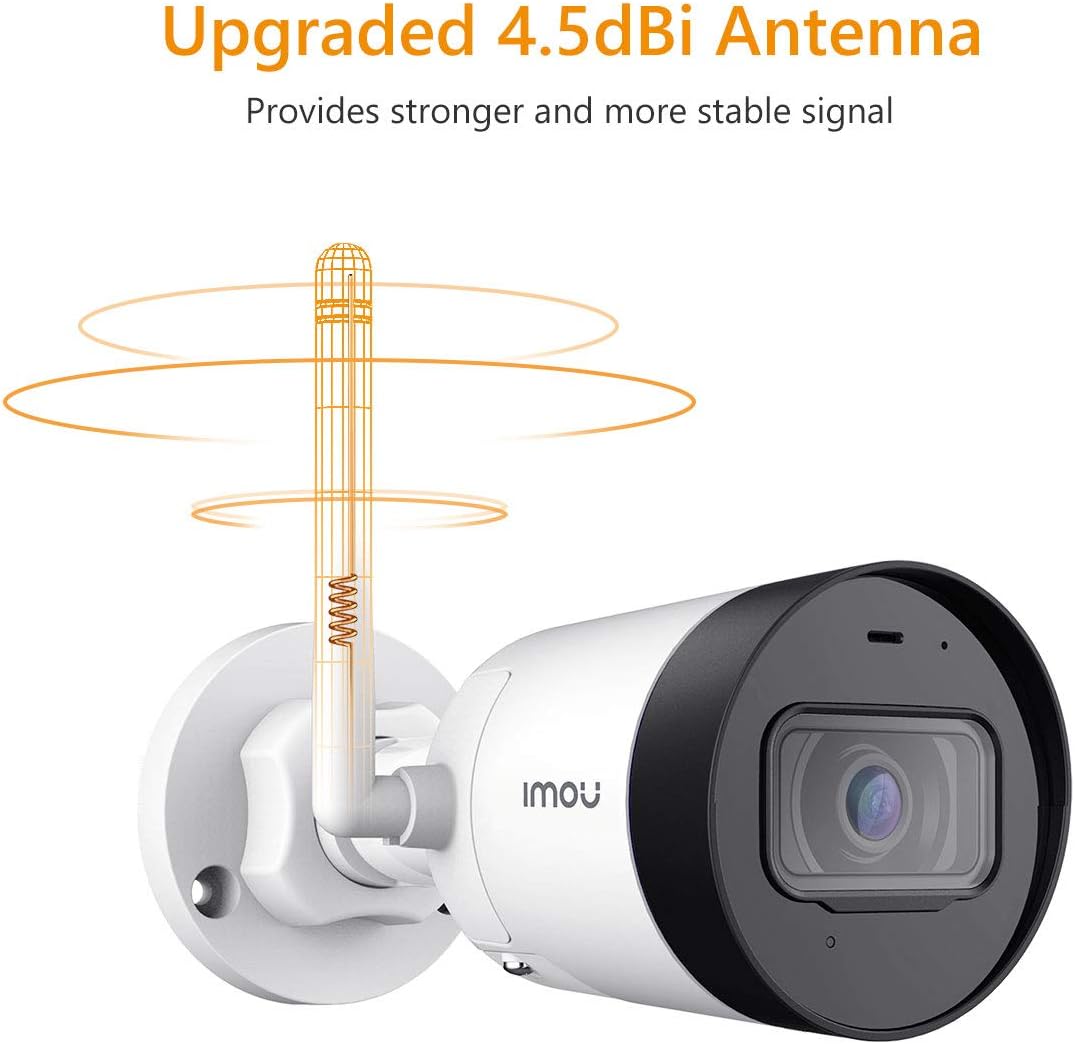
Image 3.2: The camera's 4.5dBi antenna enhances Wi-Fi signal strength and stability.
3.4 ايپ انسٽاليشن ۽ ڊوائيس جوڙڻ
- ڊائون لوڊ ڪريو آئو زندگي app from your smartphone's app store (available for Android and iOS).
- هڪ اڪائونٽ ٺاهيو يا لاگ ان ڪريو جيڪڏهن توهان وٽ پهريان ئي آهي.
- Follow the in-app instructions to add your new camera. This typically involves scanning a QR code on the camera or manually entering its serial number.
- Complete the network configuration within the app.
4. آپريٽنگ هدايتون
4.1 زنده View ۽ رڪارڊنگ
Once connected, you can access the live video feed from your camera via the Imou Life app. The camera provides 2-megapixel resolution and utilizes H.265 compression to optimize bandwidth and storage usage while maintaining video quality.
4.2 حرڪت جي ڳولا ۽ خبرداريون
The camera is equipped with motion detection capabilities. When movement is detected, the camera can send instant alerts to your smartphone, allowing you to monitor activity in real-time.

Image 4.1: The Imou camera provides instant alerts to your smartphone upon detecting movement, enhancing security monitoring.
4.3 آڊيو مانيٽرنگ
The built-in microphone allows you to listen to audio from the camera's vicinity through the Imou Life app.

Image 4.2: The camera includes a built-in microphone for audio monitoring of the surveillance area.
4.4 رات جو خواب
The camera features integrated night vision functionality, providing clear video monitoring even in low-light or complete darkness conditions.
4.5 اسٽوريج مينيجمينٽ
The Imou IPC-G22P offers multiple options for video storage:
- مائڪرو ايس ڊي ڪارڊ: Supports local storage on a Micro SD card, up to 128GB.
- Imou Cloud: Cloud storage service for secure, remote access to your recordings.
- اين وي آر (نيٽ ورڪ وڊيو رڪارڊر): Compatible with NVR systems for continuous recording and centralized management.

Image 4.3: The camera provides flexible storage solutions including Micro SD card, Imou Cloud, and NVR compatibility.
5. سار سنڀال
5.1 صفائي
To maintain optimal performance, periodically clean the camera lens and housing. Use a soft, lint-free cloth. For stubborn dirt, slightly dampپاڻي سان ڪپڙو. گھڙڻ وارا صاف ڪندڙ يا محلولن کان پاسو ڪريو.
5.2 فرم ویئر تازه ڪاريون
Regularly check for and install firmware updates via the Imou Life app. Firmware updates often include performance improvements, new features, and security enhancements.
5.3 موسم جي مزاحمت
The Imou IPC-G22P is IP67 certified, meaning it is protected against dust ingress and can withstand immersion in water up to 1 meter for 30 minutes. This rating ensures reliable operation in various outdoor weather conditions, including rain and snow.
6. مسئلا حل ڪرڻ
- طاقت ناهي:
Ensure the power adapter is securely connected to both the camera and a working electrical outlet. Verify the outlet is supplying power. - No Network Connection / Frequent Disconnections:
Check your Wi-Fi signal strength at the camera's location. If using Wi-Fi, ensure the camera is within range of your 2.4GHz router. If using LAN, verify the Ethernet cable is properly connected and functional. Restart your router and the camera. - Imou Life App Issues (Slow Loading, Playback Delays):
Ensure your smartphone has a stable internet connection. Close and reopen the app. Clear the app's cache or reinstall it if issues persist. Network congestion can also affect app performance. - تصويري معيار جا مسئلا:
ڪئميرا لينس صاف ڪريو. پڪ ڪريو ته ڪئميرا جي فيلڊ ۾ ڪا به رڪاوٽ نه آهي view. Check network bandwidth, as low bandwidth can affect streaming quality. - Camera Heats Up During Use:
It is normal for electronic devices to generate some heat during operation. If the camera becomes excessively hot to the touch or exhibits abnormal behavior, disconnect power and contact support. - فڪس لينس Viewزاويه:
The Imou IPC-G22P features a fixed lens. The viewing angle cannot be adjusted remotely. Ensure the camera is physically mounted at the desired angle during installation.
7. وضاحتون
| خاصيت | تفصيل |
|---|---|
| ماڊل نالو | Imou IPC G22PIMOU (Bullet Lite) |
| ٺاهيندڙ نمبر | IPC-G22P |
| قرارداد | 2 ميگا پڪسل |
| رابطي ٽيڪنالاجي | Wireless (Wi-Fi), Wired (LAN) |
| وائي فائي فریکوئنسي | 2.4 GHz |
| اندروني / ٻاهران استعمال | Outdoor (IP67 certified) |
| خاص خاصيتون | Night Vision, Motion Detection, Built-in Microphone |
| مطابقت رکندڙ ڊوائيسز | اسمارٽ فون، ٽيبليٽ |
| طاقت جو ذريعو | تار ٿيل برقي |
| پيداوار جي ماپ | 8.5 x 7 x 16.5 سينٽي |
| شيءِ جو وزن | 260 جي |
| بيٽرين جي ضرورت آهي | 1 AA batteries (for remote, not camera operation) |
| ٺاهيندڙ | امو |
8. وارنٽي ۽ سپورٽ
وارنٽي جي معلومات ۽ ٽيڪنيڪل سپورٽ لاءِ، مھرباني ڪري سرڪاري Imou جو حوالو ڏيو webسائيٽ تي وڃو يا پنهنجي مقامي پرچون ڪندڙ سان رابطو ڪريو. خريداري جي ثبوت طور پنهنجي خريداري جي رسيد رکو.
For further assistance, you may visit the Imou support page or contact their customer service directly.


