تعارف
Thank you for choosing the pTron Tangent Plus Wireless Bluetooth Headphones. This manual provides essential information for setting up, operating, and maintaining your device. The Tangent Plus features Bluetooth 5.0 connectivity, magnetic in-ear earbuds, a flexible neckband design, and a built-in TF card slot for direct music playback. It offers extended battery life and is designed for comfort and durability, making it suitable for various activities including entertainment, fitness, and travel.
دٻي ۾ ڇا آهي
- pTron Tangent Plus Wireless Bluetooth Headphones
- مائڪرو USB چارجنگ ڪيبل
- Additional Eartips
- استعمال ڪندڙ دستي
پيداوار ختمview
The pTron Tangent Plus features an ergonomic neckband design with magnetic earbuds for secure storage. The control module is conveniently located on the neckband for easy access to functions.
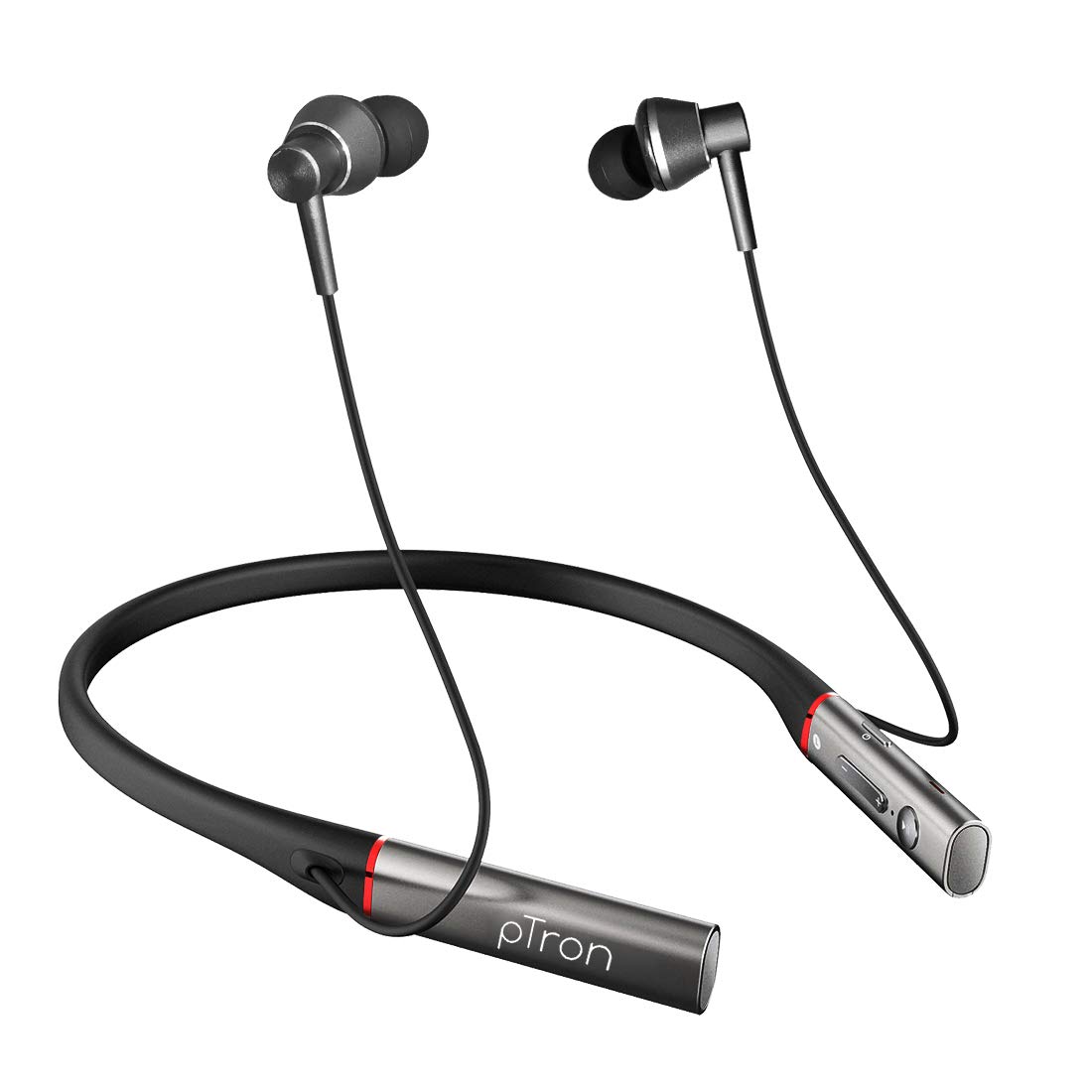
تصوير: سامهون view of the pTron Tangent Plus Wireless Bluetooth Headphones, showcasing the neckband and magnetic earbuds.

Image: Diagram illustrating the ergonomic and lightweight design of the pTron Tangent Plus, highlighting Bluetooth v5.0, 10m wireless range, quick pairing, built-in HD mic, and magnetic lock earbuds.
سيٽ اپ ڪريو
1. هيڊفون چارج ڪرڻ
Before first use, fully charge your pTron Tangent Plus headphones. Connect the provided Micro USB charging cable to the charging port on the neckband and the other end to a USB power source (e.g., computer USB port, wall adapter). The LED indicator will show charging status. A full charge takes approximately 2 hours.
2. بلوٽوٽ جوئر
- پڪ ڪريو ته هيڊفون بند ٿيل آهن.
- Press and hold the Power/Call Answer button for 3 seconds until the LED indicator flashes blue and red alternately, indicating pairing mode.
- پنهنجي ڊوائيس (اسمارٽ فون، ٽيبليٽ، ليپ ٽاپ) تي، بلوٽوٿ کي فعال ڪريو ۽ موجود ڊوائيسز جي ڳولا ڪريو.
- Select "pTron Tangent Plus" from the list of found devices.
- هڪ دفعو ڪاميابي سان جوڙيو ويو، LED اشارو آهستي آهستي نيرو چمڪيندو، ۽ توهان کي تصديق جو آواز ٻڌڻ ۾ ايندو.
- The headphones will automatically reconnect to the last paired device when turned on, if Bluetooth is enabled on the device and it is within range.
3. TF Card Usage
The pTron Tangent Plus features a built-in TF card slot for direct music playback without needing a connected device.
- پنهنجي موسيقي سان گڏ هڪ TF (مائڪرو ايس ڊي) ڪارڊ داخل ڪريو files into the designated slot on the control module.
- Press the "M" button twice to switch to TF Card mode. The headphones will automatically begin playing music from the card.
- Press the "M" button twice again to switch back to Bluetooth mode.
آپريٽنگ هدايتون
Familiarize yourself with the control buttons located on the neckband for seamless operation.
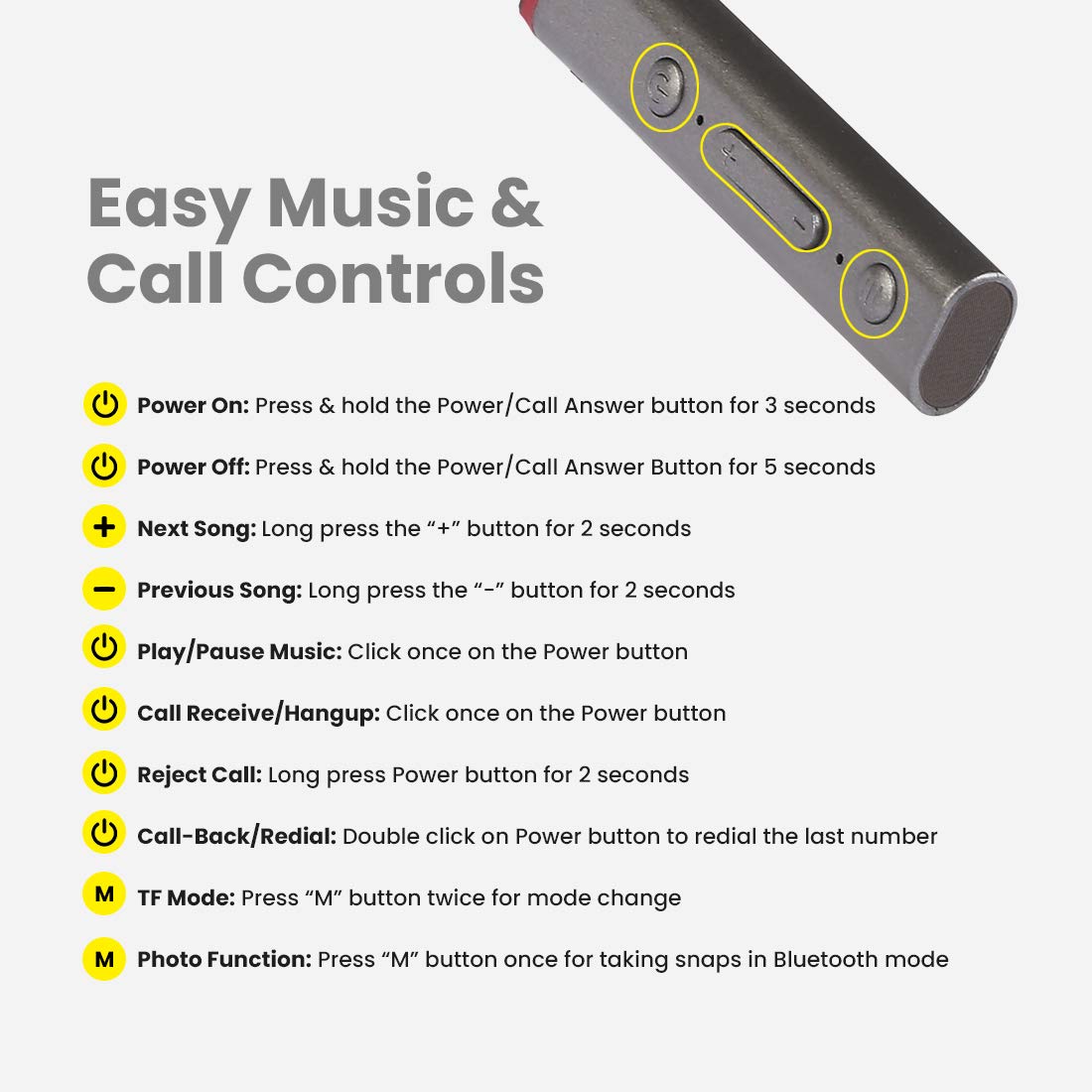
Image: Detailed diagram showing the control buttons on the pTron Tangent Plus neckband and their respective functions.
| فنڪشن | عمل |
|---|---|
| پاور آن | Press & hold the Power/Call Answer button for 3 seconds. |
| بجلي بند | Press & hold the Power/Call Answer button for 5 seconds. |
| ايندڙ گيت | Long press the "+" button for 2 seconds. |
| اڳيون گيت | Long press the "-" button for 2 seconds. |
| موسيقي کي هلايو / روڪيو | Click once on the Power button. |
| Call Receive/Hangup | Click once on the Power button. |
| ڪال رد ڪريو | Long press Power button for 2 seconds. |
| Call-Back/Redial | Double click on Power button to redial the last number. |
| TF موڊ | Press "M" button twice for mode change. |
| Photo Function (Selfie Remote) | Press "M" button once for taking snaps in Bluetooth mode. |
سار سنڀال
- صفائي: هيڊفون صاف ڪرڻ لاءِ نرم، سڪل ڪپڙو استعمال ڪريو. سخت ڪيميڪل يا رگڙيندڙ مواد استعمال نه ڪريو.
- اسٽوريج: جڏهن استعمال ۾ نه هجي، ته هيڊفونز کي ٿڌي، سڪل جاءِ تي، سڌي سج جي روشني ۽ انتهائي گرمي پد کان پري رکو.
- پاڻي جي مزاحمت: The headphones are IPX4 water/sweat resistant, meaning they can withstand splashes and sweat. Do not submerge them in water or expose them to heavy rain. Dry them thoroughly if they get wet.
- بيٽري جي سنڀال: بيٽري جي زندگي کي وڌائڻ لاءِ، بيٽري کي بار بار مڪمل طور تي چارج ڪرڻ کان پاسو ڪريو. هيڊفونز کي باقاعدي طور تي چارج ڪريو، جيتوڻيڪ گهڻي عرصي تائين استعمال ۾ نه هجي.
مشڪلاتون
| مسئلو | ممڪن حل |
|---|---|
| هيڊفون آن نه ٿا ٿين. | Ensure the battery is charged. Connect to a power source and charge for at least 30 minutes before attempting to power on again. |
| ڊوائيس سان جوڙو نه ٿو ٺاهي سگهجي. |
|
| ڪابه آواز يا گهٽ آواز ناهي. |
|
| Intermittent connection/audio drops. |
|
| مائڪروفون ڪم نه ڪري رهيو آهي. |
|
وضاحتون
| خاصيت | تفصيل |
|---|---|
| ماڊل نالو | ٽينجنٽ پلس |
| بلوٽوت ورزن | 5.0 |
| وائرلیس رينج | 10 ميٽر (33 فوٽ) تائين |
| بيٽري جي گنجائش | 250 مي ايڇ لي پوليمر |
| ميوزڪ پلے بیک وقت | 15 ڪلاڪ تائين |
| ڳالهائڻ جو وقت | 10 ڪلاڪ تائين |
| اسٽينڊ بائي ٽائيم | 200 ڪلاڪ تائين |
| چارج ڪرڻ وقت | لڳ ڀڳ 2 ڪلاڪ |
| چارجنگ پورٽ | مائڪرو USB |
| ڊرائيور جي ماپ | 10mm متحرڪ ڊرائيور |
| تعدد جي حد | 20 هز - 20 ڪلو هرٽز |
| رڪاوٽ | 32 اوم |
| پاڻي جي مزاحمت | IPX4 (Water/Sweat Resistant) |
| مواد | ايڪريلونائٽريل بُوٽاڊين اسٽائرين (ABS)، ڌاتو |
| شيءِ جو وزن | 38 گرام |
| پيداوار جي ماپ | 8.8 x 0.9 x 0.9 سينٽي |
وارنٽي ۽ سپورٽ
The pTron Tangent Plus Wireless Bluetooth Headphones come with a 1 سال جي ٺاهيندڙ جي وارنٽي خريداري جي تاريخ کان.
For warranty claims, technical support, or any product-related inquiries, please contact pTron customer care:
- ڪسٽمر ڪيئر رابطو: 040 - 67138888
- اي ميل سپورٽ: support@ptron.in
Please retain your purchase invoice for warranty validation.


