تعارف
This manual provides essential information for setting up, operating, and maintaining your Alienware Area 51M R2 Gaming Laptop. Please read this guide thoroughly to ensure optimal performance and longevity of your device.
The Alienware Area 51M R2 is a high-performance gaming laptop designed with desktop-level processing power, upgradable CPU and GPU components, and an advanced cooling system.
دٻي ۾ ڇا آهي
پڪ ڪريو ته سڀئي شيون پيڪنگ ۾ موجود آهن:
- Alienware Area 51M R2 Gaming Laptop
- پاور اڊاپٽر
- استعمال ڪندڙ جو دستياب (ھي دستاويز)
سيٽ اپ ڪريو
1. پاور اڊاپٽر کي ڳنڍڻ
Connect the power adapter to the laptop's power input port and then plug it into a wall outlet. Ensure the connection is secure. The laptop requires sufficient power for initial setup and operation.
2. شروعاتي پاور آن
Open the laptop lid and press the power button, typically located on the top right of the keyboard deck. The system will begin its initial boot sequence.
3. آپريٽنگ سسٽم سيٽ اپ
Follow the on-screen instructions to complete the Windows 10 Home operating system setup. This includes selecting language, region, connecting to a network, and creating a user account.
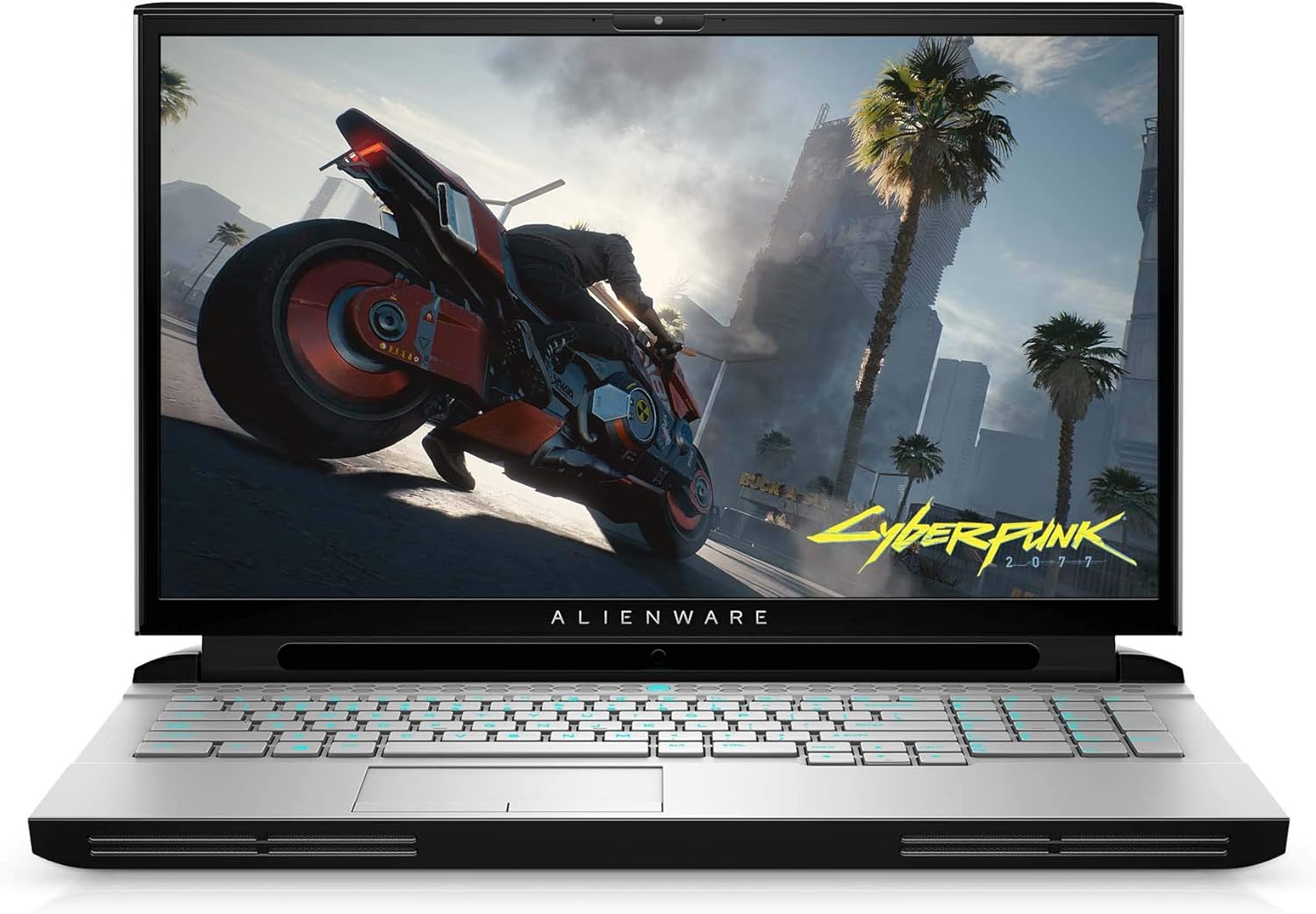
تصوير: سامهون view of the Alienware Area 51M R2 Gaming Laptop, displaying the screen and keyboard.
ليپ ٽاپ هلائڻ
ڪي بورڊ جون خاصيتون
The Alienware TactX keyboard features N-key rollover technology, allowing for over 108-key commands. This ensures accurate input during rapid actions. The 1.7mm key travel provides responsive feedback for each keystroke.
ڏيکاريو
The laptop features a 17.3-inch Full HD (1920x1080) display with a 300Hz refresh rate and 3ms response time, optimized for smooth visual performance.
رابطي
The Area 51M R2 includes a 2.5Gbps Ethernet connection for high-speed wired network transfers. Wireless connectivity is provided via 802.11ac. The laptop also features 4 USB 3.0 ports for peripheral connections.
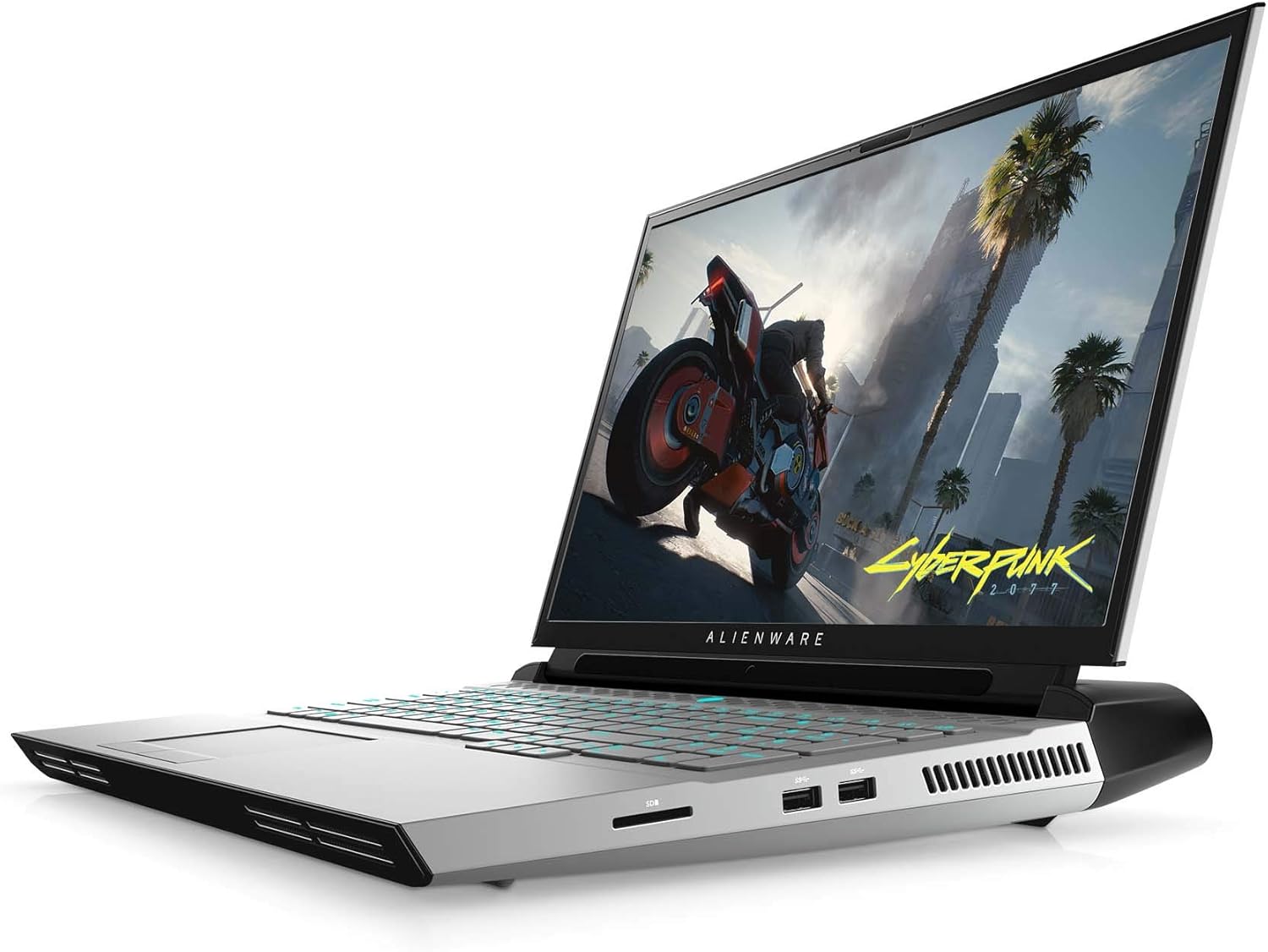
تصوير: پاسي view of the Alienware Area 51M R2 Gaming Laptop, showing various input/output ports.
سار سنڀال
کولنگ سسٽم
The Alienware Area 51M R2 incorporates an advanced cooling system designed to manage heat generated by high-performance components. To maintain optimal cooling efficiency:
- Ensure the laptop's vents are unobstructed. Avoid placing the laptop on soft surfaces like beds or carpets that can block airflow.
- Regularly clean dust from the vents using compressed air.
- Operate the laptop in a well-ventilated environment.

تصوير: اندروني view of the Alienware Area 51M R2, highlighting the cooling system components and airflow paths.
عام صفائي
اسڪرين ۽ ٻاهرين سطحن کي صاف ڪرڻ لاءِ نرم، لِنٽ کان پاڪ ڪپڙو استعمال ڪريو. ضدي نشانن لاءِ، ڊيampen the cloth with water or a mild, non-abrasive cleaner specifically designed for electronics. Avoid spraying liquids directly onto the laptop.
مشڪلاتون
This section addresses common issues you might encounter with your Alienware Area 51M R2 Gaming Laptop.
No Power / Does Not Turn On
- پڪ ڪريو ته پاور اڊاپٽر ليپ ٽاپ ۽ ڪم ڪندڙ بجلي جي آئوٽليٽ ٻنهي سان محفوظ طور تي ڳنڍيل آهي.
- ٻئي ڊوائيس ۾ پلگ ان ڪندي پڪ ڪريو ته پاور آئوٽليٽ ڪم ڪري رهيو آهي.
- If using a power strip or surge protector, ensure it is switched on and functioning.
ڊسپلي مسئلا
- جيڪڏهن اسڪرين خالي آهي، ته ڪيبورڊ فنڪشن ڪيز استعمال ڪندي ڊسپلي جي چمڪ کي ترتيب ڏيڻ جي ڪوشش ڪريو.
- Connect an external monitor to determine if the issue is with the laptop's internal display or the graphics card.
- پڪ ڪريو ته گرافڪس ڊرائيور اپ ٽو ڊيٽ آهن.
گهڻو گرم ٿيڻ
- Check that all ventilation ports are clear of obstructions.
- Clean dust from the cooling vents.
- Ensure the laptop is used on a hard, flat surface to allow for proper airflow.
نيٽ ورڪ ڪنيڪٽيويٽي مسئلا
- For Wi-Fi, ensure the wireless adapter is enabled and you are connected to the correct network.
- For wired Ethernet, verify the cable is securely connected to both the laptop and the router/modem.
- پنهنجو روٽر/موڊيم ٻيهر شروع ڪريو.
For persistent issues, consult the Alienware support webسائيٽ يا ڪسٽمر سروس سان رابطو ڪريو.
وضاحتون
| خاصيت | تفصيل |
|---|---|
| برانڊ | اجنبي سامان |
| ماڊل نالو | AWARR2-7323WHT-PUS |
| اسڪرين جي ماپ | 17.3 انچ |
| اسڪرين جي قرارداد | 1920 x 1080 پکسلز |
| وڌ ۾ وڌ اسڪرين ريزوليوشن | 1920x1080 پڪسلز |
| پروسيسر | Intel Core i7-10700K (5.1 GHz) |
| رام | 16 جي بي ڊي ڊي آر 4 (3200 ميگا هرٽز) |
| هارڊ ڊرائيو | 1 ٽي بي ايس ايس ڊي |
| گرافڪس ڪوپروسيسر | NVIDIA GeForce RTX 2070 |
| گرافڪس ڪارڊ جي وضاحت | NVIDIA RTX 2070 سپر |
| گرافڪس ڪارڊ ريم سائيز | 8 جي بي |
| وائرليس جو قسم | 802.11ac |
| USB 3.0 بندرگاهن جو تعداد | 4 |
| آپريٽنگ سسٽم | ونڊوز 10 گهر |
| شيءِ جو وزن | 10.4 پائونڊ |
| پيداوار جي ماپ | 15.85 x 12.57 x 1.7 انچ |
| رنگ | Lunar Light |
| بيٽريون | 1 ليتيم آئن بيٽري گھربل (شامل) |
وارنٽي ۽ سپورٽ
For warranty information and technical support, please refer to the documentation provided with your purchase or visit the official Alienware support webسائيٽ. وارنٽي دعوائن لاءِ خريداري جو ثبوت رکو.
آن لائن وسيلن ۾ شامل ٿي سگھي ٿو:
- ايلين ويئر سپورٽ Webسائيٽ
- Driver downloads and software updates
- Troubleshooting guides and FAQs


