تعارف
This manual provides instructions for the safe operation and maintenance of the Proster Digital Multimeter 3999 and its accompanying 8-piece test lead set. Please read this manual thoroughly before using the device to ensure proper and safe operation.
حفاظت جي ڄاڻ
عام حفاظت جا ضابطا
- هميشه مقامي ۽ قومي حفاظتي ضابطن تي عمل ڪريو.
- ڪنهن به فنڪشن لاءِ وڌ ۾ وڌ ان پٽ ويلوز کان وڌيڪ نه ڪريو.
- وول سان ڪم ڪرڻ وقت احتياط استعمال ڪريوtag30V AC RMS، 42V چوٽي، يا 60V DC کان مٿي. اهي جلدtagاهو هڪ جھٽڪو جو خطرو آهي.
- Before measuring current, ensure the circuit is de-energized and the multimeter is connected in series.
- Before measuring resistance or continuity, ensure the circuit is de-energized and all capacitors are discharged.
- بيٽرين کي تبديل ڪريو جڏهن گهٽ بيٽري جو اشارو ظاهر ٿئي.
- Do not operate the meter if it appears damaged or if the case is open.
- ماپ دوران آڱريون پروب رڪاوٽن جي پويان رکو.
- پڪ ڪريو ته ماپ لاءِ صحيح ڪم ۽ حد چونڊيل آهن.
- Always use the correct input terminals for the selected function.
پيداوار ختمview
Multimeter Components
The Proster Digital Multimeter 3999 features an LCD display, function selector dial, and input terminals for various electrical measurements.
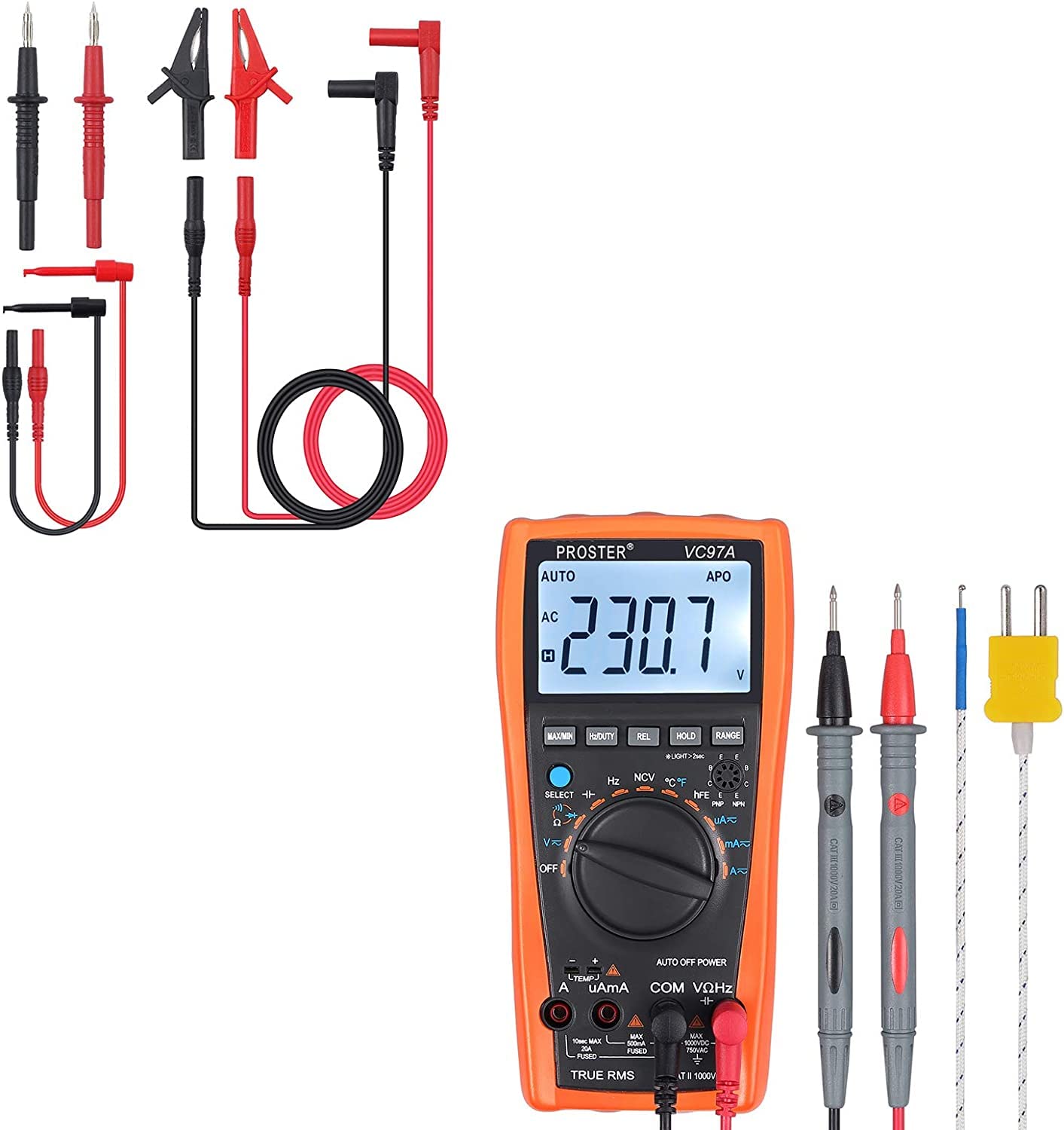
مجموعي طور view of the Proster Digital Multimeter 3999, showing its orange casing, LCD display, and rotary switch.
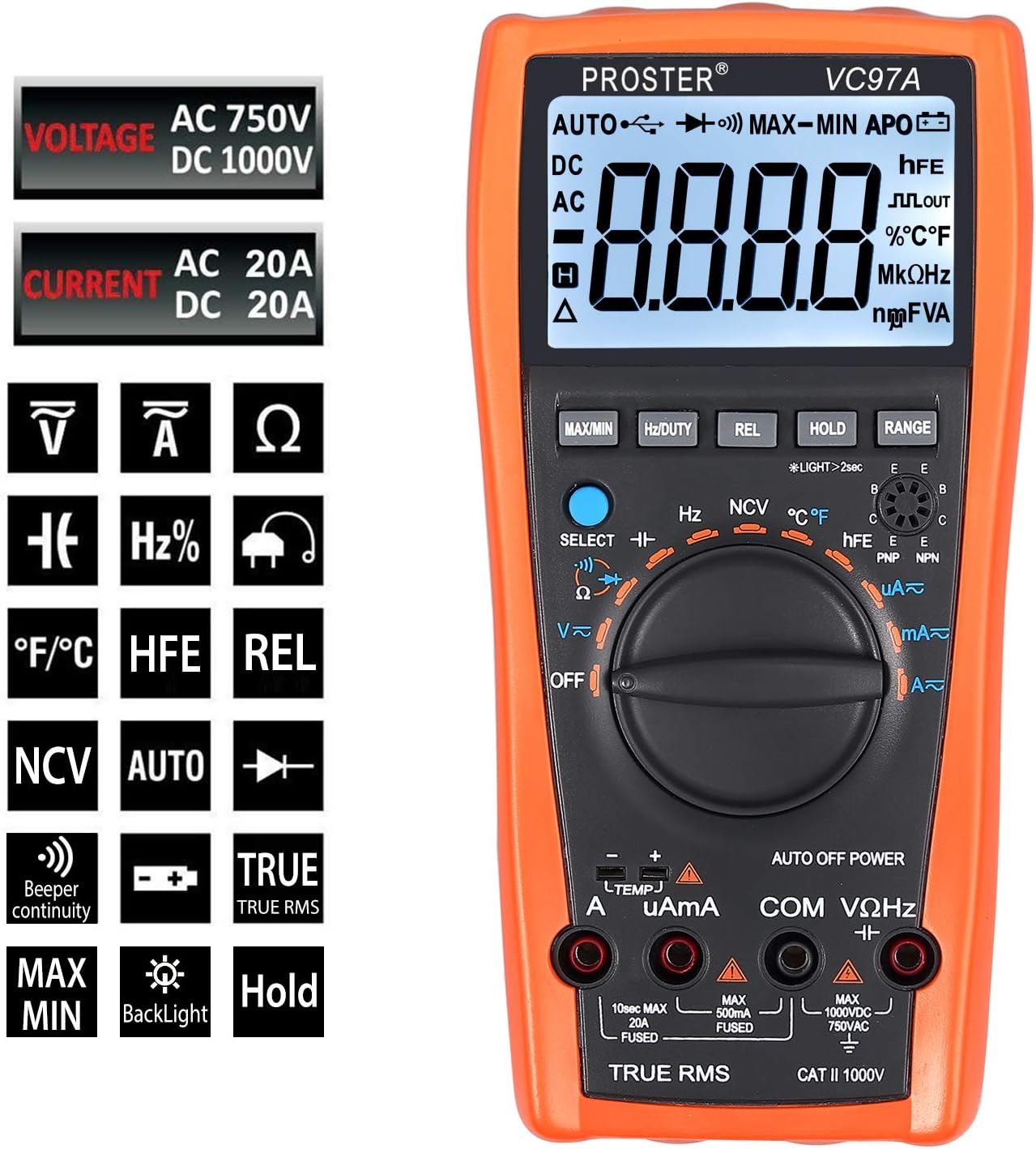
تفصيلي view of the multimeter's LCD display, function buttons (MAX/MIN, HZ/DUTY, REL, HOLD, RANGE), and rotary switch for selecting measurement modes.
Test Leads and Accessories
The included 8-piece test lead set provides versatility for various electrical measurements. All leads feature brass construction for durability and corrosion resistance.
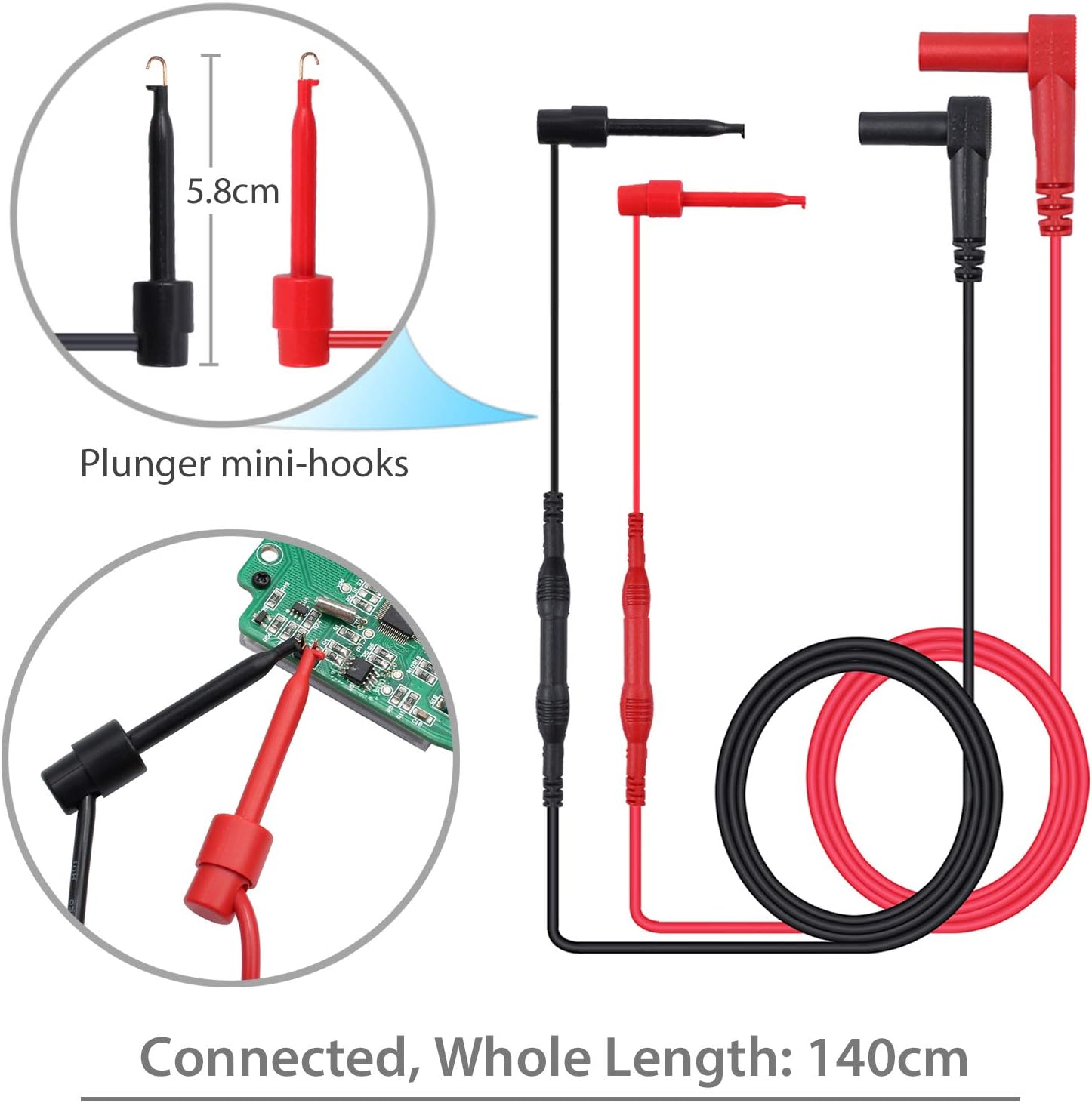
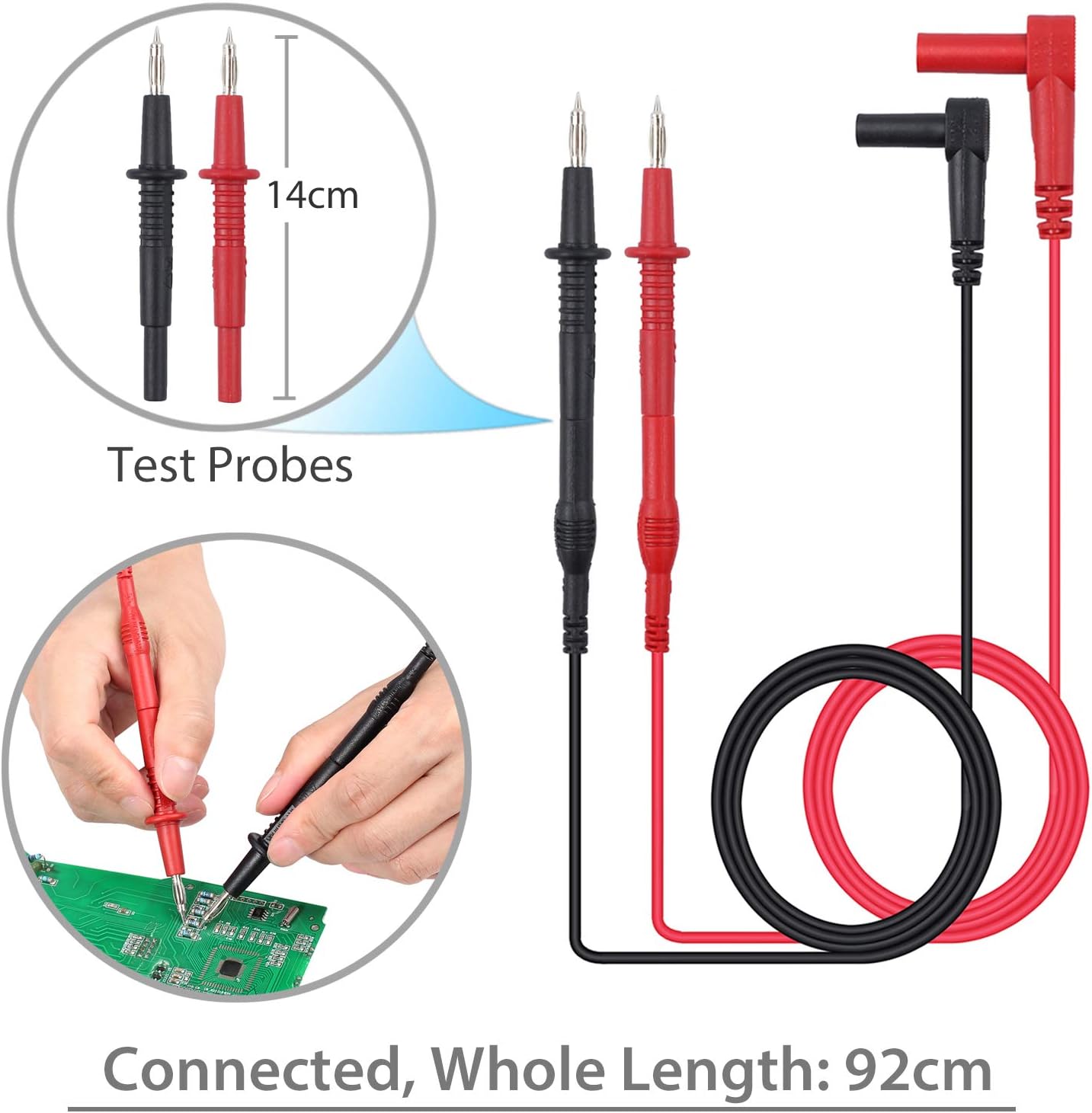
Standard test probes with 14cm length and a total connected length of 92cm. These are suitable for general purpose measurements.

Plunger mini-hooks, 5.8cm in length, with a total connected length of 140cm. Ideal for connecting to small terminals or components.

Alligator clips, 9cm in length, with a total connected length of 90cm. Useful for hands-free connections to larger terminals or wires.
سيٽ اپ ڪريو
بيٽري لڳائڻ
- The multimeter requires two AAA batteries (included).
- ملٽي ميٽر جي پٺيءَ تي بيٽري جو دٻو ڳوليو.
- بيٽري جو ڍڪ کولڻ لاءِ اسڪرو ڊرايور استعمال ڪريو.
- بيٽريون داخل ڪريو، صحيح قطبيت (+ ۽ -) کي ڏسندي.
- بيٽري جي ڍڪ کي تبديل ڪريو ۽ ان کي اسڪرو سان محفوظ ڪريو.
ٽيسٽ ليڊن سان ڳنڻ
- گھڻي جلد لاءِtage, resistance, and continuity measurements, connect the red test lead to the "VΩHz" ٽرمينل ۽ بليڪ ٽيسٽ ڏانھن وي ٿو "COM" ٽرمينل
- For current measurements, connect the red test lead to the "uAmA" terminal (for micro/milli-amps) or the "A" ٽرمينل (لاء amps) and the black test lead to the "COM" ٽرمينل
- Ensure test leads are fully inserted into the correct terminals.
آپريٽنگ هدايتون
پاور آن / آف
- Turn the rotary switch from "بند" to any desired function to power on the multimeter.
- To power off, turn the rotary switch back to "بند". The multimeter also features an Auto Power Off (APO) function to conserve battery life.
فنڪشن جي چونڊ
- Rotate the central dial to select the desired measurement function (e.g., V~ for AC Voltagاي، وي- ڊي سي واليوم لاءِtage, Ω for Resistance, A~ for AC Current, A- for DC Current, Hz for Frequency, °C/°F for Temperature).
- استعمال ڪريو "SELECT" button to toggle between different modes within a single dial position (e.g., AC/DC voltagاي، مزاحمت/ تسلسل).
ماپڻ وارو حجمtagاي (AC/DC)
- testنيو لال ٽيسٽ ليڊ کي "VΩHz" ٽرمينل ۽ بليڪ ٽيسٽ ڏانھن وي ٿو "COM" ٽرمينل
- Turn the rotary switch to V~ (AC Voltage) يا V- (ڊي سي واليومtage). Use the "SELECT" جيڪڏهن ضرورت هجي ته بٽڻ دٻايو.
- Connect the test probes in parallel with the circuit or component to be measured.
- جلد پڙهوtagاي قدر LCD ڊسپلي تي.
Measuring Current (AC/DC)
- خبردار: Ensure the circuit is de-energized before connecting the multimeter for current measurement.
- ڪارو امتحان واري ليڊ کي جوڙيو "COM" ٽرمينل
- For micro/milli-amps, connect the red test lead to the "uAmA" terminal. For amps, connect the red test lead to the "A" ٽرمينل
- Turn the rotary switch to A~ (AC Current) or A- (DC Current). Use the "SELECT" جيڪڏهن ضرورت هجي ته بٽڻ دٻايو.
- Open the circuit and connect the multimeter in series with the load.
- Re-energize the circuit and read the current value.
ماپڻ مزاحمت
- خبردار: مزاحمت کي ماپڻ کان اڳ پڪ ڪريو ته سرڪٽ ڊي-انرجائيز ٿيل آهي ۽ سڀئي ڪيپيسٽرز خارج ٿيل آهن.
- testنيو لال ٽيسٽ ليڊ کي "VΩHz" ٽرمينل ۽ بليڪ ٽيسٽ ڏانھن وي ٿو "COM" ٽرمينل
- Turn the rotary switch to Ω (Resistance).
- ماپڻ لاءِ جزو جي وچ ۾ ٽيسٽ پروبس کي ڳنڍيو.
- LCD ڊسپلي تي مزاحمت جي قيمت پڙهو.
تسلسل ٽيسٽ
- خبردار: تسلسل ٽيسٽ ڪرڻ کان اڳ پڪ ڪريو ته سرڪٽ ڊي-انرجائيز ٿيل آهي.
- testنيو لال ٽيسٽ ليڊ کي "VΩHz" ٽرمينل ۽ بليڪ ٽيسٽ ڏانھن وي ٿو "COM" ٽرمينل
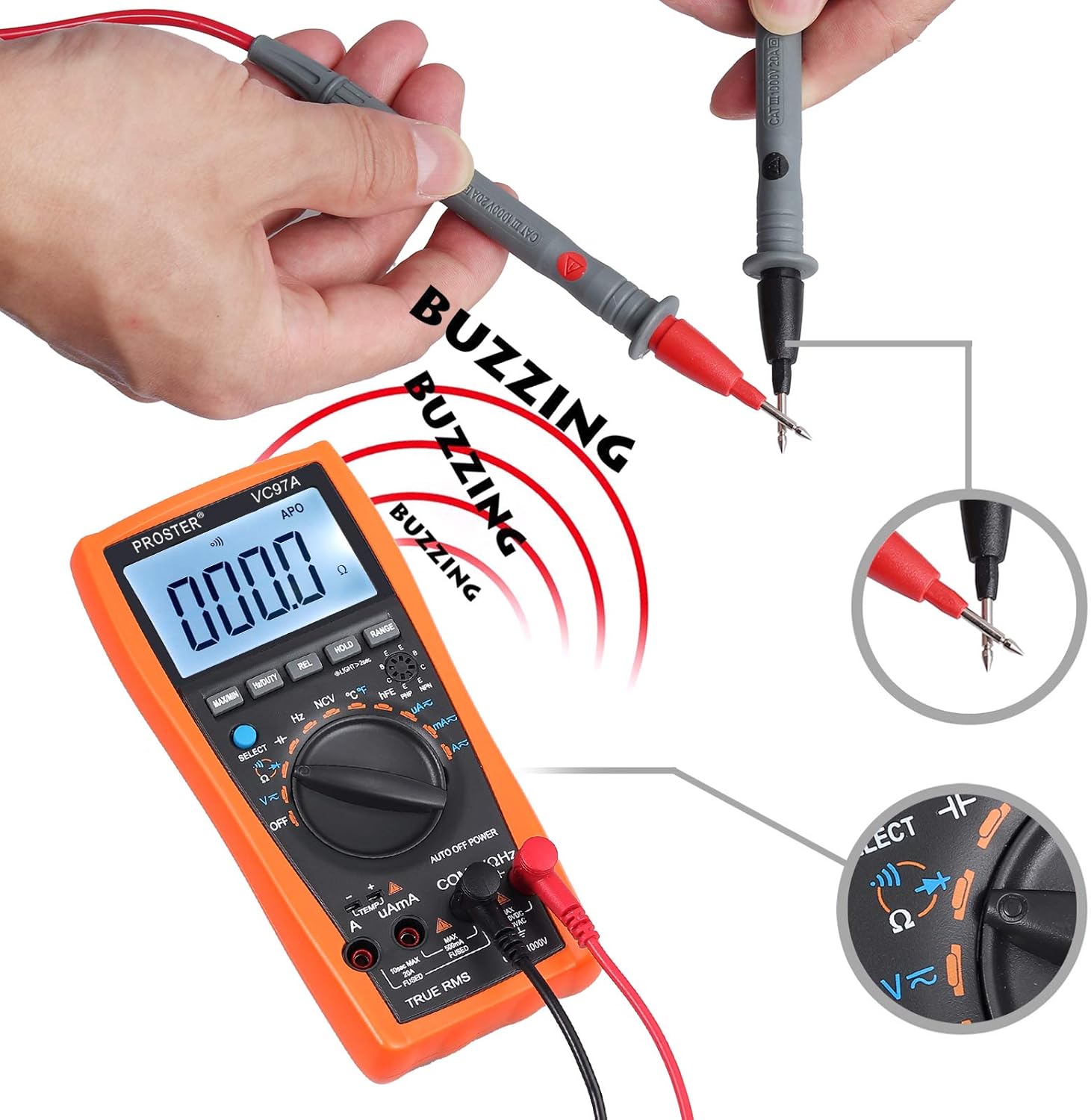
- Turn the rotary switch to the continuity symbol (speaker icon).
- ٽيسٽ پروبس کي سرڪٽ يا جزو ۾ ڳنڍيو.
- A continuous beep indicates a complete circuit (low resistance). The display will show the resistance value.
Performing a continuity test. The multimeter emits a buzzing sound when a continuous circuit is detected, indicating low resistance.
درجه حرارت ماپڻ
- Connect the K-type temperature probe (included) to the multimeter's input terminals, observing polarity.
- Turn the rotary switch to °C/°F.
- Place the temperature probe in the environment or on the object to be measured.
- LCD ڊسپلي تي گرمي پد جي قيمت پڙهو.

Measuring the surrounding air temperature using the K-type temperature probe.
Measuring the temperature of a liquid using the K-type temperature probe.
خاص افعال
- وڌ / منٽ: Press to display the maximum or minimum measured value.
- هولڊ: ڊسپلي تي موجوده پڙھڻ کي منجمد ڪرڻ لاء پريس ڪريو.
- REL (Relative Measurement): Press to store the current reading as a reference and display subsequent measurements as a deviation from this reference.
- رينج For manual ranging (if auto-ranging is not desired or available for a specific function).
- پوئتي روشني: Press the backlight button (often combined with HOLD or another button) to illuminate the display in low-light conditions.
- NCV (غير رابطي واري جلدtage): Allows detection of AC voltage without direct contact. Select NCV mode and bring the top of the multimeter near an AC voltage ذريعو.
سار سنڀال
بيٽري مٽائڻ
When the low battery indicator appears on the display, replace the batteries as described in the "Battery Installation" section.
صفائي
- Wipe the multimeter case with a damp ڪپڙو ۽ نرم صابڻ. abrasives يا solvents استعمال نه ڪريو.
- Ensure the device is powered off and test leads are disconnected before cleaning.
ذخيرو
- If the multimeter is not used for an extended period, remove the batteries to prevent leakage.
- ڊوائيس کي ٿڌي، سڪل جاءِ تي، سڌي سج جي روشني ۽ انتهائي گرمي پد کان پري رکو.
مشڪلاتون
No Display / Power On Issue
- بيٽري جي انسٽاليشن ۽ پولارٽي چيڪ ڪريو.
- جيڪڏهن بيٽريون گهٽ يا ختم ٿي ويون آهن ته انهن کي تبديل ڪريو.
- Ensure the rotary switch is turned to an active function, not "بند".
غلط پڙهڻ
- تصديق ڪريو ته صحيح فنڪشن ۽ رينج چونڊيل آهن.
- Ensure test leads are properly connected to the correct input terminals.
- Check for damaged test leads or probes.
- Ensure the circuit is de-energized for resistance/continuity measurements.
Overload Indication ("OL")
- The measured value exceeds the selected range. Switch to a higher range or verify the circuit conditions.
No Continuity Beep
- پڪ ڪريو ته سرڪٽ ڊي-انرجائيز ٿيل آهي.
- Check for an open circuit or high resistance.
- Verify test lead connections.
وضاحتون
- ڏيکاريو: LCD، 3999 شمار
- ڊي سي جلدtage: 1000V تائين
- AC جلدtage: 750V تائين
- ڊي سي موجوده: 20A تائين
- AC موجوده: 20A تائين
- مزاحمت: ها
- گنجائش: Up to 200uF
- تعدد: ها
- ڊيوٽي سائيڪل: ها
- گرمي پد: Yes (K-type probe included)
- تسلسل: Yes (with buzzer)
- ڊيوڊ ٽيسٽ: ها
- NCV (غير رابطي واري جلدtage): ها
- خاص خاصيتون: گھٽ بيٽري Voltage Indication, Overload Protection, Auto Power Off, Data Hold, MAX/MIN, Relative Measurement, Backlight.
- طاقت جو ذريعو: 2 x AAA بيٽريون
- حفاظت جي درجه بندي: CAT II 1000V
وارنٽي ۽ سپورٽ
For warranty information or technical support, please refer to the product packaging or contact Proster customer service directly. Contact details are typically available on the manufacturer's webسائيٽ يا شامل دستاويز.


