تعارف
The POLY Voyager Focus UC is a stereo Bluetooth headset designed for professionals. It offers seamless connectivity between PC/Mac and smartphones, featuring active noise canceling to enhance focus in various environments.
اهم خاصيتون:
- Wireless connectivity to PC/Mac via USB-A Bluetooth adapter and mobile phones via Bluetooth.
- Certified for Microsoft Teams and compatible with other leading collaboration platforms.
- Active Noise Canceling (ANC) for reduced background distractions.
- Three noise-canceling microphones for clear voice transmission.
- Up to 12 hours talk time (10 hours with ANC) and 15 hours listening time (12 hours with ANC).
- Roaming range of up to 98 feet (30 meters).
- Plush ear cushions for extended comfort.
دٻي ۾ ڇا آهي
- POLY Voyager Focus UC Headset
- USB-A بلوٽوت اڊاپٽر
- چارجنگ ڪيبل (USB)
- Carrying Case (if included with specific variant)
Note: Specific contents may vary based on product variant and region.
سيٽ اپ ڪريو
1. شروعاتي چارج
Before first use, fully charge your headset. Connect the included USB charging cable to the headset's charging port and to a powered USB port on your computer or a USB wall adapter. The LED indicator on the headset will show charging status.
2. پاور آن/آف
To power on the headset, slide the Power switch located on the right earcup. To power off, slide the switch back to the off position.
3. Connecting to PC/Mac (USB-A Adapter)
- Insert the USB-A Bluetooth adapter into an available USB port on your computer.
- The adapter's LED will flash blue, then turn solid blue when connected to the headset.
- Ensure the headset is powered on and in pairing mode (if not already paired).
- Your computer should automatically recognize the headset. Select "POLY Voyager Focus UC" as your audio device in your system settings and communication applications (e.g., Microsoft Teams, Zoom).
4. Connecting to Mobile Phone (Bluetooth)
- With the headset powered on, slide and hold the Power switch towards the Bluetooth icon until the LED flashes red and blue.
- On your mobile phone, go to Bluetooth settings and select "POLY Voyager Focus UC" from the list of available devices.
- Once paired, the headset LED will stop flashing and you will hear a voice prompt confirming the connection.
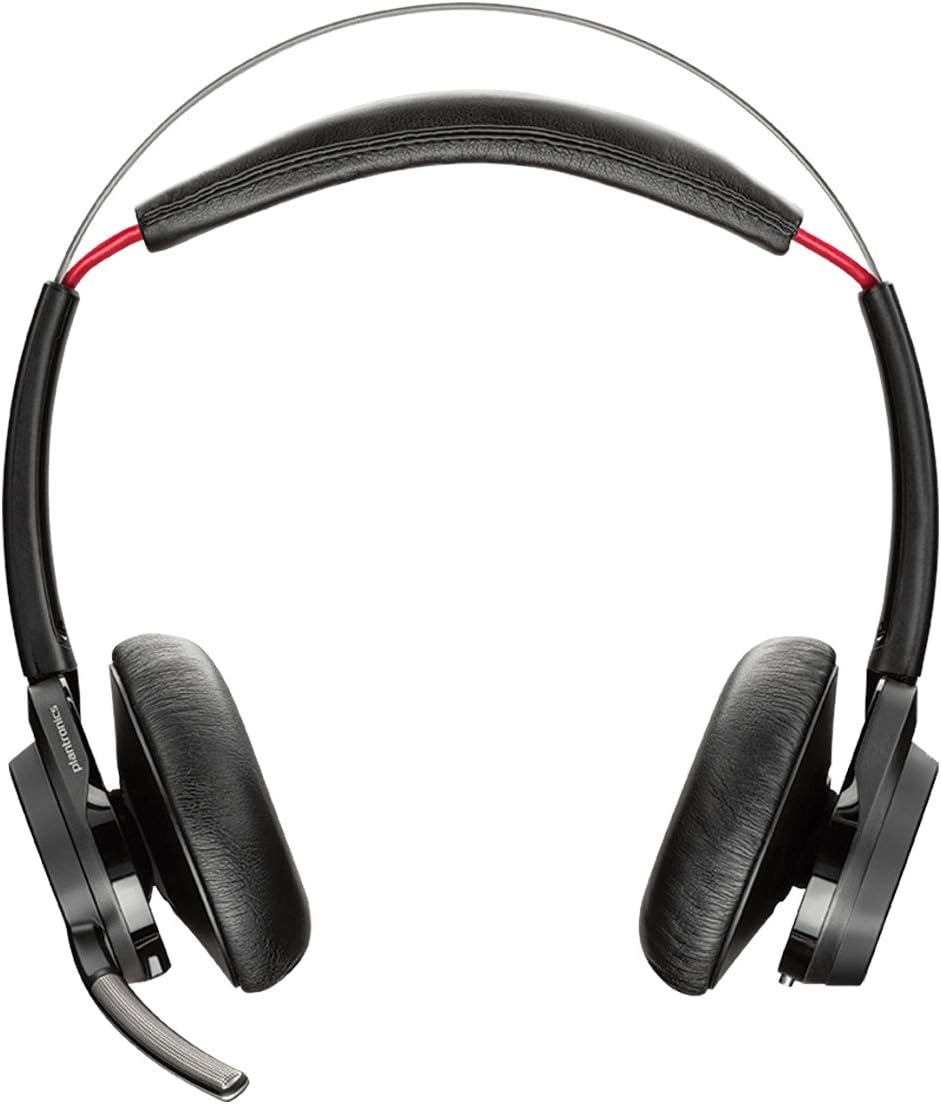
شڪل 1: سامهون view of the POLY Voyager Focus UC Headset, showing the dual earcups and adjustable boom microphone.
آپريٽنگ هدايتون
1. ڪال مينيجمينٽ
- جواب/آخر ڪال: Press the Call button on the right earcup.
- خاموش / چالو: Press the Mute button on the boom microphone or lift/lower the boom mic.
- حجم ڪنٽرول: Rotate the volume wheel on the right earcup up or down.
2. فعال شور منسوخي (ANC)
To activate or deactivate Active Noise Canceling, slide the ANC switch located on the left earcup. ANC helps reduce ambient background noise for improved focus.
3. ميڊيا پلے بیک
- راند/روڪ: Press the Play/Pause button on the right earcup.
- اڳيون ٽريڪ: فارورڊ بٽڻ کي دٻايو.
- پويون ٽريڪ: Press the Backward button.
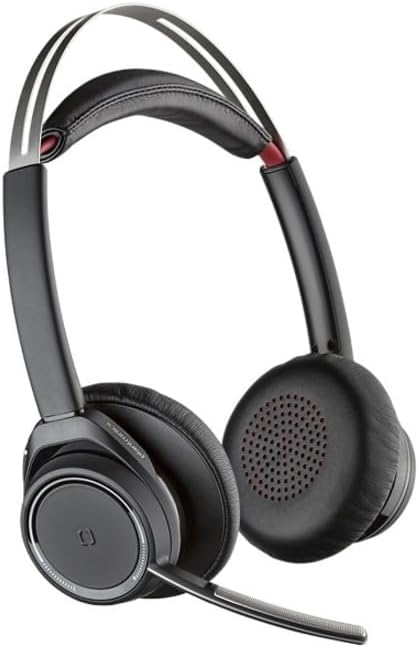
Figure 2: Close-up of the right earcup, illustrating the call, media, and volume controls.
سار سنڀال
- صفائي: هيڊ سيٽ صاف ڪرڻ لاءِ نرم، سڪل ڪپڙو استعمال ڪريو. رگڙيندڙ ڪلينر يا سالوينٽس استعمال ڪرڻ کان پاسو ڪريو.
- اسٽوريج: جڏهن استعمال ۾ نه هجي ته هيڊ سيٽ کي ان جي کڻڻ واري ڪيس ۾ رکو ته جيئن ان کي مٽي ۽ نقصان کان بچائي سگهجي.
- بيٽري جي سنڀال: بيٽري جي زندگي کي وڌائڻ لاءِ، بيٽري کي بار بار مڪمل طور تي چارج ڪرڻ کان پاسو ڪريو. هيڊ سيٽ کي باقاعدي طور تي چارج ڪريو، جيتوڻيڪ مسلسل استعمال ۾ نه هجي.
مشڪلاتون
ڪابه آڊيو ناهي / خراب آڊيو معيار
- پڪ ڪريو ته هيڊ سيٽ آن آهي ۽ مڪمل طور تي چارج ٿيل آهي.
- Verify the headset is correctly paired and connected to your device (PC/Mac or mobile phone).
- Check your device's audio settings to ensure the "POLY Voyager Focus UC" is selected as the output and input device.
- If using the USB-A adapter, try plugging it into a different USB port.
- پنهنجو ڪمپيوٽر يا موبائل ڊيوائس ٻيهر شروع ڪريو.
مائڪروفون ڪم نه ڪري رهيو آهي
- Ensure the microphone boom is lowered and not muted.
- Check your application's (e.g., Teams, Zoom) microphone settings to confirm the headset is selected.
- مائڪروفون جي پوزيشن کي پنهنجي وات جي ويجهو ترتيب ڏيو.
بلوٽوٿ ڪنيڪشن جا مسئلا
- Ensure the headset is within the 98 feet (30 meters) operating range of your device.
- Clear previous Bluetooth pairings on your device and re-pair the headset.
- Avoid sources of interference such as Wi-Fi routers, microwaves, or other Bluetooth devices.
وضاحتون
| خاصيت | تفصيل |
|---|---|
| ماڊل نالو | Voyager Focus UC |
| رابطي ٽيڪنالاجي | وائرليس (بلوٽوت) |
| وائرليس ڪميونيڪيشن ٽيڪنالاجي | بلوٽوٿ 4.0 |
| شور ڪنٽرول | فعال شور منسوخي |
| ڳالهائڻ جو وقت | Up to 12 hours (10 hours with ANC on) |
| ٻڌڻ جو وقت | Up to 15 hours (12 hours with ANC on) |
| بلوٽوٿ رينج | 30 ميٽر (98 فوٽ) تائين |
| مطابقت رکندڙ ڊوائيسز | PCs, Macs, Mobile Phones, VoIP and Conferencing Applications |
| شيءِ جو وزن | 0.634 اونس |
| پيداوار جي ماپ | 8.4 x 7.3 x 2.3 انچ |
| مواد | پلاسٽڪ |
وارنٽي ۽ سپورٽ
هي پراڊڪٽ هڪ سان گڏ اچي ٿو 2 سالن جي عالمي وارنٽي. For warranty claims or technical support, please visit the official POLY support webسائيٽ تي وڃو يا انهن جي ڪسٽمر سروس سان رابطو ڪريو. وارنٽي جي تصديق لاءِ خريداري جو ثبوت رکو.
For further assistance, refer to the official POLY webسائيٽ: www.poly.com


