1. تعارف
This manual provides detailed instructions for the setup, operation, and maintenance of your OhO Smart Glasses. These polarized sunglasses integrate a Bluetooth speaker system, offering UV protection and voice control capabilities for a seamless audio experience while staying aware of your surroundings.
2. پراڊڪٽ ختمview
The OhO Smart Glasses combine stylish eyewear with advanced audio technology. Key features include:
- Open Ear Bluetooth Headset: Allows audio listening while maintaining environmental awareness.
- Voice Control Smart Glasses: Supports hands-free phone calls and voice assistant commands (Siri, Cortana, Google Now).
- حجم ڪنٽرول: Dedicated buttons for volume adjustment and track navigation.
- Ultra Slim Unisex Design: هلڪو وزن ۽ ڊگهي عرصي تائين پائڻ لاءِ آرامده.
- Impact Resistant Lenses and Frame: US Safety Lens Standard ANSI/ISEA Z87.1-2015 compliant, 100% UV400 protection polarized lenses.

شڪل 2.1: سامهون view of OhO Smart Glasses with blue polarized lenses.

شڪل 2.2: پاسي view of OhO Smart Glasses, highlighting the temple arms where audio components are housed.
3. سيٽ اپ
3.1 شيشي کي چارج ڪرڻ
Before initial use, fully charge your OhO Smart Glasses. The battery provides up to 10 hours of playback time.
- Locate the charging port on the temple arm of the glasses. It is typically covered by a small flap for protection.
- Gently open the flap to expose the micro USB port.
- Connect the provided micro USB charging cable to the port on the glasses.
- USB ڪيبل جي ٻئي ڇيڙي کي هڪ مطابقت رکندڙ USB پاور سورس (مثال طور، ڪمپيوٽر USB پورٽ، وال اڊاپٽر) ۾ لڳايو.
- Allow the glasses to charge until the indicator light shows a full charge (refer to the indicator light section in your quick start guide for specific light behavior).

شڪل 3.1: بند اپ view of the micro USB charging port located on the temple arm.
3.2 بلوٽوٽ جوڙي
To use the audio features, you must pair your OhO Smart Glasses with a Bluetooth-enabled device (e.g., smartphone, tablet).
- پڪ ڪريو ته شيشا چارج ٿيل ۽ آن آهن.
- پنهنجي موبائل ڊوائيس تي بلوٽوت کي چالو ڪريو.
- ڳولھيو available devices in your device's Bluetooth settings.
- Select "Oho A8 pro" from the list of available devices.
- Once connected, the glasses will indicate successful pairing (e.g., an audible prompt or indicator light change).

Figure 3.2: A smartphone displaying the Bluetooth pairing screen, showing the OhO Smart Glasses as a connectable device.
Video 3.1: A demonstration of charging and Bluetooth pairing for the OhO Smart Glasses, along with basic audio controls.
4. آپريٽنگ هدايتون
4.1 آڊيو پلے بیک ۽ واليوم ڪنٽرول
Once paired, you can stream audio from your device to the glasses.
- راند/روڪ: Press the main button (typically located on the temple arm) once to play or pause audio.
- حجم مٿي Press and hold the volume up button to increase the volume. An audible cue will indicate maximum volume.
- حجم ھيٺ To decrease volume, continue holding the volume up button past the maximum volume cue; it will reset to the lowest volume and then increase from there. (Note: There is no dedicated volume down button; volume cycles from max to min).
- اڳيون ٽريڪ: ايندڙ ٽريڪ تي وڃڻ لاءِ مکيه بٽڻ کي ٻه ڀيرا دٻايو.
- پويون ٽريڪ: Triple-press the main button to go to the previous track.

Figure 4.1: A user wearing the OhO Smart Glasses, demonstrating their use for audio playback in an outdoor setting.
4.2 Voice Control and Call Management
The glasses support voice commands and hands-free calling.
- وائس اسسٽنٽ کي فعال ڪريو. Double-press the main button to activate your device's voice assistant (Siri, Cortana, Google Now). You can then issue commands verbally.
- جواب/آخر ڪال: Press the main button once to answer an incoming call or end an ongoing call.
- ڪال رد ڪريو: Press and hold the main button to reject an incoming call.

Figure 4.2: A user wearing the OhO Smart Glasses, engaged in a hands-free phone conversation.
5. سار سنڀال
5.1 صفائي
To maintain optimal clarity and extend the life of your lenses and frame:
- Use the provided lens cleaning cloth to gently wipe the lenses. Avoid using abrasive materials or harsh chemicals.
- For the frame, use a soft, damp ڪپڙو. گلاسن کي پاڻيءَ ۾ نه ٻوڙيو.
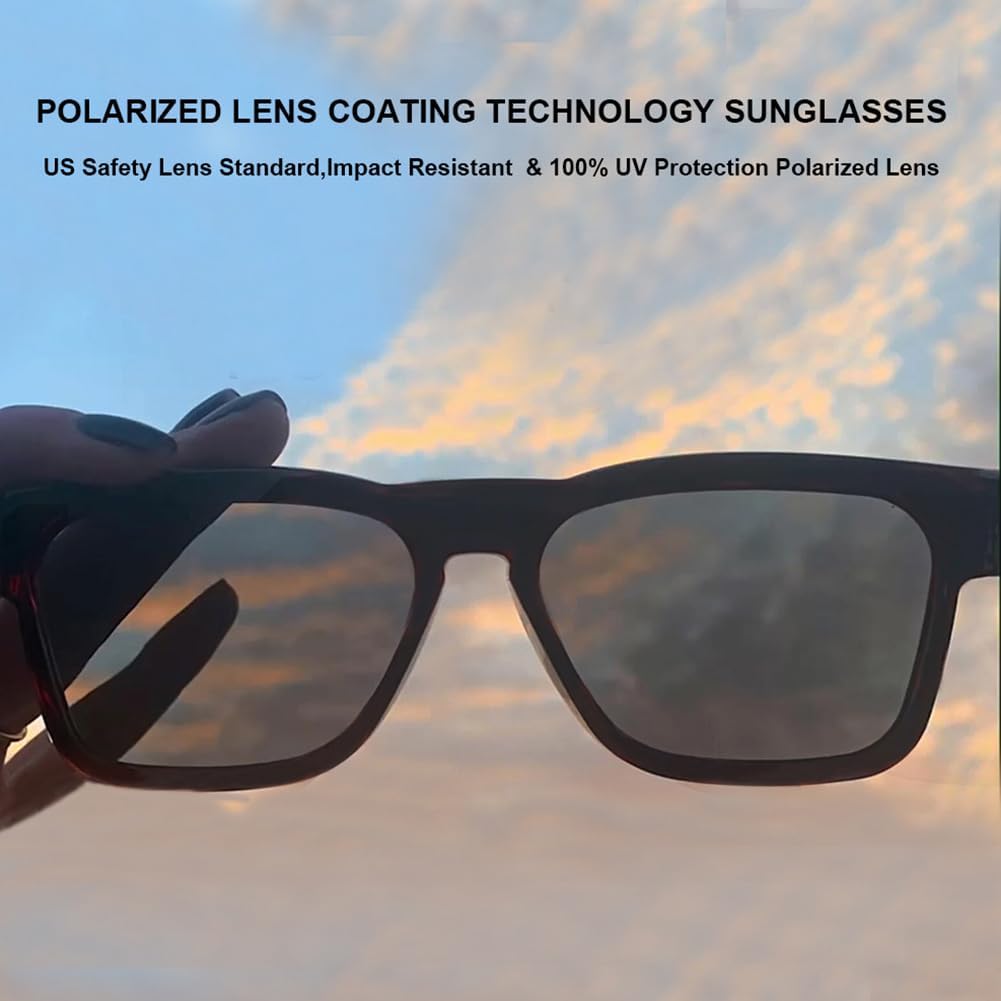
Figure 5.1: A close-up of the polarized lenses of the OhO Smart Glasses, emphasizing their clarity and coating.
5.2 اسٽوريج
Proper storage protects your glasses from damage.
- When not in use, store the glasses in the provided hard case to prevent scratches and impacts.
- Keep the glasses away from extreme temperatures and direct sunlight for prolonged periods.
6. مسئلا حل ڪرڻ
If you encounter issues with your OhO Smart Glasses, refer to the following common solutions:
| مسئلو | ممڪن سبب | حل |
|---|---|---|
| ڊوائيس سان جوڙو نه ٿو ٺاهي سگهجي | Bluetooth is off; glasses are off; out of range; already paired to another device. | Ensure Bluetooth is on and glasses are charged/on. Move closer to the device. Disconnect from other devices. |
| ڪوبه آواز يا گهٽ حجم نه | Volume too low on glasses/device; not properly paired; audio source issue. | Increase volume on both glasses and device. Re-pair the glasses. Check audio source on your device. |
| چارج ڪرڻ جو مسئلو | Cable not connected properly; faulty cable/charger; charging port obstruction. | Ensure cable is securely connected. Try a different USB port or charger. Check charging port for debris. |
| وائس اسسٽنٽ جواب نه ڏئي رهيو آهي | Not properly paired; voice assistant not enabled on device; poor microphone connection. | Ensure glasses are paired. Check device settings for voice assistant. Speak clearly into the microphone. |
7. وضاحتون
- ماڊل نمبر: A8 پرو
- پيداوار جي ماپ: 6.3 x 5.71 x 1.85 انچ
- شيء جو وزن: 1.09 آونس (31 گرام)
- بيٽري: 1 ليتيم ڌاتو جي بيٽري (شامل)
- بيٽري جي گنجائش: 200 مليamp ڪلاڪ
- آپريٽنگ سسٽم: OhO sunshine OS
- رابطي ٽيڪنالاجي: بلوٽوٿ
- انساني انٽرفيس ان پٽ: مائڪروفون
- خاص خصوصيت: هلڪو وزن
- رنگ: Black Frame-blue Lens
- ٺاهيندڙ: اوهه سج
8. وارنٽي ۽ سپورٽ
For warranty information or technical support, please refer to the documentation included with your purchase or contact OhO sunshine customer service directly. Contact details can typically be found on the manufacturer's official webسائيٽ تي يا پنهنجي پرچون ڪندڙ ذريعي.


