1. تعارف
خريد ڪرڻ لاءِ مهربانيasing the Salora SBO680 Soundbar. This manual provides essential information for the safe and efficient operation of your new audio system. Please read it thoroughly before use and retain it for future reference.
The Salora SBO680 is a sophisticated audio solution designed to enhance your home entertainment experience. Featuring 2.1 audio output channels, it delivers immersive sound with a 60W RMS rated power, ensuring crystal-clear audio reproduction. The soundbar speaker has an RMS power of 40W and a 6.35 cm (2.5 inch) tweeter diameter, providing crisp highs and detailed mid-range frequencies. Its active subwoofer, with an RMS power of 20W, adds rich, deep bass to your audio, improving the overall listening experience. The product is available in an elegant black color, complementing any interior decor, and is ideal for home use. Volume control is conveniently managed via buttons, offering ease of use. With wired and wireless connectivity technology, the Salora SBO680 offers versatile options for seamless integration into your entertainment setup.

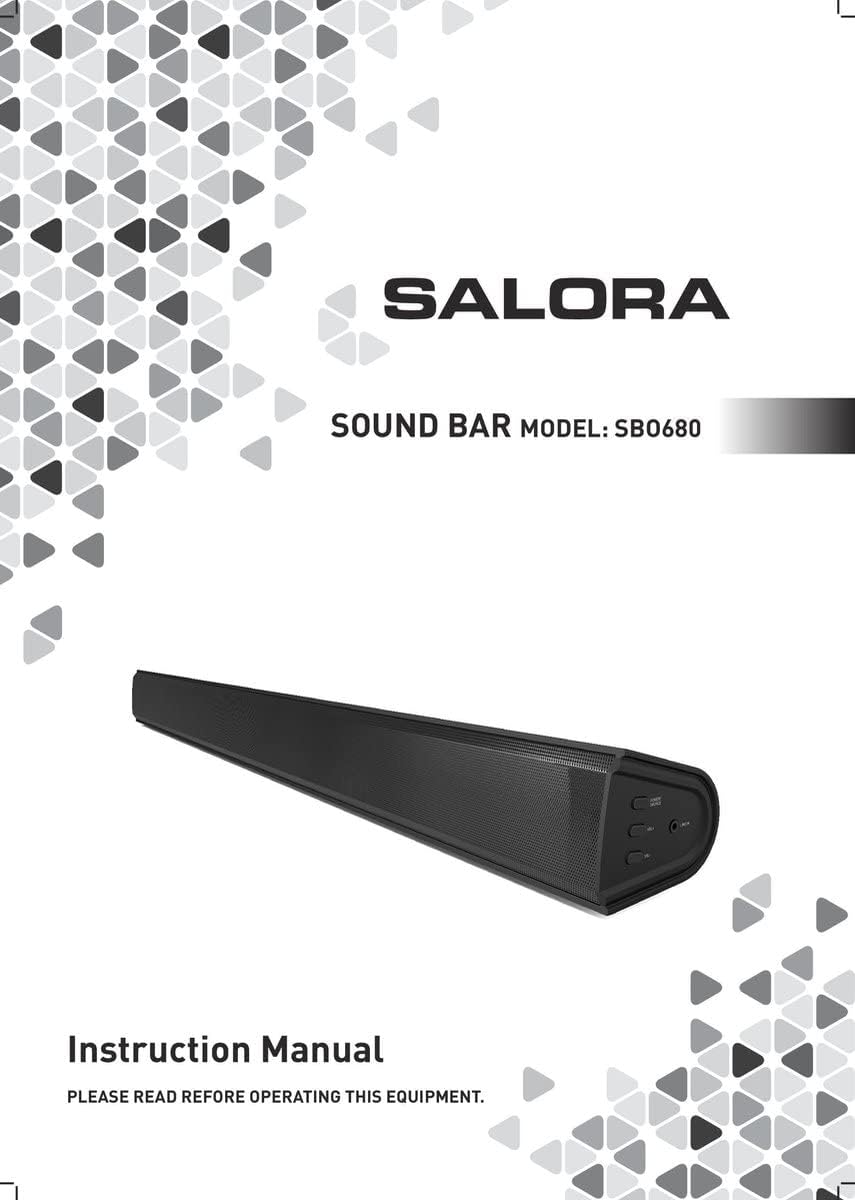
Image: Front cover of the Salora SBO680 Soundbar instruction manual.
2. اهم حفاظتي ڄاڻ
- پڙهو هدايتون: پراڊڪٽ استعمال ڪرڻ کان اڳ سڀ حفاظتي ۽ آپريٽنگ هدايتون پڙهو.
- هدايتون برقرار رکڻ: مستقبل جي حوالي سان حفاظت ۽ آپريٽنگ هدايتون رکو.
- خبرداريون: مصنوعات تي ۽ آپريٽنگ هدايتن ۾ سڀني ڊيڄاريندڙن تي عمل ڪريو.
- ھدايتن تي عمل ڪريو: سڀني آپريٽنگ ۽ استعمال جي هدايتن تي عمل ڪريو.
- صفائي: ھن پراڊڪٽ کي صاف ڪرڻ کان پھريان وال آئوٽليٽ کان ڌار ڪريو. مائع صاف ڪندڙ يا ايروسول صاف ڪندڙ استعمال نه ڪريو. اشتهار استعمال ڪريوamp صاف ڪرڻ لاء ڪپڙو.
- منسلڪات: پراڊڪٽ ٺاهيندڙ طرفان سفارش نه ڪيل منسلڪ استعمال نه ڪريو ڇو ته اهي خطرن جو سبب بڻجي سگهن ٿيون.
- پاڻي ۽ نمي: هن پراڊڪٽ کي پاڻي جي ويجهو استعمال نه ڪريو - مثال طورampلي، باٿ ٽب جي ويجهو، واش باؤل، باورچی خانه جي سنڪ، ڌوٻيءَ جو ٽب، ويٽ بيسمينٽ ۾، يا ترڻ جي تلاءَ جي ويجهو.
- وينٽيليشن: پراڊڪٽ جي قابل اعتماد آپريشن کي يقيني بڻائڻ ۽ ان کي وڌيڪ گرم ٿيڻ کان بچائڻ لاءِ ڪابينا ۾ سلاٽ ۽ کليل جڳهه وينٽيليشن لاءِ مهيا ڪئي وئي آهي. انهن کليل جڳهن کي بند يا ڍڪڻ نه گهرجي.
- طاقت جا ذريعا: هن پراڊڪٽ کي صرف مارڪنگ ليبل تي ظاهر ڪيل پاور سورس جي قسم سان هلايو. جيڪڏهن توهان کي پڪ ناهي ته توهان جي گهر کي ڪهڙي قسم جي پاور سپلائي آهي، ته پنهنجي پراڊڪٽ ڊيلر يا مقامي پاور ڪمپني سان صلاح ڪريو.
- پاور ڪورڊ تحفظ Power-supply cords should be routed so that they are not likely to be walked on or pinched by items placed upon or against them.
- بجلي: بجليءَ جي طوفان دوران هن پراڊڪٽ لاءِ اضافي تحفظ لاءِ، يا جڏهن اهو رهجي ويو هجي ۽ ڊگھي عرصي تائين استعمال نه ڪيو ويو هجي، ان کي وال آئوٽليٽ تان ان پلگ ڪريو.
- خدمت ڪرڻ: هن پراڊڪٽ کي پنهنجو پاڻ جي خدمت ڪرڻ جي ڪوشش نه ڪريو ڇو ته ڪپڙا کولڻ يا هٽائڻ توهان کي خطرناڪ حجم ڏانهن بي نقاب ڪري سگهي ٿوtage يا ٻيا خطرا. سڀني خدمتن جو حوالو ڏيو قابل خدمت اهلڪارن ڏانهن.
3. پيڪيج مواد
Please check that all items are present and in good condition.
- Salora SBO680 Soundbar
- Remote Control (requires 2 AAA batteries, not always included)
- استعمال ڪندڙ جو دستياب (ھي دستاويز)
- پاور ڪيبل
4. پراڊڪٽ ختمview
4.1 اڳيان ۽ پاسي View
تصوير: سامهون view of the Salora SBO680 Soundbar, showing the speaker grille.

Image: Close-up of the side panel controls, including Power/Source, Volume Up, Volume Down, and Line In port.
- Power/Source Button: Press to turn on/off or switch input modes.
- حجم وڌايو (+): حجم وڌايو.
- حجم گھٽ (-): حجم گھٽايو.
- پورٽ ۾ لائن: ٻاهرين ڊوائيسز لاءِ 3.5 ايم ايم آڊيو ان پٽ.
4.2 پوئتي View ۽ ڪنيڪشن

تصوير: پوئين پاسي view of the Salora SBO680 Soundbar, showing various input ports and mounting points.

Image: Close-up of the rear connection panel, featuring USB, HDMI ARC, Optical, and DC 20V power input.
- USB پورٽ: آڊيو هلائڻ لاءِ files USB ڊرائيو مان.
- HDMI ARC پورٽ: آڊيو ۽ ڪنٽرول لاءِ ٽي وي جي HDMI ARC پورٽ سان ڳنڍيو.
- OPTICAL Port: Digital audio input from devices like TVs or game consoles.
- ڊي سي 20V پورٽ: سائونڊ بار لاءِ پاور ان پٽ.
4.3 ريموٽ ڪنٽرول

Image: The included remote control for the Salora SBO680 Soundbar, showing various buttons for power, volume, input, and sound modes.
The remote control allows you to manage volume, bass/treble, and input selection. It requires 2 AAA batteries (not always included).
- پاور بٽڻ: سائونڊ بار کي آن يا آف ڪري ٿو.
- ان پٽ بٽڻ: Cycles through input sources (HDMI ARC, Optical, AUX, Bluetooth, USB).
- جلد +/-: مکيه حجم کي ترتيب ڏئي ٿو.
- BA+/-: باس جي سطح کي ترتيب ڏئي ٿو.
- TR+/-: Adjusts treble levels.
- Music/TV/Movie: Pre-set equalizer modes for different audio content.
- جوڙو: بلوٽوٿ پيئرنگ موڊ شروع ڪري ٿو.
- ڊفالٽ: Resets sound settings to factory defaults.
5. سيٽ اپ ۽ ڪنيڪشن
Before connecting, ensure the soundbar and all devices are powered off.
5.1 پاور ڪنيڪشن
- Connect the power cable to the DC 20V port on the back of the soundbar.
- پاور ڪيبل جي ٻئي ڇيڙي کي وال آئوٽليٽ ۾ لڳايو.
5.2 Connecting to a TV (Recommended)
The Salora SBO680 offers multiple ways to connect to your TV. HDMI ARC is recommended for the best audio quality and ease of control.
5.2.1 HDMI ARC ڪنيڪشن
HDMI ARC (Audio Return Channel) allows you to send audio from your TV to the soundbar using a single HDMI cable and control the soundbar with your TV remote.
- Connect one end of an HDMI cable (not included) to the HDMI ARC port on the soundbar.
- Connect the other end of the HDMI cable to the HDMI ARC port on your TV. (Look for a port labeled "HDMI ARC" or "HDMI IN (ARC)").
- Turn on the soundbar and select the HDMI ARC input using the remote or the Power/Source button.
- Ensure your TV's audio output settings are configured for HDMI ARC or external speakers.
5.2.2 آپٽيڪل ڪنيڪشن
Use an optical cable for high-quality digital audio if your TV does not support HDMI ARC.
- Connect one end of an optical cable (not included) to the OPTICAL port on the soundbar.
- Connect the other end of the optical cable to the optical digital output port on your TV or other audio source.
- Turn on the soundbar and select the OPTICAL input.
- Ensure your TV's audio output settings are configured for optical output.
5.3 بلوٽوٿ ڪنيڪشن
Stream audio wirelessly from your smartphone, tablet, or other Bluetooth-enabled devices. The soundbar remembers up to 8 devices.
- Turn on the soundbar and select the BLUETOOTH input using the remote or the Power/Source button. The indicator light will flash, indicating pairing mode.
- توهان جي بلوٽوت ڊوائيس تي، بلوٽوت کي فعال ڪريو ۽ دستياب ڊوائيسز لاء ڳولا ڪريو.
- Select "Salora SBO680" from the list of devices.
- Once paired, the indicator light on the soundbar will stop flashing and remain solid.
- هاڻي توهان پنهنجي ڊوائيس مان سائونڊ بار ذريعي آڊيو هلائي سگهو ٿا.
- To disconnect, disable Bluetooth on your device or select a different input on the soundbar.
5.4 AUX (Line In) Connection
Connect older devices or devices without digital audio outputs using a 3.5mm audio cable.
- Connect one end of a 3.5mm audio cable (not included) to the LINE IN port on the side of the soundbar.
- ٻئي ڇيڙي کي پنهنجي ٻاهرين ڊوائيس جي هيڊ فون جيڪ يا آڊيو آئوٽ پٽ سان ڳنڍيو.
- Turn on the soundbar and select the AUX input.
- Play audio from your device.
5.5 USB پلے بیک
آڊيو کيڏيو files سڌو USB فليش ڊرائيو مان.
- Insert a USB flash drive (containing compatible audio files) into the USB port on the back of the soundbar.
- Turn on the soundbar and select the USB input.
- سائونڊ بار خودڪار طريقي سان آڊيو هلائڻ شروع ڪندو. files from the USB drive. Use the remote control to navigate tracks.
6. آپريٽنگ هدايتون
6.1 بنيادي آپريشن
- پاور آن / آف: Press the Power button on the remote or the Power/Source button on the soundbar.
- حجم جي ترتيب: Use the Volume +/- buttons on the remote or the soundbar.
- ان پٽ چونڊ: Press the Input button on the remote or the Power/Source button on the soundbar to cycle through available inputs (HDMI ARC, Optical, AUX, Bluetooth, USB).
- خاموش: Press the Mute button on the remote to temporarily silence the audio. Press again to unmute.
6.2 Sound Modes and Equalizer
The Salora SBO680 offers pre-set equalizer modes and manual bass/treble adjustments to optimize your listening experience.
- اڳواٽ سيٽ موڊس: Use the MUSIC, TV, or MOVIE buttons on the remote to select an optimized sound profile توهان جي مواد لاءِ.
- بيس جي ترتيب: Use the BA+/- buttons on the remote to increase or decrease bass levels.
- ٽربل ايڊجسٽمينٽ: Use the TR+/- buttons on the remote to increase or decrease treble levels.
- ڊفالٽ سيٽنگون: Press the DEFAULT button on the remote to reset all sound settings to their factory defaults.

Image: Illustration showing the soundbar and remote control, with sound waves emanating from the soundbar, symbolizing immersive audio.
7. سار سنڀال
7.1 صفائي
- صفائي ڪرڻ کان اڳ هميشه سائونڊ بار کي پاور آئوٽليٽ مان ان پلگ ڪريو.
- ٻاهرين سطحن کي صاف ڪرڻ لاءِ نرم، سڪل ڪپڙو استعمال ڪريو.
- Do not use liquid cleaners, abrasive cleaners, or chemical solvents, as these may damage the finish.
- For the speaker grille, use a soft brush or a vacuum cleaner with a brush attachment to gently remove dust.
7.2 اسٽوريج
- If storing the soundbar for an extended period, unplug it from the power source.
- ان کي ٿڌي، سڪل جاءِ تي، سڌي سج جي روشني ۽ انتهائي گرمي پد کان پري رکو.
- اسٽوريج ۽ ٽرانسپورٽ لاءِ اصل پيڪنگنگ کي رکڻ جي صلاح ڏني وئي آهي.
8. مسئلا حل ڪرڻ
If you encounter issues with your Salora SBO680 Soundbar, refer to the following common problems and solutions.
| مسئلو | ممڪن سبب | حل |
|---|---|---|
| طاقت نه آهي | پاور ڪيبل ڳنڍيل نه آهي يا پاور آئوٽليٽ فعال نه آهي. | پڪ ڪريو ته پاور ڪيبل محفوظ طور تي سائونڊ بار ۽ ڪم ڪندڙ پاور آئوٽليٽ سان ڳنڍيل آهي. |
| آواز ڪونهي | Incorrect input selected, volume too low, or incorrect TV audio settings. |
|
| بلوٽوٿ جوڙڻ ناڪام ٿيو | Soundbar not in pairing mode, device too far, or interference. |
|
| ريموٽ ڪنٽرول ڪم نه ڪري رهيو آهي | Batteries depleted or remote not aimed correctly. |
|
| بگڙيل آواز | Volume too high, poor audio source, or incorrect equalizer settings. |
|
9. وضاحتون
| ماڊل نالو | Salora SBO680 |
| برانڊ | سالورا |
| ٻاھر نڪرڻ واري طاقت (RMS) | 60W (Soundbar: 40W, Subwoofer: 20W) |
| اسپيڪر جو قسم | بلٽ ان سب ووفر سان سائونڊ بار |
| آڊيو آئوٽ پٽ موڊ | اسٽيريو (2.1 چينل) |
| رابطي ٽيڪنالاجي | Bluetooth, HDMI ARC, Optical, USB, AUX (3.5mm Line In) |
| وائرليس ڪميونيڪيشن | بلوٽوٿ |
| مطابقت رکندڙ ڊوائيسز | اسمارٽ فون، ٽيبليٽ، ٽيليويزن |
| ڪنٽرول جو طريقو | Remote Control, On-device Buttons |
| پيداوار جي ماپ (L x W x H) | 81 x 9 x 7.85 سينٽي (31.9 x 3.5 x 3.1 انچ) |
| شيءِ جو وزن | 2.6 ڪلوگرام (5.73 پائونڊ) |
| رنگ | ڪارو |
| مواد | پلاسٽڪ |
| طاقت جو ذريعو | Electric Cable (DC 20V) |
| ريموٽ بيٽري | 2 x AAA (not always included) |
| وڌ ۾ وڌ حد (بلوٽوٿ) | 12 ميٽر |
| خاص خاصيتون | هاء ريزوليوشن آڊيو سپورٽ |
10. وارنٽي ۽ سپورٽ
For warranty information, please refer to the warranty card included with your product or contact your local retailer.
If you require technical support or have questions not covered in this manual, please visit the official SALORA webسائيٽ يا انهن جي ڪسٽمر سروس کاتي سان رابطو ڪريو.


