پيداوار ختمview
The IPEGA PG-9193 is a compact and versatile wireless gamepad designed for a wide range of gaming platforms. It supports Nintendo Switch, PlayStation 3, Android devices (version 6.0 and above), Steam, and PC (Windows 7 and above). Its mini size makes it highly portable, and it features six-axis motion sensing and vibration feedback for an immersive gaming experience. The ergonomic design ensures comfortable handling during extended play sessions.

تصوير: مٿي view of the IPEGA PG-9193 Wireless Gamepad, showing the D-pad on the left, action buttons (Y, X, B, A) on the right, and 'SELECT' and 'START' buttons in the center. The gamepad is yellow with white buttons.

تصوير: زاويه view of the IPEGA PG-9193 Wireless Gamepad, highlighting its compact size and button layout. The yellow casing and white buttons are clearly visible.
پيڪيج مواد
پيڪيج کولڻ تي، تصديق ڪريو ته هيٺ ڏنل سڀئي شيون موجود آهن ۽ سٺي حالت ۾ آهن:
- 1x IPEGA PG-9193 Wireless Mini Controller
- 1x Micro USB Cable (for charging)
- 1x لين يارڊ
- 1x استعمال ڪندڙ دستياب (هي دستاويز)

Image: All items included in the package: the yellow PG-9193 controller, a yellow lanyard, a white Micro USB charging cable, and the printed user manual.
سيٽ اپ ۽ ڪنيڪشن
ڪنٽرولر کي چارج ڪرڻ
Before first use, fully charge the controller. Connect the supplied Micro USB cable to the charging port on the controller and the other end to a USB power source (e.g., computer USB port, USB wall adapter). The charging time is approximately 2 hours.
ڊوائيسز سان جوڙڻ
The PG-9193 controller connects via Bluetooth 3.0. The transmission distance is up to 8 meters.
- پڪ ڪريو ته ڪنٽرولر ڪافي چارج ٿيل آهي.
- Turn on the controller (specific power-on method not detailed in provided data, assume standard button press).
- On your device (Nintendo Switch, Android, PC, PS3), navigate to the Bluetooth settings.
- ڳولھيو available Bluetooth devices. The controller should appear as "PG-9193" or similar.
- Select the controller to pair. Once paired, the indicator light on the controller will confirm connection.
آپريٽنگ هدايتون
بنيادي ڪنٽرول
The controller features a D-pad (cross key) and standard action buttons (Y, X, B, A), along with SELECT and START buttons.
Switching D-pad Functionality
By default, the cross key (D-pad) functions as the left 3D joystick. To switch the cross key to its standard D-pad function, simultaneously press the Y ۽ X 2 سيڪنڊن لاءِ ڪنجيون.
خاص اهم مجموعا
- کي دٻائڻ down key of the cross key ۽ جي چونڊيو key simultaneously is equivalent to the گهر اهم فنڪشن.
- کي دٻائڻ چونڊيو ۽ START keys simultaneously is equivalent to pressing the ZL ۽ ZR keys on a standard controller.
Six-Axis and Vibration Function
The controller supports six-axis motion sensing and vibration feedback, enhancing the gaming experience. These functions are automatically enabled when supported by the game and connected device.

Image: A yellow IPEGA PG-9193 controller being used with a yellow Nintendo Switch Lite console, demonstrating its compatibility and compact size during gameplay.

Image: Two IPEGA PG-9193 controllers, one yellow and one green, being held by hands, illustrating multi-player use with a Nintendo Switch Lite console in the background.
سار سنڀال
- ڪنٽرولر کي نرم، سڪل ڪپڙي سان صاف ڪري صاف رکو.
- ڪنٽرولر کي انتهائي گرمي پد، سڌي سج جي روشني، يا وڌيڪ نمي جي سامهون آڻڻ کان پاسو ڪريو.
- Do not disassemble the controller, as this will void the warranty and may cause damage.
- Store the controller in a safe place when not in use to prevent physical damage.
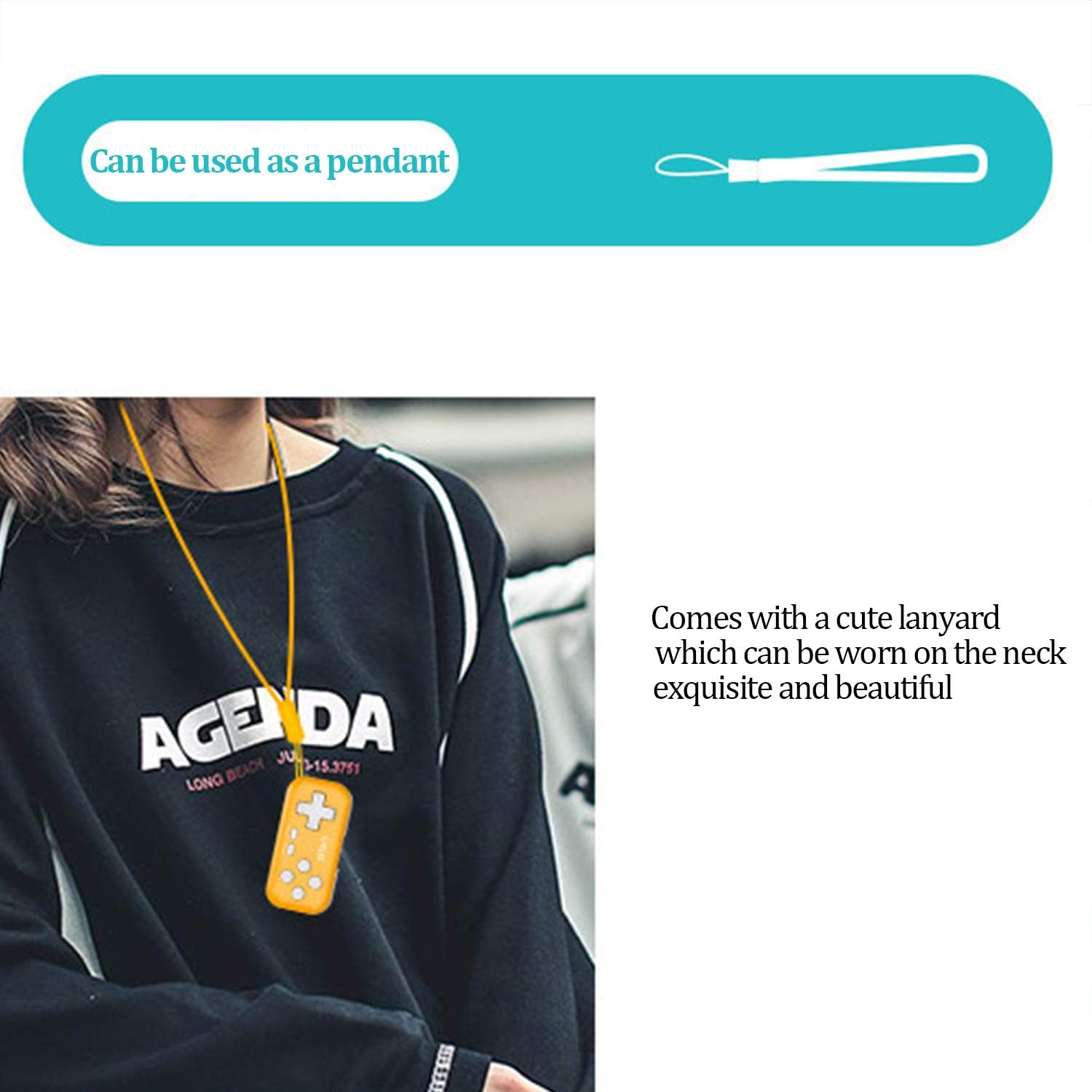
Image: The IPEGA PG-9193 controller shown with its included lanyard, demonstrating how it can be worn or carried for convenience and to prevent loss.
مشڪلاتون
ڪنٽرولر ڳنڍي نه رهيو آهي
- پڪ ڪريو ته ڪنٽرولر مڪمل طور تي چارج ٿيل آهي.
- پڪ ڪريو ته توهان جي ڊوائيس تي بلوٽوٿ فعال آهي.
- Move the controller closer to the device to ensure it is within the 8-meter transmission range.
- Try unpairing and re-pairing the controller from your device's Bluetooth settings.
- Restart both the controller and the device.
بٽڻ جواب نه ڏيڻ
- Check if the controller is properly connected to your device.
- Ensure the game you are playing supports external controllers.
- If the D-pad is not functioning as expected, remember to switch its mode by pressing Y+X for 2 seconds if it's in joystick mode.
- Recharge the controller, as low battery can affect performance.
وضاحتون
| ڪم ڪرڻ وارو جلدtage | ڊي سي 3.7V |
| ڪم ڪندڙ موجوده | <15mA |
| خاموش موجوده | <10uA |
| مسلسل استعمال جو وقت | لڳ ڀڳ 8 ڪلاڪ |
| انٽ واليمtage/موجوده | ڊي سي 5V / 500mA |
| چارج ڪرڻ وقت | لڳ ڀڳ 2 ڪلاڪ |
| بلوٽوت ورزن | بي ٽي 3.0 |
| ٽرانسميشن جو فاصلو | ≤8 ميٽر |
| بيٽري جي گنجائش | 130mAh |
| اسٽينڊ بائي ٽائيم | 30 ڏينهن (مڪمل چارج ٿيڻ تي) |
| طول و عرض (L x W x H) | 6.99 x 3.3 x 0.99 سينٽي (2.75 x 1.30 x 0.39 انچ) |
| وزن | 49.9 گرام (1.76 اونس) |
| مطابقت رکندڙ پليٽ فارم | Nintendo Switch, PS3, Android (6.0+), Steam, PC (Win 7+) |
وارنٽي ۽ سپورٽ
The product typically comes with an 18-month worry-free product warranty. For any issues or support inquiries, please refer to the contact information provided by your retailer or the official IPEGA support channels.
For further assistance, please visit the official IPEGA website or contact customer service through the platform where the product was purchased.


