تعارف
هي دستور العمل توهان جي سيٽ اپ، آپريشن، سار سنڀال، ۽ خرابي جي حل لاءِ تفصيلي هدايتون مهيا ڪري ٿو ViewSonic VP2768a 27-inch IPS 1440p Monitor. Please read this manual thoroughly before using your monitor to ensure proper functionality and to maximize your viewتجربو.
1. سيٽ اپ
1.1 دٻي ۾ ڇا آهي
پڪ ڪريو ته سڀئي جزا پيڪنگ ۾ موجود آهن:
- VP2768a ڊسپلي
- پاور ڪيبل
- ڊي پي کي ڊي پي ڪيبل
- USB قسم سي ڪيبل
- USB Type B Uplink Cable
- تڪڙو شروع ھدايت
- فيڪٽري calibrated رپورٽ

شڪل 1: جو مواد ViewSonic VP2768a monitor box. Includes the monitor, power cable, DisplayPort cable, USB-C cable, USB-B uplink cable, quick start guide, and factory calibration report.
Video 1: Unboxing the ViewSonic VP2768a 27-inch QHD Professional Display. This video demonstrates the unboxing process and highlights the included accessories.
1.2 مانيٽر اسيمبلي
The monitor stand is designed for easy assembly. The stand column is pre-attached to the display. To attach the base:
- Carefully remove the monitor from its packaging, keeping the display protected.
- Locate the stand base and align it with the bottom of the stand column.
- Secure the base to the column, typically by tightening a captive screw on the underside of the base. This is a tool-less design, allowing for hand-tightening.
- Once assembled, carefully place the monitor on a stable, flat surface.
Video 2: Monitor assembly demonstration. This video shows how to attach the monitor base to the stand column.
1.3 توهان جي مانيٽر کي ڳنڍڻ
The VP2768a offers versatile connectivity options. Ensure your computer is powered off before making any connections.
- پاور ڪنيڪشن: Connect the provided power cable to the monitor's power input and then to a power outlet.
- USB-C ڪنيڪشن: For a simplified setup, connect your laptop or device to the monitor using the supplied USB Type-C cable. This single cable can deliver video, audio, data, and up to 90W of power to charge your connected device.
- ڊسپلي پورٽ ڪنيڪشن: Use the provided DisplayPort (DP to DP) cable to connect your computer's DisplayPort output to the monitor's DisplayPort input for high-resolution video.
- HDMI ڪنيڪشن: Alternatively, connect your computer's HDMI output to the monitor's HDMI 1.4 input using an HDMI cable (not included).
- USB Type B Uplink: If not using USB-C, connect the USB Type B Uplink cable from your computer to the monitor to enable the monitor's integrated USB Type A ports.
- RJ45 Ethernet: Connect an Ethernet cable to the monitor's RJ45 port for a stable wired network connection, especially useful when using USB-C with a laptop.

شڪل 2: پوئتي view of the monitor highlighting the connectivity ports. This includes HDMI 1.4, DisplayPort In, DisplayPort Out (DaisyChain), 2x USB Type A, 1x USB Type B, 1x 65W Powered USB Type C, and 1x Ethernet LAN (RJ45).
2. توهان جي مانيٽر کي هلائڻ
2.1 Power On/Off and OSD Menu
To power on the monitor, press the power button, usually located on the backside or bottom edge. The On-Screen Display (OSD) menu allows you to adjust various settings such as brightness, contrast, color modes, and input sources. The OSD menu buttons are located on the backside of the monitor for a clean front bezel design.
2.2 ايرگونومڪ ترتيبون
The VP2768a features an advanced ergonomic stand for optimal viewآرام ڪرڻ:
- اونچائي جي ترتيب: ڊسپلي کي اکين جي سطح تائين مٿي يا هيٺ ڪريو.
- جھلڻ: Adjust the screen's vertical angle to reduce glare and improve viewing.
- گھمڻ: Rotate the screen horizontally to share content or adjust your viewزاويه.
- محور: Rotate the screen 90 degrees for portrait mode, ideal for document viewاننگ يا web برائوزنگ
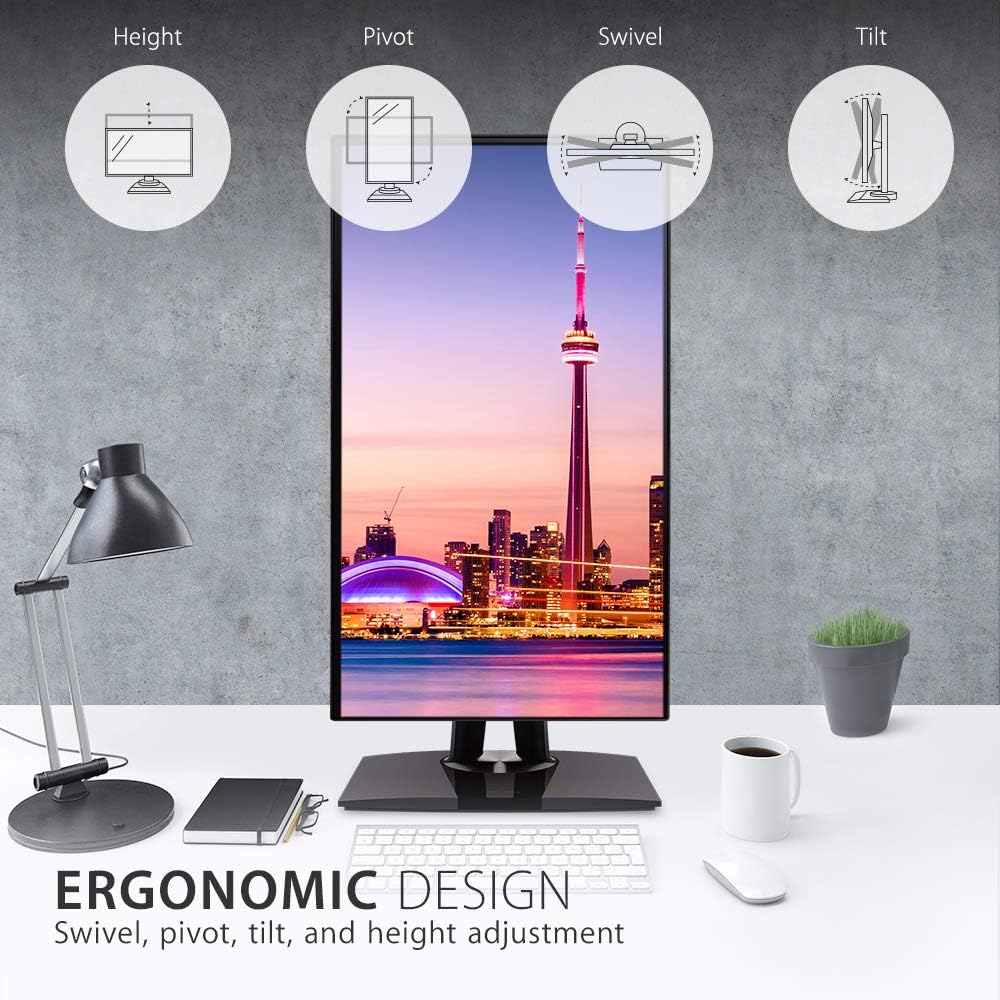
Figure 3: Ergonomic design features of the monitor, illustrating height, pivot, swivel, and tilt adjustments.
2.3 Color Accuracy and Calibration
This monitor is designed for professional color-critical applications:
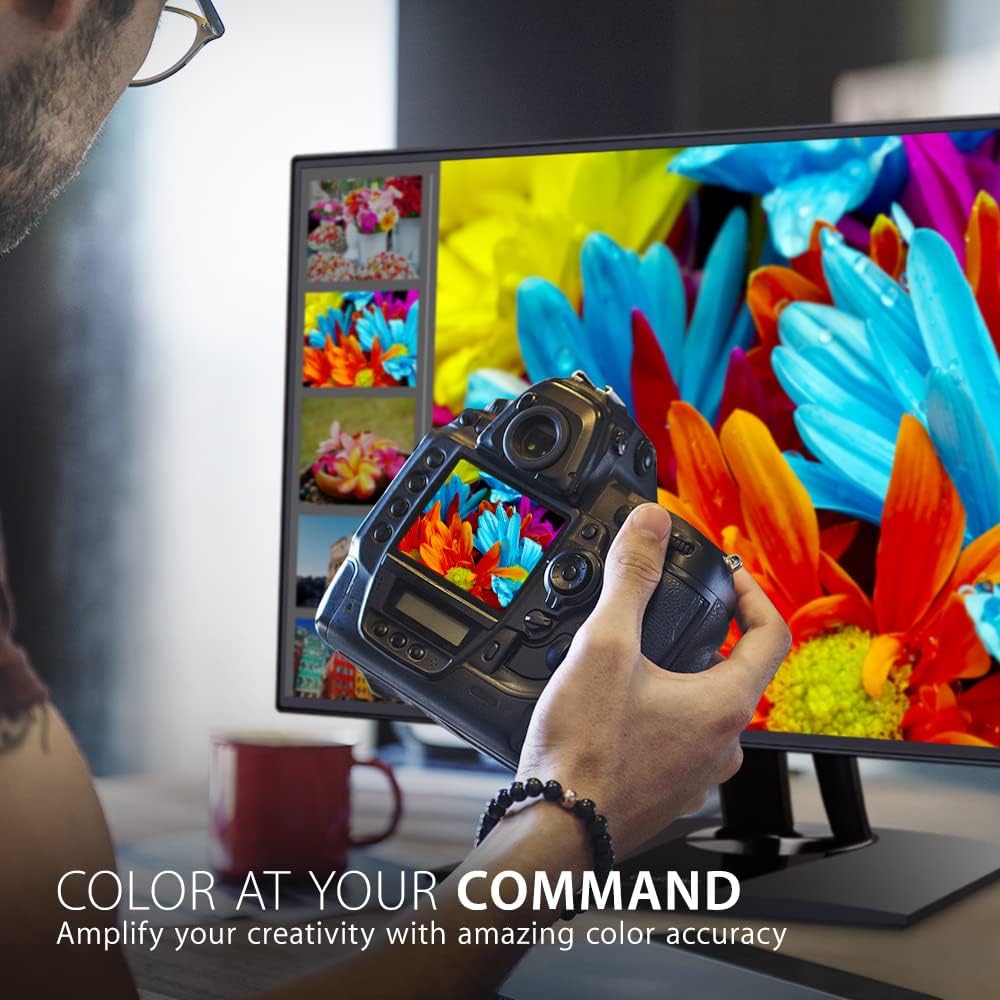
- فيڪٽري حساب ڪتاب: Each monitor is factory calibrated to achieve an impressive Delta E<2 value, ensuring high color accuracy right out of the box.
- Color Spaces: Supports 100% sRGB, EBU, SMPTE-C, Rec. 709, and DICOM-SIM color spaces.
- 14-bit 3D LUT: A 14-bit 3D Look-Up Table generates a smooth palette of 4.39 trillion colors for precise color reproduction.
- 6-Axis Color Adjustment: Provides advanced control over color settings.
- رنگ جي هڪجهڙائي: An integrated function ensures consistent chromaticity across the entire screen.
- هارڊويئر حساب ڪتاب: For the most precise color management, hardware calibration is available with the optional ViewSonic Colorbration Kit (sold separately).
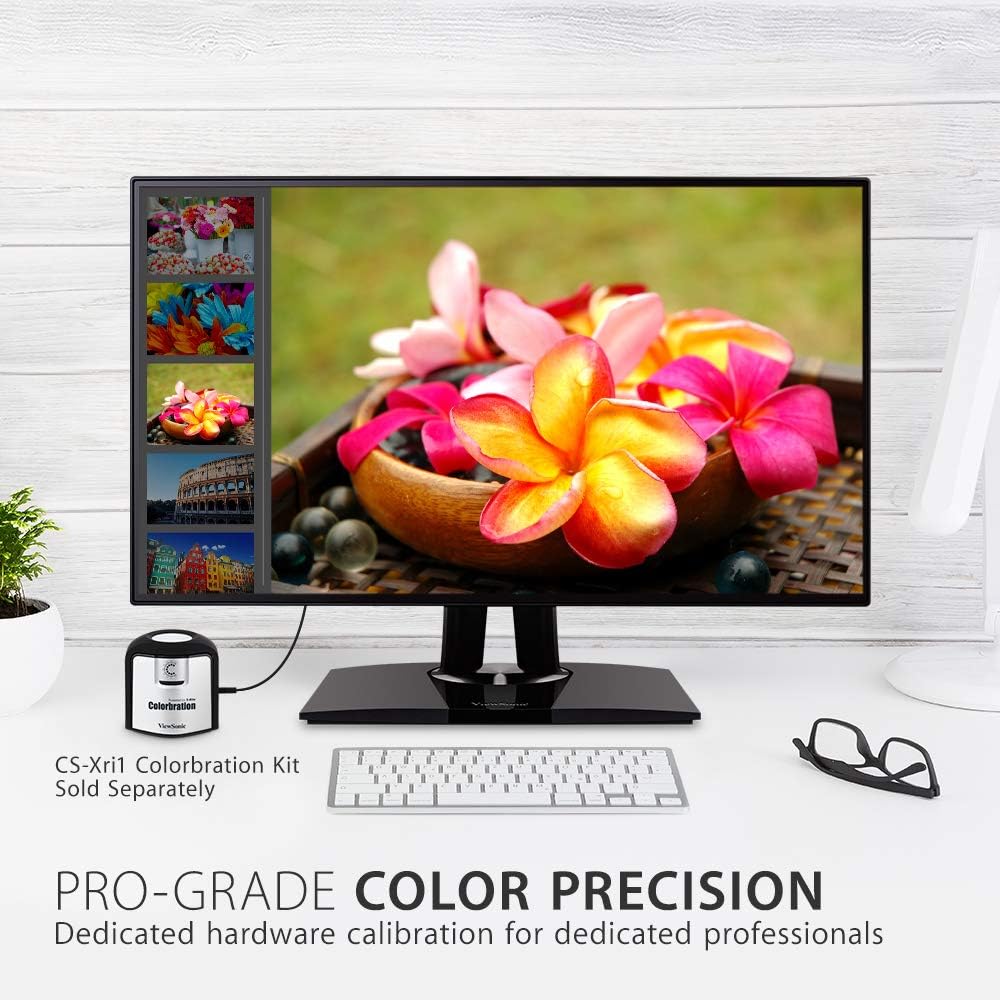
شڪل 4: مانيٽر شوڪasing its color precision, with an optional Colorbration Kit for hardware calibration.
2.4 اکين جي سنڀال جي ٽيڪنالاجي
The monitor incorporates Flicker-Free technology and a Blue Light Filter to minimize eye strain and fatigue during extended use.
2.5 Daisy Chaining
The DisplayPort out feature allows for seamless daisy-chaining of multiple monitors. Connect your primary monitor to your computer via DisplayPort, then connect the primary monitor's DisplayPort out to the DisplayPort in of a second monitor. This reduces cable clutter and simplifies multi-monitor setups.
2.6 USB-C Docking Functionality
The USB-C port on the VP2768a acts as a powerful docking station. A single USB-C cable from your laptop can provide:
- 90W پاور پهچائڻ: توهان جي ڳنڍيل ليپ ٽاپ يا ڊوائس کي چارج ڪري ٿو.
- وڊيو سگنل: Transmits high-resolution video to the monitor.
- آڊيو سگنل: Transmits audio.
- ڊيٽا جي منتقلي: Enables data transfer for connected USB peripherals.
- RJ45 Ethernet: Provides a stable wired network connection through the monitor's integrated Ethernet port.

Figure 5: USB-C connectivity for power, video, audio, and data, simplifying your workspace.
3. سار سنڀال
پنهنجي مانيٽر جي ڪارڪردگي ۽ ظاهر کي برقرار رکڻ لاءِ:
- اسڪرين جي صفائي: نرم، لِنٽ کان پاڪ ڪپڙي سان اسڪرين کي نرميءَ سان صاف ڪريو. ضدي نشانن لاءِ، هلڪو ڊيampڪپڙي کي پاڻي يا خاص اسڪرين ڪلينر سان ڌوئڻ. سخت ڪيميڪلز يا رگڙيندڙ مواد استعمال ڪرڻ کان پاسو ڪريو.
- سي جي صفائيasing: مانيٽر کي صاف ڪرڻ لاءِ نرم، سڪل ڪپڙو استعمال ڪريو casing.
- وينٽيليشن: پڪ ڪريو ته مانيٽر تي وينٽيليشن جا سوراخ بند نه آهن ته جيئن وڌيڪ گرم ٿيڻ کان بچي سگهجي.
4. مسئلا حل ڪرڻ
4.1 No Image or Intermittent Display
- طاقت چيڪ ڪريو: پڪ ڪريو ته پاور ڪيبل مانيٽر ۽ پاور آئوٽليٽ ٻنهي سان محفوظ طور تي ڳنڍيل آهي.
- Check Video Cables: Verify that the video cable (USB-C, DisplayPort, or HDMI) is firmly connected to both the monitor and your computer.
- ان پٽ جو ذريعو: Confirm the correct input source is selected in the monitor's OSD menu.
- USB-C Connectivity Issues: Some users have reported intermittent display cut-outs or erratic behavior when using USB-C with other USB devices. If you experience this, try using a different USB-C cable, or connect via DisplayPort/HDMI and use a separate USB hub for peripherals.
4.2 Color or Brightness Issues
- او ايس ڊي سيٽنگون: Access the OSD menu to adjust brightness, contrast, and color settings.
- فيڪٽري ريسٽ: If color issues persist, consider performing a factory reset through the OSD menu.
- حساب ڪتاب: For professional use, ensure your monitor is properly calibrated using the factory calibration report or an optional hardware calibration kit.
5. وضاحتون
| خاصيت | تفصيل |
|---|---|
| اسڪرين جي ماپ | 27 انچ |
| قرارداد | QHD Wide 1440p (2560 x 1440 Pixels) |
| پينل جو قسم | آئي پي ايس |
| اسپيڪٽ ريشو | 16:9 |
| رنگ گامٽ | 100% sRGB, Rec. 709 |
| رنگ جي درستگي | Delta E<2 |
| روشني | 350 nits (عام) |
| رابطي | 1x HDMI 1.4, 1x DisplayPort In, 1x DisplayPort Out (DaisyChain), 2x USB Type A, 1x USB Type B, 1x 90W USB Type C, 1x Ethernet LAN (RJ45) |
| ايرگونومڪس | اوچائي ، اوچائي ، ٿلهو ، ٿلهو |
| اکين جي سنڀال | Flicker-Free Technology, Blue Light Filter |
| شيءِ جو وزن | 15.17 پائونڊ |
| پيداوار جي ماپ | 16.1 x 8.5 x 24.1 انچ |
شڪل 6: اهم طول و عرض ViewSonic VP2768a monitor.
6. وارنٽي ۽ سپورٽ
تنهنجو ViewSonic VP2768a monitor comes with a 3-year warranty. For technical assistance or warranty claims, please contact ViewSonic customer support. US-based customer support is available to assist you with any product-related inquiries.

شڪل 7: ختمview of ViewSonic's commitment to warranty, support, and product features.