تعارف
خريد ڪرڻ لاءِ مهربانيasing the IPEGA Wireless Switch Controller. This manual provides detailed instructions on how to set up, operate, and maintain your new gamepad. Please read this manual thoroughly before use to ensure optimal performance and longevity of your device.

Figure 1: IPEGA Wireless Switch Controller in use with a tablet device, showcasing its telescopic design.
پيداوار جون خاصيتون
- ملٽي پليٽ فارم مطابقت: Designed for N-Switch, P3, Android devices, and PC (Win 7/8/10). Note: Does not support MediaTek chips.
- ترقي يافته گيمنگ تجربو: Features six-axis gyroscope function for precise motion control and dual motor vibration for immersive feedback.
- Ergonomic ڊيزائن: Full ergonomic structure provides a comfortable hand feeling during extended gaming sessions.
- دوربيني بریکٹ: Integrated lever telescopic bracket with a super long telescopic function, adjustable from 130mm to 280mm (approximately 5.1 to 11 inches), suitable for various devices including N-Switch host and tablets.
- ڊگھي بيٽري زندگي: Built-in 300mAh high-performance lithium battery offers over 10 hours of continuous use and up to 30 days of standby time on a full charge.
- آسان ڪنٽرول: Equipped with a screen capture button and multimedia buttons (volume+, -, last, next, Play/Pause) for Android devices.

Figure 2: The controller's telescopic design, suitable for various devices.
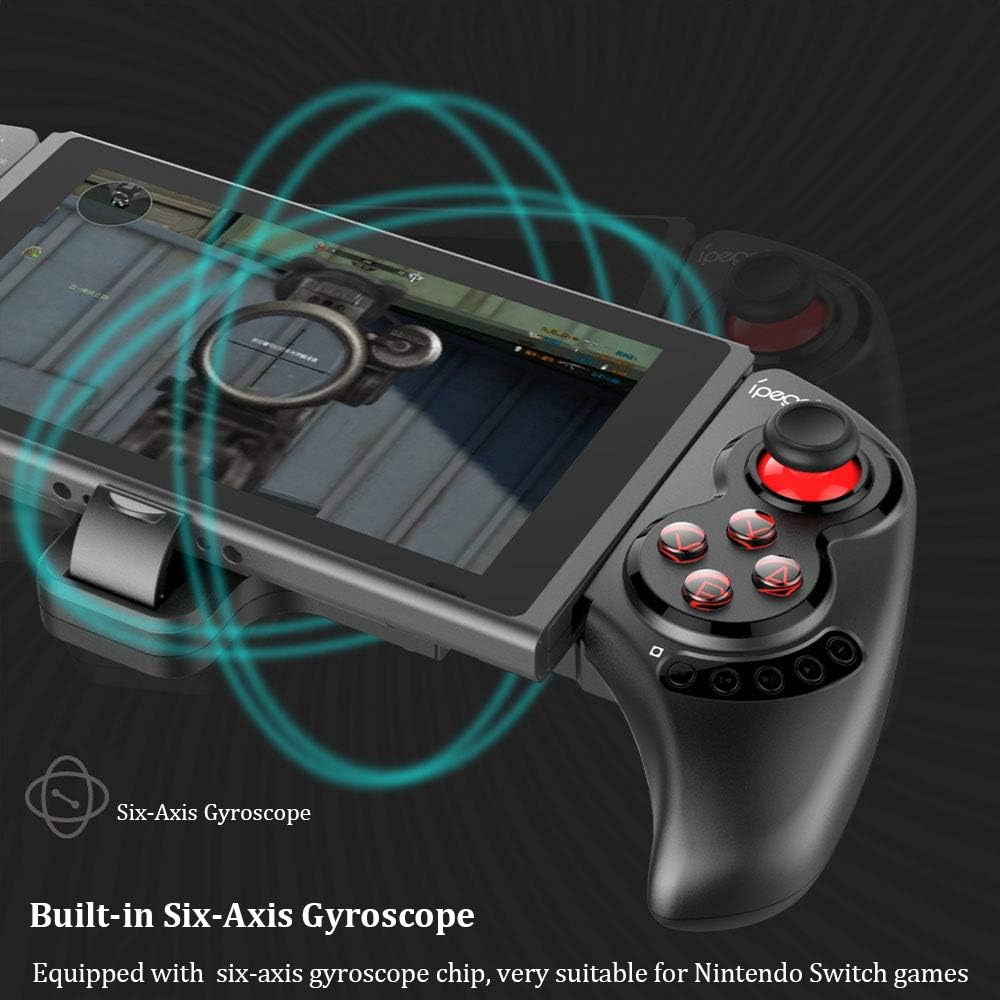
Figure 3: Illustration highlighting the built-in six-axis gyroscope for motion control.

Figure 4: Illustration demonstrating the dual motor vibration feature for haptic feedback.

Figure 5: The telescopic rod's adjustable range (130-280mm) and compatibility with Switch Mobile Device, Android Phone, and PC Tablet.

Figure 6: Detail of the controller's ergonomic structure designed for comfortable hand feeling.
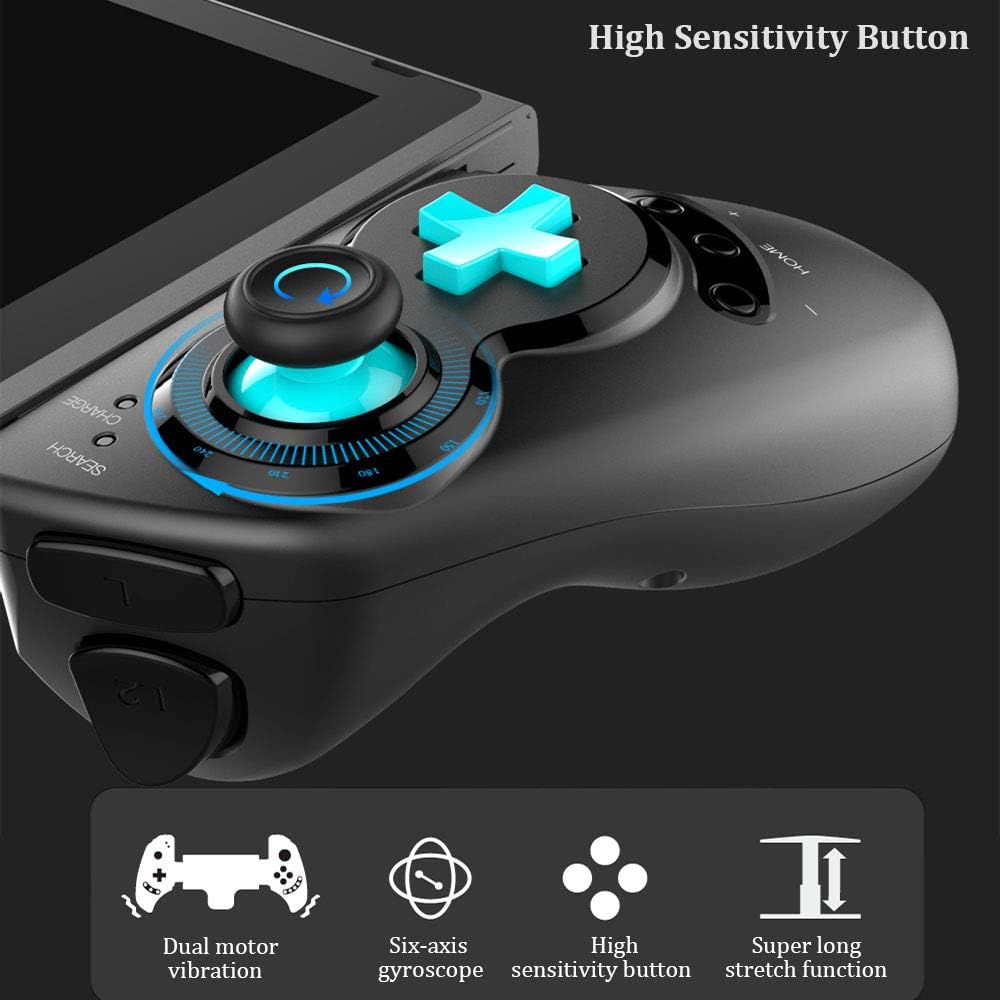
Figure 7: Highlighting the high sensitivity buttons and other key features like dual motor vibration, six-axis gyroscope, and super long stretch function.
سيٽ اپ ڪريو
Before using your IPEGA Wireless Switch Controller, ensure it is adequately charged. Connect the included USB cable to the controller's charging port and to a USB power source (e.g., computer, USB wall adapter). The charge indicator will show charging status.
آپريٽنگ موڊس
N-Switch Connection Mode
- پهريون ڀيرو جوڙيو:
- Turn on your Nintendo Switch Console.
- From the HOME Menu, navigate to ڪنٽرولرز، پوء چونڊيو گرفت ۽ حڪم کي تبديل ڪريو.
- On the IPEGA controller, press and hold down the "B" + "HOME" buttons simultaneously for 2 seconds. The SEARCH indicators on the controller will flash quickly.
- Once successfully paired, the indicators will turn on solid. Press "A" on the controller when prompted to confirm.
- ٻيهر جوڙيو:
- کي دٻايو ۽ دٻايو "HOME" button for 2 seconds to turn on the controller.
- The SEARCH indicator will flash slowly, indicating it's in re-pair mode. The controller will automatically attempt to connect to the previously paired console.
- هڪ دفعو ڳنڍيل، پريس ڪريو "A" when you're ready to play.
- جاڳڻ سنڀاليندڙ:
- If the controller is in sleep mode, press the "HOME" ان کي جاڳڻ لاءِ بٽڻ دٻايو.
- It will automatically connect to the console.
- دٻايو "A" when you're ready.
Android موڊ
- کي دٻايو ۽ دٻايو "Y" + "HOME" buttons simultaneously for 2 seconds to turn on the controller. The SEARCH indicators will flash quickly.
- On your Android device, enable Bluetooth and search for available devices. Select "PG-SW029" جوڙڻ.
- Once successfully paired, the SEARCH indicator on the controller will turn on solid, indicating it has entered Android Mode.
- The controller supports standard Android HID games.
P3 Mode (PlayStation 3)
- کي دٻايو ۽ دٻايو "A" + "HOME" buttons simultaneously for 2 seconds to turn on the controller. The SEARCH indicators will flash quickly.
- Connect the controller to your P3 console using the provided USB cable. Press the "HOME" button to initiate pairing.
- Once paired successfully, the corresponding SEARCH indicator will turn on solid, indicating the gamepad has entered P3 mode.
- You can then unplug the USB cable, and the controller will operate in wireless connection mode.
سار سنڀال
- Keep the controller away from extreme temperatures, direct sunlight, and humid environments.
- ڪنٽرولر کي ڇڏڻ يا مضبوط اثرن جي تابع ڪرڻ کان پاسو ڪريو.
- ڪنٽرولر کي نرم، سڪل ڪپڙي سان صاف ڪريو. ڪيميائي محلول يا رگڙيندڙ صاف ڪندڙ استعمال نه ڪريو.
- جڏهن گهڻي عرصي تائين استعمال ۾ نه هجي، ته ڪنٽرولر کي ٿڌي، سڪل جاءِ تي ذخيرو ڪريو.
- Do not attempt to disassemble or modify the controller, as this will void the warranty and may cause damage.
مشڪلاتون
| مسئلو | ممڪن حل |
|---|---|
| ڪنٽرولر آن نٿو ٿئي. | Ensure the controller is fully charged. Connect it to a power source using the USB cable. |
| ڪنٽرولر ڊوائيس سان جوڙڻ ۾ ناڪام ٿئي ٿو. |
|
| راند دوران وقفو يا ڊسڪنيڪشن داخل ڪريو. |
|
| بٽڻ يا جوائس اسٽڪ غير جوابده آهن. |
|
وضاحتون
| خاصيت | تفصيل |
|---|---|
| ماڊل نمبر | پي جي- SW029 |
| برانڊ | ipega |
| رابطي | وائرليس (بلوٽوت) |
| ٽرانسميشن جو فاصلو | ≤ 26ft (8 meters) |
| بيٽري جي گنجائش | 300mAh ليتيم بيٽري |
| مسلسل استعمال وقت | > 10 ڪلاڪ |
| اسٽينڊ بائي ٽائيم | 30 ڏينهن تائين |
| Telescopic Range | 130mm - 280mm (approx. 5.1 - 11 inches) |
| پيداوار جي ماپ | 23.7 x 12.5 x 5.99 سينٽي (9.33 x 4.92 x 2.36 انچ) |
| مطابقت | Nintendo Switch, PlayStation 3, Android Phones/Tablets, PC (Win 7/8/10) |

Figure 8: Detailed dimensions of the controller and its retail packaging.
پيڪيج جي فهرست
توهان جي پراڊڪٽ پيڪيج ۾ هيٺيون شيون شامل آهن:
- Wireless Gamepad x1
- استعمال ڪندڙ دستور x1 (هي دستاويز)
- USB ڪيبل x1
وارنٽي ۽ سپورٽ
For warranty information and technical support, please refer to the contact details provided by your retailer or visit the official IPEGA webسائيٽ. وارنٽي دعوائن لاءِ خريداري جي ثبوت طور پنهنجي خريداري جي رسيد رکو.
جيڪڏهن توهان کي ڪو مسئلو درپيش اچي ٿو جيڪو هن دستور ۾ شامل نه آهي، مهرباني ڪري مدد لاءِ ڪسٽمر سپورٽ سان رابطو ڪريو.


