1. تعارف
This manual provides essential instructions for the proper setup, operation, and maintenance of your Easytry123 Replacement Remote Control. This remote is designed to function with various Pioneer car audio systems. Please read this manual thoroughly before use.
2. سيٽ اپ
2.1 بيٽري لڳائڻ
ريموٽ ڪنٽرول کي ٻه (2) AAA بيٽريون گهرجن (شامل نه آهن). بيٽريون انسٽال ڪرڻ لاءِ انهن قدمن تي عمل ڪريو:
- ريموٽ ڪنٽرول جي پٺيءَ تي بيٽري جي دٻي جي احاطي کي ڳولھيو.
- ٽيب تي دٻايو ۽ تير سان ڏيکاريل طرف ڍڪ کي سلائڊ ڪريو.
- ٻہ AAA بيٽريون داخل ڪريو، پڪ ڪريو ته مثبت (+) ۽ منفي (-) ٽرمينل ڪمري اندر نشانن سان صحيح طرح سان ترتيب ڏين.
- بيٽري جي ڪمپارٽمينٽ جي ڍڪ کي واپس جاءِ تي سلائڊ ڪريو جيستائين اهو محفوظ طور تي ڪلڪ نه ڪري.

Image 1: Back of the remote control with the battery cover removed, revealing the AAA battery slots.
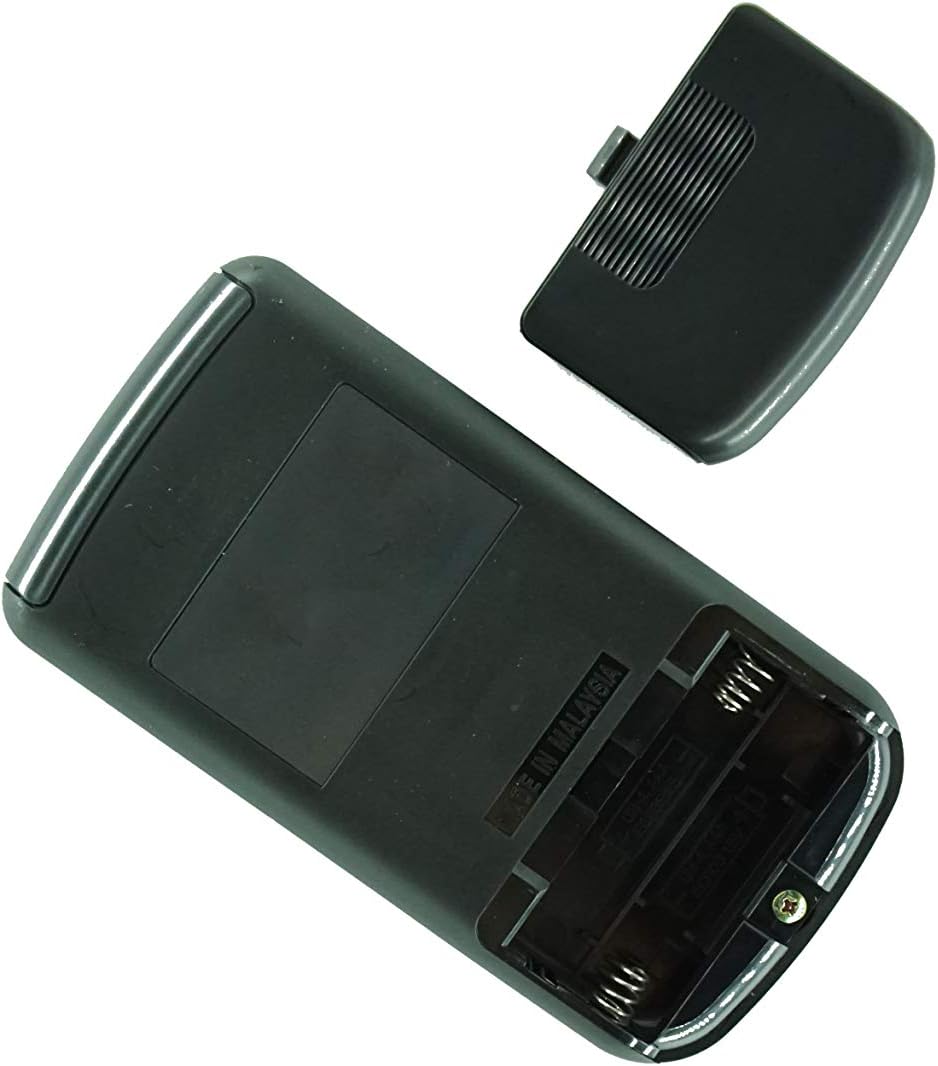
تصوير 2: زاويه view of the remote control's back, showing the battery compartment and manufacturing origin.
اهم: Ensure batteries are inserted with correct polarity. Incorrect installation can damage the remote control.
3. آپريٽنگ هدايتون
This remote control operates via infrared (IR) technology. For optimal performance, ensure a clear line of sight between the remote's IR emitter and the IR receiver on your Pioneer car audio system.
3.1 بنيادي ڪم
- پاور آن / آف: کي دٻايو پاور button to turn your audio system on or off.
- حجم ڪنٽرول: استعمال ڪريو کول + ۽ جلد - آواز جي سطح کي ترتيب ڏيڻ لاء بٽڻ.
- ذريعو چونڊ: کي دٻايو ذريعو or موڊ button to cycle through available audio sources (e.g., Radio, CD, USB, AUX).
- Track/Station Navigation: استعمال ڪريو SKIP or ٽيون buttons to change tracks, skip chapters, or tune radio stations.
- خاموش: کي دٻايو خاموش button to temporarily silence the audio. Press again to restore sound.
نوٽ: The exact functionality of each button may vary slightly depending on your specific Pioneer car audio system model. Refer to your Pioneer system's original manual for detailed function descriptions.
4. سار سنڀال
4.1 بيٽري مٽائڻ
جڏهن ريموٽ ڪنٽرول جو ردعمل سست ٿي وڃي يا ڪم ڪرڻ بند ڪري ڇڏي ته بيٽريون تبديل ڪريو. هميشه ٻنهي بيٽرين کي هڪ ئي وقت نئين AAA بيٽرين سان تبديل ڪريو. پراڻيون ۽ نئين بيٽريون، يا مختلف قسمن جون بيٽريون نه ملايو.
4.2 صفائي
ريموٽ ڪنٽرول کي صاف ڪرڻ لاءِ، ان کي نرم، سڪل ڪپڙي سان صاف ڪريو. گھڙڻ وارا ڪلينر، موم، يا محلول استعمال نه ڪريو، ڇاڪاڻ ته اهي ختم يا اندروني حصن کي نقصان پهچائي سگهن ٿا.
5. مسئلا حل ڪرڻ
- ريموٽ جواب نه ڏئي رهيو آهي:
- چيڪ ڪريو ته بيٽريون صحيح پولارٽي سان صحيح طرح سان نصب ٿيل آهن.
- بيٽرين کي تازو سان تبديل ڪريو.
- Ensure there is a clear line of sight between the remote and the car audio system's IR receiver. Obstructions can block the signal.
- Make sure you are within the effective operating range (typically 15-20 feet).
- ڪجھ ڪم ڪم نه ٿا ڪن:
- This replacement remote may not offer all the exact same functions as your original remote. Refer to the product listing for compatibility details.
- Ensure your Pioneer audio system is powered on and in the correct mode for the function you are trying to use.
6. وضاحتون
- برانڊ: ايزيٽري 123
- رابطي ٽيڪنالاجي: انفراريڊ (IR)
- بيٽرين جي ضرورت آهي: 2 x AAA (الڪلين سفارش ٿيل)
- سپورٽ ٿيل ڊوائيسز جو وڌ ۾ وڌ تعداد: 1
- خاص خصوصيت: Ergonomic, Replacement remote
- Compatible Pioneer Models: CXA6155, CXA5961, CXA6606, CXA5856, KEH-P770, CXC2668, DEH-P1Y, CXA8336, DEH-503, CXA4026, FH-M70, KEH-M8300, DEX-M88RDS, DEH-P703
7. سپورٽ
If you encounter any issues not covered in this manual or have questions regarding the compatibility or functionality of your Easytry123 Replacement Remote Control, please contact the seller directly for assistance. It is recommended to verify your specific Pioneer model number before contacting support.


