1. پراڊڪٽ ختمview
The LEXMAN Wireless Doorbell set provides a convenient and reliable solution for home entry notification. It includes a weather-resistant doorbell button and a portable chime unit. Designed for ease of use, the system offers a long operating range, adjustable volume, multiple melodies, and visual/vibration alerts for enhanced accessibility.

Figure 1.1: The LEXMAN Wireless Doorbell set, showing the outdoor button on the left and the indoor chime unit on the right.

Figure 1.2: Detailed dimensions of the doorbell button (9.4 cm length, 3 cm height) and the chime unit (8 cm by 8 cm).
2. سيٽ اپ ۽ تنصيب
2.1 پيڪيج مواد
- 1 x LEXMAN Wireless Doorbell Button
- 1 x LEXMAN Wireless Chime Unit
- چڙهڻ اسڪرو
- Self-adhesive Tape
- استعمال ڪندڙ جو دستياب (ھي دستاويز)
نوٽ: Batteries are not included. The doorbell button typically requires a 3V battery, and the chime unit may require separate batteries (refer to the unit for specific battery type).
2.2 Installing the Doorbell Button
- جڳھ چونڊيو: Select a suitable location near your entrance. The doorbell button is IP44 weather-resistant, making it suitable for outdoor use.
- لڳائڻ جا اختيار:
- اسڪرو استعمال ڪندي: Mark the drilling points, drill pilot holes if necessary, and secure the doorbell button to the wall using the provided screws.
- Using Adhesive Tape: Clean the mounting surface thoroughly. Peel off the backing from the self-adhesive tape and firmly press the doorbell button onto the desired location. Ensure the surface is smooth and dry for optimal adhesion.
- بيٽري داخل ڪريو: Open the battery compartment of the doorbell button and insert the required battery, ensuring correct polarity. Close the compartment securely.

Figure 2.1: The doorbell button installed on an exterior wall, ready for use. It can be mounted using screws or adhesive tape.
2.3 Setting up the Chime Unit
- بيٽري داخل ڪريو: Open the battery compartment of the chime unit and insert the required batteries, observing correct polarity. Close the compartment securely.
- لڳائڻ: Place the chime unit in a central location within your home where the sound can be easily heard. The wireless range is up to 150 meters in open air. Avoid placing it near large metal objects or other electronic devices that might interfere with the signal.
- جوڙو (جيڪڏهن ضروري هجي): The units are typically pre-paired. If they do not connect automatically, refer to the specific pairing instructions provided on the product packaging or a separate quick start guide.

Figure 2.2: Illustration of the wireless connection between the doorbell button and the chime unit.
3. آپريٽنگ هدايتون
3.1 Ringing the Doorbell
To activate the doorbell, simply press the button on the outdoor unit. The chime unit will then sound the selected melody and may activate visual and/or vibration alerts.
3.2 Adjusting Volume and Melodies
The chime unit features adjustable volume settings, up to 80 dB, and offers 7 selectable melodies. Refer to the controls on the chime unit to cycle through melodies and adjust the volume to your preference. Specific buttons for these functions are usually located on the side or back of the chime.

Figure 3.1: The portable chime unit can be placed conveniently on any flat surface within range.
3.3 Special Alerts (Flash and Vibration)
For users with hearing impairments or those who prefer a silent alert, the chime unit is equipped with a special flash feature and can also vibrate. These features can be enabled or disabled based on user preference, providing versatile notification options.
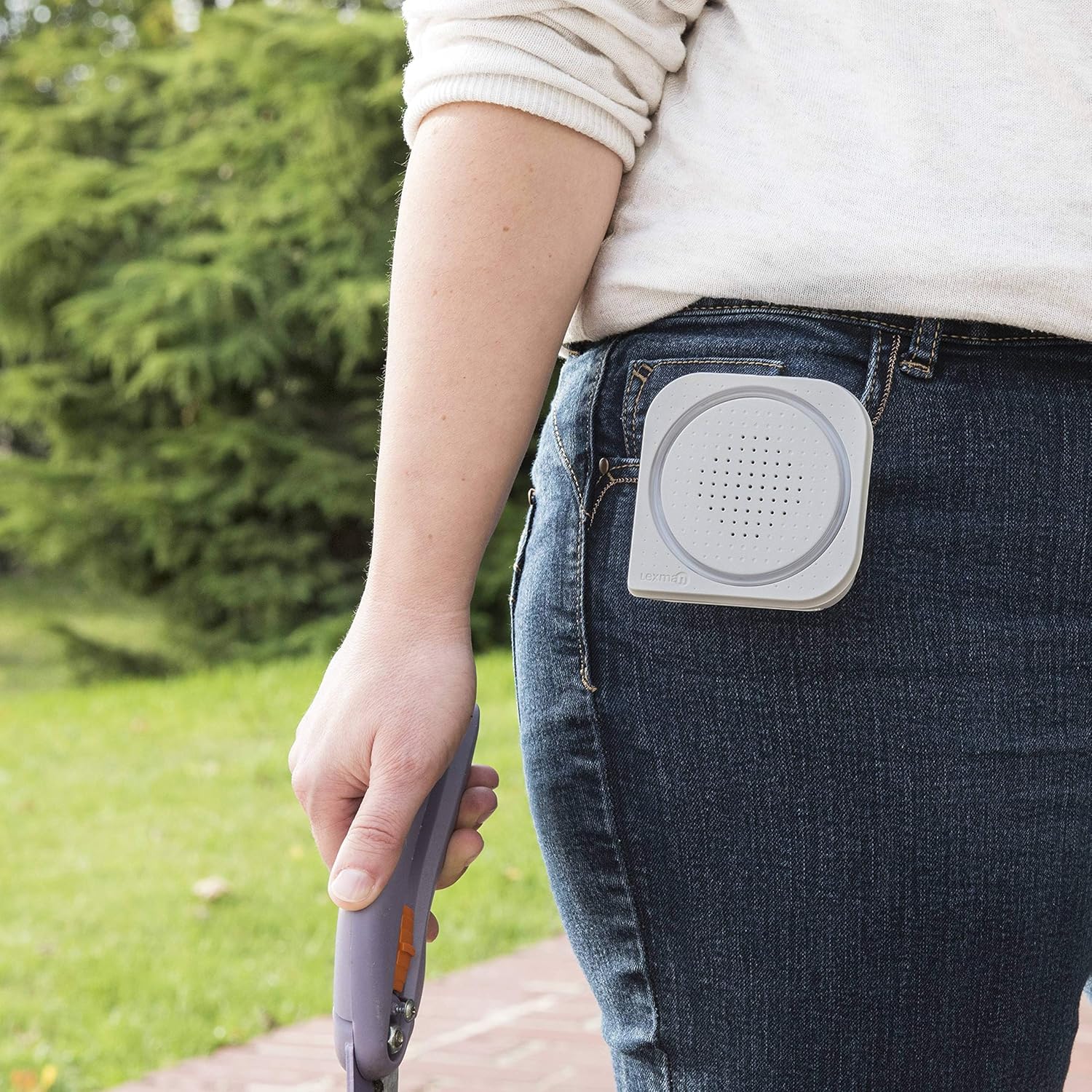
Figure 3.2: The chime unit displaying its visual alert feature with an illuminated blue light ring.
3.4 پورٽبل استعمال
The chime unit is designed to be portable and can be easily hung on a belt or carried around the house, ensuring you never miss a visitor. It features a convenient clip for this purpose.
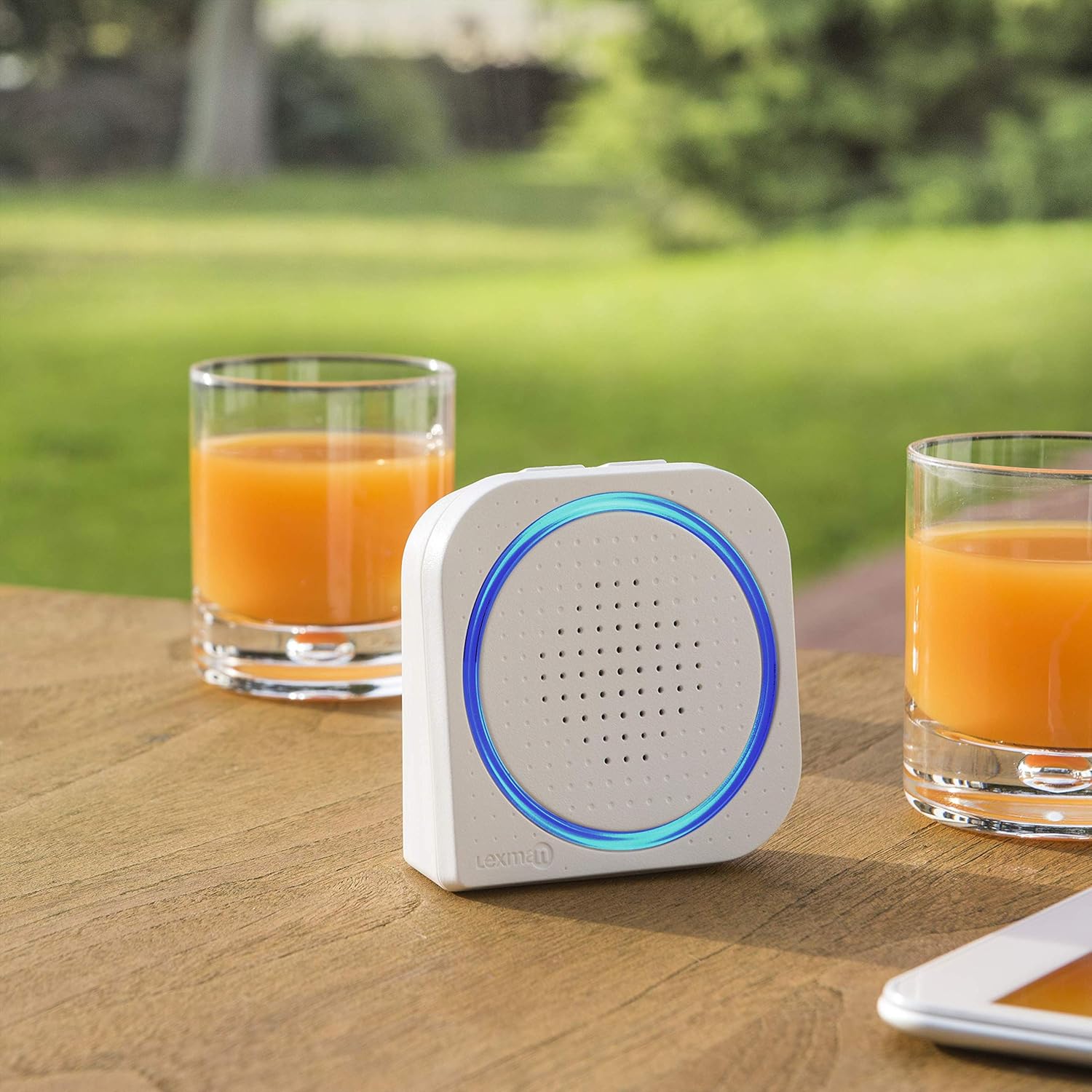
Figure 3.3: The portable chime unit conveniently clipped to a belt, allowing for mobility.
4. سار سنڀال
4.1 بيٽري مٽائڻ
When the doorbell button or chime unit stops functioning or the signal weakens, it is likely time to replace the batteries. Open the battery compartment, remove old batteries, and insert new ones of the correct type and polarity. Dispose of old batteries responsibly.
4.2 صفائي
Clean the doorbell button and chime unit with a soft, dry cloth. For stubborn dirt, a slightly damp cloth can be used, but ensure no moisture enters the units. Do not use abrasive cleaners or solvents.
4.3 موسم جي مزاحمت
The doorbell button is IP44 rated, meaning it is protected against solid objects larger than 1mm and against splashing water from any direction. While it is weather-resistant, avoid submerging it in water or exposing it to extreme weather conditions for prolonged periods.
5. مسئلا حل ڪرڻ
| مسئلو | ممڪن سبب | حل |
|---|---|---|
| Chime does not ring when button is pressed. |
|
|
| Chime volume is too low. |
|
|
| Intermittent ringing. |
|
|
6. وضاحتون
| خاصيت | تفصيل |
|---|---|
| برانڊ | LEXMAN (Manufactured by ADEO) |
| ماڊل نمبر | B08Z4FLHF6 |
| پيداوار جي ماپ | 4 x 8 x 21 cm (overall package/product size) |
| رنگ | اڇو |
| وائرلیس رينج | Up to 150 meters (open air) |
| حجم جي سطح | Adjustable, up to 80 dB |
| راڳ | 7 چونڊيل راڳ |
| خاص خاصيتون | Weather-resistant (IP44 for button), Flash alert, Vibration alert, Portable chime, Label holder on button |
| طاقت جو ذريعو | Battery (batteries not included) |
| چڙهڻ جو قسم | Wall Mount (screws and adhesive tape included) |
7. وارنٽي ۽ سپورٽ
Specific warranty information for this product is not provided in this manual. For details regarding warranty coverage, please refer to the product packaging or contact the retailer where the product was purchased.
For technical support or further assistance, please contact LEXMAN customer service or the manufacturer, ADEO. Contact information can typically be found on the product packaging or the official LEXMAN/ADEO webسائيٽ.


