1. تعارف
Thank you for choosing the ETA Rotary Handheld Vacuum Cleaner. This manual provides essential information for the safe and efficient use, maintenance, and troubleshooting of your new appliance. Please read these instructions carefully before first use and keep them for future reference.
2. حفاظتي هدايتون
محفوظ آپريشن کي يقيني بڻائڻ لاءِ، مھرباني ڪري ھيٺ ڏنل حفاظتي ھدايتن تي عمل ڪريو:
- صفائي يا سار سنڀال کان اڳ هميشه بجلي جي فراهمي کان اوزار کي الڳ ڪريو.
- Do not immerse the appliance, charger, or battery in water or other liquids.
- هي اوزار صرف گهريلو استعمال لاءِ آهي. ان کي تجارتي يا صنعتي مقصدن لاءِ استعمال نه ڪريو.
- Do not vacuum liquids, hot ashes, sharp objects, or flammable/explosive materials.
- وارن، ڍڪيل ڪپڙا، آڱريون ۽ جسم جي سڀني حصن کي کليل ۽ هلندڙ حصن کان پري رکو.
- Do not operate the vacuum cleaner without the dust container and filter properly installed.
- ٻارن جي پهچ کان ٻاهر، هڪ سڪي جاء ۾ اوزار اسٽور.
- Use only the original charger and accessories supplied with the appliance.
3. پيڪيج مواد
پڪ ڪريو ته سڀئي جزا پيڪيج ۾ موجود آهن:
- ETA Rotary Handheld Vacuum Cleaner
- Electric Rotary Brush Attachment
- ڇت جي نوزل
- Furniture Brush (fine bristles)
- Wall-mounted Charging Station
- چارجنگ اسٽيشن لاءِ پاور اڊاپٽر
- استعمال ڪندڙ دستي

Image 1: Main unit of the ETA Rotary Handheld Vacuum Cleaner with the electric rotary brush attachment.
4. سيٽ اپ
4.1 شروعاتي چارجنگ
- سڀني حصن کي کوليو ۽ ڪنهن به پيڪنگنگ مواد کي هٽايو.
- Mount the charging station to a wall in a convenient location, or place it on a stable, flat surface.
- Connect the power adapter to the charging station and plug it into a suitable power outlet.
- Place the handheld vacuum cleaner onto the charging station. Ensure it is correctly seated and the charging indicator light illuminates.
- Allow the vacuum cleaner to charge completely before first use. A full charge takes approximately 5 hours. The 14.4V Li-Ion battery provides up to 25 minutes of runtime.

Image 2: The ETA Rotary Handheld Vacuum Cleaner positioned on its charging station, ready for charging.
4.2 لوازمات سان ڳنڍڻ
The electric rotary brush, crevice nozzle, and furniture brush can be easily attached to the main unit's suction opening. Simply push the desired attachment firmly into place until it clicks securely.

تصوير 3: ويجهو تصوير view of the electric rotary brush attachment, designed for efficient cleaning.
5. آپريٽنگ هدايتون
5.1 پاور آن/آف
Press the power button located on the handle to turn the vacuum cleaner on. Press it again to turn it off. The power button can be locked in the 'on' position for continuous operation, eliminating the need to hold it down during use.
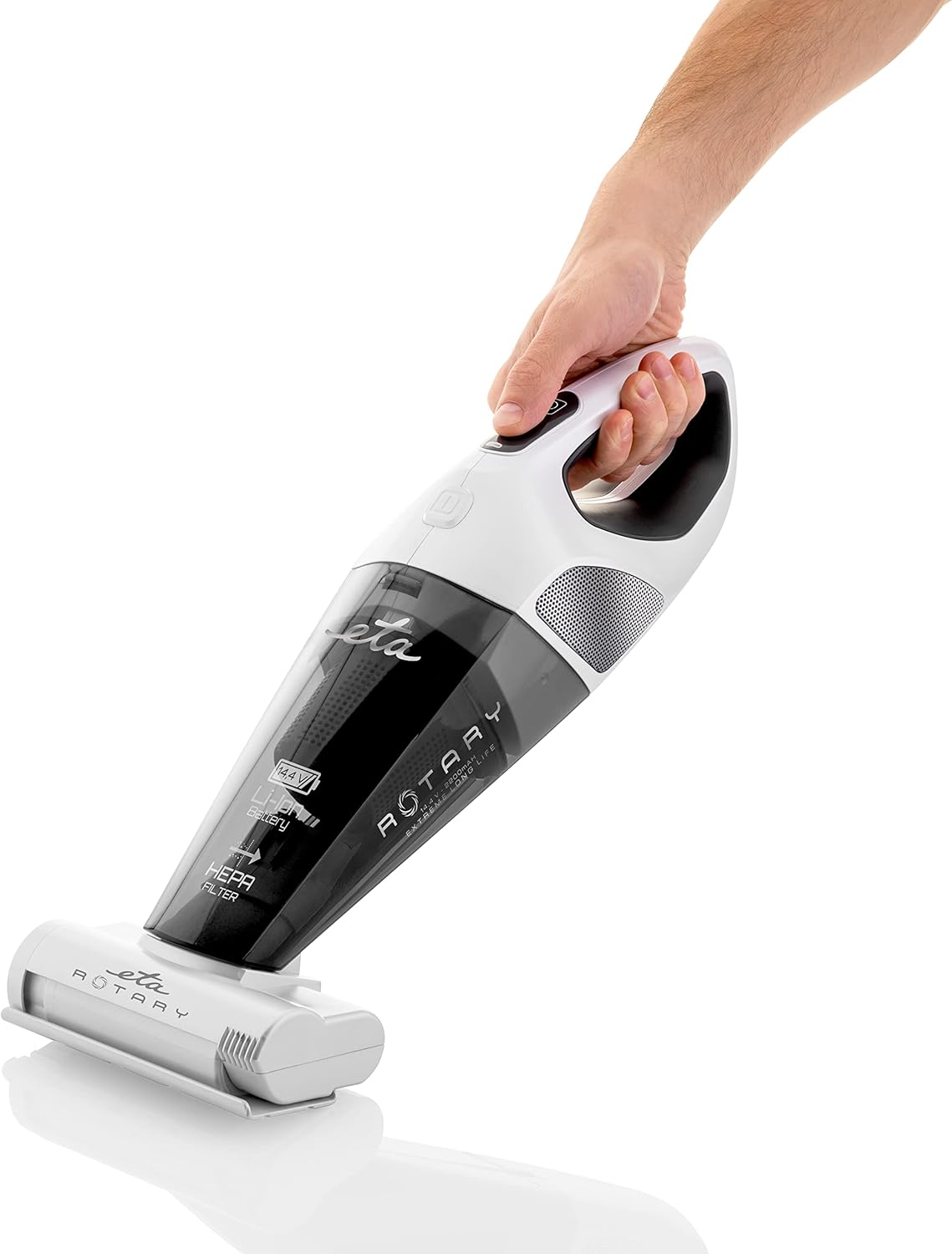
Image 4: A hand demonstrating the ergonomic grip and power button location on the handheld vacuum cleaner.
5.2 اٽيچمينٽ استعمال ڪندي
- Electric Rotary Brush: Ideal for deep cleaning carpets, rugs, and upholstery, effectively removing dirt and pet hair.
- تخليق نوزل: Perfect for reaching tight spaces, corners, and along edges.
- Furniture Brush: Use for delicate surfaces, curtains, and furniture to gently remove dust and cobwebs.

Image 5: The handheld vacuum cleaner being used to clean upholstery, demonstrating its versatility.

Image 6: The lightweight design allows for easy cleaning of various surfaces, including vertical ones like mirrors.
6. سار سنڀال
باقاعده سار سنڀال بهترين ڪارڪردگي کي يقيني بڻائي ٿي ۽ توهان جي ويڪيوم ڪلينر جي عمر وڌائي ٿي.
6.1 مٽيءَ جي ڪنٽينر کي خالي ڪرڻ
- پڪ ڪريو ته ويڪيوم ڪلينر بند آهي ۽ چارجنگ اسٽيشن کان ڌار ٿيل آهي.
- Locate the dust container release button (refer to product diagrams if available).
- Press the release button and carefully detach the dust container from the main unit.
- Empty the contents of the dust container into a waste bin.
- Reattach the dust container securely to the main unit.
6.2 HEPA فلٽر کي صاف ڪرڻ
The HEPA filter should be cleaned regularly, depending on usage, to maintain suction power.
- مٿي بيان ڪيل طريقي سان مٽيءَ جي ڪنٽينر کي هٽايو.
- Carefully remove the HEPA filter from the dust container.
- Tap the filter gently over a waste bin to dislodge accumulated dust.
- If necessary, rinse the filter under cool running water. Ensure the filter is completely dry before reinserting it into the vacuum cleaner. Do not use detergents or hot water.
- Reinsert the dry HEPA filter into the dust container and reattach the container to the main unit.

Image 7: Regular cleaning of the dust container and filter is essential for maintaining effective suction, as demonstrated by the debris on the rug.
6.3 Cleaning the Electric Rotary Brush
Periodically check the rotary brush for tangled hair or fibers. Use scissors to carefully cut and remove any obstructions.
7. مسئلا حل ڪرڻ
If you encounter any issues with your ETA Rotary Handheld Vacuum Cleaner, refer to the table below for common problems and solutions.
| مسئلو | ممڪن سبب | حل |
|---|---|---|
| ويڪيوم ڪلينر آن نٿو ٿئي. | بيٽري ختم ٿي وئي آهي. | بيٽري کي مڪمل طور تي چارج ڪريو (تقريبن 5 ڪلاڪ). |
| گھٽجي ويو سکشن پاور. | Dust container is full. Filter is clogged. Obstruction in nozzle/hose. | Empty the dust container. Clean or replace the HEPA filter. Check and clear any blockages. |
| Electric rotary brush stops rotating. | Hair or debris tangled in the brush. | Turn off the vacuum, remove the brush, and carefully remove any tangled material. |
| چارجنگ انڊيڪيٽر روشن نه ٿي رهيو آهي. | Power adapter not connected. Vacuum not properly seated. | Ensure power adapter is securely plugged in. Re-seat the vacuum cleaner firmly on the charging station. |
8. وضاحتون
| خاصيت | تفصيل |
|---|---|
| برانڊ | ETA |
| ماڊل نمبر | ETA 142590000 |
| رنگ | اڇو |
| پيداوار جي ماپ (L x W x H) | 15 x 17 x 43 سينٽي |
| جلدtage | 14.4 وولٽ |
| بيٽري جو قسم | لي-آئن |
| هلندڙ وقت | 25 منٽن تائين |
| چارج ڪرڻ وقت | لڳ ڀڳ 5 ڪلاڪ |
| فلٽر جو قسم | HEPA Cartridge |
| طاقت جو ذريعو | بيٽري سان هلندڙ |
| فارم فيڪٽر | هٿ سان |
| تجويز ڪيل استعمال | Upholstery cleaning, general spot cleaning |
9. وارنٽي ۽ سپورٽ
For warranty information, please refer to the warranty card included with your purchase or visit the official ETA website. If you require technical support or have questions not covered in this manual, please contact ETA customer service through their official channels.