تعارف
The MOVSSOU E7 Active Noise Cancelling Headphones are designed to provide a superior audio experience with advanced noise cancellation, deep bass, and comfortable wear. This manual provides detailed instructions for setup, operation, and maintenance of your headphones, ensuring you get the most out of your device.
دٻي ۾ ڇا آهي
پڪ ڪريو ته سڀئي شيون پيڪنگ ۾ موجود آهن:
- 1 * MOVSSOU E7 Active Noise Cancelling Bluetooth Wireless Headphones
- 1 * Charge Cable
- 1 * Audio Cable (3.5mm)
- استعمال ڪندڙ دستي

Image: The MOVSSOU E7 headphones in black, along with their charging cable and audio cable, as typically found in the product packaging.
پيداوار ختمview
Familiarize yourself with the main components and controls of your MOVSSOU E7 headphones.

Image: A close-up of the headphone ear cup highlighting key features: Active Noise Cancelling, 30 Hours Playtime, and Built-in Microphone.

تصوير: تفصيلي view of the headphone's control panel, showing buttons for power, volume, and ANC, along with ports.
ڪنٽرول ۽ اشارا
- پاور بٽڻ: پاور آن / آف ڪرڻ لاءِ دٻايو ۽ رکو.
- حجم وڌايو (+): حجم وڌائڻ لاءِ مختصر دٻايو. ايندڙ ٽريڪ لاءِ ڊگهو دٻايو.
- حجم گھٽ (-): حجم گهٽائڻ لاءِ مختصر دٻايو. پوئين ٽريڪ لاءِ ڊگهو دٻايو.
- ملٽي فنڪشن بٽڻ: Play/Pause music, Answer/End/Reject calls.
- ANC بٽڻ: Activates/deactivates Active Noise Cancelling.
- LED اشارو: پاور، پيئرنگ، ۽ چارجنگ اسٽيٽس ڏيکاري ٿو.
- 3.5mm آڊيو جيڪ: وائرڊ آڊيو ڪنيڪشن لاءِ.
- USB-C چارجنگ پورٽ: هيڊفون چارج ڪرڻ لاءِ.
سيٽ اپ ڪريو
هيڊفون چارج ڪرڻ
Before first use, fully charge the headphones to ensure optimal battery performance.
- مهيا ڪيل USB چارجنگ ڪيبل کي هيڊفونز تي چارجنگ پورٽ سان ڳنڍيو.
- ڪيبل جي ٻئي ڇيڙي کي USB پاور اڊاپٽر (شامل نه آهي) يا ڪمپيوٽر جي USB پورٽ سان ڳنڍيو.
- ايل اي ڊي انڊيڪيٽر چارجنگ اسٽيٽس ڏيکاريندو (مثال طور، چارج ڪرڻ دوران ڳاڙهو، مڪمل چارج ٿيڻ تي بند).
- مڪمل چارج ۾ لڳ ڀڳ 4 ڪلاڪ لڳن ٿا ۽ 30 ڪلاڪن تائين راند جو وقت فراهم ڪري ٿو.
بلوٽوٽ جوئر
To connect your MOVSSOU E7 headphones to a Bluetooth-enabled device:
- پڪ ڪريو ته هيڊفون بند ٿيل آهن.
- پاور بٽڻ کي دٻايو ۽ رکو جيستائين LED اشارو نيرو ۽ ڳاڙهو متبادل طور تي چمڪي، جيڪو جوڙڻ واري موڊ کي ظاهر ڪري ٿو.
- توهان جي ڊوائيس تي، بلوٽوت کي فعال ڪريو ۽ دستياب ڊوائيسز جي ڳولا ڪريو.
- Select "MOVSSOU E7" from the list.
- هڪ ڀيرو ڳنڍجڻ کان پوءِ، LED اشارو مضبوط نيرو ٿي ويندو يا آهستي آهستي چمڪيندو.

Image: The MOVSSOU E7 headphones demonstrating Bluetooth 5.0 connectivity with a phone, tablet, laptop, desktop, and TV, highlighting versatile compatibility.
آپريٽنگ هدايتون
پاور آن / آف
- To power on, press and hold the Power button for approximately 2 seconds.
- To power off, press and hold the Power button for approximately 3 seconds.
فعال شور منسوخ ڪرڻ (ANC)
The ANC function reduces ambient noise for an immersive listening experience.
- Press the ANC button once to activate noise cancellation. The ANC indicator light will illuminate.
- شور جي منسوخي کي غير فعال ڪرڻ لاءِ ANC بٽڻ کي دٻايو.
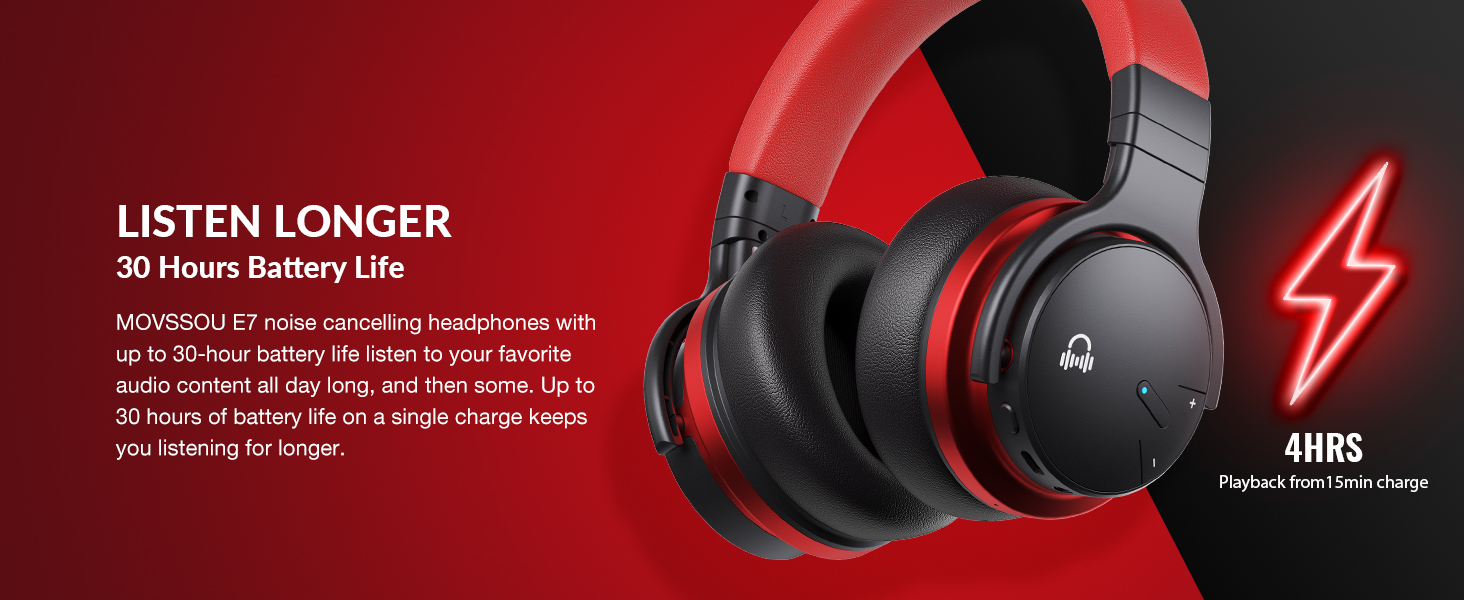
Image: A person wearing MOVSSOU E7 headphones, illustrating the activation of ANC mode with a single touch for a quieter personal audio experience.
موسيقي پلے بیک
- Press the Multi-function button once to Play/Pause music.
- Short press Volume Up (+) to increase volume.
- Short press Volume Down (-) to decrease volume.
- Long press Volume Up (+) for the next track.
- Long press Volume Down (-) for the previous track.
ڪال انتظام
- To answer an incoming call, press the Multi-function button once.
- To end a call, press the Multi-function button once.
- To reject an incoming call, press and hold the Multi-function button for 2 seconds.
- To redial the last number, double-press the Multi-function button.

Image: A woman wearing MOVSSOU E7 headphones, demonstrating clear hands-free calling capabilities with the built-in microphone.
سار سنڀال ۽ سنڀال
Proper care will extend the lifespan of your MOVSSOU E7 headphones.
- Clean the headphones regularly with a soft, dry cloth. Do not use abrasive cleaners or solvents.
- هيڊفونز کي انتهائي گرمي پد، نمي، يا سڌي سج جي روشنيءَ ۾ بي نقاب ڪرڻ کان پاسو ڪريو.
- Store the headphones in a cool, dry place when not in use, preferably in a protective case.
- هيڊفونز کي ڌار ڪرڻ يا تبديل ڪرڻ جي ڪوشش نه ڪريو، ڇاڪاڻ ته اهو وارنٽي کي رد ڪري ڇڏيندو.
- Keep the charging port free of dust and debris to ensure proper charging.
مشڪلاتون
If you encounter any issues with your headphones, refer to the table below for common problems and solutions.
| مسئلو | حل |
|---|---|
| هيڊفون آن نه ٿا ٿين. | پڪ ڪريو ته هيڊفون چارج ٿيل آهن. پاور سورس سان ڳنڍيو ۽ ٻيهر ڪوشش ڪريو. |
| ڊوائيس سان جوڙو نه ٿو ٺاهي سگهجي. | پڪ ڪريو ته هيڊفون پيئرنگ موڊ ۾ آهن (نيري/ڳاڙهي چمڪندڙ). پنهنجي ڊوائيس تي بلوٽوٿ کي بند ڪريو ۽ آن ڪريو. هيڊفونز کي ڊوائيس جي ويجهو منتقل ڪريو. |
| ڪابه آواز يا گهٽ آواز ناهي. | Check volume levels on both headphones and connected device. Ensure headphones are properly paired. Try restarting both devices. |
| ANC اثرائتي ڪم نه ڪري رهيو آهي. | Ensure ANC is activated. ANC is most effective for low-frequency, constant noises. Ensure earcups form a good seal around your ears. |
وضاحتون
Detailed technical specifications for the MOVSSOU E7 headphones.
| خاصيت | تفصيل |
|---|---|
| ماڊل نالو | E7 وائرليس شور منسوخي هيڊفون |
| رابطي ٽيڪنالاجي | وائرليس (بلوٽوٿ 5.0) |
| آڊيو ڊرائيور جي ماپ | 45 ملي ميٽر |
| بيٽري جي زندگي | 30 ڪلاڪ تائين |
| چارج ڪرڻ وقت | 4 ڪلاڪ |
| تعدد جواب | 20 هز - 20 ڪلو هرٽز |
| بلوٽوٿ رينج | 33 فوٽ (10 ميٽر) |
| شور ڪنٽرول | فعال شور منسوخي |
| هيڊ فون جيڪ | 3.5 مليڪ جيڪ |
| شيءِ جو وزن | 13.8 آونس (0.86 پائونڊ) |
| پيداوار جي ماپ | 7.68 x 7.2 x 2.17 انچ |
| مواد | پلاسٽڪ |
| ڪنٽرول قسم | Noise Control, Voice Control, Call Control, Volume Control |
وارنٽي ۽ سپورٽ
MOVSSOU products are designed and manufactured to the highest quality standards. For detailed warranty information and technical support, please refer to the warranty card included with your product or visit the official MOVSSOU webسائيٽ.
For further assistance, you may contact MOVSSOU customer support through their official channels. Please have your product model (E7 Basic C) and purchase information ready when contacting support.


