1. تعارف
This manual provides essential information for setting up, operating, and maintaining your TCL 20 Pro 5G smartphone. Please read this guide thoroughly before using your device to ensure optimal performance and safety.
The TCL 20 Pro 5G is an unlocked smartphone designed for high-speed connectivity and advanced multimedia experiences. It features a stunning AMOLED display, a versatile quad-camera system, and robust performance powered by a Qualcomm Snapdragon 5G processor.

شڪل 1: سامهون view of the TCL 20 Pro 5G smartphone.
2. دٻي ۾ ڇا آهي
Your TCL 20 Pro 5G package includes the following items:
- 1 x TCL 20 Pro 5G Mobile Phone
- 1 x TCL 20 Pro 5G Mobile Phone Case
- 1 x SIM Card PIN
- 1 x ٽائپ-سي ڪيبل
- 1 x 9V2A Charger
- 1 X جلد گائيڊ
نوٽ: هيڊفون، سم ڪارڊ، ۽ ايس ڊي ڪارڊ شامل نه آهن ۽ الڳ الڳ خريد ڪرڻ گهرجن.
3. ڊوائيس اوورview
Familiarize yourself with the physical components of your TCL 20 Pro 5G smartphone.
3.1 ڏيکاريو
The device features a 6.67-inch FHD+ NXTVISION AMOLED Dotch Display, offering vivid and true-to-life visuals. AI visual enhancement intelligently adjusts brightness, color, clarity, and contrast based on your environment.
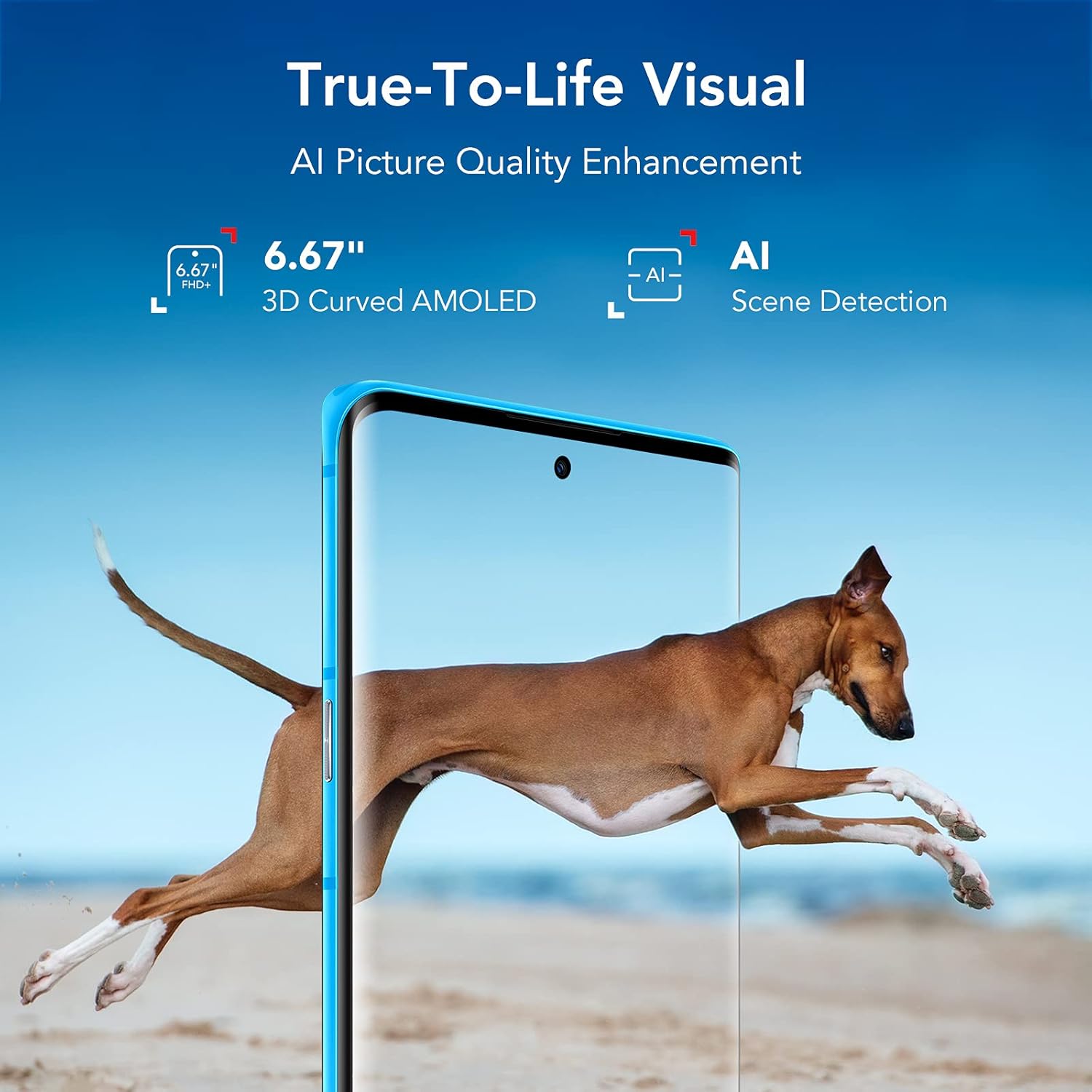
Figure 2: TCL 20 Pro 5G AMOLED Display with NXTVISION technology.
3.2 ڪئميرا سسٽم
The rear of the phone houses a powerful quad-camera setup, while the front features a high-resolution selfie camera.
- پوئتي ڪئميرا: 48MP Optical Image Stabilization (OIS) Main Camera, 16MP Ultra Wide Camera, 5MP Macro Camera, 2MP Depth Camera.
- سامهون ڪئميرا: 32MP with dedicated RGB sensor for accurate skin tone.

شڪل 3: تفصيلي view of the Quad Camera System.
3.3 بندرگاهن ۽ بٽڻن
The device includes a USB Type-C 2.0 port for charging and data transfer. Physical buttons control power, volume, and other functions. An in-display optical fingerprint sensor and Face Key provide secure access.

Figure 4: USB Type-C charging port on the TCL 20 Pro 5G.
4. سيٽ اپ
4.1 سم ڪارڊ ۽ مائڪرو ايس ڊي ڪارڊ داخل ڪرڻ
- پنهنجي فون جي پاسي تي سم ڪارڊ ٽري ڳوليو.
- Insert the provided SIM card PIN into the small hole on the tray to eject it.
- Place your Nano SIM card into the designated slot. If using a MicroSD card for expanded storage (up to 1TB, sold separately), insert it into the MicroSD slot.
- احتياط سان ٽري کي فون ۾ واپس دٻايو جيستائين اهو جاءِ تي ڪلڪ نه ڪري.
4.2 شروعاتي پاور آن ۽ نيٽ ورڪ مطابقت
Press and hold the Power button until the TCL logo appears. Follow the on-screen instructions to complete the initial setup.
Your TCL 20 Pro 5G is compatible with Verizon 5G/LTE, T-Mobile 5G/LTE, and AT&T LTE networks. نوٽ: It is not compatible with AT&T 5G or CDMA networks such as Spectrum or Xfinity.
If you experience network issues with Verizon, restart your phone. If problems persist, your Verizon account may need to be provisioned to support “CDMA-less” devices. Contact Verizon’s technical support for assistance.
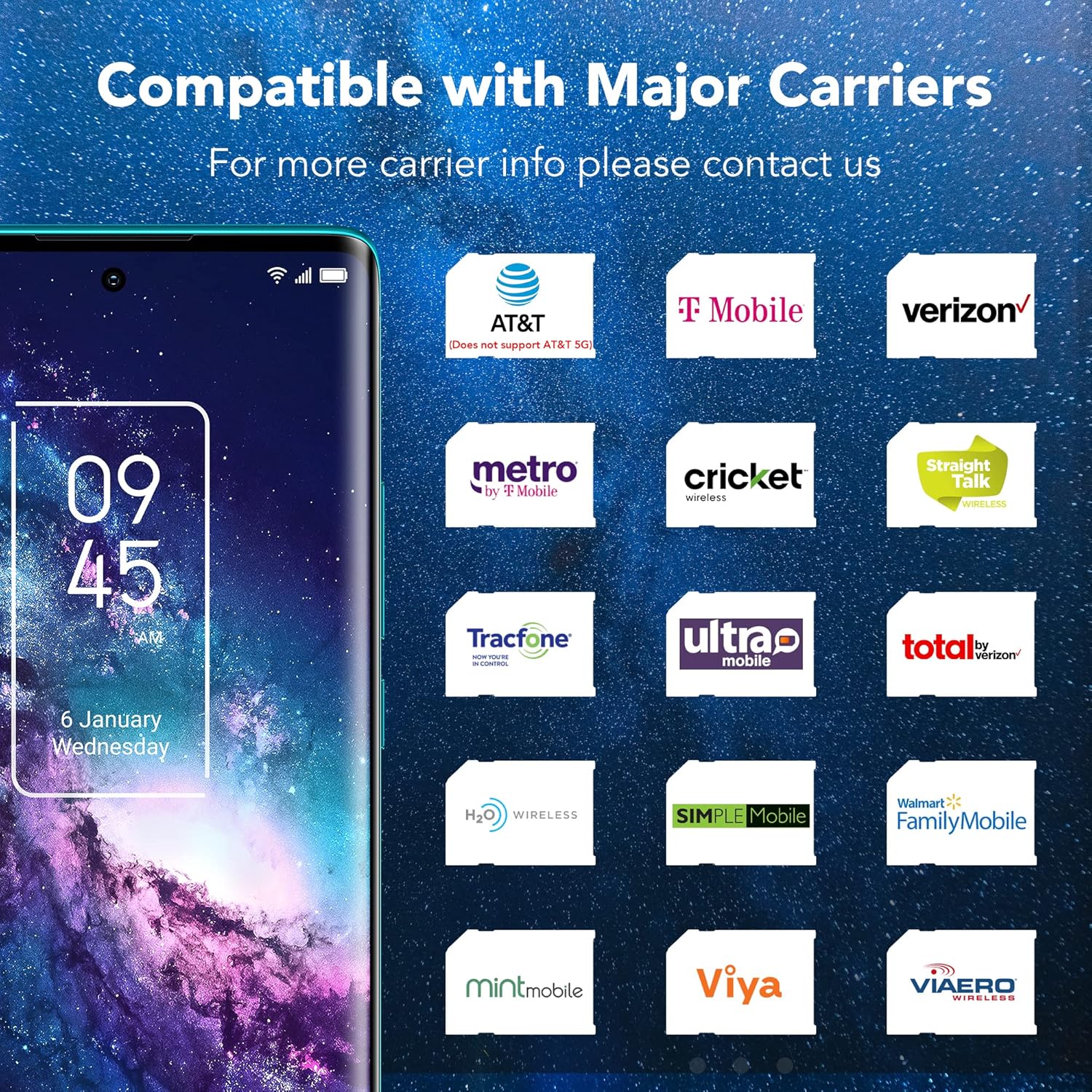
Figure 5: Network compatibility information for the TCL 20 Pro 5G.
5. بنيادي آپريشن
5.1 پاور آن/آف
- پاور آن ڪرڻ: Press and hold the Power button until the device vibrates and the TCL logo appears.
- پاور آف ڪرڻ: Press and hold the Power button until the power menu appears, then select "Power off."
- ٻيهر شروع ڪرڻ لاء: Press and hold the Power button until the power menu appears, then select "Restart."
5.2 سيڪيورٽي خاصيتون
- In-display Optical Fingerprint Sensor: Register your fingerprints in the device settings for quick and secure unlocking.
- Face Key: Set up facial recognition for convenient unlocking.
6. ڪئميرا جون خاصيتون
The TCL 20 Pro 5G offers a versatile camera experience for capturing high-quality photos and videos.
6.1 Rear Camera Modes
- 48MP OIS Main Camera: For sharp, detailed photos, especially in challenging lighting conditions due to Optical Image Stabilization.
- 16 ايم پي الٽرا وائڊ ڪيمرا: Capture expansive landscapes and group shots with a wider field of view.
- 5 ايم پي ميڪرو ڪيمرا: Focus on small details and close-up subjects.
- 2 ايم پي ڊيپٿ ڪيمرا: Enhances portrait mode with professional-looking bokeh effects.
6.2 فرنٽ ڪيمرا
The 32MP front camera with a dedicated RGB sensor ensures accurate skin tones and natural lighting for high-quality selfies and video calls.
7. ڪنيڪشن
توهان جو ڊوائيس ڪنيڪٽوٽي اختيارن جي وسيع رينج کي سپورٽ ڪري ٿو:
- 5G نيٽ ورڪ: Experience revolutionary speeds for faster streaming and downloads.
- وائي فائي: Supports 802.11 a/b/g/n/ac for both 2.4GHz and 5GHz bands, Wi-Fi Direct, and Wi-Fi casting.
- بلوٽوٽ 5.1: وائرليس لوازمات جهڙوڪ هيڊفون ۽ اسپيڪر کي ڳنڍڻ لاءِ.
- اين ايف سي: رابطي کان سواءِ ادائيگين ۽ مطابقت رکندڙ ڊوائيسز سان جلدي جوڙڻ لاءِ.
- موبائل هٽ اسپاٽ: Share your 5G/4G data connection with other devices.
- VoLTE/VoWiFi: Voice over LTE and Voice over Wi-Fi (optional, carrier dependent).
8. بيٽري ۽ چارجنگ
The TCL 20 Pro 5G is equipped with a 4500mAh Lithium Polymer battery. Use the provided 9V2A charger and Type-C cable for optimal charging. The typical charging time is approximately 2 hours.
9. وضاحتون
| خاصيت | تفصيل |
|---|---|
| ماڊل نالو | 20 پرو 5 جي |
| شيون ماڊل نمبر | T810S |
| برانڊ | ٽي سي ايل |
| آپريٽنگ سسٽم | Android 11.0 |
| سي پي يو ماڊل | سنيپراگن 750 جي |
| سي پي يو اسپيڊ | 2.4 GHz |
| اسٽينڊنگ اسڪرين ڊسپلي سائيز | 6.67 انچ |
| قرارداد | 1080 ص |
| ريفريش جي شرح | 60 هز |
| رام ميموري انسٽال ٿيل سائيز | 6 جي بي |
| ميموري رکڻ جي صلاحيت | 256 GB (expandable up to 1TB with microSDXC) |
| بيٽري جي گنجائش | 4500 مليamp ڪلاڪ |
| چارج ڪرڻ وقت | 2 ڪلاڪ |
| شيءِ جو وزن | 0.42 lb (0.176 ounces in some data, using 0.42lb from description) |
| پيڪيج جي ماپ | 7.48 x 3.66 x 2.44 انچ |
| رابطي | 5G, 4G LTE, 3G, 2G, Wi-Fi (802.11 a/b/g/n/ac), Bluetooth 5.1, NFC, USB Type-C 2.0 |
| سيڪيورٽي | In-display optical fingerprint sensor, Face Key |
10. مسئلا حل ڪرڻ
If you encounter issues with your TCL 20 Pro 5G, try the following common solutions:
- ڊوائيس جواب نه ڏئي رهيو آهي: زبردستي ٻيهر شروع ڪرڻ لاءِ پاور بٽڻ کي تقريباً 10 سيڪنڊن لاءِ دٻايو ۽ رکو.
- نيٽ ورڪ ڪنيڪٽيويٽي جا مسئلا: Ensure your SIM card is correctly inserted. Check your network settings. If on Verizon, contact your carrier to confirm account provisioning for “CDMA-less” devices.
- بيٽري جلدي ختم ٿيڻ: Reduce screen brightness, close unused apps, disable unnecessary background processes, and check for app updates.
- ايپس جو ڪريش ٿيڻ: Clear the cache and data for the problematic app in Settings > Apps. If the issue persists, reinstall the app.
- Fingerprint Sensor/Face Unlock Not Working: Ensure your fingers are clean and dry for the fingerprint sensor. For Face Key, ensure adequate lighting and that your face is clearly visible. Re-register your biometrics if necessary.
For more complex issues, refer to the full user manual available on the TCL support webسائيٽ يا ڪسٽمر سپورٽ سان رابطو ڪريو.
11. حفاظت جي ڄاڻ
To prevent injury, damage to your device, or damage to other property, observe the following safety precautions:
- ڊوائيس کي ڌار ڪرڻ، مرمت ڪرڻ، يا تبديل ڪرڻ جي ڪوشش نه ڪريو.
- صرف TCL-منظور ٿيل چارجر ۽ لوازمات استعمال ڪريو.
- ڊوائيس کي انتهائي گرمي پد، سڌي سج جي روشني، يا گهڻي نمي جي سامهون آڻڻ کان پاسو ڪريو.
- ڊوائيس کي طبي ڊوائيسز کان پري رکو، ڇاڪاڻ ته اهو انهن جي ڪم ۾ مداخلت ڪري سگهي ٿو.
- مقامي ضابطن جي مطابق ڊوائيس ۽ ان جي بيٽري کي ذميواري سان ختم ڪريو.
12. وارنٽي ۽ سپورٽ
Your TCL 20 Pro 5G smartphone comes with a one-year US warranty. For warranty claims, technical support, or further assistance, please visit the official TCL support webسائيٽ تي وڃو يا انهن جي ڪسٽمر سروس سان رابطو ڪريو. وارنٽي جي تصديق لاءِ خريداري جو ثبوت رکو.
TCL سپورٽ Webسائيٽ: www.tcl.com/us/en/support