تعارف
This manual provides essential instructions for the safe and efficient operation, setup, and maintenance of your GBC ShredMaster AUTO+ 50X Auto Feed Cross Cut Shredder. Please read this manual thoroughly before using the shredder and retain it for future reference.
The GBC ShredMaster AUTO+ 50X is designed for shredding paper documents and credit cards, offering a P-4 security level for confidential information. It features both automatic and manual feed options for convenience.
حفاظت جي ڄاڻ
- هٿن، وارن ۽ ڍِلن ڪپڙن کي ڪاغذ جي داخلا جي سلاٽ کان پري رکو.
- ٻارن ۽ پالتو جانورن کي شيڊر کان پري رکو.
- Do not spray any flammable products onto the shredder or use near flammable materials.
- ڪچري جي دٻي کي منتقل ڪرڻ، صاف ڪرڻ يا خالي ڪرڻ کان اڳ شريڊر کي ان پلگ ڪريو.
- Do not shred metal objects, large paper clips, or adhesive labels as these can damage the cutting mechanism. Small paper clips and staples are generally acceptable for this model.
- شريڊر کي هڪ سڌي، مستحڪم مٿاڇري تي هلايو.
سيٽ اپ ڪريو
- پيڪنگ کولڻ: Carefully remove the shredder from its packaging. Ensure all packing materials are removed from around the shredder and inside the waste bin.
- لڳائڻ: Position the shredder on a level, stable surface near a power outlet. Ensure there is adequate space around the unit for ventilation and access to the waste bin.
- پاور ڪنيڪشن: بجلي جي تار کي معياري برقي آئوٽليٽ ۾ لڳايو.
- ڪچري جو دٻو: Ensure the waste bin is correctly inserted into the shredder housing. The shredder will not operate if the bin is not properly seated.
آپريٽنگ هدايتون
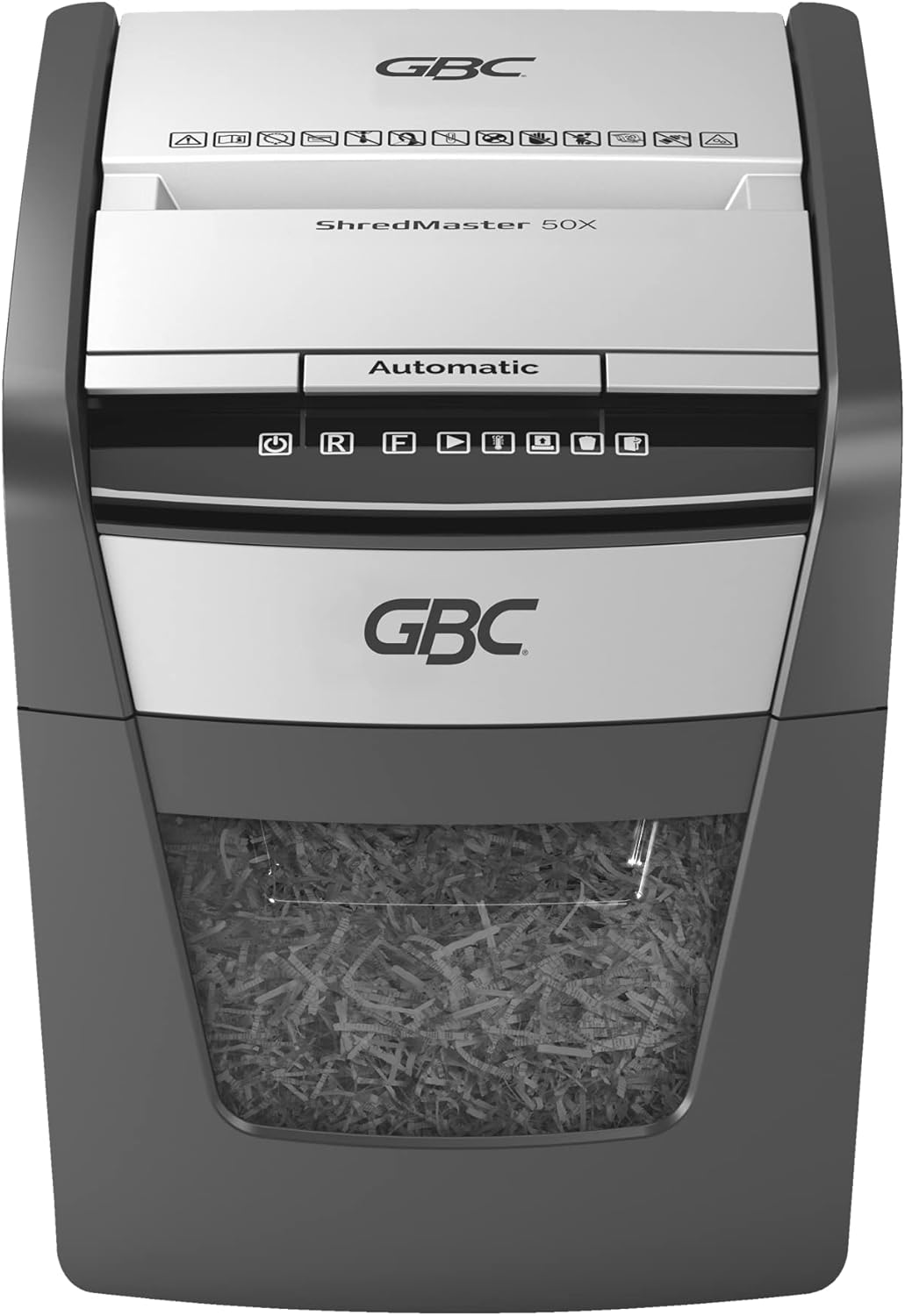
ڪنٽرول پينل ختمview
The control panel features intuitive touch controls for easy operation.

Automatic Feed Operation
The AUTO+ 50X features an automatic feed tray for shredding up to 50 sheets of 80 gsm paper at once.
- Ensure the shredder is plugged in and the waste bin is correctly inserted.
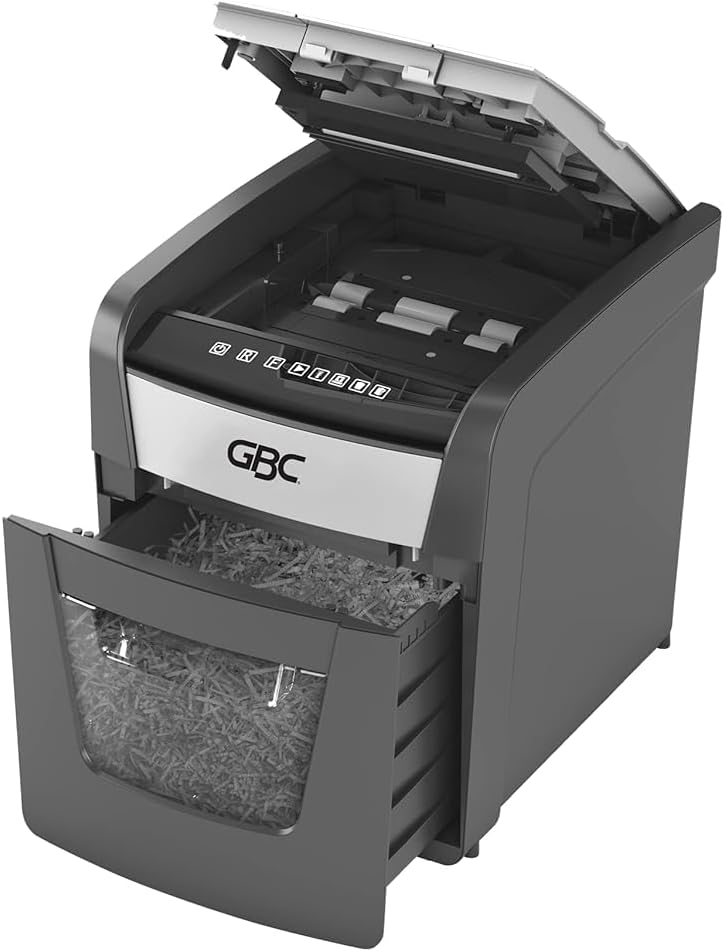
- Lift the automatic feed tray cover.
- Stack up to 50 sheets of paper neatly into the automatic feed tray. Ensure there are no folded or crumpled sheets.
- Close the automatic feed tray cover. The shredder will automatically detect the paper and begin shredding.


دستي فيڊ آپريشن
For smaller quantities of paper (up to 6 sheets of 80 gsm) or credit cards, use the manual feed slot.
- Ensure the shredder is plugged in and the waste bin is correctly inserted.
- Insert paper or a credit card into the manual feed slot. The shredder will automatically start and stop.
- For credit cards, insert one card at a time into the designated slot.

اوور گرمي تحفظ
To prevent motor overheating, the shredder is equipped with an automatic thermal overload protection system. After approximately 10 minutes of continuous shredding, the machine will automatically rest for 45 minutes to cool down. During this cool-down period, the shredder will not operate. Resume operation once the cool-down period is complete.
سار سنڀال
فضول دٻي کي خالي ڪرڻ
The shredder features an easy-to-empty 20-liter pull-out bin with a viewing window to monitor fill levels.
- شريڊر کي پاور آئوٽليٽ مان ڪڍو.
- شريڊر جي اڳيان کان ڪچري جي دٻي کي ٻاهر ڪڍو.
- Empty the shredded material into a suitable receptacle.
- Slide the waste bin back into the shredder until it is securely seated.
- شريڊر کي واپس پاور آئوٽليٽ ۾ لڳايو.

طريقو 1 شريڊر کي تيل لڳايو
Regular oiling of the shredder blades is recommended to maintain optimal performance and extend the life of your shredder. Use GBC shredder oil or a vegetable-based oil (avoid aerosol oils).
- پيپر انٽري سلاٽ تي شريڊر آئل جي هڪ پتلي لڪير لڳايو.
- تيل ورهائڻ لاءِ شريڊر کي 10 سيڪنڊن لاءِ الٽ ۾ هلايو.
- Repeat this process after every 30 minutes of accumulated shredding or at least twice a month.
صفائي
شريڊر جي ٻاهرين حصي کي نرم، سڪل ڪپڙي سان صاف ڪريو. رگڙيندڙ صاف ڪندڙ يا محلول استعمال نه ڪريو.
مشڪلاتون
| مسئلو | ممڪن سبب | حل |
|---|---|---|
| شريڊر شروع نٿو ٿئي. |
|
|
| ڪاغذ جو جام. |
|
|
| Shredder runs slowly or makes unusual noise. |
|
|
وضاحتون
- ماڊل: G2020050X
- ٽڪر جو قسم: ڪراس ڪٽ
- سيڪيورٽي سطح پي-4 (ڊين 66399)
- ٽڪر جو سائز: 4 x 28 mm confetti cut
- خودڪار فيڊ جي گنجائش: 50 شيٽ (80 gsm)
- دستي فيڊ جي گنجائش: 6 شيٽ (80 gsm)
- ٽڪرا: Paper, small paper clips, staples, credit cards
- بن جي گنجائش: 20 ليٽر
- هلائڻ جو وقت: 10 minutes continuous, 45 minutes cool-down
- تقريبن طول و عرض (H x W x D): 40.6 cm x 43.2 cm x 38.1 cm (16" H x 17" W x 15" D, based on product images)
- وزن: 11.6 ڪلو
- طاقت جو ذريعو: تار ٿيل برقي
- خاص خاصيتون: Automatic Start/Stop, Jam Proof

وارنٽي ۽ سپورٽ
For warranty information and customer support, please refer to the documentation included with your purchase or visit the official GBC webسائيٽ. وارنٽي دعوائن لاءِ خريداري جو ثبوت رکو.
For further assistance, you may contact GBC customer service through their official channels. Details are typically available on the manufacturer's webسائيٽ يا پراڊڪٽ پيڪنگنگ.


