تعارف
This manual provides comprehensive instructions for the setup, operation, and maintenance of your Browning BTC-5HD-MXP Strike Force HD MAX Plus Outdoor Trail Camera. Designed for robust outdoor use, this camera captures high-quality photos and videos, making it ideal for wildlife monitoring and surveillance. Please read this manual thoroughly before using the device to ensure proper function and longevity.
حفاظت جي ڄاڻ
- ڪئميرا کي گهڻي وقت تائين انتهائي گرمي پد يا سڌي سج جي روشنيءَ ۾ نه رکو.
- Ensure all battery compartments and covers are securely closed to prevent water ingress.
- Use only recommended battery types (AA batteries). Do not mix old and new batteries or different battery types.
- ڪئميرا کي مضبوط مقناطيسي ميدانن کان پري رکو.
- ڪئميرا کي ڌار ڪرڻ يا تبديل ڪرڻ جي ڪوشش نه ڪريو. اهو وارنٽي کي رد ڪري ڇڏيندو.
- مقامي ضابطن جي مطابق بيٽرين کي ذميواري سان ختم ڪريو.
پيڪيج مواد
پڪ ڪريو ته هيٺ ڏنل سڀئي شيون توهان جي پيڪيج ۾ شامل آهن:
- Browning BTC-5HD-MXP Strike Force HD MAX Plus Trail Camera
- 6-Foot Tree Mount Strap
- Blucoil 32GB Class 10 SDHC SD Card
- Blucoil 6.5-Foot Multi-Functional Combination Cable Lock with 4-Digit Password Code
- 4-Pack of Blucoil AA Batteries
- 5-Pack of Blucoil Reusable Velcro Cable Ties
- VidPro USB 2.0 Card Reader

Image: The complete Browning BTC-5HD-MXP Strike Force HD MAX Plus bundle, including the trail camera, SD card, cable lock, batteries, cable ties, and USB card reader.
سيٽ اپ ڪريو
1. بيٽري لڳائڻ
The camera requires 6 AA batteries for operation. Ensure correct polarity when inserting the batteries.
- Open the camera's main compartment latch.
- بيٽري جي ڪمري کي ڳولھيو.
- 6 AA بيٽريون داخل ڪريو، جيئن ڏيکاريل آهي مثبت (+) ۽ منفي (-) ٽرمينلز سان ملائي.
- بيٽري جي ڪمري کي محفوظ طور تي بند ڪريو.
2. ايس ڊي ڪارڊ لڳائڻ
A Blucoil 32GB Class 10 SDHC SD Card is included. The camera supports SDXC memory cards up to 512GB.
- With the camera open, locate the SD card slot, typically near the control panel.
- Insert the SD card with the label facing the front of the camera until it clicks into place.
- To remove, press the SD card gently to eject it.

Image: The Browning trail camera with its front panel open, revealing the control screen, navigation buttons, and the SD card slot. The "SD CARD" and "Eject" labels are visible.
3. ڪئميرا لڳائڻ
Use the included 6-foot tree mount strap to secure the camera to a tree or post.
- Thread the tree mount strap through the slots on the back of the camera.
- Wrap the strap around the desired mounting surface (e.g., tree trunk).
- Pull the strap tight and secure it to ensure the camera is stable and does not move.
- Position the camera to capture the desired area, ensuring no obstructions are in the field of view.
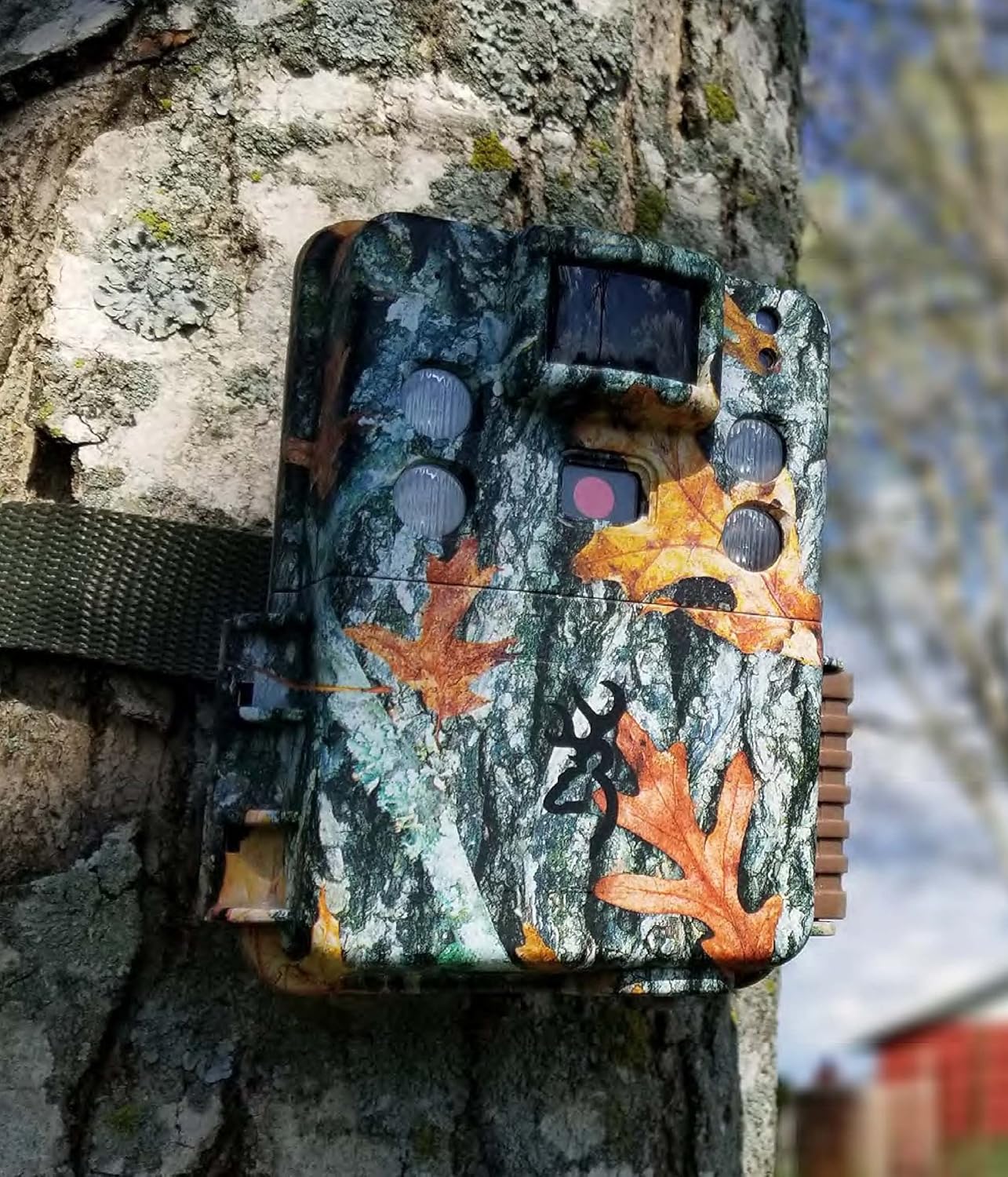
Image: The Browning trail camera securely mounted on a tree trunk using its strap, blending into the natural environment with its camouflage pattern.
4. Securing with Cable Lock
The Blucoil 6.5-Foot Multi-Functional Combination Cable Lock provides additional security for your camera.
- Locate the security cable slots on the camera body.
- Thread the cable lock through these slots and around the mounting surface.
- Set your desired 4-digit combination (initial password is 0000) and secure the lock. Refer to the cable lock's instructions for changing the combination.

Image: A Browning trail camera secured to a tree with a Blucoil 6.5-foot combination cable lock, demonstrating its anti-theft feature.
ڪئميرا هلائڻ
پاور آن / آف
To power on the camera, slide the power switch to the "ON" position. To power off, slide it to "OFF".
بنيادي طريقا
The Strike Force HD MAX Plus offers various capture modes:
- فوٽو موڊ Captures still images.
- وڊيو موڊ: Records video clips with sound.
- Timelapse Plus Mode: Captures images at pre-set intervals over a period. These can be compiled into a video using the Buck Watch Timelapse Viewer سافٽ ويئر.
Use the "MODE" button on the control panel to cycle through these options and the navigation buttons to select settings.
سيٽنگون ترتيب ڏيڻ
The camera allows for customization of several parameters:
- ٽرڪ جي رفتار: Adjustable from 0.135s to 0.7s for faster or slower detection response.
- بحالي جو وقت: A shorter 0.5s recovery time between images allows for more frequent captures.
- Capture Timer: This function allows you to specify the operational hours of the camera.
- قرارداد: Set desired photo (up to 20MP) and video (up to 1600 x 900p HD+) resolution.
رات جو آپريشن
The camera features Illuma-Smart technology that automatically adjusts the 90-FT IR flash power for clear nighttime photos. The infrared illumination range extends up to 100-FT.
Viewرڪارڊنگ
جي طرف view captured images and videos:
- ڪئميرا مان SD ڪارڊ هٽايو.
- Insert the SD card into the VidPro USB 2.0 Card Reader.
- Connect the card reader to your computer (Mac or Windows).
- تائين رسائي files on the SD card through your computer's file ڳولا ڪندڙ
- For Timelapse videos, download the Buck Watch Timelapse Viewer Software from Browning's official webصفحو. نوٽ: This software is not compatible with Mac. Mac users can view timelapse images by changing the file extension from .TLS to .AVI format.

Image: The VidPro USB 2.0 Card Reader, a compact device for transferring data from various memory card types to a computer.
سار سنڀال
صفائي
- ڪئميرا جي ٻاهرين حصي کي نرم، ڊي سان صاف ڪريوamp ڪپڙو. گھڻائي صاف ڪرڻ وارن کان پاسو ڪريو.
- Gently clean the lens and IR sensors with a lens cleaning cloth or brush to ensure clear images.
- Ensure no debris is obstructing the motion sensor.
بيٽري مٽائڻ
Replace all 6 AA batteries when the low battery indicator appears on the camera's screen or when performance degrades. Always replace all batteries at once with new ones of the same type.
SD ڪارڊ انتظام
Regularly format your SD card using the camera's internal formatting function or a computer to maintain optimal performance and prevent data corruption. Back up important files فارميٽ ڪرڻ کان اڳ.
ذخيرو
When not in use for extended periods, remove batteries from the camera and store it in a cool, dry place away from direct sunlight.
مشڪلاتون
| مسئلو | ممڪن سبب | حل |
|---|---|---|
| ڪئميرا آن نه ٿي رهيو آهي. | مئل يا غلط طور تي داخل ڪيل بيٽريون. | بيٽرين کي نئين سان تبديل ڪريو، صحيح پولارٽي کي يقيني بڻائي. |
| No images/videos captured. | SD card full, not inserted correctly, or corrupted; motion sensor obstructed; camera in wrong mode. | Check SD card, format if necessary. Clear sensor. Ensure camera is in active capture mode. |
| Poor quality nighttime images. | IR flash obstructed; object too far; low batteries. | Clear obstructions. Ensure target is within 100-FT IR range. Replace batteries. |
| Timelapse videos not playing on Mac. | بڪ واچ ٽائيم ليپس Viewer not Mac compatible. | تبديلي file extension from .TLS to .AVI. |
وضاحتون
| خاصيت | تفصيل |
|---|---|
| ماڊل | BTC-5HD-MXP |
| اڃا به مؤثر حل | 20 ايم پي |
| وڊيو ڪيپچر ريزوليوشن | 1920 x 1080 FHD (with Sound) / 1600 x 900p HD+ |
| ٽرگر جي رفتار | 0.135 - 0.7 seconds (adjustable) |
| بحالي وقت | 0.5 سيڪنڊ |
| ڳولڻ جي حد | 80-فٽ |
| IR فليش رينج | 100-FT (Illuma-Smart) |
| طاقت جو ذريعو | 6 AA بيٽريون |
| ميموري ڪارڊ سپورٽ | Up to 512GB SDXC (32GB SDHC included) |
| رابطي ٽيڪنالاجي | وائرليس (وائي فائي) |
| اندروني / ٻاهران استعمال | ٻاھران |
| مواد | زنڪ |
| طول و عرض (L x W x H) | 1 x 1 x 1 انچ |
| شيءِ جو وزن | 1 پائونڊ |
| بين الاقوامي تحفظ جي درجه بندي | IP54 |
وارنٽي ۽ سپورٽ
For warranty information and technical support, please refer to the official Browning Trail Cameras webسائيٽ تي وڃو يا انهن جي ڪسٽمر سروس سان رابطو ڪريو. ڪنهن به وارنٽي دعوائن لاءِ خريداري جي ثبوت طور پنهنجي خريداري جي رسيد رکو.
For additional support regarding Blucoil accessories (SD card, cable lock, batteries, cable ties), please visit the Blucoil official webسائيٽ يا انهن جي گراهڪ سپورٽ سان رابطو ڪريو.


