تعارف
The LUMI Original White Noise Machine (Model SA03) is designed to create a peaceful environment for sleep and focus. It features 30 soothing sounds, a 7-color night light with adjustable brightness, and a sleep timer. This device is portable, USB-rechargeable, and suitable for all ages, providing a natural remedy for deeper, more restful sleep.

Image: The LUMI Original White Noise Machine, showcasing its compact design and illuminated top panel.
پيداوار جون خاصيتون
- 30 سھڻي آواز: Includes white noise, fan sounds, and nature sounds like rain, ocean waves, heartbeat, womb sounds, shushing, meditation tones, and lullabies.
- گرم رات جي روشني: Offers 7 color options and 5 brightness levels, usable with or without sound.
- اختياري ننڊ ٽائمر: Set for 30, 60, or 90 minutes, or continuous play.
- ميموري فنڪشن: Remembers the last sound and light settings.
- پورٽبل ۽ ريچارج قابل: Compact design with a built-in rechargeable battery providing up to 20 hours of playtime. USB-C charging cable included.
- Customizable Volume Levels: Adjustable from 48 to 98 dB.

Image: Key features of the device, including sound options, night light, timer, and portability.
پيڪيج مواد
مھرباني ڪري ھيٺ ڏنل شين لاءِ دٻي کي چيڪ ڪريو:
- LUMI Original White Noise Machine
- USB-C چارجنگ ڪيبل
- استعمال ڪندڙ دستي

Image: The white noise machine, USB-C cable, and user manual as included in the package.
سيٽ اپ ڪريو
1. ڊوائيس کي چارج ڪرڻ
Before first use, fully charge the device using the provided USB-C cable. Connect the cable to the device's USB-C port and a compatible USB power adapter (not included). The device can be used while charging. A full charge provides up to 20 hours of playtime.

Image: The USB-C charging cable connected to the device.
2. شروعاتي پاور آن
کي دٻايو پاور بٽڻ (marked with a power symbol) located on the control panel to turn on the device.
آپريٽنگ هدايتون
پاور آن / آف
- ڊوائيس کي چالو ڪرڻ لاء، دٻايو پاور بٽڻ.
- ڊوائيس کي بند ڪرڻ لاء، دٻايو پاور بٽڻ ٻيهر.
Sound Selection and Volume Adjustment
- آواز چونڊڻ لاءِ، دٻايو آواز جي چونڊ جو بٽڻ (marked with sound wave icons).
- استعمال ڪريو Navigation/Adjustment Buttons (left and right arrows) to cycle through the 30 available sounds.
- دٻاء کي حجم کي ترتيب ڏيو Navigation/Adjustment Buttons. The volume ranges from 48 to 98 dB.
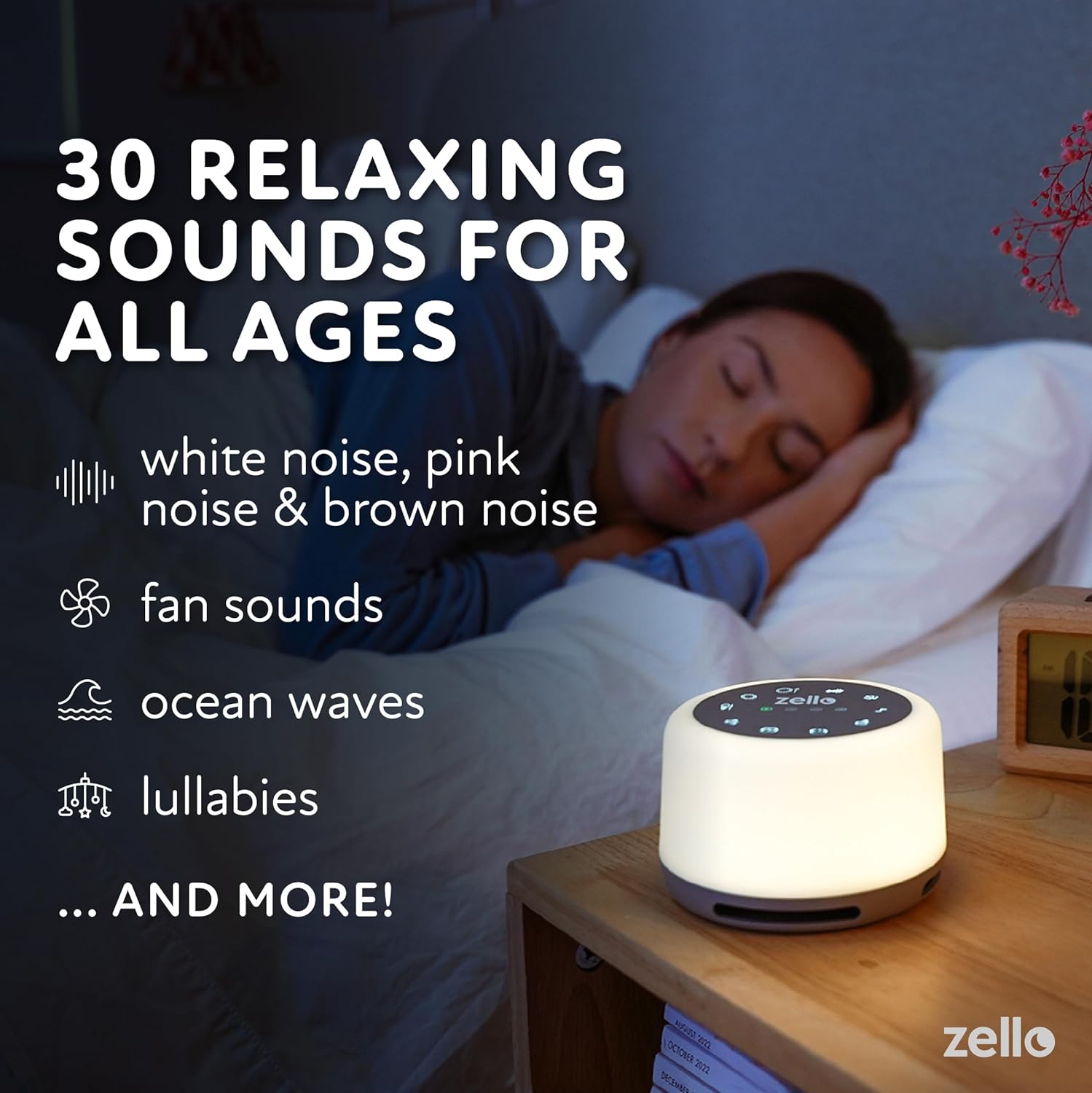
Image: The device providing relaxing sounds for sleep.
رات جي روشني آپريشن
- To activate the night light, press the هلڪو بٽڻ (marked with a light bulb icon).
- استعمال ڪريو Navigation/Adjustment Buttons to cycle through the 7 color options and 5 brightness levels.

Image: The device displaying its colored night light feature.
ٽائمر فنڪشن
- ٽائمر سيٽ ڪرڻ لاءِ، دٻايو ۽ رکو ٽائمر بٽڻ (marked with 30, 60, 90 minute indicators) for 3 seconds.
- استعمال ڪريو Navigation/Adjustment Buttons to select the desired timer length: 30, 60, or 90 minutes.
- A light indicator will show the active timer setting. The device will automatically shut off after the selected time.
- For continuous play, select the continuous play option using the ٽائمر بٽڻ.

Image: Setting the sleep timer on the device.
ميموري فنڪشن
The device automatically remembers your last selected sound and light settings when powered off and on.
حفاظت جي ڄاڻ
- Do not use the device in the bath or near water.
- Avoid high volume levels to prevent potential hearing damage.
- Do not use the device if the charging cord is damaged or if the device falls into water.
- Keep out of reach of small children if not supervised, especially the charging cable.
سار سنڀال
- ڊوائيس کي نرم، سڪل ڪپڙي سان صاف ڪريو. رگڙيندڙ ڪلينر استعمال نه ڪريو يا ڊوائيس کي پاڻي ۾ نه ٻوڙيو.
- جڏهن گهڻي عرصي تائين استعمال ۾ نه هجي ته ڊوائيس کي ٿڌي، سڪل جاءِ تي رکو.
- Ensure the USB-C port is free from dust and debris for optimal charging.
مشڪلاتون
- ڊوائيس چالو نه آهي: پڪ ڪريو ته ڊوائيس مڪمل طور تي چارج ٿيل آهي. USB-C ڪيبل استعمال ڪندي ان کي پاور سورس سان ڳنڍيو ۽ ٻيهر پاور آن ڪرڻ جي ڪوشش ڪرڻ کان اڳ ان کي گهٽ ۾ گهٽ 30 منٽن تائين چارج ٿيڻ ڏيو.
- Sound not playing or device turning off prematurely: Check the timer setting. If a timer is active, the device will turn off after the set duration. Ensure the device is adequately charged. Low battery can cause unexpected shutdowns. If the device consistently turns off after a short period (e.g., 30 seconds) despite a longer timer setting, contact customer support.
- Night light not staying on at dimmest setting: Ensure the device is fully charged. If the issue persists, it may indicate a specific unit characteristic or a potential fault. Contact customer support if this affects usability.
- بٽڻ غير جوابده: Try restarting the device by holding the power button until it turns off, then turn it back on. Ensure no debris is obstructing the buttons.
- غريب آواز جي معيار: Adjust the volume. Ensure the device is placed on a stable surface and not obstructed.
وضاحتون
| پيداوار جي ماپ | 4.33 x 4.33 x 3.7 انچ (10.6 x 10.6 x 6.4 سينٽي) |
| وزن | 9.88 اونس (280 گرام) |
| ماڊل نمبر | SA03 |
| بيٽري | 1 ليتيم آئن بيٽري (شامل) |
| طاقت جو ذريعو | بيٽري سان هلندڙ (USB-C ريچارج لائق) |
| راند جو وقت | ھڪڙي چارج تي 20 ڪلاڪ تائين |
| آواز جي سطح | 48 کان 98 ڊي بي |
| رات جي روشني | 7 رنگ، 5 چمڪ جي سطح |
| ٺاهيندڙ | Shopped |
| ASIN | B098XX32MB |
وارنٽي ۽ سپورٽ
For warranty information and customer support, please refer to the contact details provided with your purchase documentation or visit the official LUMI webسائيٽ. ڪنهن به وارنٽي دعوائن لاءِ خريداري جو ثبوت رکو.


