تعارف
This manual provides detailed instructions for the safe and effective use of your Accutime FRCA1001 Unicorn Interactive Children's Camera. Please read this manual thoroughly before operating the device and retain it for future reference.
حفاظت جي ڄاڻ
خبردار:
- ننڍن حصن جي ڪري 36 مهينن کان گهٽ عمر وارن ٻارن لاء مناسب ناهي. ڇڪڻ جو خطرو.
- Long string: Risk of strangulation.
- Packaging components such as tape, plastic film, wire ties, stickers, and labels are not part of the product. Dispose of them safely for your child's protection.
- The packaging contains important information and should be kept for later reading.
- The appearance and color of the product may differ from the images shown.
دٻي ۾ ڇا آهي
پيڪيج کولڻ تي، تصديق ڪريو ته ھيٺ ڏنل سڀ شيون شامل آھن:
- Accutime FRCA1001 Unicorn Interactive Children's Camera
- مائڪرو ايس ڊي ڪارڊ
- USB ڪيبل
- ھدايت وارو دستور
پيداوار ختمview
ڪئميرا جي حصن ۽ ڪنٽرولن سان پاڻ کي واقف ڪريو.
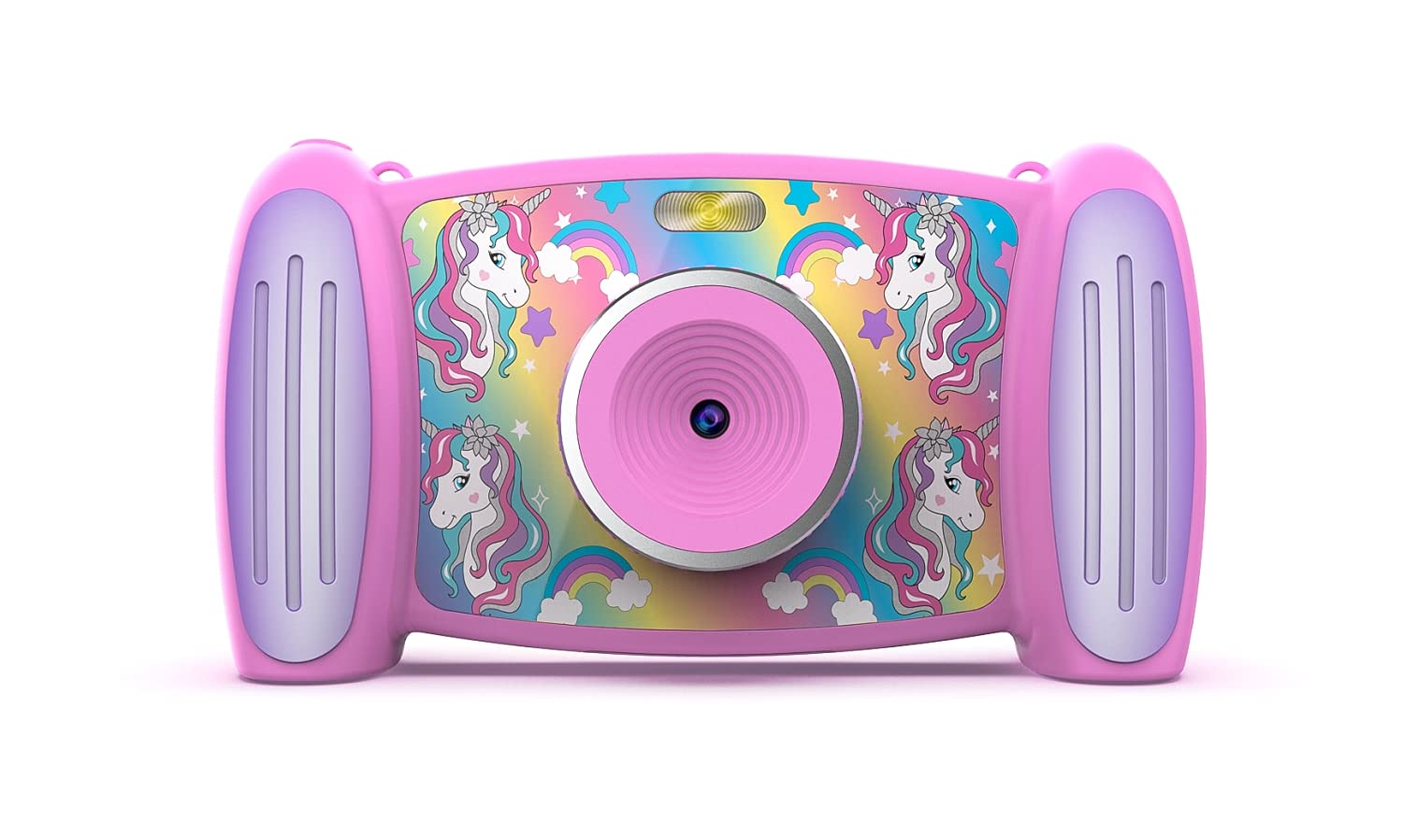
تصوير 1: سامهون view of the Accutime FRCA1001 Unicorn Interactive Children's Camera, displaying the main menu with icons for photo, video, games, and settings.
The camera features a vibrant screen, intuitive buttons for navigation, and a built-in speaker. Key controls include:
- پاور بٽڻ: Located on the side/bottom, used to turn the camera on and off.
- هدايتي بٽڻ (مٿي، هيٺ، کاٻي، ساڄي): مينيو کي نيويگيٽ ڪرڻ ۽ اختيارن کي چونڊڻ لاءِ.
- OKيڪ بٽڻ: چونڊ جي تصديق ڪري ٿي.
- فوٽو / وڊيو بٽڻ: فوٽو ڪيپچر يا وڊيو رڪارڊنگ شروع ڪري ٿو.
- Zoom Buttons (+/-): Adjusts digital zoom.
- مائڪروفون: For audio recording during videos.
- اسپيڪر: آڊيو پلے بیک لاءِ.
- مائڪرو ايس ڊي ڪارڊ سلاٽ: For memory expansion.
- USB پورٽ: چارج ڪرڻ ۽ ڊيٽا جي منتقلي لاء.
سيٽ اپ ڪريو
1. بيٽري لڳائڻ ۽ چارج ڪرڻ
The camera includes a built-in Lithium Ion battery. Before first use, ensure the camera is fully charged.
- Connect the provided USB cable to the camera's USB port and the other end to a compatible USB power adapter (not included) or a computer's USB port.
- چارجنگ انڊيڪيٽر لائيٽ روشن ٿيندي.
- Once fully charged, the indicator light will change or turn off. Disconnect the cable.
2. مائڪرو ايس ڊي ڪارڊ جي انسٽاليشن
A Micro SD card is required to save photos and videos. A card is included with your camera.
- ڪئميرا تي مائڪرو ايس ڊي ڪارڊ سلاٽ ڳوليو.
- Gently insert the Micro SD card into the slot with the gold contacts facing down, until it clicks into place.
- ڪڍڻ لاءِ، ڪارڊ کي نرميءَ سان ٻيهر اندر دٻايو جيستائين اهو ٻاهر نه اچي.
آپريٽنگ هدايتون
1. پاور آن/آف
- To turn on: Press and hold the Power button until the screen illuminates.
- To turn off: Press and hold the Power button until the screen shuts down.
2. مينيو ڏانھن وڃو
Use the directional buttons to move between icons on the screen. Press the OK هڪ اختيار چونڊڻ لاءِ بٽڻ.

تصوير 2: Two children engaged in an activity, with one child holding and looking at the Accutime FRCA1001 camera, demonstrating its intended use.
3. فوٽو ڪڍڻ
- From the main menu, select the camera icon.
- اسڪرين استعمال ڪندي پنهنجو شاٽ فريم ڪريو.
- Press the Photo/Video button to capture a picture.
- The camera supports 5-megapixel image resolution.
4. رڪارڊنگ وڊيوز
- From the main menu, select the video camera icon.
- Press the Photo/Video button to start recording.
- Press the Photo/Video button again to stop recording.
- Videos are recorded in 1080p resolution.
5. Using Filters and Special Effects
Enhance your photos and videos with built-in filters and effects.
- While in photo or video mode, navigate to the filter/effects option (refer to on-screen icons).
- Select from 5 fun filters and 5 special effects.
6. Changing Photo Frames and Backgrounds
Personalize your photos with various frames and customize the camera's display with different backgrounds.

تصوير 3: A collage showing five distinct colorful backgrounds or photo frames available for selection on the camera, featuring unicorn and rainbow themes.

تصوير 4: An illustration displaying the camera's default start screen featuring a unicorn and rainbow, along with a sample wallpaper option.
- Access the settings menu to find options for changing photo frames or display backgrounds.
- Choose from the available designs to customize your camera experience.
7. رانديون کيڏڻ
The camera includes 4 pre-installed educational and exciting games.
- From the main menu, select the games icon.
- Choose a game from the list and follow the on-screen instructions to play.
8. Using the MP3 Player
The camera features an MP3 player with a built-in speaker.
- Transfer MP3 audio files to the Micro SD card via the USB connection.
- From the main menu, select the music icon.
- Browse and play your stored MP3 files.
9. ڊجيٽل زوم
The camera features 4x digital zoom.
- While in photo or video mode, use the '+' and '-' buttons to zoom in or out.
سار سنڀال
صفائي
- ڪئميرا جي باڊي کي صاف ڪرڻ لاءِ نرم، سڪل ڪپڙو استعمال ڪريو.
- For the lens, use a specialized lens cleaning cloth.
- مائع صاف ڪندڙ يا رگڙيندڙ مواد استعمال نه ڪريو.
ذخيرو
- ڪئميرا کي سڌي سج جي روشني کان پري ٿڌي، سڪل جاءِ تي رکو.
- Ensure the camera is turned off before storing.
- If storing for extended periods, charge the battery periodically to maintain its health.
مشڪلاتون
جيڪڏهن توهان کي پنهنجي ڪئميرا سان مسئلا درپيش اچن ٿا، ته هيٺ ڏنل عام حلن جو حوالو ڏيو:
- ڪئميرا آن نٿو ٿئي: پڪ ڪريو ته بيٽري مڪمل طور تي چارج ٿيل آهي. ڪجهه سيڪنڊن لاءِ پاور بٽڻ کي دٻايو ۽ رکو.
- Cannot save photos/videos: Check if the Micro SD card is correctly inserted and has sufficient free space. The card may need to be formatted (refer to camera settings).
- خراب تصوير جي معيار: Ensure the lens is clean and free from smudges. Check lighting conditions.
- ڪئميرا منجمد ٿئي ٿو: Try restarting the camera by holding the power button until it turns off, then turn it back on.
- اسپيڪر مان آواز ناهي: Check volume settings in the camera menu. Ensure MP3 files are correctly formatted.
جيڪڏھن مسئلا جاري رھيا، وڌيڪ مدد لاءِ ڪسٽمر سپورٽ سان رابطو ڪريو.
وضاحتون
| خاصيت | تفصيل |
|---|---|
| ماڊل نمبر | FRCA1001 |
| تصويري قرارداد | 5 Megapixels (MP) |
| وڊيو قرارداد | 1080 ص |
| ڊجيٽل زوم | 4x |
| اسڪرين جو قسم | 2-in-1 Screen |
| ذخيرو | Micro SD Card (included) |
| بيٽري جو قسم | 1 ليتيم آئن (شامل) |
| طول و عرض | 5.71 x 1.69 x 3.5 انچ |
| شيءِ جو وزن | 4.9 اونس |
| خاصيتون | 5 Fun Filters, 5 Special Effects, 4 Games, MP3 Player with Speaker |
وارنٽي ۽ سپورٽ
For warranty information or technical support, please refer to the contact details provided on the product packaging or visit the official Accutime webسائيٽ. خريداري جي ثبوت طور پنهنجي خريداري جي رسيد رکو.


