1. تعارف
Thank you for choosing the Bisofice Poooli Mini Thermal Photo Printer L1. This compact and portable printer allows you to print photos, labels, notes, and more directly from your smartphone via Bluetooth. This manual provides essential information for safe and effective use, including setup, operation, maintenance, and troubleshooting.
2. حفاظت جي ڄاڻ
Please read all safety instructions before using the device to prevent injury or damage.
- Keep the printer away from water and high humidity.
- پرنٽر کي انتهائي گرمي پد يا سڌي سج جي روشني ۾ نه لڳايو.
- پرنٽر کي ڇڏڻ يا مضبوط اثرن جي تابع ڪرڻ کان پاسو ڪريو.
- Use only the specified thermal paper. Other paper types may damage the print head.
- پرنٽر کي پاڻ ڌار ڪرڻ يا مرمت ڪرڻ جي ڪوشش نه ڪريو. مدد لاءِ ڪسٽمر سپورٽ سان رابطو ڪريو.
- ٻارن جي پهچ کان پري رکو.
- Charge the printer using the provided USB cable and a compatible power adapter (not included).
3. پيڪيج مواد
پڪ ڪريو ته سڀئي شيون توهان جي پيڪيج ۾ موجود آهن:
- Bisofice Poooli Mini Thermal Photo Printer L1
- Thermal Paper Rolls (7 rolls total, including one pre-installed)
- USB چارجنگ ڪيبل
- تڪڙو شروع ھدايت

4. پراڊڪٽ ختمview
Familiarize yourself with the components of your Poooli L1 printer.

- پاور بٽڻ: Located on the top surface, typically indicated by a circular icon.
- Paper Exit Slot: Where printed thermal paper emerges.
- مربوط ڪٽر: A safe and convenient mechanism for tearing off printed paper.
- USB چارجنگ پورٽ: For connecting the USB cable to charge the device.
- روشني اشارو: Provides status information (e.g., charging, connected, printing).
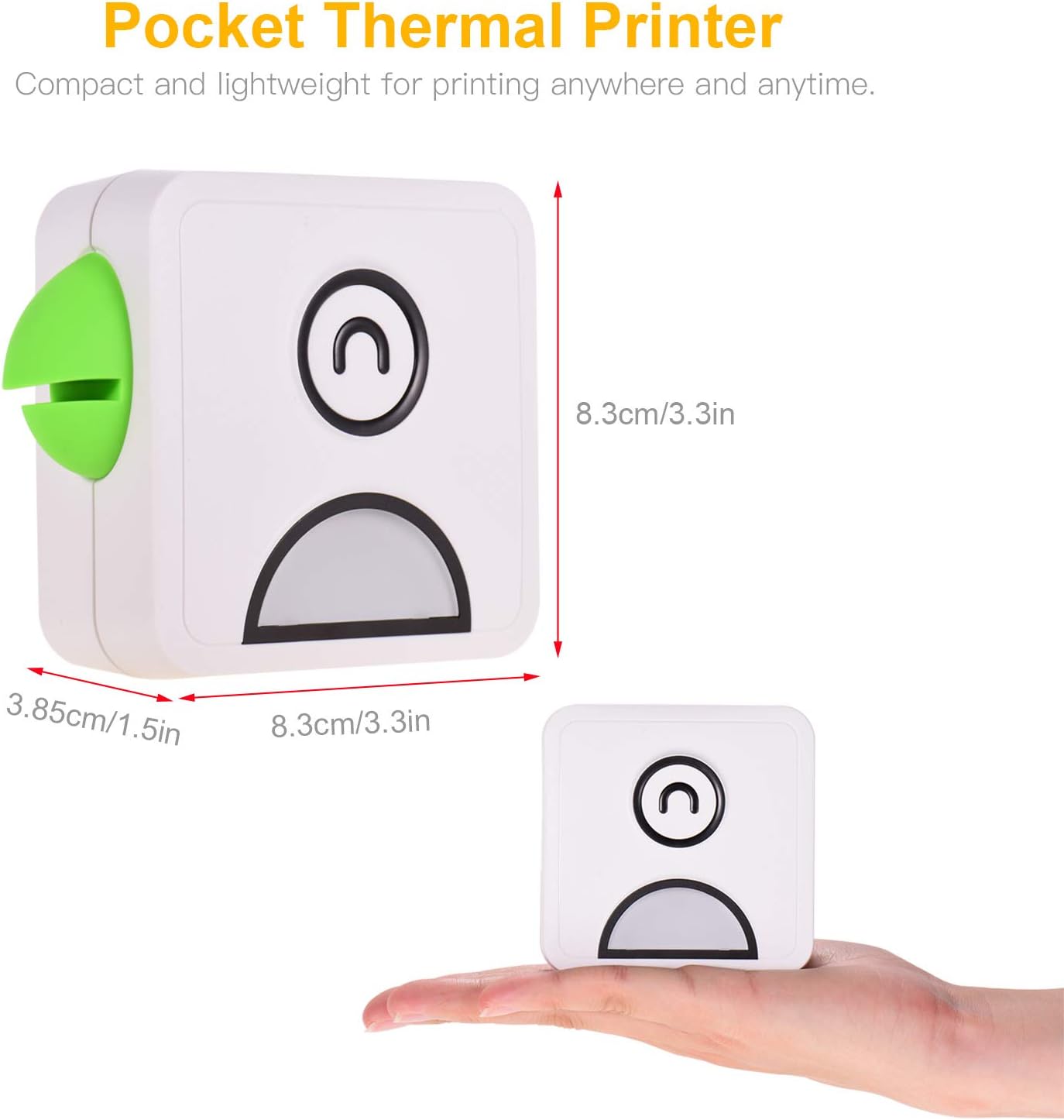
- Parrot Beak Design: A decorative and functional element, featuring a built-in magnet for attaching notes or securing the printer to metallic surfaces.

5. سيٽ اپ
5.1 پرنٽر کي چارج ڪرڻ
Before first use, fully charge the printer. Connect the provided USB cable to the printer's charging port and the other end to a USB power adapter (e.g., phone charger) or a computer's USB port. The indicator light will show charging status (e.g., red for charging, green for fully charged).
5.2 ٿرمل پيپر لوڊ ڪندي
- Gently slide the printer cover to open it.
- Insert a roll of thermal paper into the compartment, ensuring the paper feeds out from the top.
- Pull a small length of paper out beyond the cutter.
- پرنٽر جي ڍڪ کي مضبوطيءَ سان بند ڪريو جيستائين اهو جاءِ تي ڪلڪ نه ڪري.
5.3 ايپ جي انسٽاليشن
The Bisofice Poooli L1 printer requires a dedicated mobile application for operation. ڳولھيو "Poooli" in your smartphone's app store (Google Play Store for Android, Apple App Store for iOS) and install it. The app is compatible with Android 5.0 or above and iOS 10 or above.
5.4 بلوٽوٽ جوڙي
- Ensure the printer is charged and powered on. The indicator light may flash, indicating it's ready for pairing.
- پنهنجي اسمارٽ فون تي بلوٽوت کي فعال ڪريو.
- Open the "Poooli" application.
- Within the app, navigate to the device connection or pairing section.
- Select the "Poooli L1" or a similar device name from the list of available Bluetooth devices.
- Once successfully paired, the printer's indicator light will typically turn solid blue or green, and the app will confirm the connection.

6. آپريٽنگ هدايتون
The Poooli app provides various functions for printing. Ensure your printer is connected via Bluetooth before proceeding.
6.1 Printing Photos and Images
- Open the Poooli app and select the "Photo Print" or "Image" option.
- Choose an image from your phone's gallery.
- Adjust the image as needed using the app's editing tools (e.g., filters, crop, rotate).
- Tap the print icon to send the image to the printer.
6.2 Printing Text and Notes
The app supports printing various text-based content:
- Messages/Notes: Type or paste text directly into the app's note editor.
- فهرستون: Create to-do lists or shopping lists.
- OCR Text Recognition: Use the app to scan text from an image and print it.
- Web ڇپائي: داخل ڪريو a web address to print the content of a webصفحو.


6.3 Using App Features
The Poooli app offers a variety of templates, emojis, and themes to customize your prints. Explore the app's interface to discover all available options for creative and functional printing.
7. سار سنڀال
7.1 پرنٽر جي صفائي
To maintain optimal print quality and device longevity:
- صفائي ڪرڻ کان اڳ پڪ ڪريو ته پرنٽر بند آهي.
- پرنٽر جي ٻاهرين حصي کي صاف ڪرڻ لاءِ نرم، سڪل، لِنٽ فري ڪپڙو استعمال ڪريو.
- If the print head appears dirty or print quality degrades, gently wipe the print head with a cotton swab lightly dampened with isopropyl alcohol. Allow it to dry completely before use.
- استعمال نه ڪريو abrasive cleaners يا solvents.
7.2 Replacing Thermal Paper
When the paper roll is depleted, follow the steps in section 5.2 "Loading Thermal Paper" to replace it with a new roll. Ensure you use thermal paper of the correct size (58mm width x 30mm diameter).

8. مسئلا حل ڪرڻ
جيڪڏهن توهان کي پنهنجي پرنٽر سان مسئلا درپيش اچن ٿا، ته هيٺ ڏنل عام مسئلن ۽ حلن جو حوالو ڏيو:
| مسئلو | ممڪن سبب | حل |
|---|---|---|
| پرنٽر آن نٿو ٿئي. | بيٽري گهٽ هجي يا چارج نه هجي. | Charge the printer fully using the USB cable. |
| بلوٽوٿ ذريعي ڳنڍي نه ٿو سگهجي. | Bluetooth is off on phone, printer is off, or not in pairing mode. | Ensure Bluetooth is enabled on your phone. Turn the printer off and on again. Re-attempt pairing through the Poooli app. |
| Poor print quality (faint, blank, or streaky prints). | Incorrect paper loading, low battery, dirty print head, or non-thermal paper. | Check if thermal paper is loaded correctly. Charge the printer. Clean the print head (see Section 7.1). Ensure you are using thermal paper. |
| ڪاغذ جو جام. | ڪاغذ جي غلط لوڊنگ يا غير ملڪي شيءِ. | Open the cover, carefully remove any jammed paper, and re-load the paper correctly. |
| App not detecting printer. | App issue, Bluetooth connection lost. | Restart the Poooli app. Disconnect and re-pair the printer in your phone's Bluetooth settings and then in the app. |
9. وضاحتون
| خاصيت | تفصيل |
|---|---|
| برانڊ | بيسوفيس |
| ماڊل نالو | L1 |
| ڇاپيو ٽيڪنالاجي | حرارتي |
| پرنٽر آئوٽ | مونوڪروم (ڪارو ۽ اڇو) |
| قرارداد | 200 ڊي پي آئي |
| رابطي ٽيڪنالاجي | Bluetooth 4.0 (Wireless), USB (for charging) |
| مطابقت رکندڙ ڊوائيسز | Smartphones (Android 5.0+, iOS 10+) |
| پرنٽ وچولي | Thermal Paper (Sticker, Label, Poster Paper) |
| Paper Roll Size | 58mm (width) x 30mm (diameter) |
| بيٽري | 1000 mAh (بلٽ ان ليٿيم بيٽري) |
| بيٽري توانائي جو مواد | 2 واٽ ڪلاڪ |
| خاص خصوصيت | Portable, Inkless Printing, Magnetic Design |
| پيداوار جي ماپ | تقريبن 8.3 x 8.3 x 3.85 سينٽي ميٽر (3.3 x 3.3 x 1.5 انچ) |
| پيداوار جو وزن | لڳ ڀڳ. 500 گرام |
| رنگ | White with Green accent (as pictured) |
10. وارنٽي ۽ سپورٽ
Specific warranty details are not provided in the product information. For warranty claims or technical support, please refer to the retailer's return policy or contact Bisofice customer service directly through their official webسائيٽ يا توهان جي خريداري سان مهيا ڪيل رابطي جي معلومات.


