1. تعارف
This document provides essential instructions for the setup and basic operation of your Easytry123 Replacement Remote Control. This remote is designed to function with various Yamaha Home Theater Systems, including models WY92530, BRX-750, WY92500, MCR-750, and BRX-610. Please note that as a replacement unit, some advanced or specific functions of your original remote may operate differently or not be supported.
For comprehensive details on your Yamaha Home Theater System's features, please refer to its original instruction manual.
2. پراڊڪٽ ختمview
The Easytry123 Replacement Remote Control is an infrared (IR) device designed for ease of use with compatible Yamaha Home Theater Systems. Its ergonomic design ensures comfortable handling.

شڪل 2.1: سامهون view of the Easytry123 Replacement Remote Control, showing all buttons and their labels.

شڪل 2.2: زاويه view of the remote control, highlighting its ergonomic shape.
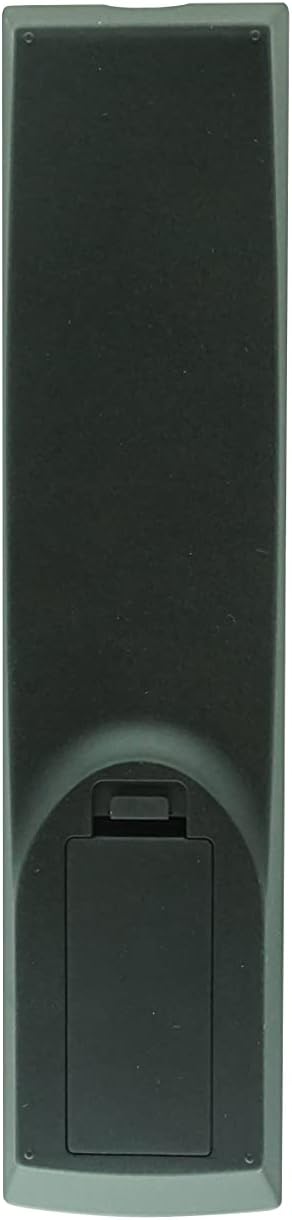
شڪل 2.3: پوئتي view ريموٽ ڪنٽرول جو، بيٽري جي ڪمپارٽمينٽ جو ڍڪ ڏيکاريندي.
3. سيٽ اپ
3.1 بيٽري لڳائڻ
The remote control requires two (2) AA batteries (not included). Follow these steps to install them:
- ريموٽ ڪنٽرول جي پوئين پاسي بيٽري جي ڪمري کي ڳوليو (شڪل 2.3 ڏسو).
- ٽيب تي دٻايو ۽ ان کي کولڻ لاءِ بيٽري جي ڪمپارٽمينٽ ڪَوَر کي هيٺئين طرف سلائڊ ڪريو.
- ٻہ (2) AA بيٽريون داخل ڪريو، پڪ ڪريو ته مثبت (+) ۽ منفي (-) ٽرمينل صحيح طرح سان ڪمري جي اندر نشانن سان ترتيب ڏين.
- بيٽري جي ڪمپارٽمينٽ جي ڍڪ کي واپس جاءِ تي سلائڊ ڪريو جيستائين اهو محفوظ طور تي ڪلڪ نه ڪري.
نوٽ: هميشه نئين بيٽري استعمال ڪريو ۽ ساڳئي وقت ٻئي بيٽريون تبديل ڪريو. پراڻيون ۽ نئين بيٽريون يا مختلف قسمن جون بيٽريون نه ملايو.
4. آپريٽنگ هدايتون
This remote control operates using infrared (IR) signals. Ensure there is a clear line of sight between the remote's IR emitter and your Yamaha Home Theater System's IR receiver. Point the remote directly at the system when pressing buttons.
4.1 بنيادي ڪم
- پاور (ڳاڙهو بٽڻ): سسٽم کي آن يا بند ڪري ٿو.
- نمبر بٽڻ (0-9): Used for direct input, such as selecting tracks or radio presets.
- حجم (+/-): آڊيو آئوٽ جي سطح کي ترتيب ڏئي ٿو.
- خاموش: آڊيو آئوٽ پُٽ کي خاموش ڪري ٿو.
- Input Selection (e.g., DISC, TV, AUX, TUNER, USB/NET): گهربل آڊيو/وڊيو ان پٽ ذريعو چونڊيندو آهي.
4.2 Navigation and Menu Control
- هدايتي پيڊ (مٿي، هيٺ، کاٻي، ساڄي) ۽ داخل ڪريو: Used to navigate menus and confirm selections on your system's display.
- TOP MENU / POP-UP/MENU: Accesses the main menu or context-sensitive menus.
- واپسي: پوئين اسڪرين يا مينيو ڏانهن واپس ويندو.
- اسڪرين تي: Displays on-screen information or menus.
- سيٽ اپ ڪريو: Accesses the system's setup menu.
- ڏيکار Changes the information displayed on the system's screen.
4.3 Playback and Media Control
- Playback Buttons (Play, Pause, Stop, Fast Forward, Rewind, Skip Forward, Skip Back): ميڊيا پلے بیک کي ڪنٽرول ڪري ٿو.
- شفل: بي ترتيب پلے بیک کي چالو ڪري ٿو.
- ورجائي: موجوده ٽريڪ يا پلي لسٽ کي ورجائي ٿو.
- الف/ب: ميڊيا جي هڪ مخصوص حصي کي ورجائي ٿو.
- PIP (تصوير ۾ تصوير): If supported by your system, controls the PIP function.
4.4 Advanced and System-Specific Functions
- آرديننسز: Used for programming functions, such as radio presets.
- MARKER / DIGEST / ZOOM: Specific functions related to disc playback or display.
- SLEEP / TIMER: Sets sleep timers or other timed functions.
- چوڌاري: Adjusts surround sound modes.
- ڊيمر: ڊسپلي جي روشني کي ترتيب ڏئي ٿو.
- اسٽيٽس: Displays system status information.
- SUBTITLE / AUDIO: Controls subtitle and audio track options during playback.
- يادگيري: Stores or recalls settings.
- آئي پوڊ: Activates iPod control mode if your system has an iPod dock.
اهم: Due to the nature of replacement remotes, some functions may not be identical to your original remote or may require specific system settings. Refer to your Yamaha system's manual for detailed function explanations.
5. مسئلا حل ڪرڻ
| مسئلو | ممڪن سبب | حل |
|---|---|---|
| ريموٽ جواب نه ڏئي رهيو آهي. |
|
|
| Some functions do not work as expected. |
|
|
6. سار سنڀال
- صفائي: ريموٽ ڪنٽرول کي نرم، سڪل ڪپڙي سان صاف ڪريو. گھڙڻ وارا صاف ڪندڙ يا محلول استعمال نه ڪريو.
- بيٽري جي سنڀال: جيڪڏهن ريموٽ ڊگهي عرصي تائين استعمال نه ٿيندو، ته پوءِ ليڪيج ۽ امڪاني نقصان کي روڪڻ لاءِ بيٽريون هٽايو.
- اسٽوريج: ريموٽ کي سڌي سج جي روشني ۽ انتهائي گرمي پد کان پري ٿڌي، سڪل جاءِ تي رکو.
7. وضاحتون
- برانڊ: ايزيٽري 123
- مطابقت رکندڙ ڊوائيسز: Yamaha Home Theater Systems (Models: WY92530, BRX-750, WY92500, MCR-750, BRX-610)
- رابطي ٽيڪنالاجي: انفراريڊ (IR)
- ڪنٽرولر جو قسم: بٽڻ ڪنٽرول
- خاص خصوصيت: Ergonomic ڊيزائن
- بيٽرين جي ضرورت آهي: 2 x AA (شامل نه آهي)
8. وارنٽي ۽ سپورٽ
As a third-party replacement remote control, specific warranty details are typically provided by the seller at the time of purchase. Please retain your purchase receipt for any warranty claims.
For technical support or inquiries regarding this Easytry123 replacement remote, please contact the seller directly through your purchase platform.


