Crosscall CORE-M5 User Manual
ماڊل: 1001011101114
تعارف
This manual provides comprehensive instructions for the setup, operation, maintenance, and troubleshooting of your Crosscall CORE-M5 rugged smartphone. Designed for durability and performance in challenging environments, the CORE-M5 is built to withstand various conditions while providing essential communication and smart device functionalities.
Please read this manual thoroughly before using your device to ensure proper operation and to maximize its lifespan.
پيڪيج مواد
پيڪيج کولڻ تي، پڪ ڪريو ته سڀئي شيون موجود آهن:
- Crosscall CORE-M5 Device
- USB چارجنگ ڪيبل
- تڪڙو شروع ھدايت
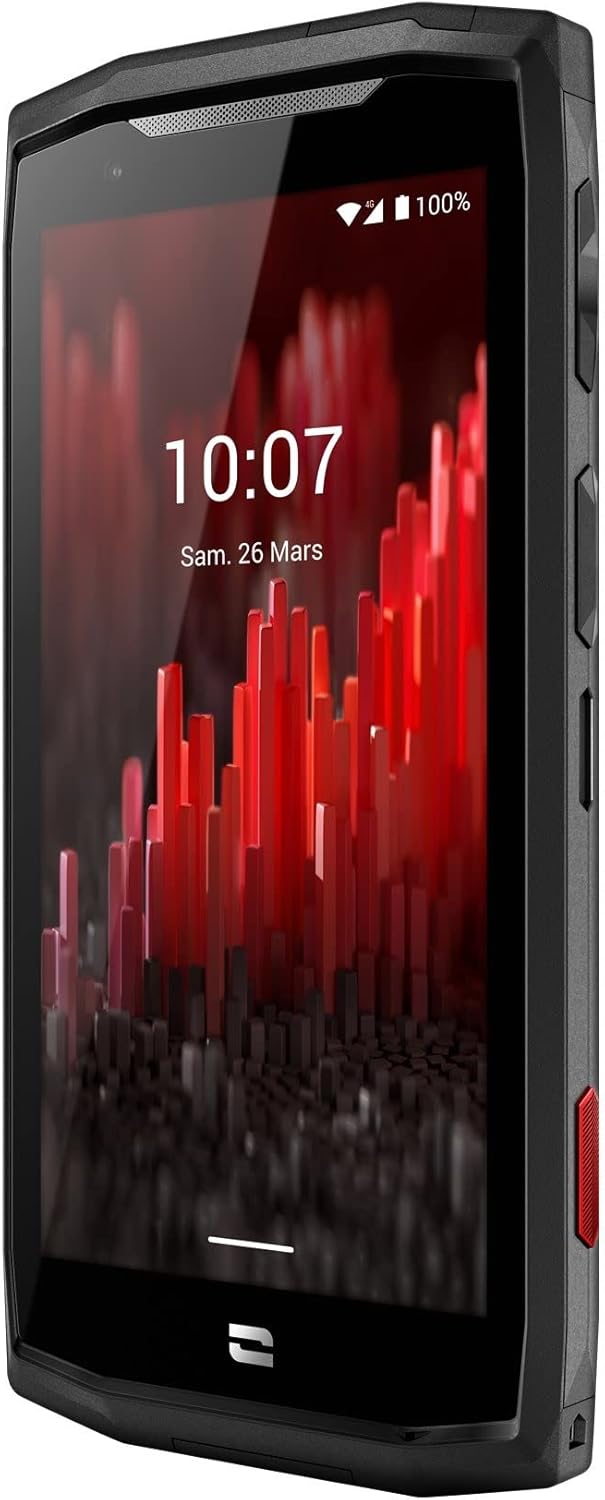
تصوير: سامهون واري زاويه view of the Crosscall CORE-M5 device, highlighting its robust design and display.
سيٽ اپ ڪريو
1. Inserting the SIM Card and Memory Card
The CORE-M5 supports SIM cards for cellular connectivity and an optional memory card for expanded storage. Locate the SIM/memory card tray on the side of the device.
- Power off the device completely.
- Use the provided SIM ejector tool (or a small paperclip) to open the SIM/memory card tray.
- Carefully place your SIM card(s) and/or memory card into the designated slots on the tray, ensuring correct orientation as indicated on the tray.
- آسانيءَ سان ٽري کي واپس ڊوائيس ۾ دٻايو جيستائين اهو جاءِ تي ڪلڪ نه ڪري.

Image: A user demonstrating the insertion of a SIM card into the device's slot.
2. شروعاتي چارجنگ
Before first use, it is recommended to fully charge your CORE-M5.
- Connect the USB charging cable to the device's charging port.
- ڪيبل جي ٻئي ڇيڙي کي هڪ مطابقت رکندڙ USB پاور اڊاپٽر يا ڪمپيوٽر جي USB پورٽ سان ڳنڍيو.
- The charging indicator on the screen will show the charging status. Allow the device to charge until the battery icon indicates a full charge.
3. پاورنگ آن ۽ شروعاتي ترتيب
- Press and hold the Power button (usually located on the side) until the Crosscall logo appears.
- شروعاتي سيٽ اپ مڪمل ڪرڻ لاءِ اسڪرين تي ڏنل هدايتن تي عمل ڪريو، جنهن ۾ ٻولي جي چونڊ، وائي فائي ڪنيڪشن، گوگل اڪائونٽ سيٽ اپ، ۽ سيڪيورٽي سيٽنگون شامل آهن.
Operating the CORE-M5
بنيادي نيويگيشن
- ٽچ اسڪرين: Navigate the device using taps, swipes, and pinch gestures on the 4.95-inch touchscreen display.
- پاور بٽڻ: Press to turn the screen on/off, or press and hold to power off/restart the device.
- حجم بٽڻ: ميڊيا جي مقدار، ڪال جي مقدار، يا رنگ ٽون جي مقدار کي ترتيب ڏيو.
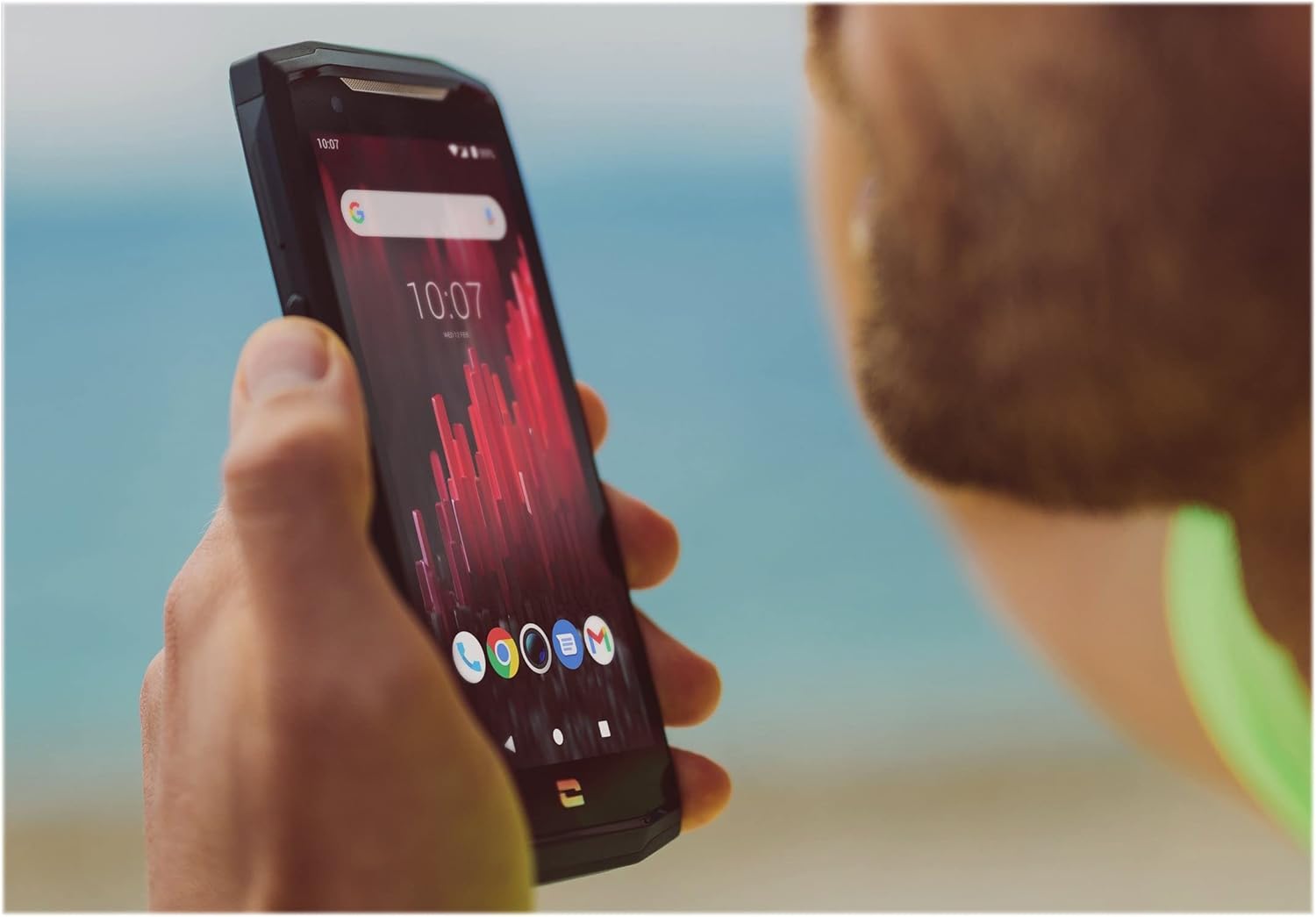
Image: The CORE-M5 in use, demonstrating its compact size and clear display for outdoor visibility.
رابطي
- وائي فائي: Access Wi-Fi settings from the Quick Settings panel or Settings app to connect to wireless networks.
- بلوٽوٿ: Pair with Bluetooth devices such as headphones, speakers, or other smartphones via the Bluetooth settings.
- USB: Connect the device to a computer using the USB cable for data transfer or charging.
- سيلولر ڊيٽا: Enable or disable mobile data from the Quick Settings or Network & Internet settings. Supports 2G and 3G cellular technologies.
ڪئميرا ڪارڪردگي
The CORE-M5 features both front and rear cameras for capturing photos and videos.
- هوم اسڪرين يا ايپ ڊراور مان ڪئميرا ايپليڪيشن کوليو.
- Tap the shutter button to take a photo or switch to video mode to record.
- اڳيان ۽ پوئين ڪيمرائن جي وچ ۾ سوئچ ڪرڻ، زوم کي ترتيب ڏيڻ، يا فلٽر لاڳو ڪرڻ لاءِ آن-اسڪرين ڪنٽرول استعمال ڪريو.
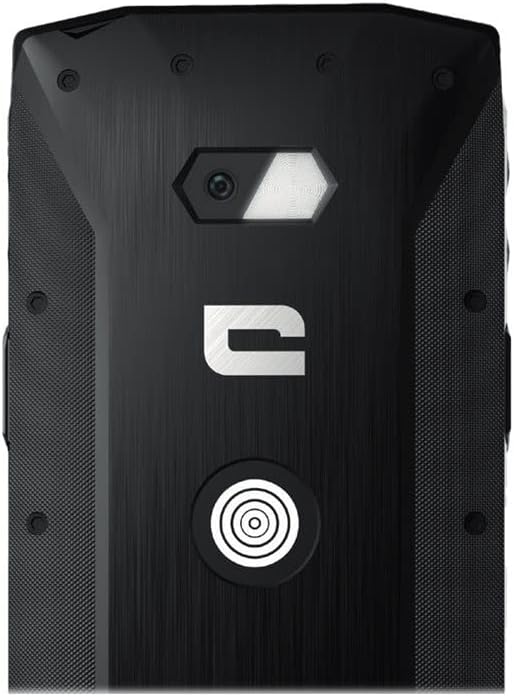
تصوير: تفصيلي view of the CORE-M5's rear, highlighting the camera module and the X-Link magnetic connection system.
X-Link System
The CORE-M5 is equipped with Crosscall's X-Link magnetic connection system on the back, allowing for easy attachment of compatible accessories such as chargers, mounts, and external batteries.
- Align the X-Link accessory with the magnetic connector on the back of your CORE-M5.
- The magnets will guide the accessory into place, ensuring a secure connection.

Image: The CORE-M5 securely mounted in a vehicle, demonstrating the utility of the X-Link system for hands-free use.
سار سنڀال
- صفائي: نرم استعمال ڪريو، ڊيamp cloth to clean the device. Avoid harsh chemicals or abrasive materials. Ensure all ports are closed before cleaning if exposed to water.
- پاڻي ۽ مٽي جي مزاحمت: The CORE-M5 is designed to be rugged. However, ensure all port covers are securely closed to maintain water and dust resistance. Avoid prolonged submersion beyond specified limits.
- بيٽري جي سنڀال: To prolong battery life, avoid extreme temperatures. Do not allow the battery to fully discharge frequently.
- سافٽ ويئر اپڊيٽ: بهترين ڪارڪردگي ۽ سيڪيورٽي کي يقيني بڻائڻ لاءِ باقاعدي طور تي سسٽم اپڊيٽس جي جانچ ڪريو ۽ انسٽال ڪريو.
مشڪلاتون
| مسئلو | ممڪن سبب | حل |
|---|---|---|
| ڊوائيس پاور نه ٿيندي | گهٽ بيٽري؛ سافٽ ويئر ڪريش | Charge the device for at least 30 minutes. Perform a forced restart by holding the Power button for 10-15 seconds. |
| اسڪرين غير جوابدار آهي | عارضي سافٽ ويئر جي خرابي | Restart the device. If unresponsive, perform a forced restart. |
| Poor call quality / No network | Weak signal; incorrect SIM insertion; network issue | Move to an area with better signal. Reinsert the SIM card. Contact your network provider. |
| ايپس جو ڪريش ٿيڻ يا منجمد ٿيڻ | Insufficient memory; app conflict; outdated software | Close background apps. Clear app cache/data. Update apps and system software. Free up storage space. |
وضاحتون
| خاصيت | تفصيل |
|---|---|
| ماڊل نالو | 1001011101114 |
| برانڊ | ڪراس ڪال |
| آپريٽنگ سسٽم | Android |
| سي پي يو ماڊل | Cortex |
| اسڪرين جي ماپ | 4.95 انچ |
| قرارداد | 1026 x 513 |
| رام | 3 جي بي |
| ميموري رکڻ جي صلاحيت | 32 جي بي |
| بيٽري جي گنجائش | 4000 mAh |
| فون تي ڳالهائڻ جو وقت | 24 ڪلاڪ |
| رابطي | بلوٽوٿ، وائي فائي، يو ايس بي |
| سيلولر ٽيڪنالاجي | 2 جي، 3 جي |
| وائرليس ڪيريئر | لاڪ ٿيل |
| ڪيمرا | ريئر ، فرنٽ |
| رنگ | ڪارو |
| پيداوار جي ماپ | 4.25 x 0.79 x 4.25 انچ |
| شيءِ جو وزن | 8 آونس (226.6 گرام) |
| پهرين دستياب | سيپٽمبر 21، 2021 |
وارنٽي ۽ سپورٽ
Crosscall products are known for their durability and come with a manufacturer's warranty. For specific warranty terms and conditions, please refer to the warranty card included with your product or visit the official Crosscall webسائيٽ.
For technical support, troubleshooting assistance, or service requests, please contact Crosscall Customer Service through their official channels. Have your product model number (1001011101114) and purchase information ready when contacting support.
Official Crosscall Webسائيٽ: www.crosscall.com


