1. تعارف
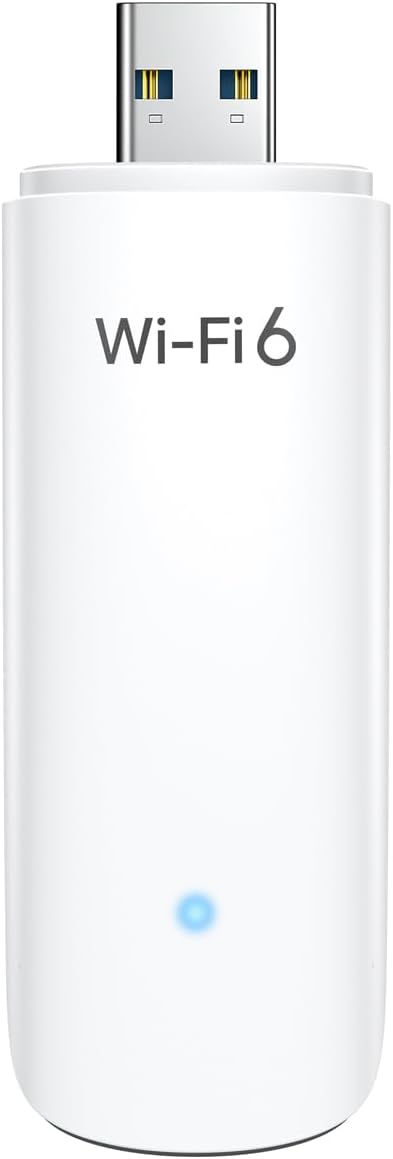
This manual provides detailed instructions for the installation, operation, and maintenance of your BrosTrend WiFi 6 AX1800Mbps USB WiFi Adapter (Model AX1). This device is designed to upgrade your PC, laptop, or desktop to the latest WiFi 6 standard, offering faster speeds and improved network efficiency. It supports Windows 11 and Windows 10 operating systems only.
2. حفاظت جي ڄاڻ
- ڊوائيس کي پاڻي يا گهڻي نمي جي سامهون نه رکو.
- انتهائي گرمي پد کان بچاء.
- پاڻ ڊوائيس کي ڌار ڪرڻ يا مرمت ڪرڻ جي ڪوشش نه ڪريو. قابل سروس اهلڪارن سان رجوع ڪريو.
- ٻارن جي پهچ کان پري رکو.
- استعمال دوران مناسب وينٽيليشن کي يقيني بڻايو وڃي.
3. پيڪيج مواد
تصديق ڪريو ته توھان جي پيڪيج ۾ ھيٺيون شيون شامل آھن:
- 1 x BrosTrend AX1800Mbps USB WiFi 6 Adapter (Model AX1)
- 1 x تڪڙي انسٽاليشن گائيڊ
4. سيٽ اپ ۽ تنصيب
Follow these steps to install your BrosTrend WiFi 6 USB Adapter:
- سسٽم گهرجون: Ensure your computer is running Windows 11 or Windows 10. Linux operating systems are not supported.
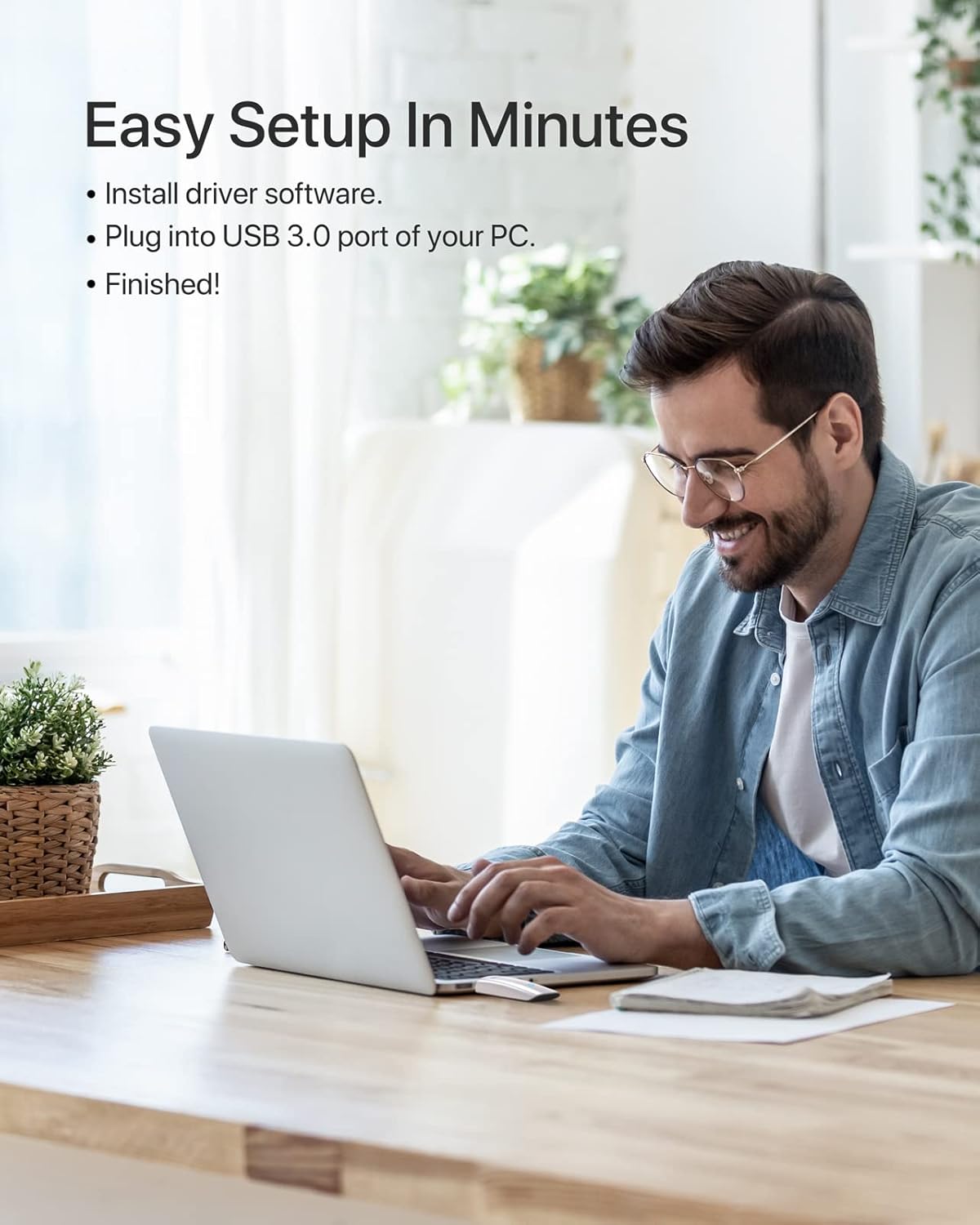
- ڊرائيور لڳائڻ: The adapter comes with a pre-loaded driver. When you plug it into your computer for the first time, the system should automatically detect the device and initiate driver installation. If automatic installation does not occur, you may need to access the adapter's internal storage (which appears as a virtual CD-ROM drive) and run the setup executable.
- اڊاپٽر کي ڳنڍيو: Insert the BrosTrend AX1800Mbps USB WiFi 6 Adapter into an available USB 3.0 port on your PC, laptop, or desktop. For optimal performance, use a USB 3.0 port (typically blue inside).
- انسٽاليشن جي تصديق ڪريو: After installation, a new wireless network adapter should appear in your computer's Device Manager. The blue LED indicator on the adapter will illuminate when it is properly connected and functioning.

5. آپريٽنگ هدايتون
Once the adapter is installed, you can connect to a wireless network:
- نيٽ ورڪ سيٽنگون تائين رسائي: پنهنجي سسٽم ٽري ۾ وائي فائي آئڪن تي ڪلڪ ڪريو (عام طور تي توهان جي اسڪرين جي هيٺئين ساڄي ڪنڊ ۾).
- نيٽورڪ چونڊيو: موجود وائرليس نيٽ ورڪن جي هڪ فهرست ظاهر ٿيندي. پنهنجو گهربل نيٽ ورڪ (SSID) چونڊيو.
- ڳنڍڻ: "ڪنيڪٽ" تي ڪلڪ ڪريو ۽ جيڪڏهن اشارو ڪيو وڃي ته نيٽ ورڪ سيڪيورٽي ڪي (پاسورڊ) داخل ڪريو.
- ڊبل بينڊ آپريشن: The adapter supports both 5GHz and 2.4GHz bands. For higher speeds and less interference, connect to a 5GHz network if available. For broader coverage, the 2.4GHz band is suitable.
- ترقي يافته خاصيتون: The adapter utilizes UL/DL MU-MIMO and OFDMA technologies for improved network throughput and efficiency, especially in environments with multiple devices. Beamforming technology enhances signal strength and coverage.


6. سار سنڀال
توهان جي اڊاپٽر جي ڊگهي عمر ۽ بهترين ڪارڪردگي کي يقيني بڻائڻ لاءِ:
- اڊاپٽر کي صاف ۽ مٽيءَ کان پاڪ رکو. صفائي لاءِ نرم، سڪل ڪپڙو استعمال ڪريو.
- Avoid physical impact or dropping the device.
- When not in use, you may unplug the adapter and store it in a safe place. The adapter includes a protective cap for the USB connector.
- Periodically check the BrosTrend website for updated drivers, although the pre-loaded driver is generally sufficient.

7. مسئلا حل ڪرڻ
If you encounter issues with your BrosTrend WiFi 6 USB Adapter, consider the following:
- Adapter Not Detected / No Indicator Light:
- پڪ ڪريو ته اڊاپٽر مڪمل طور تي USB 3.0 پورٽ ۾ داخل ٿيل آهي.
- توهان جي ڪمپيوٽر تي هڪ مختلف USB پورٽ جي ڪوشش ڪريو.
- پنهنجي ڪمپيوٽر کي ٻيهر شروع ڪريو.
- Verify that your operating system is Windows 11 or Windows 10.
- Slow Speeds / Frequent Disconnections:
- Ensure you are connected to a 5GHz network if available and within range for optimal speed.
- Check for obstacles between your computer and the wireless router.
- پنھنجي روٽر جي فرم ويئر کي اپڊيٽ ڪريو.
- Temporarily disable any VPN or firewall software to see if it resolves the issue.
- اڊاپٽر ڊرائيورن کي ٻيهر انسٽال ڪريو.
- ڊرائيور جي انسٽاليشن جا مسئلا:
- If the driver does not install automatically, open "This PC" or "My Computer", locate the virtual CD-ROM drive associated with the adapter, and run the setup file.
- Ensure your antivirus software is not blocking the driver installation.
- Download the latest drivers from the official BrosTrend support webسائيٽ جيڪڏھن ضروري ھجي.
8. وضاحتون
| خاصيت | تفصيل |
|---|---|
| ماڊل نمبر | AX1 |
| وائرلیس معياري | IEEE 802.11ax (WiFi 6) |
| ڊيٽا جي منتقلي جي شرح | 1800Mbps تائين (5GHz تي 1201Mbps، 2.4GHz تي 574Mbps) |
| فريکوئنسي بينڊ | 2.4GHz and 5GHz (Dual Band) |
| انٽرفيس | USB 3.0 |
| مطابقت رکندڙ آپريٽنگ سسٽم | Windows 11, Windows 10 (Linux NOT supported) |
| Antenna جو قسم | Internal On-Board Antennas |
| طول و عرض (L x W x H) | 3.62 x 1.18 x 0.51 انچ (9.2 x 3.0 x 1.3 سينٽي) |
| شيءِ جو وزن | 0.635 آونس (18 گرام) |
| رنگ | اڇو |
| ترقي يافته خاصيتون | UL/DL MU-MIMO, OFDMA, Beamforming, WPA3 Encryption |
9. وارنٽي ۽ سپورٽ
BrosTrend products come with a manufacturer's warranty. Please refer to the official BrosTrend website or the Quick Installation Guide for specific warranty terms and conditions.
For technical support, driver downloads, or further assistance, please visit the BrosTrend support page or contact their customer service. Contact information is typically provided in the Quick Installation Guide or on the official BrosTrend webسائيٽ.
آن لائن سپورٽ: www.brostrend.com/support (مثالampلنڪ، مھرباني ڪري اصل سپورٽ جي تصديق ڪريو URL)


