1. تعارف
This manual provides essential information for the proper setup, operation, and maintenance of your HP Wireless Mouse S1500. Please read these instructions carefully before using the product to ensure optimal performance and longevity.

Image 1.1: The HP Wireless Mouse S1500, showcasing its ergonomic and lightweight design.
2. سيٽ اپ
2.1 پيڪيج مواد
پڪ ڪريو ته توهان جي پيڪيج ۾ هيٺيون شيون شامل آهن:
- HP Wireless Mouse S1500
- USB 2.4GHz رسيور
- AA Battery (pre-installed or included separately)
2.2 بيٽري لڳائڻ
- مائوس جي هيٺئين پاسي بيٽري جي ڪمپارٽمينٽ ڪَوَر کي ڳوليو.
- ڪمپارٽمينٽ کولڻ لاءِ ڍڪ کي سلائڊ ڪريو يا مٿي کڻو.
- هڪ AA بيٽري داخل ڪريو، پڪ ڪريو ته مثبت (+) ۽ منفي (-) ٽرمينل ڪمري اندر اشارن سان صحيح طرح سان ترتيب ڏين.
- بيٽري جي ڪمري واري ڍڪ کي تبديل ڪريو.
2.3 USB رسيور کي ڳنڍڻ

Image 2.1: The HP Wireless Mouse S1500 and its accompanying 2.4GHz USB receiver.
- Remove the USB 2.4GHz receiver from its storage slot, usually located within the battery compartment or on the underside of the mouse.
- USB رسيور کي توهان جي ڪمپيوٽر تي موجود USB پورٽ ۾ پلگ ان ڪريو.
- توهان جي ڪمپيوٽر کي خودڪار طريقي سان ضروري ڊرائيور ڳولڻ ۽ انسٽال ڪرڻ گهرجن. هن عمل ۾ ڪجهه لمحا لڳي سگهن ٿا.

Image 2.2: The mouse utilizes 2.4GHz wireless technology for a stable connection up to approximately 10 meters.
3. آپريٽنگ هدايتون
3.1 بنيادي ڪم
The HP Wireless Mouse S1500 features three standard buttons and a scroll wheel:
- کاٻي بٽڻ: پرائمري ڪلڪ فنڪشن، شيون چونڊڻ، کولڻ لاءِ استعمال ٿيندو آهي files، ۽ سافٽ ويئر سان لهه وچڙ ۾.
- ساڄي بٽڻ: Secondary click function, typically used to open context menus.
- اسڪرول ويل: دستاويزن ذريعي اسڪرول ڪرڻ لاءِ استعمال ڪيو ويندو آهي ۽ web pages. It can also function as a middle button when pressed.

Image 3.1: The HP Wireless Mouse S1500 in use, demonstrating its comfortable fit for daily tasks.
3.2 Ergonomics and Portability
The S1500 mouse is designed for comfort and ease of use. Its ergonomic shape fits naturally in the hand, and its lightweight construction makes it suitable for extended use and portability.
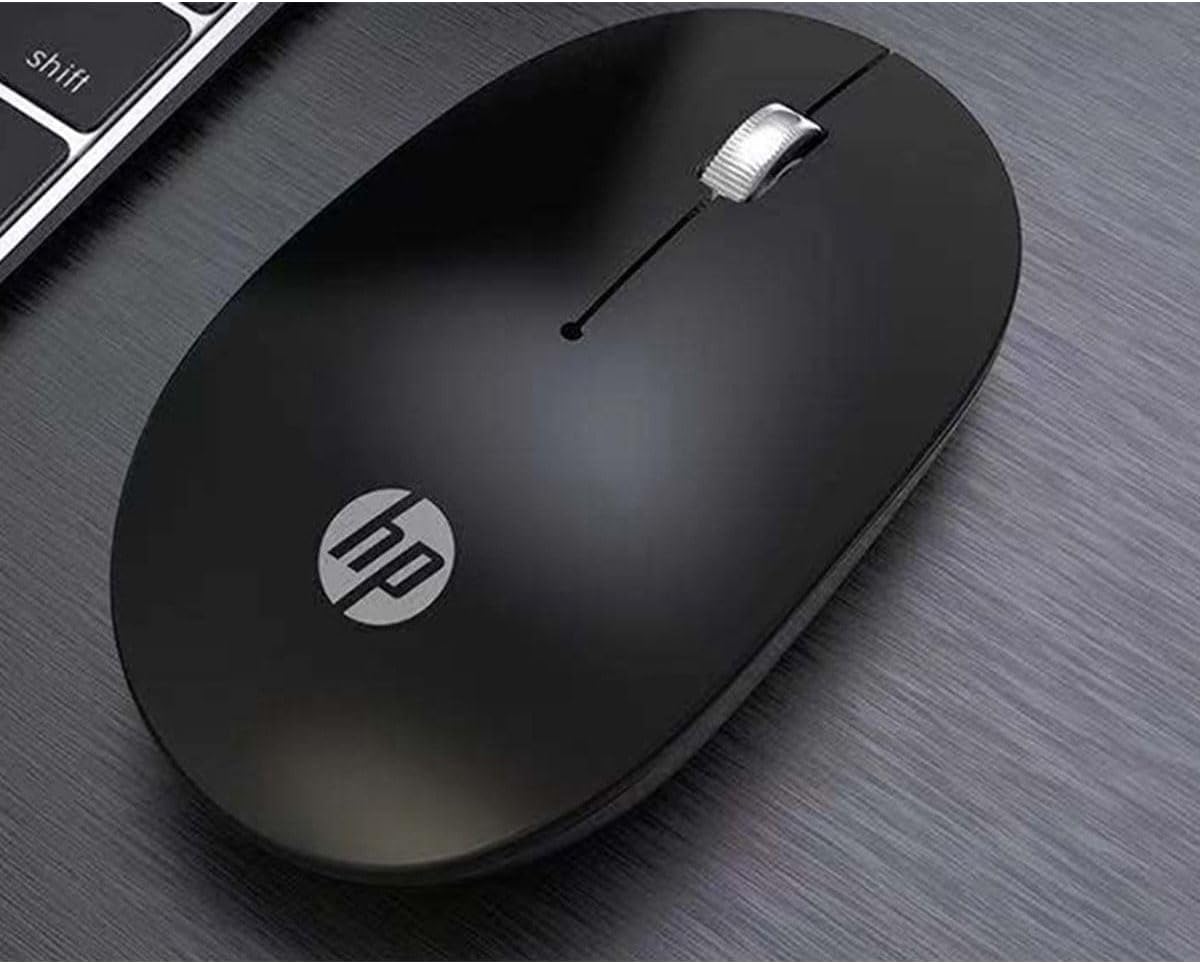
Image 3.2: The HP Wireless Mouse S1500 positioned for use on a typical workspace.
3.3 پاور مئنيجمينٽ
The mouse features a smart sleep function combined with energy-saving optimization to extend battery life. If the mouse is inactive for a period, it will enter a low-power sleep mode. To wake it up, simply move the mouse or click any button.

Image 3.3: The HP Wireless Mouse S1500's power management features contribute to long battery life.
4. سار سنڀال
4.1 صفائي
پنهنجي مائوس کي صاف ڪرڻ لاءِ، نرم، سڪل، لِنٽ کان پاڪ ڪپڙو استعمال ڪريو. ضدي مٽيءَ لاءِ، ٿورو ڊيampen the cloth with water. Avoid using harsh chemicals, solvents, or abrasive cleaners, as these can damage the mouse's surface.
4.2 بيٽري مٽائڻ
When the mouse's performance degrades or it stops responding, it may be time to replace the battery. Follow the steps in Section 2.2 to replace the AA battery.
5. مسئلا حل ڪرڻ
5.1 ماؤس جواب نه ڏئي رهيو آهي
- بيٽري چيڪ ڪريو: Ensure the AA battery is correctly installed and has sufficient charge. Replace if necessary.
- USB رسيور چيڪ ڪريو: Make sure the USB receiver is securely plugged into a working USB port on your computer. Try a different USB port.
- فاصلو: Ensure the mouse is within the effective operating range (approximately 10 meters) of the USB receiver.
- مداخلت: Move the mouse and receiver away from other wireless devices or large metal objects that might cause interference.
- ڪنيڪشن ٻيهر قائم ڪريو: Some mice have a connect button on the underside. If available, press it and then press the connect button on the receiver (if applicable) to re-establish the connection.
5.2 بي ترتيب ڪرسر حرڪت
- صاف سينسر: Ensure the optical sensor on the underside of the mouse is clean and free from dust or debris.
- سطح: Use the mouse on a clean, non-reflective, and uniform surface. Avoid highly reflective or transparent surfaces like glass. A mouse pad is recommended.
6. وضاحتون
| خاصيت | تفصيل |
|---|---|
| ماڊل نالو | S1500 |
| برانڊ | HP |
| رابطي ٽيڪنالاجي | 2.4GHz وائرليس (USB رسيور) |
| حرڪت جي چڪاس | بصري |
| بٽڻ جي مقدار | 3 (کاٻي، ساڄي، اسڪرول ويل/وچ) |
| هٿ جو رخ | ساڄو |
| خاص خاصيتون | Ergonomic Design, Lightweight, Portable, Soundless, Wireless |
| طاقت جو ذريعو | 1 x AA بيٽري |
| مطابقت رکندڙ ڊوائيسز | پرسنل ڪمپيوٽر |
| پيڪيج جي ماپ | 12 x 8.2 x 4.6 سينٽي |
| وزن | 250 گرام (پيڪيجنگ سميت) |
7. وارنٽي ۽ سپورٽ
7.1 وارنٽي ڄاڻ
هي HP پراڊڪٽ محدود وارنٽي سان ڍڪيل آهي. مخصوص وارنٽي شرطن ۽ ضابطن لاءِ، مهرباني ڪري پنهنجي پراڊڪٽ سان شامل وارنٽي ڪارڊ جو حوالو ڏيو يا سرڪاري HP سپورٽ جو دورو ڪريو. webسائيٽ. وارنٽي دعوائن لاءِ خريداري جو ثبوت رکو.
7.2 ٽيڪنيڪل سپورٽ
ٽيڪنيڪل مدد، ڊرائيور ڊائون لوڊ، يا وڌيڪ معلومات لاءِ، مهرباني ڪري سرڪاري HP سپورٽ جو دورو ڪريو. website or contact HP customer service. Contact details can typically be found on the HP webسائيٽ يا پيداوار جي پيڪنگنگ ۾.
ايڇ پي آفيشل Webسائيٽ: www.hp.com