1. تعارف
The Spigen 3in1 10000mAh Wireless Charging Power Bank is a versatile device designed to meet your charging needs on the go and at home. It functions as a wireless charger, a portable power bank, and a convenient mobile phone stand. With its 10000mAh capacity and fast charging capabilities via USB-A, USB-C, and wireless charging, it ensures your devices stay powered throughout the day.
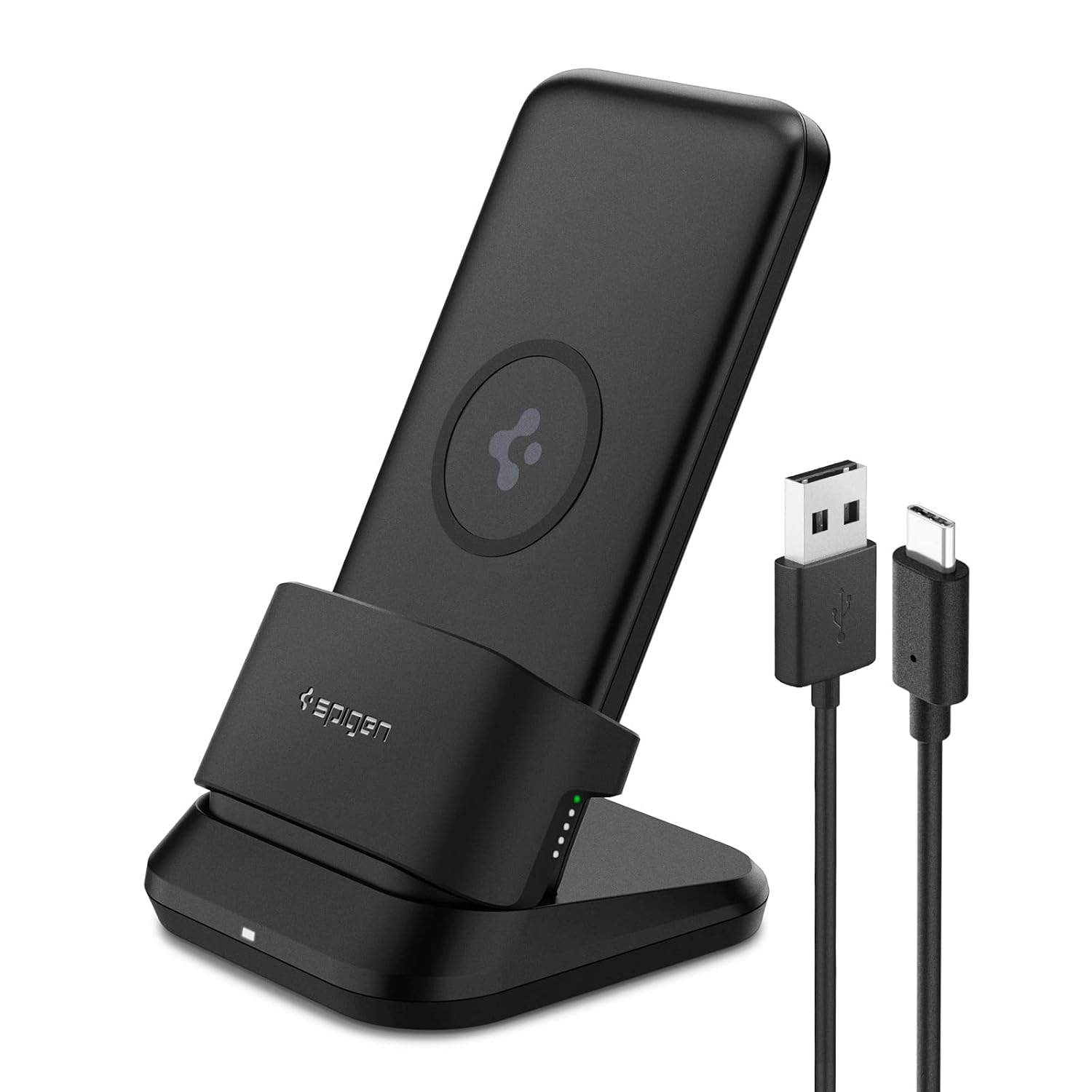
Image: The Spigen 3in1 Power Bank with its charging dock and included USB-A to USB-C cable.
2. دٻي ۾ ڇا آهي
Upon unboxing your Spigen 3in1 Power Bank, please ensure all the following components are present:
- وائرليس پاور بئنڪ
- چارجنگ ڊاک
- TPU Deck
- USB-A کان USB-C ڪيبل (1m)
Note: A USB-Power Adapter is not included and must be purchased separately. For optimal performance, a 20W charger is recommended.

Image: All components included in the package: Wireless Power Bank, TPU Deck, Charging Dock, and USB-A to USB-C Cable.
3. سيٽ اپ ۽ شروعاتي چارجنگ
Before first use, it is recommended to fully charge your Spigen 3in1 Power Bank.
- Connect the provided USB-A to USB-C cable to the charging dock.
- Plug the USB-A end into a compatible USB power adapter (not included).
- Place the Wireless Powerbank onto the charging dock. The LED indicators on the power bank will illuminate to show charging progress.
- Allow the power bank to charge until all LED indicators are solid white, indicating a full charge.

Image: The power bank placed on its charging dock, connected to a wall adapter for charging.
4. آپريٽنگ هدايتون
4.1. وائرليس چارجنگ
The Spigen 3in1 Power Bank supports wireless charging for compatible mobile devices. It can be used in both vertical and horizontal orientations when placed on the charging dock, or as a portable wireless charger.
- Vertical Wireless Charging: Place your wireless charging compatible phone vertically on the power bank while it is seated in the charging dock. Ensure the phone is centered for optimal charging.
- Horizontal Wireless Charging: Attach the included TPU Deck to the charging dock. Place your phone horizontally on the power bank, ensuring it is centered for optimal charging. This is ideal for media consumption.
- Portable Wireless Charging: Detach the power bank from the dock. Simply place your wireless charging compatible phone on the power bank's wireless charging surface. Press the power button on the side of the power bank to initiate wireless charging.

Image: The 3-in-1 functionality of the power bank, showing it as a wireless charger, power bank, and mobile stand.

Image: Demonstrates convenient use in both vertical and horizontal positions with the included TPU deck.

Image: Close-up of the anti-slip ring designed to prevent the device from slipping. Note: The anti-slip ring is not magnetic.
4.2. وائرڊ چارجنگ
The power bank features both USB-A (18W) and USB-C (20W) ports for fast wired charging. Wired charging is generally faster than wireless charging.
- Connect your device to the power bank using a compatible USB-A or USB-C cable.
- پاور بينڪ خودڪار طريقي سان توهان جي ڊوائيس کي چارج ڪرڻ شروع ڪندو.

Image: The power bank being used for both wireless charging on the dock and wired charging while portable.
4.3. ايل ايم ڊي اشارا
The power bank is equipped with informative and soft LED lights to indicate battery level and charging status. White lights indicate the battery level.

Image: Diagram showing the LED indicator patterns for battery levels (0-25%, 26-50%, 51-74%, 75-99%, 100%).
4.4. سرڪاري پراڊڪٽ وڊيوز
Video: Spigen Wireless Power Bank 10000mAh. This video demonstrates the wireless charging capabilities and different orientations.
Video: Spigen 3in1 10000mAh Wireless Charging Power Bank with USB-A | USB-C 20W Fast Charging, Included. This video provides a comprehensive overview of the product's features and charging methods.
5. سار سنڀال
To ensure the longevity and optimal performance of your Spigen 3in1 Power Bank, follow these maintenance guidelines:
- صفائي: Use a soft, dry cloth to clean the surface of the power bank and charging dock. Avoid using harsh chemicals or abrasive materials.
- اسٽوريج: ڊوائيس کي سڌي سج جي روشني ۽ انتهائي گرمي پد کان پري ٿڌي، سڪل جاءِ تي رکو.
- بيٽري جي اصلاح: If you experience any unusual behavior or wish to optimize the power bank's performance, you can reset it by pressing the power button for more than 10 seconds. This helps the power bank adapt to the mobile device.
6. مسئلا حل ڪرڻ
هتي ڪجھ عام مسئلا ۽ انهن جا حل آهن:
- Q: Is it normal for the wireless charger or phone to become hot while wireless charging?
- A: Wireless chargers get slightly hotter than cable chargers because they transfer electricity using magnetic induction, which is normal. The power bank is designed to discharge at 65°C and restart at 45°C according to its Over Temperature Protection (OTP) function.
- Q: Wireless charging has turned on and off. Is it defective?
- A: If the device is not in the center position or if heat increases, charging may be temporarily stopped to protect the device. This is a normal function to protect the device and is not indicative of a defect.
- Q: My device is not charging or charging slowly.
- A: Ensure the power bank is sufficiently charged. For wireless charging, make sure your device is properly aligned on the charging surface. For wired charging, ensure the cable is securely connected to both the power bank and your device. Remember that wired charging is faster than wireless charging. Also, ensure your power adapter (not included) provides sufficient wattage (20W recommended).

Image: Common questions and answers regarding the power bank's operation and safety features.

Image: Information on the power bank's safety features, including Intelligent Safety, Airboost, Overheat Protection, and Power Quality Technology.
7. وضاحتون
| خاصيت | تفصيل |
|---|---|
| ماڊل نمبر | پي اي 2001 |
| بيٽري جو قسم | ليتيم پوليمر |
| بيٽري جي گنجائش | 10000 مليamp ڪلاڪ |
| پيداوار جي ماپ | 15 x 9 x 9 سينٽي |
| شيءِ جو وزن | 370 جي |
| انٽ واليمtage | 12 وولٽ |
| وائرليس چارجنگ آئوٽ | Up to 15W (Fast wireless charge when used with only power bank or QC 3.0 adapter) |
| يو ايس بي-سي آئوٽ | 20W فاسٽ چارجنگ |
| USB-اي آئوٽ | 18W فاسٽ چارجنگ |
| خاص خاصيتون | LED Indicator Lights, Fast Charging, Wireless Charging |
| مطابقت رکندڙ ڊوائيسز | Universal for all devices under 6.9 inches, all mobile devices supporting Wireless Charging |
| رنگ | 3IN1 - A to C cable (Black) |
8. وارنٽي ۽ سپورٽ
Your Spigen 3in1 10000mAh Wireless Charging Power Bank comes with a standard brand warranty to ensure your peace of mind.
- وارنٽي مدت: 12-مهيني محدود وارنٽي.
- ٺاهيندڙ: Spigen, Topband India Private Limited.
- پيڪ ڪندڙ: Spigen India Private Limited.
For warranty claims, technical support, or any product-related inquiries, please refer to the contact information provided on the official Spigen India webسائيٽ يا توهان جي خريداري دستاويز.
Image: Highlights the 12-Month Limited Warranty and 'Made in India' certification.


