تعارف
This manual provides essential information for the safe and efficient operation of your Winix 9800 4-Stage True HEPA Air Purifier. Please read thoroughly before use and retain for future reference.
The Winix 9800 features a comprehensive 4-stage air purification system designed to remove airborne particles as small as 0.003 microns. It incorporates PlasmaWave® Technology, Smart Sensors for air quality monitoring, Auto Mode for efficient operation, and a Sleep Mode for quiet performance. WiFi connectivity allows for remote control and monitoring via the Winix Smart App.
پيداوار جون خاصيتون
- 4-ايسtagاي ايئر صاف ڪرڻ وارو نظام: Effectively captures 99.99% of airborne particles as small as 0.003 microns.
- PlasmaWave® Technology: Assists in reducing airborne bacteria and viruses.
- سمارٽ سينسر: Detect and monitor ambient air quality, providing visual feedback.
- خودڪار موڊ: Automatically adjusts fan speed based on detected air quality for optimal efficiency.
- سمهڻ جو طريقو: Activates automatically in darkened rooms for quiet, energy-efficient operation.
- وائي فائي ڪنيڪشن: Enables control and monitoring via the Winix Smart App.
- ڪوريج ايريا: AHAM Verifide for rooms up to 500 sq ft. Cleans rooms up to 2,420 sq ft in 1 hour.
Filtration System Components
- Washable Fine Mesh Pre-Filter: The first line of defense against larger airborne particles, extending the life of subsequent filters.
- چالو ڪاربن فلٽر: Reduces Volatile Organic Compounds (VOCs) and common household odors from cooking, pets, and smoke.
- صحيح HEPA فلٽر: Traps 99.99% of airborne allergens including pollen, dust, smoke, pet dander, and ultrafine particles.
- PlasmaWave®: Creates hydroxyls to break down airborne pollutants at a molecular level.

سيٽ اپ گائيڊ
پيڪنگ ڪرڻ
Carefully remove the air purifier from its packaging. Ensure all components are present: the main unit, washable fine mesh pre-filter, activated carbon filters, and True HEPA filter.
فلٽر لڳائڻ
- هوا صاف ڪندڙ جي سامهون واري پينل کي کوليو.
- Remove any protective packaging from all filters.
- Install the True HEPA filter first, followed by the Activated Carbon filters. Ensure correct orientation as indicated on the filters.
- Place the Washable Fine Mesh Pre-Filter on top of the other filters.
- اڳيان پينل کي محفوظ طور تي بند ڪريو.
جڳت
Place the air purifier on a flat, stable surface. Ensure there is adequate space (at least 6-12 inches) around the unit for optimal airflow.
پاور ڪنيڪشن
بجلي جي تار کي معياري برقي آئوٽليٽ ۾ لڳايو.
آپريٽنگ هدايتون
پاور آن / آف
Press the Power button on the control panel to turn the unit on or off.
فين اسپيڊ ڪنٽرول
Use the Fan Speed button to cycle through different fan speeds: Low, Medium, High, Turbo. In Auto Mode, the unit adjusts fan speed automatically.
خودڪار موڊ
Press the Auto Mode button. The unit will automatically adjust its fan speed based on the detected air quality, indicated by the air quality sensor light.
سمهڻ جو موڊ
When in Auto Mode, the unit will automatically enter Sleep Mode in a dark room, operating at a reduced fan speed for quiet operation.

PlasmaWave® Function
The PlasmaWave® function is typically on by default. To toggle it on or off, press and hold the Fan Speed and Auto Mode buttons simultaneously for 3 seconds.
WiFi Connectivity and Winix Smart App
Download the Winix Smart App from your device's app store. Follow the in-app instructions to connect your air purifier to your home WiFi network. This allows for remote control, air quality monitoring, and filter life tracking.


سار سنڀال
فلٽر مٽائڻ جو اشارو
The unit features a filter replacement indicator light on the control panel. When illuminated, it signifies that the filters require replacement.

پري فلٽر صفائي
The washable fine mesh pre-filter should be cleaned regularly (e.g., every 2-4 weeks) by vacuuming or rinsing with water. Ensure it is completely dry before reinstallation.
چالو ڪاربن فلٽر متبادل
Replace the activated carbon filters approximately every 3 months, or as indicated by the filter replacement light. These filters are not washable.
صحيح HEPA فلٽر متبادل
Replace the True HEPA filter approximately every 12 months, or as indicated by the filter replacement light. This filter is not washable.
Resetting Filter Life Indicator
After replacing filters, press and hold the Filter Reset button (refer to specific model instructions if button is not clearly labeled) for 3-5 seconds until the indicator light turns off.
مشڪلاتون
If you encounter issues with your Winix 9800 Air Purifier, please refer to the following common solutions:
| مسئلو | ممڪن سبب | حل |
|---|---|---|
| يونٽ چالو نه آهي | Power cord not securely plugged in; Power outage | Ensure power cord is fully inserted into outlet; Check household circuit breaker. |
| هوا جو وهڪرو ڪمزور آهي | Filters are dirty or clogged; Air intake/outlet blocked | Clean or replace filters; Ensure unit is placed with adequate clearance. |
| غير معمولي شور | Foreign object in fan; Filters not installed correctly | Turn off and unplug unit, check for obstructions; Reinstall filters correctly. |
| Air quality indicator always blue/green (Good) despite poor air | سينسر گندو آهي | Clean the air quality sensor with a soft, dry cloth. |
| وائي فائي ڪنيڪشن جا مسئلا | Incorrect network password; Router too far; App issues | Verify WiFi password; Move unit closer to router; Restart app or unit. |
وضاحتون
- برانڊ: ونڪس
- ماڊل: 9800
- رنگ: ڪارو
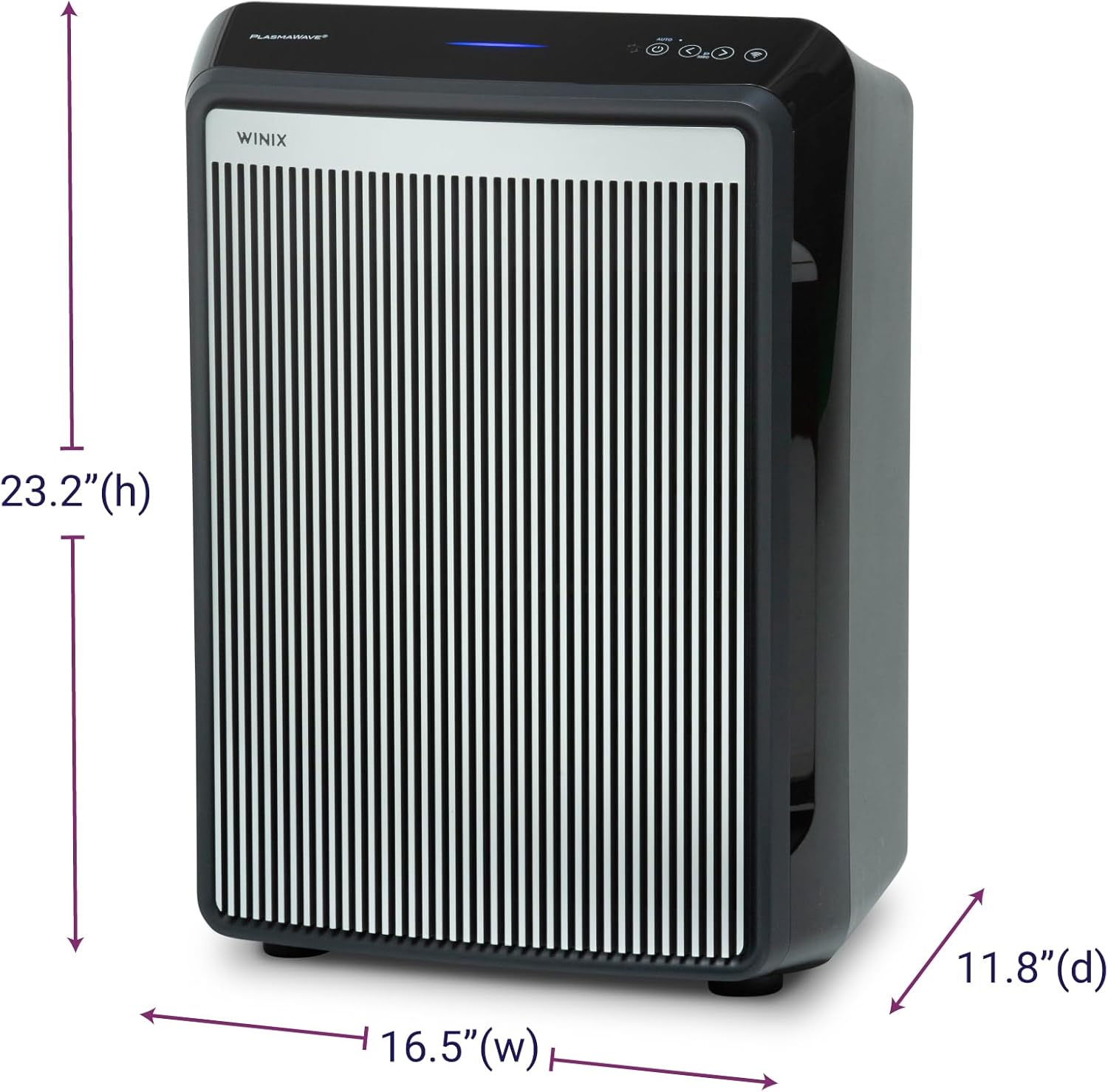
- پيداوار جا طول و عرض (ڊي x ڊبليو x ايڇ): 11.8" x 16.5" x 23.2"
- شيء جو وزن: 19 پائونڊ
- فرش جي ايراضي ڪوريج: AHAM Verifide at 500 sq ft. Cleans up to 2,420 sq ft in 1 hour.
- شور جي سطح: 26.2 Decibels (lowest setting)
- ذرو برقرار رکڻ جي ماپ: 0.003 Micron (True HEPA)
- واتtage: 95 واٽ
- ڪنٽرولر جو قسم: Button Control, Winix Smart App (iOS, Android), Amazon Alexa
- خاص خاصيتون: WiFi, 4-Stage Filtration, PlasmaWave®, Smart Sensors, Auto Mode, Sleep Mode
- سرٽيفڪيشن: AHAM Certified, CARB Certified, UL Certified
- شامل اجزاء: True HEPA Filter (1 year supply), Activated Carbon Filters (1 year supply)
- سنڀال جون هدايتون: Hand Wash (Pre-filter only)
- اسيمبلي جي ضرورت آهي: نه
- ٽڪرن جو تعداد: 1
وارنٽي ۽ سپورٽ
وارنٽي ڄاڻ
The Winix 9800 Air Purifier comes with a 2 سالن جي محدود وارنٽي. هي وارنٽي عام استعمال هيٺ مواد ۽ ڪاريگري ۾ خرابين کي ڍڪيندي آهي. وارنٽي دعوائن لاءِ مهرباني ڪري خريداري جو ثبوت رکو.
ڪسٽمر سپورٽ
For technical assistance, troubleshooting, or warranty inquiries, please visit the official Winix website or contact Winix customer service. Refer to the product packaging or official webموجوده رابطي جي معلومات لاءِ سائيٽ.
آن لائن وسيلا ۽ اڪثر پڇيا ويندڙ سوال (FAQs) پڻ موجود هوندا Winix Store Page.


