تعارف
The Logitech Signature M650 Wireless Mouse is designed for enhanced productivity and comfort. Featuring an adaptive SmartWheel for precise and fast scrolling, silent clicks with SilentTouch technology, and customizable side buttons, it offers a versatile and quiet user experience. This mouse connects wirelessly via Bluetooth Low Energy or the Logi Bolt USB receiver, making it compatible with a wide range of operating systems including PC, Mac, and Chromebook.
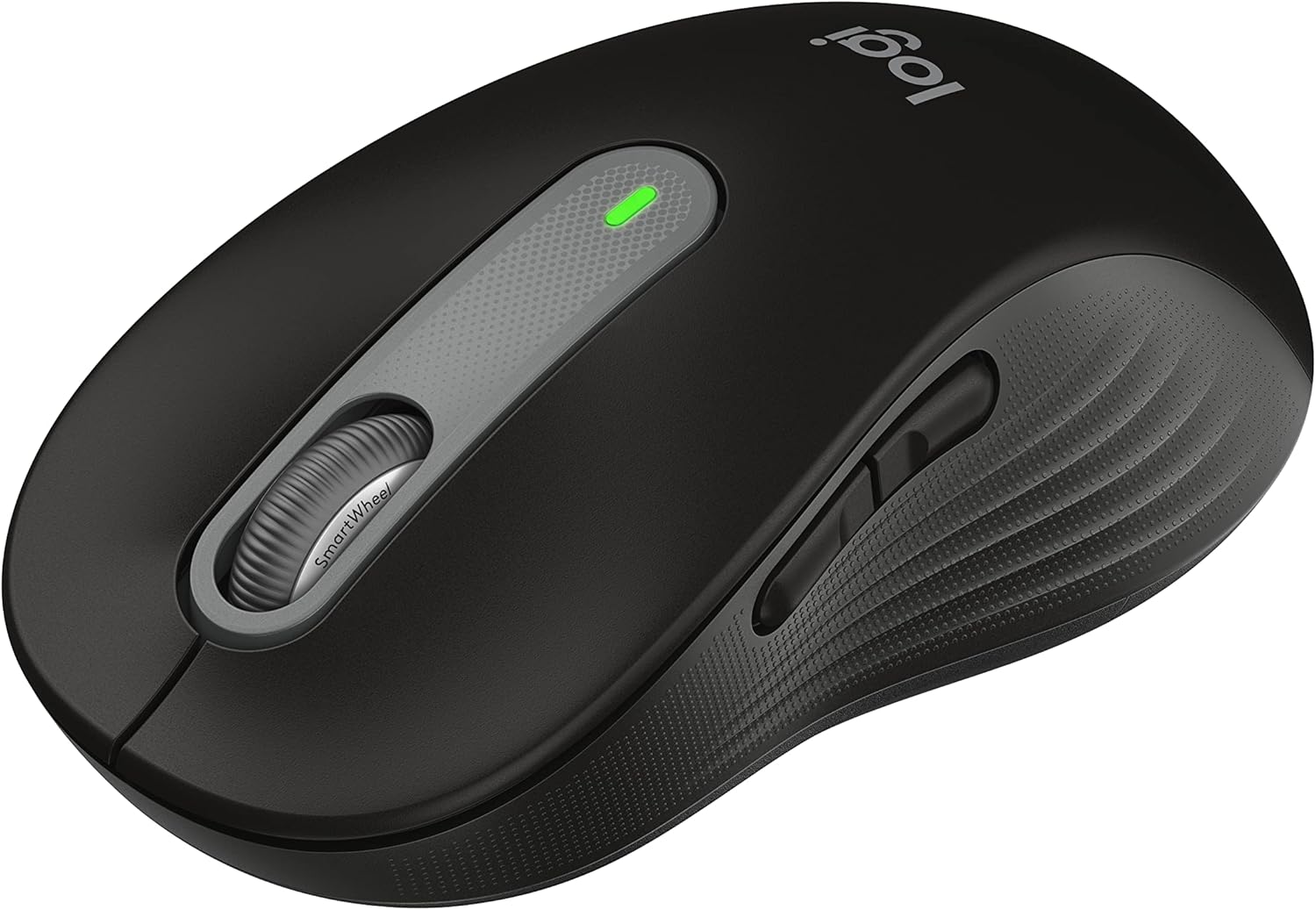
Figure 1: Logitech Signature M650 Wireless Mouse (Black)
سيٽ اپ ڪريو
1. انباڪسنگ ۽ ابتدائي معائنو
Carefully remove all components from the packaging. Ensure the mouse and the Logi Bolt USB receiver are present. The mouse comes with a pre-installed battery.

Figure 2: Logitech Signature M650 Packaging
2. پنھنجي ماؤس کي ڳنڍڻ
The Signature M650 offers two connection methods: Logi Bolt USB receiver or Bluetooth Low Energy.
Option A: Logi Bolt USB Receiver
- Remove the Logi Bolt USB receiver from the mouse's battery compartment.
- Logi Bolt USB رسيور کي پنهنجي ڪمپيوٽر تي موجود USB پورٽ ۾ لڳايو.
- Turn on the mouse using the power switch located on the bottom. The LED indicator should turn solid green, indicating a successful connection.
Option B: Bluetooth Low Energy
- هيٺئين پاسي موجود پاور سوئچ استعمال ڪندي ماؤس کي آن ڪريو.
- Press and hold the connect button on the bottom of the mouse until the LED indicator starts blinking rapidly, indicating pairing mode.
- On your computer, open Bluetooth settings and select the Logitech Signature M650 from the list of available devices to pair.

Figure 3: Connect via Bluetooth or Logi Bolt USB receiver
3. Installing Logitech Options+ Software
To unlock the full potential of your Signature M650, including customizable buttons and advanced SmartWheel settings, download and install the Logitech Options+ software from the official Logitech webسائيٽ (www.logitech.com/optionsplus). This software is available for Windows and macOS.
آپريٽنگ هدايتون
1. مائوس جا بنيادي ڪم
- کاٻي ڪلڪ ڪريو: بنيادي عمل، چونڊ.
- ساڄي ڪلڪ ڪريو: حوالي وارو مينيو.
- اسڪرول ويل: عمودي اسڪرولنگ.
2. اسمارٽ ويل اسڪرولنگ
اسمارٽ ويل پاڻمرادو ٻن طريقن جي وچ ۾ سوئچ ڪري ٿو:
- لائن بائي لائن درستگي: Ideal for detailed work and navigating documents.
- سپر فاسٽ فري اسپن: ڊگهي عرصي تائين جلدي اسڪرول ڪرڻ لاءِ web pages or spreadsheets. Simply flick the wheel to activate.

Figure 4: Precision and speed scrolling with SmartWheel
3. حسب ضرورت سائڊ بٽڻ
The two side buttons on your Signature M650 can be customized using the Logitech Options+ software. You can assign them to various shortcuts such as back/forward navigation, copy/paste, or other functions to enhance your workflow.

Figure 5: Customize buttons to your favorite shortcuts
4. SilentTouch Technology
The Signature M650 features SilentTouch technology, which reduces clicking noise by 90% compared to traditional mice. This allows for a quieter work environment, minimizing distractions for you and those around you.

Figure 6: 90% less clicking noise with SilentTouch technology
5. Ergonomics and Sizing
The mouse is designed for comfort during long hours of use, featuring a contoured shape, soft thumb area, and rubber side grips. The M650 is available in different sizes to accommodate various hand sizes, ensuring an optimal fit.

Figure 7: Designed for small-to-medium sized hands

Figure 8: Comfort shape and feel with rubber side grips

Figure 9: Available in two sizes (M650 and M650 L)
سار سنڀال
1. بيٽري مٽائڻ
The Logitech Signature M650 boasts a 24-month battery life, which may vary based on usage. When the battery is low, the LED indicator on the mouse will turn red. To replace the battery:
- مائوس جي تري ۾ بيٽري جي خاني کي ڳوليو.
- ڪمري جو ڍڪ کوليو.
- پراڻي AA بيٽري هٽايو.
- صحيح پولارٽي کي يقيني بڻائي، هڪ نئين AA بيٽري داخل ڪريو.
- بيٽري جي ڪمري واري ڍڪ کي محفوظ طور تي بند ڪريو.
2. صفائي جون هدايتون
بهترين ڪارڪردگي ۽ ظاهر کي برقرار رکڻ لاءِ، پنهنجي مائوس کي باقاعدي صاف ڪريو:
- نرم، لِنٽ کان خالي ڪپڙو استعمال ڪريو ڊيampپاڻي يا نرم صفائي جي حل سان ختم ڪيو وڃي.
- سخت ڪيميڪلز، رگڙيندڙ صاف ڪندڙ، يا محلول استعمال ڪرڻ کان پاسو ڪريو.
- مائوس کي پاڻي يا ڪنهن به مائع ۾ نه ٻوڙيو.
- صحيح ٽريڪنگ کي يقيني بڻائڻ لاءِ ماؤس جي تري ۾ موجود آپٽيڪل سينسر کي سڪل ڪپهه جي سواب سان صاف ڪريو.
مشڪلاتون
| مسئلو | ممڪن سبب | حل |
|---|---|---|
| مائوس جواب نه ڏئي رهيو آهي | Low battery; Receiver unplugged; Bluetooth not paired. | Replace battery; Re-insert Logi Bolt receiver; Re-pair Bluetooth connection. |
| بي ترتيب ڪرسر تحريڪ | Dirty optical sensor; Unsuitable surface. | Clean optical sensor; Use on a clean, non-reflective surface or mouse pad. |
| پاسي وارا بٽڻ ڪم نه ڪري رهيا آهن | Logitech Options+ not installed or configured. | Install Logitech Options+ software and customize button assignments. |
For further assistance, please refer to the official Logitech support website or the User Guide PDF.
وڊيو 1: پراڊڪٽ ختمview وڊيو. هي وڊيو هڪ عام جائزو فراهم ڪري ٿوview of the Logitech Signature M650 Wireless Mouse, demonstrating its key features and design.
وضاحتون
- ماڊل: ايم 650 (910-006268)
- رابطي: Bluetooth Low Energy, Logi Bolt USB Receiver (Radio Frequency)
- تحريڪ جي سڃاڻپ ٽيڪنالاجي: بصري
- بيٽري جي زندگي: Up to 24 months (may vary based on user and computing conditions)
- طاقت جو ذريعو: 1 x AA بيٽري (شامل)
- خاموش ڪلڪون: Yes, with SilentTouch Technology (90% less click noise)
- حسب ضرورت بٽڻ: Yes, via Logitech Options+ software
- SmartWheel: Yes, adaptive scroll
- ايرگونومڪس: Contoured shape, soft thumb area, rubber side grips
- طول و عرض (LxWxH): 4.22 x 2.43 x 0.1 inches (approximate, for Small-Medium size)
- وزن: 3.57 آونس (تقريبن)
- هارڊويئر پليٽ فارم مطابقت: PC, Linux, Mac
- آپريٽنگ سسٽم مطابقت: Linux, Chrome OS, Windows, macOS
- مواد: Made with recycled plastic (specific percentage may vary by color/model)
- اصليت جو ملڪ: چين
- پهريون دستياب: جنوري 11، 2022
وارنٽي ۽ سپورٽ
Logitech products typically come with a limited hardware warranty. For specific warranty details, registration, and technical support, please visit the official Logitech support webسائيٽ تي وڃو يا پنهنجي پراڊڪٽ سان شامل دستاويزن جو حوالو ڏيو.
You can also download the full User Guide in PDF format from the following link: Logitech Signature M650 User Guide (PDF)
For software downloads and advanced customization, visit: Logitech جا اختيار +


