تعارف
This manual provides comprehensive instructions for the installation, operation, and maintenance of your Noctua NF-P12 Redux 1700 PWM fan bundle. This bundle includes two NF-P12 Redux 1700 PWM fans, one NA-SYC1 Y-splitter cable, and one NA-SEC1 30cm extension cable. Please read these instructions carefully before proceeding with installation to ensure proper functionality and longevity of your components.
پيڪيج مواد
پڪ ڪريو ته هيٺ ڏنل سڀئي شيون توهان جي پيڪيج ۾ موجود آهن:
- 2x Noctua NF-P12 Redux 1700 PWM Fans
- 1x Noctua NA-SYC1 Y-Splitter Cable (2x 4-pin to 1x 4-pin)
- 1x Noctua NA-SEC1 30cm Extension Cable (4-pin)

تصوير: مٿانview of the Noctua NF-P12 Redux 1700 PWM fan bundle, showing two fans, a Y-splitter cable, and an extension cable.
سيٽ اپ ۽ تنصيب
1. Fan Installation (NF-P12 Redux 1700 PWM)
The NF-P12 Redux 1700 PWM fans are designed for use in PC cases, CPU coolers, or liquid cooling radiators. Ensure your system is powered off and disconnected from the power source before installation.
- چڙهڻ جي جڳھ جي سڃاڻپ ڪريو: Determine the desired location for the fan within your PC case, on a CPU cooler, or a radiator. Observe the airflow direction arrows on the fan frame to ensure correct orientation (intake or exhaust).
- پنکڙي کي محفوظ ڪريو: Use appropriate fan screws (typically M3 or self-tapping screws, often provided with your case or cooler) to secure the fan to the mounting points. Ensure the fan is firmly attached to prevent vibrations. Note: This fan bundle does not include mounting screws. Please use the screws provided with your PC case or cooling solution.
- پاور Connectنيو: Plug the fan's 4-pin PWM connector into an available 4-pin fan header on your motherboard or fan controller.

تصوير: سامهون view of the Noctua NF-P12 Redux 1700 PWM fan, showing the fan blades and frame. Note the airflow direction indicators on the side of the fan frame.

تصوير: پوئين پاسي view of the Noctua NF-P12 Redux 1700 PWM fan, displaying the motor hub and specifications label.
2. Using the NA-SYC1 Y-Splitter Cable
The NA-SYC1 Y-splitter cable allows you to connect two 4-pin PWM fans to a single 4-pin fan header on your motherboard. Both fans will operate at the same PWM-controlled speed, and the motherboard will receive RPM feedback from only one of the connected fans.
- مداحن کي ڳنڍيو: Plug the 4-pin PWM connectors of both NF-P12 fans into the two female 4-pin connectors on the NA-SYC1 Y-splitter cable.
- مدر بورڊ سان ڳنڍيو: Plug the single male 4-pin connector of the NA-SYC1 Y-splitter cable into an available 4-pin PWM fan header on your motherboard.

Image: The Noctua NA-SYC1 Y-splitter cable, showing its two input connectors and single output connector, alongside its packaging.
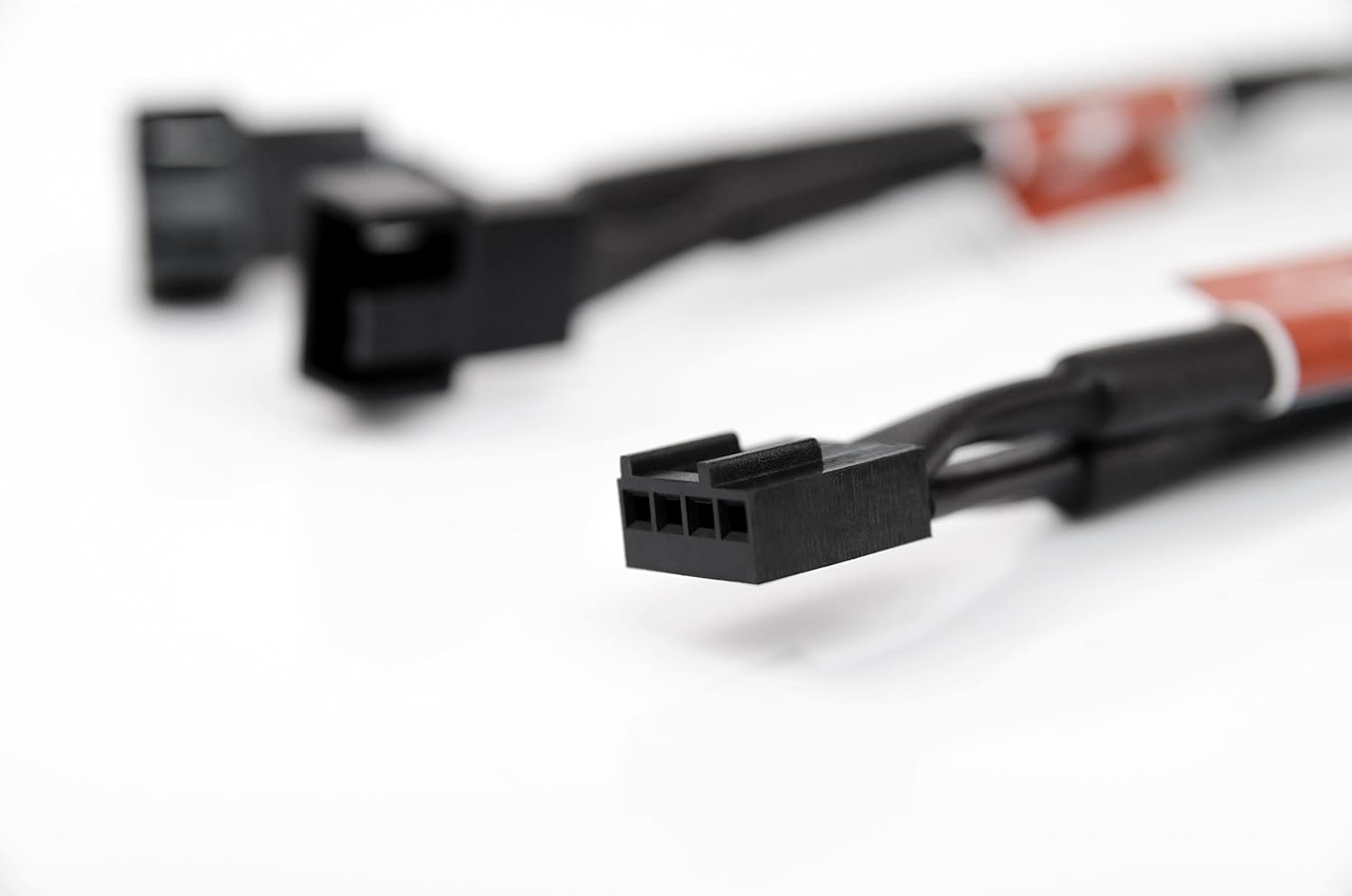
تصوير: ويجهو تصوير view of a 4-pin PWM fan connector, illustrating the pin configuration for power, ground, tachometer, and PWM signal.
3. Using the NA-SEC1 30cm Extension Cable
The NA-SEC1 30cm extension cable provides additional reach for your 4-pin PWM fan cables, useful for larger PC cases or specific cable management needs.
- فين ڳنڍيو: Plug the 4-pin PWM connector of your NF-P12 fan (or the NA-SYC1 Y-splitter) into the female 4-pin connector of the NA-SEC1 extension cable.
- مدر بورڊ سان ڳنڍيو: Plug the male 4-pin connector of the NA-SEC1 extension cable into an available 4-pin PWM fan header on your motherboard.
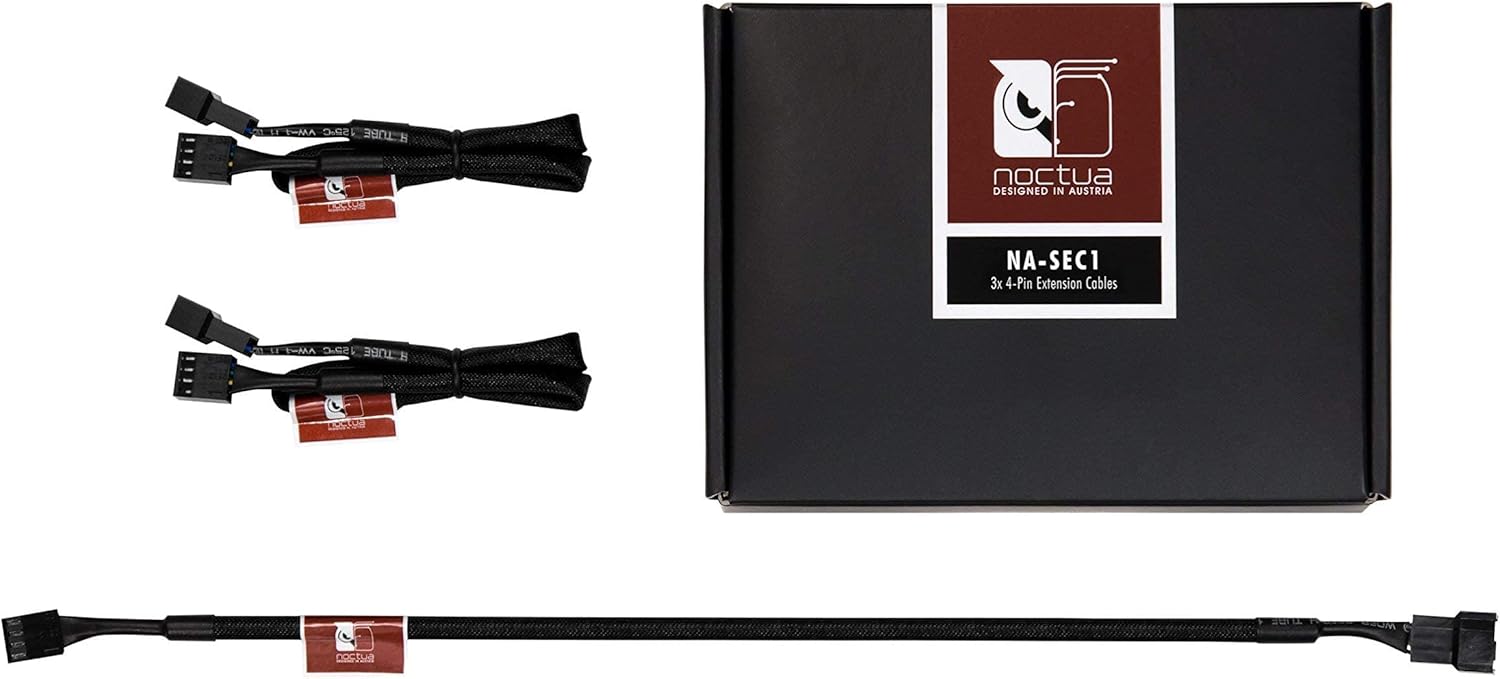
Image: The Noctua NA-SEC1 30cm extension cable, showing its male and female 4-pin connectors, alongside its packaging.

تصوير: ويجهو تصوير view of a 4-pin PWM extension cable connector, highlighting its design for secure connections.
آپريٽنگ هدايتون
Once installed and connected, the Noctua NF-P12 Redux 1700 PWM fans will operate based on the PWM signal received from your motherboard or fan controller. PWM (Pulse Width Modulation) allows for dynamic speed control, adjusting fan speed according to system temperature for optimal cooling and noise levels.
- BIOS/UEFI سيٽنگون: Access your motherboard's BIOS/UEFI settings to configure fan curves and control profiles. Most motherboards offer options to set fan speeds based on CPU or system temperatures.
- سافٽ ويئر ڪنٽرول: Some motherboards provide utility software for fan control directly within the operating system. Refer to your motherboard's manual for specific software options.
- RPM Feedback: When using the NA-SYC1 Y-splitter, only one fan's RPM signal will be reported to the motherboard. Both fans will still respond to the PWM signal.
سار سنڀال
Regular maintenance ensures optimal performance and extends the lifespan of your fans.
- مٽي هٽائڻ: Periodically inspect the fan blades and frame for dust accumulation. Use compressed air or a soft brush to gently remove dust. Ensure the fan is powered off and stationary during cleaning.
- مائع کان بچاء: Do not use liquid cleaners directly on the fan or its electrical components.
مشڪلاتون
- نه ڦرندڙ پنکڙو:
- پڪ ڪريو ته 4-پن PWM ڪنيڪٽر محفوظ طور تي مدر بورڊ هيڊر ۾ لڳل آهي.
- Check BIOS/UEFI settings to confirm the fan header is enabled and configured correctly (e.g., not set to 0% PWM at idle temperatures).
- Test the fan on a different fan header or with a known working fan to isolate the issue.
- گھڻو شور/ وائبريشن:
- Verify that the fan is securely mounted and not touching any other components or cables.
- Check for dust accumulation on the fan blades and clean if necessary.
- Adjust fan speed settings in BIOS/UEFI or software to a lower RPM if noise is a concern.
- Incorrect RPM Reading (with Y-splitter):
- This is normal behavior. The NA-SYC1 Y-splitter reports RPM from only one fan. Both fans still receive the PWM signal for speed control.
وضاحتون
| خاصيت | تفصيل |
|---|---|
| فين ماڊل | Noctua NF-P12 Redux 1700 PWM |
| طول و عرض | 120 x 120 x 25 ملي ايم (4.72 x 4.72 x 0.98 انچ) |
| Rotational Speed (Max) | 1700 RPM |
| پاور ڪنيڪٽر | 4-Pin PWM |
| جلدtage | 12 وولٽ |
| واتtage | 1 واٽ |
| کولڻ جو طريقو | جبري هوا |
| مطابقت رکندڙ ڊوائيسز | PC |
| Y-Splitter ڪيبل | Noctua NA-SYC1 (2x 4-pin to 1x 4-pin) |
| توسيع ڪيبل | Noctua NA-SEC1 (30cm, 4-pin) |
وارنٽي ڄاڻ
Noctua products are manufactured to high quality standards and come with a manufacturer's warranty. For detailed information regarding the warranty period and terms for your specific product, please refer to the official Noctua webسائيٽ تي وڃو يا سڌو سنئون انهن جي گراهڪ سپورٽ سان رابطو ڪريو. وارنٽي دعوائن لاءِ خريداري جو ثبوت رکو.
حمايت
Should you encounter any issues or have questions not covered in this manual, please visit the official Noctua website for FAQs, additional resources, and contact information for technical support.
Noctua Official Webسائيٽ: https://noctua.at/


