1. تعارف
The Logitech Signature M650 for Business is a versatile wireless mouse designed to enhance productivity and comfort. It offers dual connectivity options, a SmartWheel for adaptive scrolling, and SilentTouch technology for quiet operation. Available in two sizes, it caters to various hand sizes for optimal ergonomic support.
اهم خاصيتون:
- ٻٽي ڪنيڪشن: Connect via Logi Bolt USB receiver for secure connections or directly via Bluetooth Low Energy.
- SmartWheel Scrolling: Automatically switches between line-by-line precision and free-spin mode.
- سائلنٽ ٽچ ٽيڪنالاجي: ڪم جي ماحول کي وڌيڪ خاموش بڻائڻ لاءِ ڪلڪ شور کي 90 سيڪڙو گھٽائي ٿو.
- Ergonomic ڊيزائن: Contoured shape and soft thumb area for comfort, available in two sizes (M650 and M650 L).
- حسب ضرورت بٽڻ: Side buttons can be customized for various functions.
- ڊگھي بيٽري زندگي: هڪ AA بيٽري تي 24 مهينن تائين.
- ملٽي پليٽ فارم مطابقت: Works seamlessly with Windows, macOS, Linux, Chrome OS, iPadOS, and Android.

Image: Logitech Signature M650 for Business Wireless Mouse and its packaging, showcasing the product and its box.
2. سيٽ اپ
2.1. دٻي ۾ ڇا آهي
شروع ڪرڻ کان اڳ، پڪ ڪريو ته سڀئي جزا موجود آهن:
- Logitech Signature M650 وائرليس ماؤس
- Logi Bolt USB وصول ڪندڙ
- 1 AA بيٽري (اڳ ۾ نصب ٿيل)

Image: The Logitech M650 mouse, a Logi Bolt USB receiver, and a 1-meter USB cable, representing the items included in the product packaging.
2.2. بيٽري لڳائڻ
The mouse comes with one AA battery pre-installed. If you need to replace it:
- مائوس جي هيٺئين پاسي بيٽري جي ڪمپارٽمينٽ جو ڍڪ کوليو.
- هڪ نئين AA بيٽري داخل ڪريو، صحيح پولارٽي (+/-) کي يقيني بڻائي.
- بيٽري جي ڪمري واري ڍڪ کي محفوظ طور تي بند ڪريو.
2.3. پنھنجي ماؤس کي ڳنڍڻ
The Signature M650 offers two connection methods: Logi Bolt USB Receiver or Bluetooth Low Energy.
Option 1: Logi Bolt USB Receiver (Recommended for Secure Connections)
- Locate the Logi Bolt USB receiver, typically found inside the mouse's battery compartment or packaged separately.
- Logi Bolt USB رسيور کي پنهنجي ڪمپيوٽر تي موجود USB پورٽ ۾ لڳايو.
- هيٺئين پاسي واري پاور سوئچ کي استعمال ڪندي مائوس کي آن ڪريو. مائوس کي خودڪار طريقي سان ڳنڍجي وڃڻ گهرجي.

Image: The Logi Bolt USB receiver securely plugged into a laptop's USB port, demonstrating its compact size and integration.
آپشن 2: بلوٽوٿ گھٽ توانائي
- ماؤس کي ان جي هيٺئين پاسي واري پاور سوئچ استعمال ڪندي آن ڪريو.
- Press and hold the connect button on the underside of the mouse until the LED indicator starts blinking rapidly, indicating pairing mode.
- پنهنجي ڪمپيوٽر يا ڊوائس تي، بلوٽوٿ سيٽنگون کوليو.
- Select "Logitech M650" from the list of available devices and follow the on-screen prompts to complete pairing.

Image: The Logitech M650 mouse positioned on a mousepad, with visual cues for both Bluetooth and Logi Bolt connectivity options.
3. پنهنجي مائوس کي هلائڻ
3.1. اسمارٽ ويل اسڪرولنگ
The SmartWheel automatically adapts to your scrolling needs:
- درستي موڊ: For detailed, line-by-line scrolling, gently scroll the wheel.
- فري اسپن موڊ: For rapid, long document or web page navigation, give the wheel a quick flick. It will spin freely.
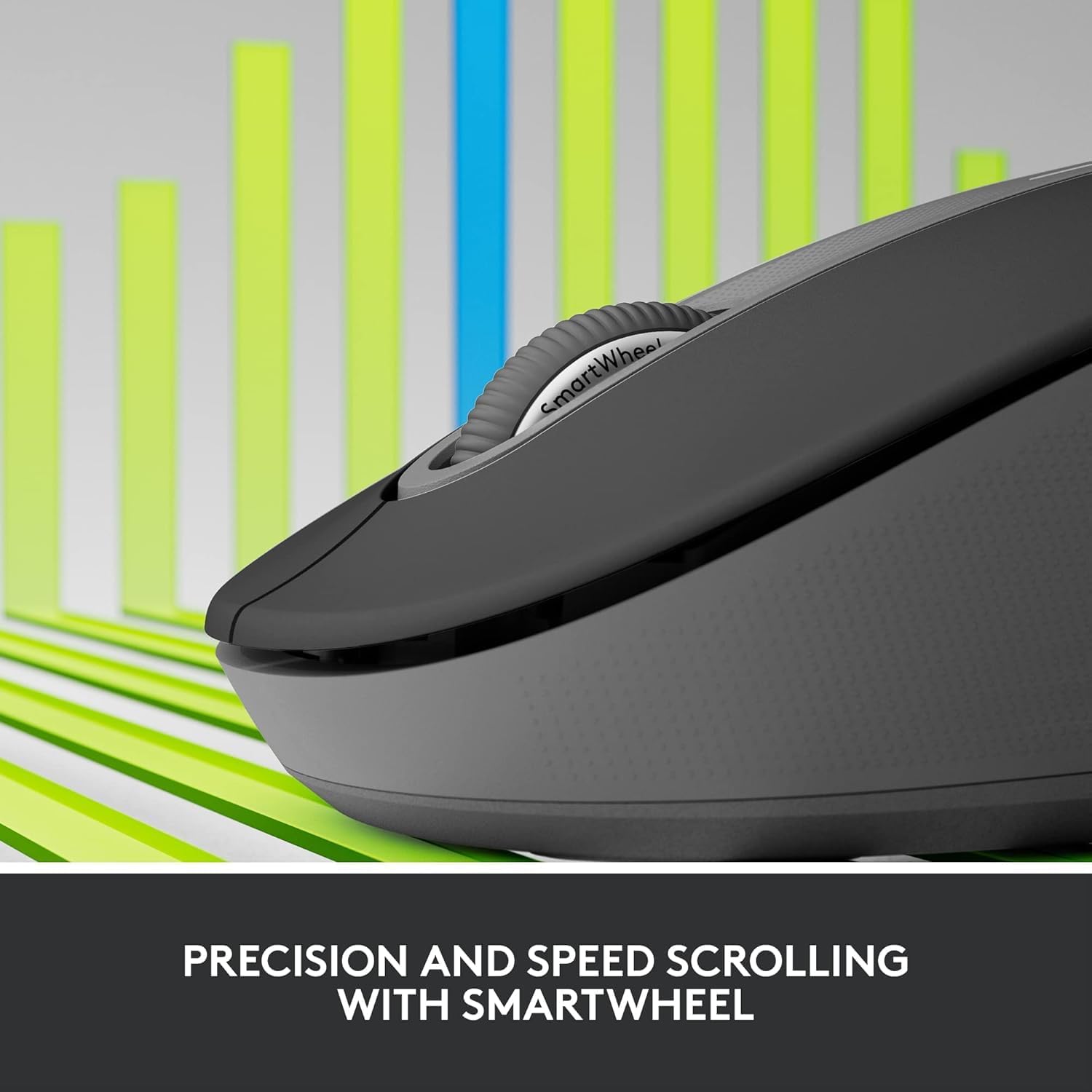
Image: A detailed close-up of the Logitech M650 mouse's SmartWheel, emphasizing its design for both precision and speed scrolling.
3.2. حسب ضرورت سائڊ بٽڻ
The Signature M650 features two customizable side buttons. By default, these buttons may perform forward/back navigation in web browsers. To customize their functions, download and install the Logitech Options+ software from the official Logitech webسائيٽ.
3.3. SilentTouch Technology
Experience a quieter workspace with SilentTouch technology, which significantly reduces the sound of clicks without compromising the tactile feel.
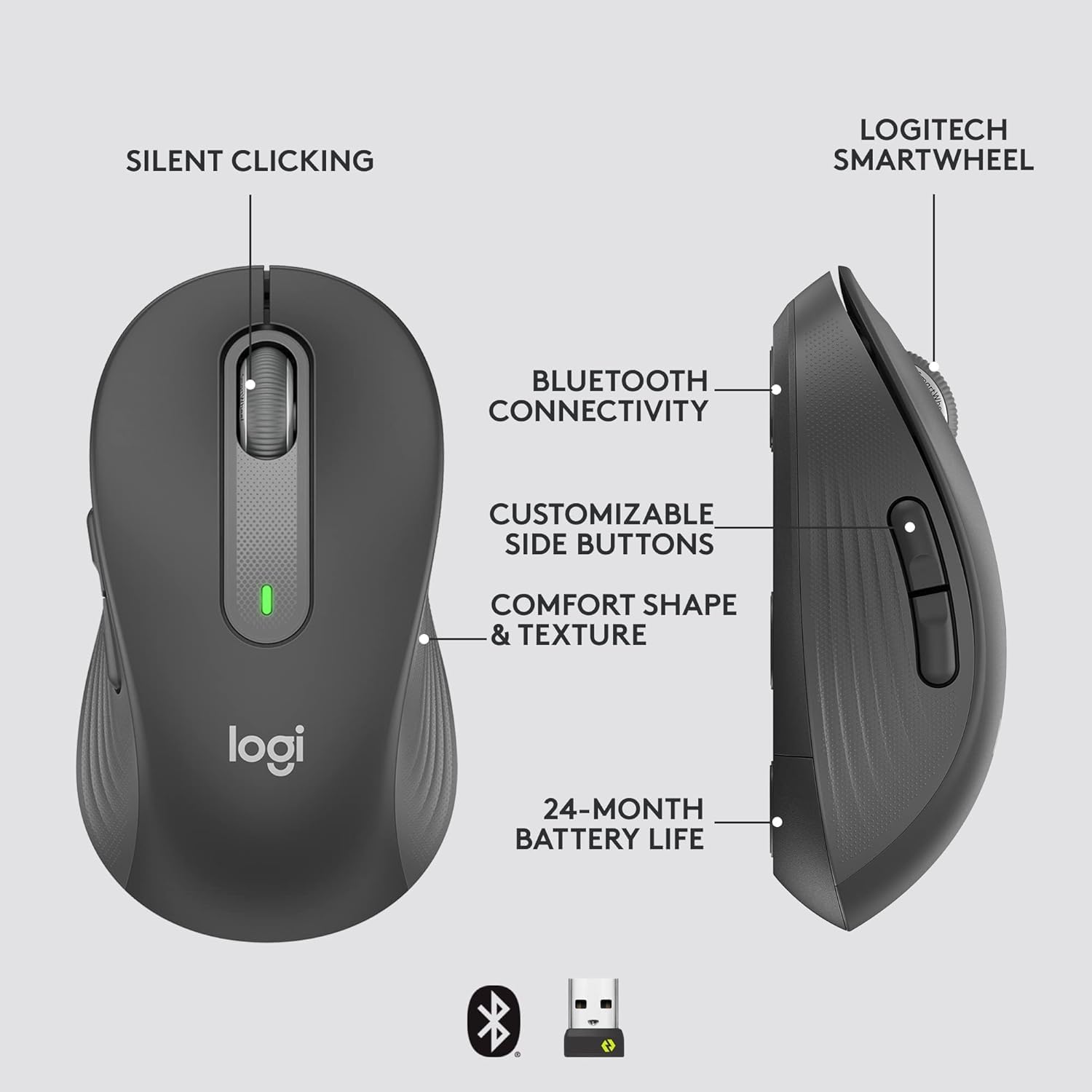
Image: An annotated diagram of the Logitech M650 mouse, highlighting key features such as Silent Clicking, Bluetooth Connectivity, Customizable Side Buttons, Comfort Shape & Texture, 24-Month Battery Life, and the Logitech SmartWheel.
4. سار سنڀال
4.1. بيٽري مٽائڻ
The mouse uses one AA battery. When the battery is low, the LED indicator on the mouse may flash. Replace the battery as described in Section 2.2.
4.2. صفائي
To clean your mouse, use a soft, lint-free cloth. For stubborn dirt, slightly dampڪپڙو پاڻي سان ڍڪيو. سخت ڪيميڪل يا رگڙيندڙ مواد استعمال ڪرڻ کان پاسو ڪريو.
5. مسئلا حل ڪرڻ
5.1. ڪوئو جواب نه ڏئي رهيو آهي
- بيٽري چيڪ ڪريو: پڪ ڪريو ته بيٽري صحيح طرح سان نصب ٿيل آهي ۽ ڪافي چارج آهي. جيڪڏهن ضروري هجي ته تبديل ڪريو.
- پاور آن: Verify the mouse is turned on using the power switch.
- ڪنيڪشن ٻيهر قائم ڪريو:
- Logi Bolt: Try plugging the receiver into a different USB port. Ensure no obstructions are between the mouse and receiver.
- بلوٽوٿ: Go to your device's Bluetooth settings, remove the mouse, and re-pair it.
- مداخلت: Move the mouse closer to the receiver or device. Avoid using the mouse near other wireless devices that might cause interference.
5.2. Erratic Cursor Movement
- صاف سينسر: پڪ ڪريو ته مائوس جي هيٺئين پاسي تي آپٽيڪل سينسر صاف ۽ ملبي کان پاڪ آهي.
- سطح: Use the mouse on a clean, non-reflective, and uniform surface. A mouse pad is recommended.
6. ٽيڪنيڪل وضاحتون
| خاصيت | تفصيل |
|---|---|
| ماڊل نمبر | 910-006272 |
| رابطي | لوگي بولٽ يو ايس بي رسيور، بلوٽوٿ لو انرجي |
| سينسر ٽيڪنالاجي | بصري |
| بيٽري جو قسم | 1 x AA بيٽري (شامل) |
| بيٽري جي زندگي | 24 مهينن تائين |
| Dimensions (M650) | 4.22 x 2.43 x 1.49 انچ (10.7 x 6.17 x 3.78 سينٽي) |
| وزن | 3.57 آونس (101.2 گرام) |
| رنگ | گرافائٽ |
| آپريٽنگ سسٽم مطابقت | Windows, macOS, Linux, Chrome OS, iPadOS, Android |

Image: A visual comparison of the Logitech M650 and M650 L mouse sizes, indicating their respective lengths of 10.5cm and 11.5cm.
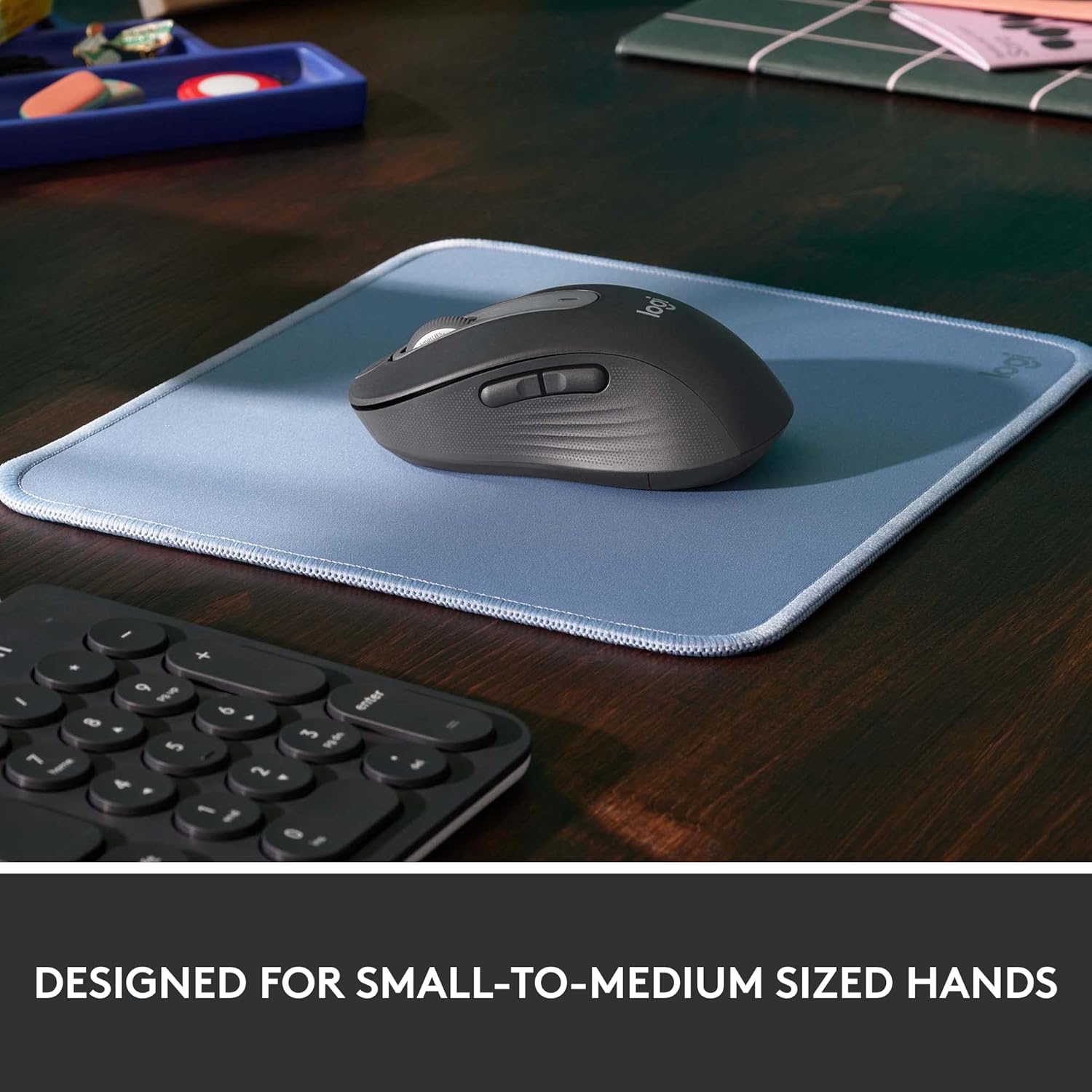
Image: The Logitech M650 mouse resting on a light blue mousepad, illustrating its ergonomic shape designed to fit comfortably in small to medium-sized hands.
7. وارنٽي ۽ سپورٽ
Logitech products are manufactured to the highest quality standards. For detailed warranty information, please refer to the warranty card included with your product or visit the official Logitech support webسائيٽ.
For technical assistance, troubleshooting, or to download the latest software and drivers, please visit the Logitech Support page:


