1. تعارف
The LogiLink ID0205 is a versatile dual-mode wireless mouse designed for seamless connectivity. It offers two connection options: a 2.4 GHz wireless USB receiver and Bluetooth 4.0. This allows you to switch between two different devices, such as a laptop, desktop computer, or tablet, with ease. The mouse features adjustable DPI settings (800/1200/1600 dpi) for precise control and an automatic sleep mode to conserve battery life. It is compatible with Windows, Mac OS, Android, and iOS operating systems.
2. پيڪيج مواد
- 1 x LogiLink ID0205 Dual Wireless and Bluetooth Mouse
- 1 x 2.4 GHz USB Receiver
- 1 x USB-C چارجنگ ڪيبل
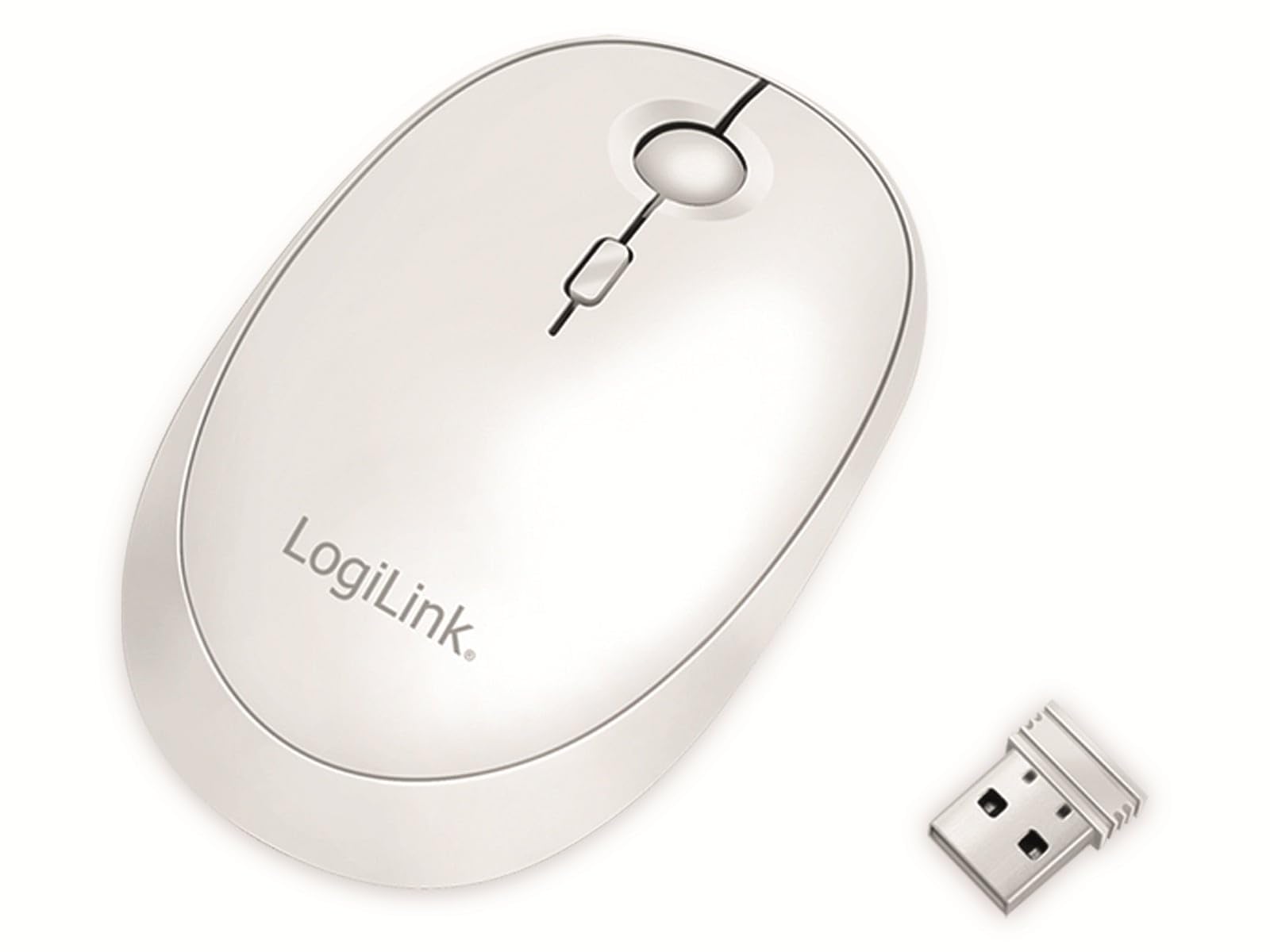
Image: The LogiLink ID0205 mouse shown alongside its 2.4 GHz USB receiver.
3. سيٽ اپ
3.1 پاور آن/آف
Locate the ON/OFF switch on the bottom of the mouse. Slide the switch to the "ON" position to power on the mouse. Slide it to "OFF" when not in use to conserve battery.

تصوير: هيٺيون view of the mouse, highlighting the ON/OFF switch and mode selection button.
3.2 2.4 GHz Wireless Connection
- Insert the 2.4 GHz USB receiver into an available USB port on your computer or device.
- Power on the mouse using the ON/OFF switch.
- Press the "Mode" button on the bottom of the mouse until the indicator light for 2.4 GHz (usually the first LED) is active.
- The mouse should automatically connect to your device. If not, try moving the mouse or re-inserting the USB receiver.
3.3 بلوٽوٿ ڪنيڪشن
- Power on the mouse using the ON/OFF switch.
- Press the "Mode" button on the bottom of the mouse until the indicator light for Bluetooth (usually the second or third LED) is active.
- توھان جي ڪمپيوٽر يا ڊوائيس تي، بلوٽوت سيٽنگون ڏانھن وڃو.
- ڳولھيو new Bluetooth devices. The mouse should appear as "LogiLink Mouse" or similar.
- Select the mouse to pair. Follow any on-screen prompts to complete the pairing process.
4. آپريٽنگ هدايتون
4.1 بنيادي ڪم
The LogiLink ID0205 mouse features standard left-click, right-click, and a scroll wheel for navigation. The scroll wheel also functions as a middle-click button.
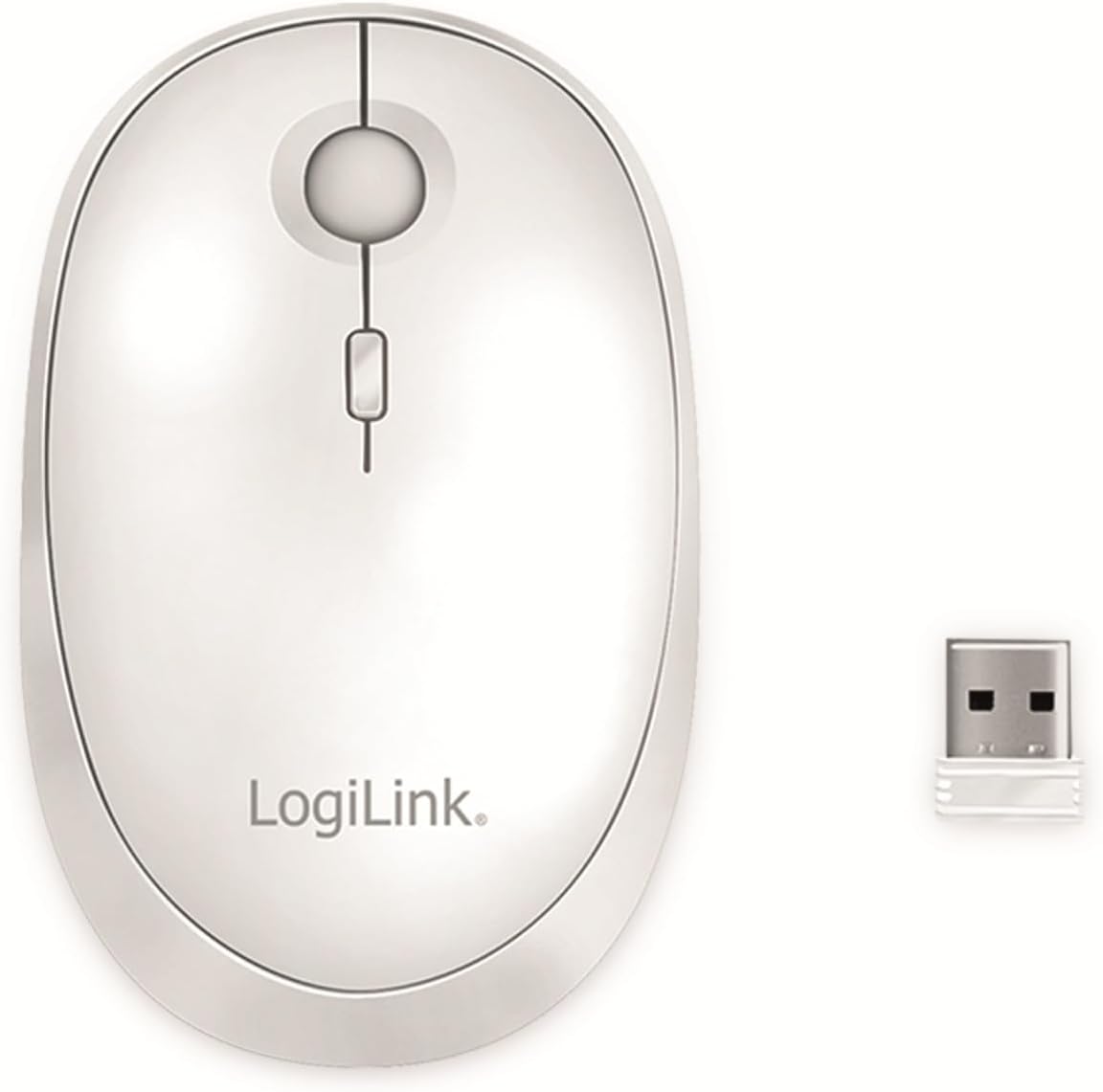
تصوير: مٿي view of the mouse, showing the left, right, and scroll wheel buttons.
4.2 ڊي پي آئي ايڊجسٽمينٽ
The mouse features a DPI On-The-Fly button, typically located behind the scroll wheel. Press this button to cycle through the available DPI settings: 800, 1200, and 1600 dpi. A higher DPI setting results in faster cursor movement, while a lower DPI provides more precise control.
4.3 Dual Mode Switching
To switch between the 2.4 GHz wireless mode and Bluetooth mode, press the "Mode" button located on the bottom of the mouse. The indicator lights will show which mode is currently active. This allows you to quickly switch control between two paired devices.
4.4 خودڪار سمهڻ جو طريقو
To conserve battery life, the mouse will automatically enter sleep mode after 10 minutes of inactivity. To wake the mouse, simply move it or click any button.
5. چارج ڪرڻ
The LogiLink ID0205 mouse is equipped with a built-in rechargeable battery. When the battery is low, the indicator light may flash. To charge the mouse:
- شامل ڪيل USB-C چارجنگ ڪيبل کي مائوس جي سامهون واري USB-C پورٽ سان ڳنڍيو.
- Connect the other end of the USB-C cable to a USB power source (e.g., computer USB port, USB wall adapter).
- The indicator light will show the charging status. Once fully charged, the light will change or turn off.

Image: The mouse being charged via its USB-C port with the included cable.
6. سار سنڀال
- صفائي: Use a soft, dry cloth to clean the surface of the mouse. For stubborn dirt, slightly dampڪپڙو پاڻي سان ڍڪيو. سخت ڪيميڪل يا رگڙيندڙ صاف ڪندڙ استعمال ڪرڻ کان پاسو ڪريو.
- اسٽوريج: When not in use for extended periods, store the mouse in a cool, dry place. Ensure the mouse is powered off to preserve battery life.
- بيٽري جي سنڀال: Avoid fully discharging the battery frequently. Charge the mouse when the low battery indicator appears.
7. مسئلا حل ڪرڻ
- مائوس جواب نه ڏئي رهيو آهي:
- پڪ ڪريو ته مائوس تي طاقت آهي.
- بيٽري جي سطح چيڪ ڪريو ۽ جيڪڏھن ضروري هجي ته چارج.
- For 2.4 GHz mode, ensure the USB receiver is securely plugged into a working USB port. Try a different USB port.
- For Bluetooth mode, ensure Bluetooth is enabled on your device and the mouse is paired. Try re-pairing the mouse.
- Ensure the correct mode (2.4 GHz or Bluetooth) is selected on the mouse using the mode button.
- ڪرسر جي بي ترتيب حرڪت:
- مائوس جي تري ۾ موجود آپٽيڪل سينسر کي صاف ڪريو.
- پڪ ڪريو ته توهان مائوس کي مناسب مٿاڇري تي استعمال ڪري رهيا آهيو. تمام گهڻي عڪاسي ڪندڙ يا شفاف سطحن کان پاسو ڪريو.
- ڊي پي آءِ سيٽنگ کي ترتيب ڏيڻ جي ڪوشش ڪريو.
- ڪنيڪشن اڪثر ڪري ٽٽي پوندو آهي:
- Ensure the mouse is within the operating range (up to 10 meters).
- ٻين وائرليس ڊوائيسز کان مداخلت گھٽايو.
- For 2.4 GHz, ensure the USB receiver is not obstructed.
8. وضاحتون
| برانڊ | LogiLink |
| ماڊل نمبر | ID0205 |
| رنگ | اڇو |
| رابطي ٽيڪنالاجي | 2.4 GHz وائرليس، بلوٽوٿ 4.0 |
| موشن جي چڪاس ٽيڪنالاجي | بصري |
| DPI قرارداد | 800 / 1200 / 1600 dpi (adjustable) |
| بٽڻ جو تعداد | 4 (Left, Right, Scroll Wheel/Middle, DPI) |
| هٿ جو رخ | وچڙندڙ |
| آپريٽنگ رينج | 10 ميٽر تائين |
| چارجنگ پورٽ | USB-C |
| مطابقت رکندڙ آپريٽنگ سسٽم | ونڊوز ، ميڪ او ايس ، Android ، iOS |
| مطابقت رکندڙ ڊوائيسز | پرسنل ڪمپيوٽر، ٽيبليٽ |
| شيءِ جو وزن | 74 گرام |
9. وارنٽي ۽ سپورٽ
For warranty information and technical support, please refer to the documentation provided with your purchase or visit the official LogiLink webسائيٽ. وارنٽي دعوائن لاءِ خريداري جو ثبوت رکو.


