1. تعارف
This manual provides detailed instructions for the LAUNCH X431 PADVII Elite diagnostic scanner. It covers the device's features, setup procedures, operational guidelines, maintenance tips, and troubleshooting information to ensure optimal performance and effective vehicle diagnostics.

Image 1.1: The LAUNCH X431 PADVII Elite diagnostic tablet and SmartLink C VCI.
2. سيٽ اپ
2.1 انباڪسنگ ۽ جزا
Carefully unpack the LAUNCH X431 PADVII Elite. Verify that all components are present:
- 13.3-inch high-definition display tablet
- SmartLink C Vehicle Communication Interface (VCI)
- MINI-HDMI to HDMI line
- پاور اڊاپٽر
- Type-A to Type-C USB Cable
- OBD I Adaptor BOX transfer line
2.2 پاور آن ۽ شروعاتي چارج
Connect the power adaptor to the tablet and a power outlet. Allow the device to charge fully before first use. The tablet features a 9360mAh battery, providing over 20 hours of operation on a full charge.
2.3 شروعاتي ترتيب
Upon first startup, follow the on-screen prompts to configure the Android 9.0 operating system. This includes setting up Wi-Fi connectivity, which is essential for software updates and online functions.
3. آپريٽنگ هدايتون
3.1 گاڏي سان ڳنڍڻ
Locate the vehicle's OBD-II diagnostic port, typically found under the dashboard. Connect the SmartLink C VCI to the OBD-II port, then connect the SmartLink C to the LAUNCH X431 PADVII Elite tablet wirelessly via Wi-Fi. The device supports various communication protocols including J2534, Do-IP, and CANFD for broad vehicle compatibility (1987-2024 models, 12V/24V passenger and commercial vehicles).
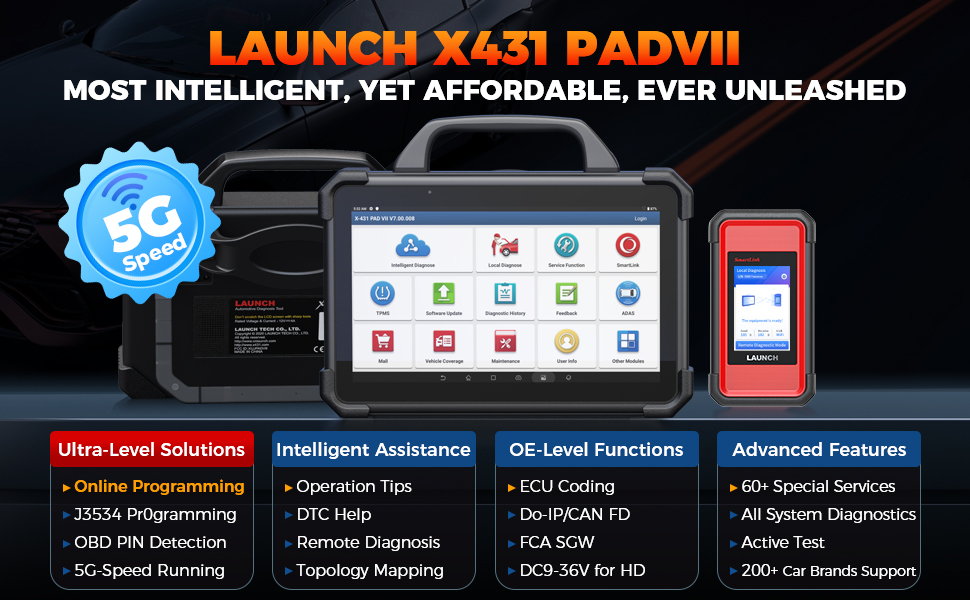
Image 3.1: Connecting the SmartLink C VCI to the vehicle.
3.2 Intelligent Diagnostics
The X431 PADVII Elite offers advanced diagnostic features:
- ٽوپولوجي ميپنگ: Visually displays all system relationships and Diagnostic Trouble Codes (DTCs) in a color-coded topology map, allowing for quick identification of faulty parts.
- Pin Detection: Detects DLC (Data Link Connector) pin voltage and identifies protocol types to troubleshoot issues with the DLC port.
- ھدايت وارا ڪم: Provides on-screen prompts for accurate diagnostics, particularly useful for V.A.G vehicles, simplifying complex procedures.
- Repair Tips and DTC Analysis: Offers diagnostic plans, repair assistance information, component measurement guidance, and relevant case studies to enhance repair efficiency.

Image 3.2: Topology mapping feature for visual diagnostics.
3.3 ECU Programming and Coding
The device supports comprehensive ECU programming and coding for over 30 vehicle brands:
- Online Programming: Reprograms ECU modules, including replacing existing software/firmware and programming new ECUs. Features data backup and restore capabilities for original ECUs.
- ECU ڪوڊنگ: Allows for recoding ECU data, personalization, and other advanced coding functions.
- J2534 Reprogramming: Utilizes the SmartLink C as a local J2534 PassThru device for programming with manufacturer-specific software.
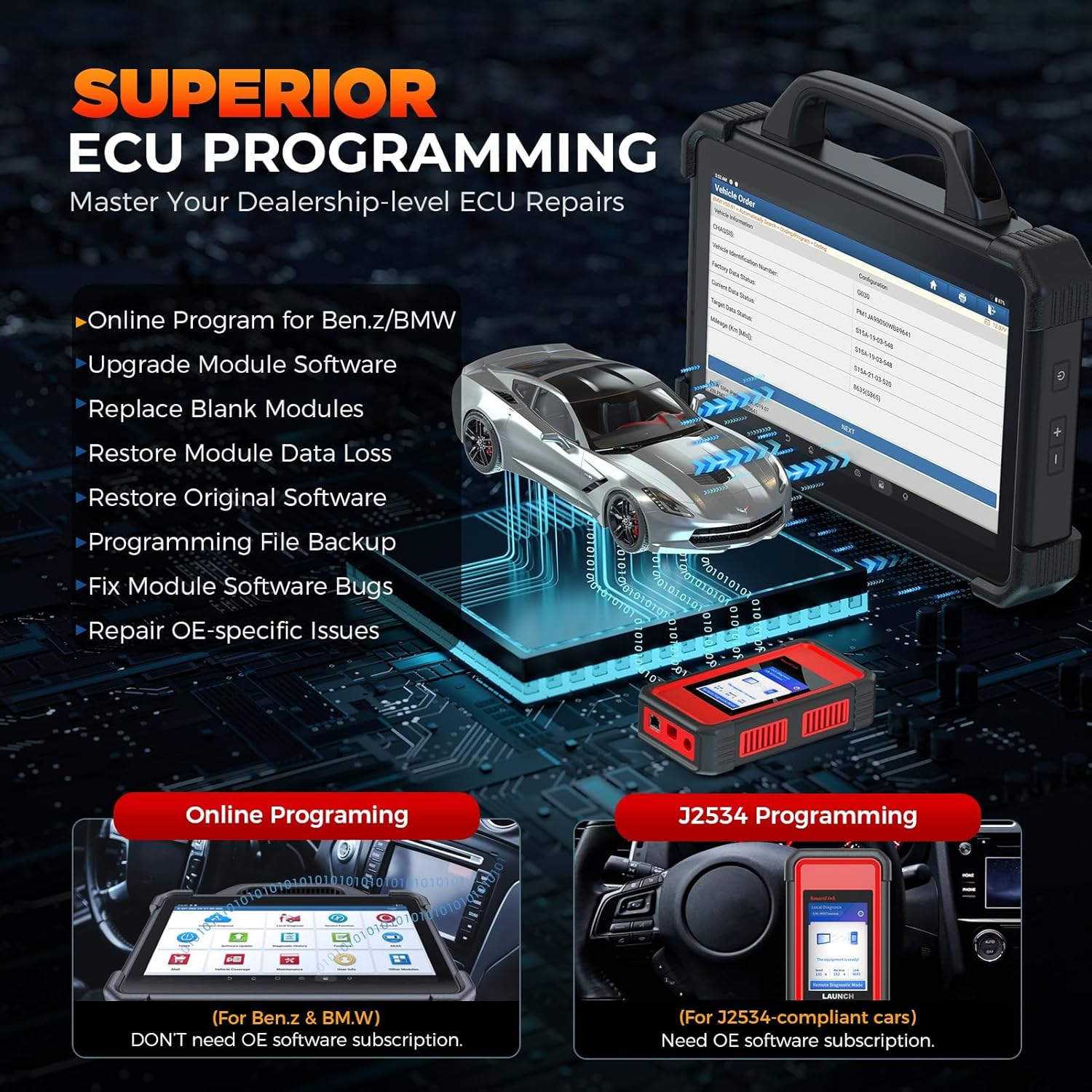
Image 3.3: ECU Programming capabilities.
3.4 Special Functions and Bidirectional Control
The X431 PADVII Elite includes over 60 reset functions and bidirectional control capabilities:
- ڪم ري سيٽ ڪريو: Perform services such as Oil Reset, Electronic Parking Brake (EPB) reset, Steering Angle Sensor (SAS) calibration, Power Balance, Idle Relearn, ABS/Window Initialization, and HVAC calibration.
- ٻہ طرفي ڪنٽرول: Conduct active tests to command vehicle components, such as EVAP tests, A/C clutch tests, lane keeping assist system tests, and window/door/sunroof tests, to quickly locate faults.

تصوير 3.4: مٿيview of special functions and bidirectional control.
3.5 Add-on Modules
The X431 PADVII Elite supports various optional add-on modules (sold separately) for expanded diagnostic and inspection capabilities, including oscillographs, sensors, battery testers, endoscopes, Wi-Fi printers, and the TSGUN for TPMS functions.
4. سار سنڀال
4.1 سافٽ ويئر اپڊيٽ
Regularly update the device software to ensure access to the latest vehicle coverage, diagnostic functions, and performance optimizations. Connect the tablet to a stable Wi-Fi network and navigate to the 'Software Update' section in the main menu to check for and install available updates.
4.2 ڊيوائس سنڀال
Keep the tablet and VCI clean and free from dust and debris. Store the device in a cool, dry place. The tablet features an IP65 rating for water and shock resistance, but it is not fully waterproof and should be protected from excessive moisture.
5. مسئلا حل ڪرڻ
5.1 ڪنيڪشن جا مسئلا
If the device fails to connect to the vehicle, use the 'Pin Detection' feature to verify the voltage and protocol types at the DLC port. Ensure the SmartLink C VCI is securely connected to the OBD-II port and properly paired with the tablet via Wi-Fi.
5.2 Software or Performance Issues
If you experience slow performance or software glitches, ensure the device has the latest software updates installed. Restarting the tablet can often resolve minor issues. For persistent problems, refer to the support section.
6. وضاحتون
| خاصيت | تفصيل |
|---|---|
| ماڊل | LAUNCH X431 PADVII |
| آپريٽنگ سسٽم | Android 9.0 |
| پروسيسر | 8-core Cortex-A53 (2GHz) |
| ڏيکاريو | 13.3-inch touchscreen, 1920*1080 resolution |
| ياداشت | 8GB RAM + 256GB Storage (expandable) |
| بيٽري | 9360mAh (20+ hours operation) |
| رابطي | 5G Dual Wi-Fi |
| پائيداري | IP65 Water & Shock Proof |
| گاڏين جي مطابقت | Universal Fit, 200+ car brands (1987-2024), 12V/24V Passenger & Commercial vehicles |
| پروٽوڪول مدد ڪئي | J2534, Do-IP, CANFD |
| شيءِ جو وزن | 30.1 پائونڊ |
| پيڪيج جي ماپ | 27 x 19.5 x 8.5 انچ |
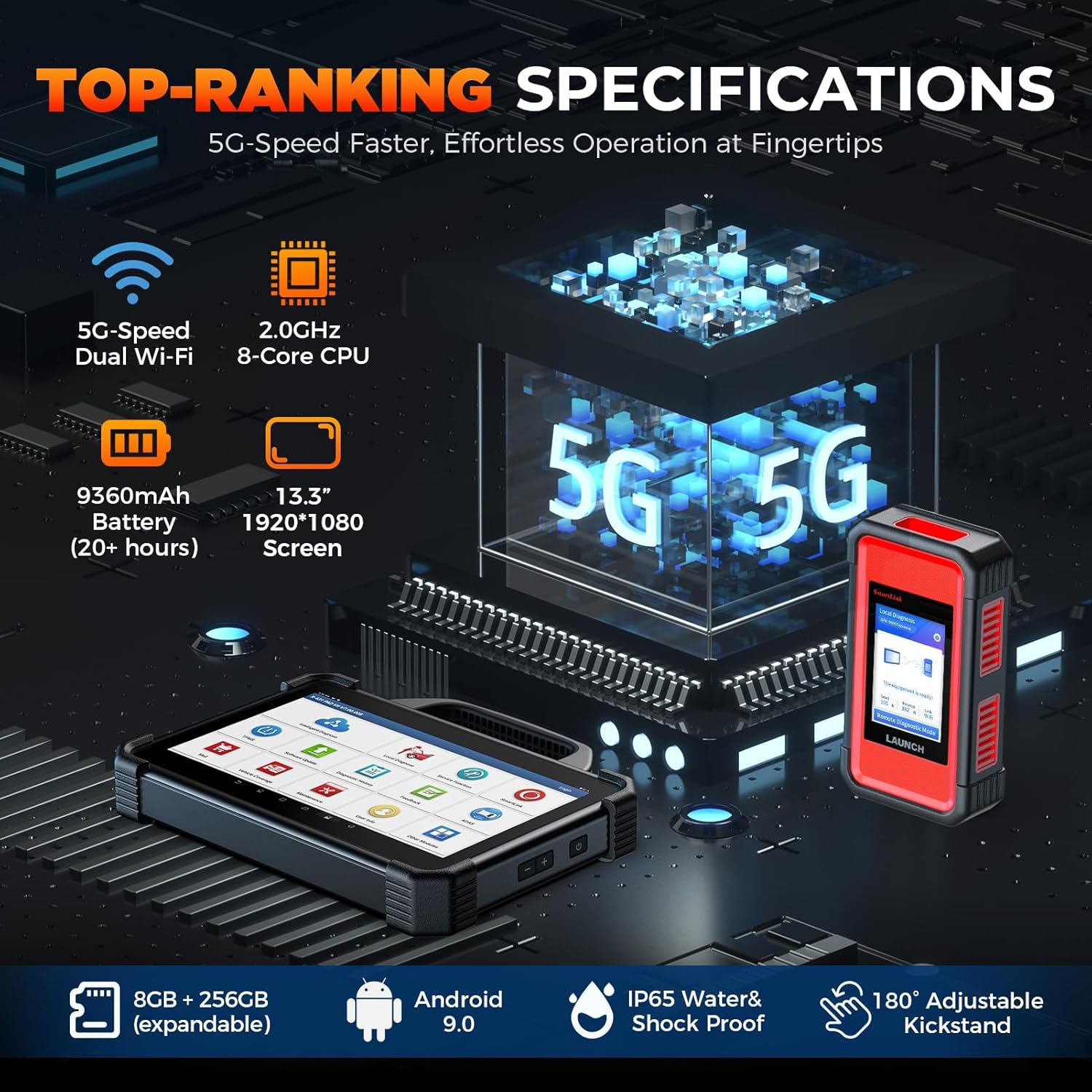
Image 6.1: Key hardware specifications of the X431 PADVII Elite.
7. وارنٽي ۽ سپورٽ
7.1 ٽيڪنيڪل سپورٽ
For technical assistance, questions regarding product operation, or troubleshooting complex issues, please contact LAUNCH customer support:
- فون: 1-888-756-2936
- ڪلاڪ: Monday - Friday, 9 AM - 6 PM EST
Information regarding the "LAUNCH X431 PADVII online programming activation method" and instructions on using a VPN to bypass IP restrictions for accessing online programming features for additional vehicle models (beyond Benz & BMW in the U.S.) are available upon request from support.

Image 7.1: Accessing user information and support resources on the device.
7.2 وارنٽي ڄاڻ
Specific warranty details are provided at the time of purchase. Please retain your proof of purchase for warranty claims. For any warranty-related inquiries, contact LAUNCH customer support.


