1. تعارف ۽ پراڊڪٽ ختمview
This manual provides comprehensive instructions for the SUPVAN KATASYMBOL ADE15*6m self-adhesive thermal labels, designed for use with SUPVAN E10, E11, and E16 label printers. These labels offer a durable and versatile solution for various labeling needs.
اهم خاصيتون:
- مطابقت: Specifically designed for SUPVAN E10, E11, and E16 label printers.
- طول و عرض: 15mm width x 6m length, continuous roll.
- استحڪام: Features a multilayer design and synthetic materials, providing waterproof, oil-resistant, and high/low temperature resistance. Labels maintain integrity for over 5 years.
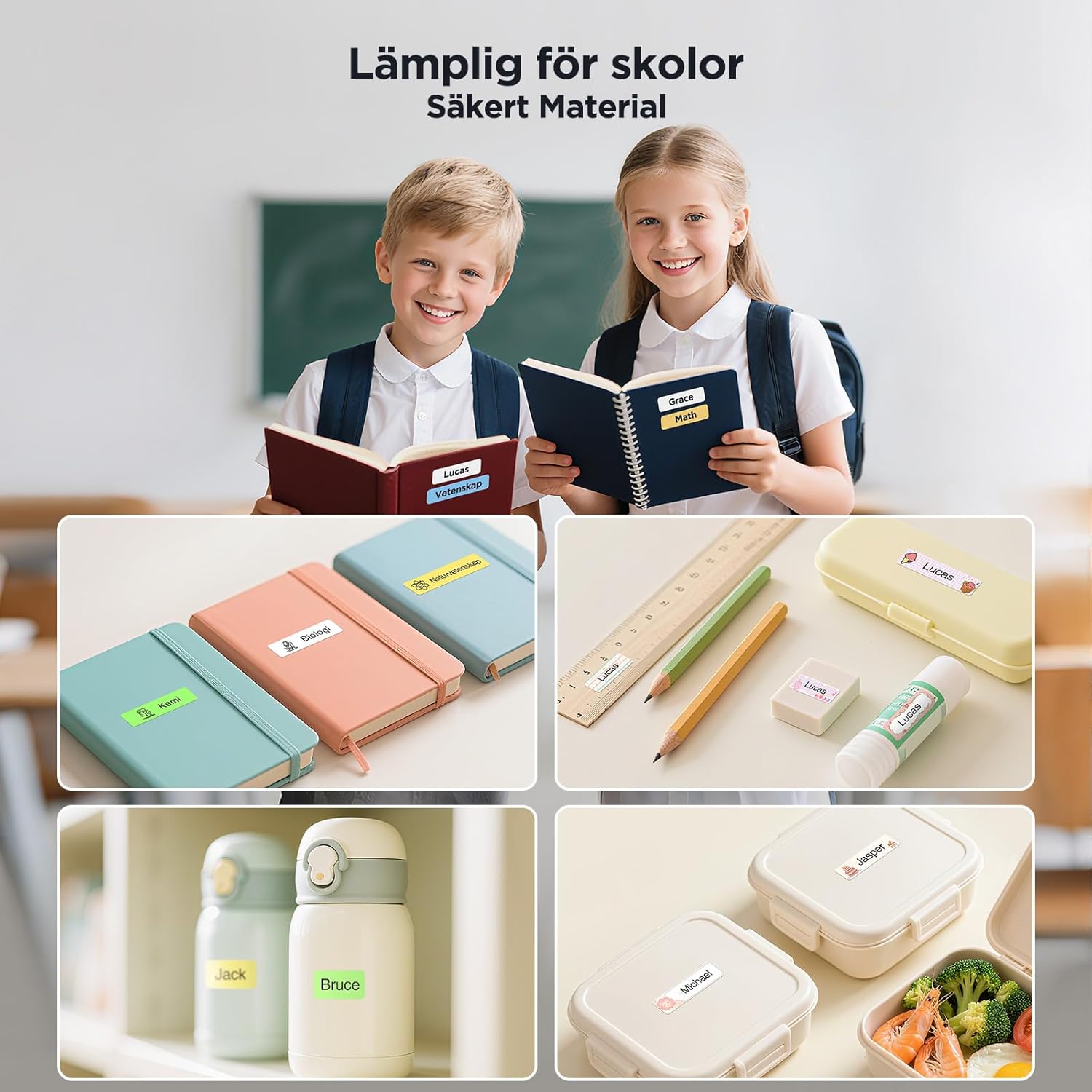
- ورسٽائل ايپليڪيشن: Suitable for home, office, school, kitchen, and baby product labeling.
- حرارتي ڇپائي: Utilizes thermal technology, eliminating the need for ink or toner, ensuring cost-effective and high-definition printing.
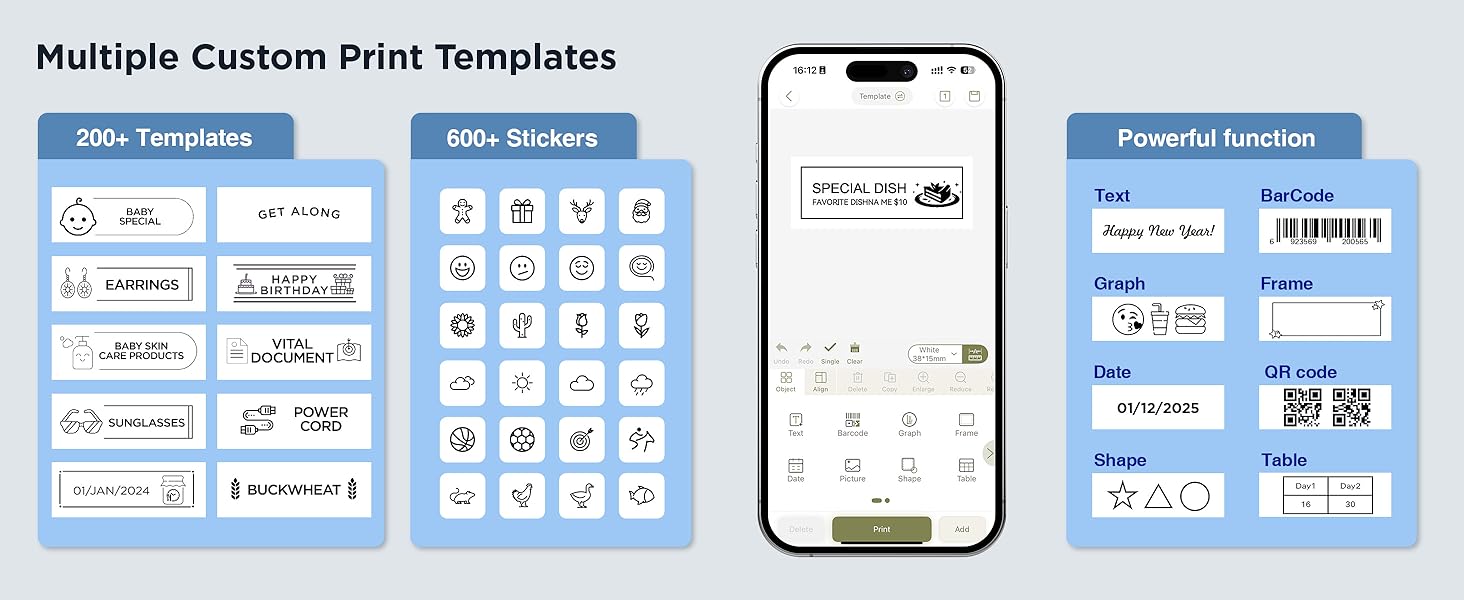
- استعمال ۾ آساني: The companion app automatically detects label type and size, offering over 150 templates, 40 fonts, and 700 icons for customization.


2. Setup: Loading the Label Roll
Follow these steps to correctly load the label roll into your compatible SUPVAN label printer (E10, E11, or E16).
- Open the label compartment cover on your SUPVAN label printer.
- Insert the ADE15*6m label roll into the compartment, ensuring the label material feeds out smoothly and the print side is facing the print head.
- Close the compartment cover securely. The printer should automatically detect the label type and size.
- اهم نوٽ: Do not remove the small sticker on the back of the label roll, as this contains the NFC chip for automatic detection.

3. آپريٽنگ هدايتون
Utilize the SUPVAN companion app to design and print your labels. The app offers extensive customization options.
3.1. App Features and Customization
- Access over 150 pre-designed templates for various applications.
- Choose from more than 40 fonts to personalize your text.
- Enhance labels with over 700 icons and graphics.
- The app automatically recognizes the label roll size and type upon insertion.
3.2. Printing and Application
- Design your label using the SUPVAN app on your smartphone or tablet.
- Connect your device to the label printer via Bluetooth.
- Initiate the print command from the app.
- Carefully peel the printed label from its backing and apply it to a clean, dry surface.

4. سار سنڀال ۽ استحڪام
SUPVAN thermal labels are engineered for longevity and resistance to common environmental factors.
- پنروڪ: Labels resist water damage, making them suitable for items exposed to moisture.
- Oil-Resistant: The material prevents smudging or degradation when exposed to oils, ideal for kitchen use.
- حرارت جي مزاحمت: Designed to withstand both high and low temperatures, ensuring adhesion and readability in various conditions.
- مضبوط آسنجن: Labels adhere firmly to surfaces and leave no residue upon removal.
- ڊگھي عمر: Expected life of 5+ years under normal conditions.

4.1. Durability in Action
Video 1: This video demonstrates the waterproof and oil-resistant properties of SUPVAN labels. Labels applied to shampoo bottles remain intact and legible even when exposed to water and soap, highlighting their durability for bathroom and kitchen environments.
Video 2: This video illustrates the resilience of SUPVAN labels on baby bottles. The labels withstand steam sterilization and wiping, demonstrating their suitability for items requiring frequent cleaning and exposure to heat, while remaining legible and securely attached.
Video 3: This video showcases SUPVAN labels used on kitchen storage jars. It highlights their ability to resist moisture and smudging, even when exposed to condensation or handling, making them ideal for organizing pantry items and spices.
Video 4: This video demonstrates the application of SUPVAN labels for organizing stationery and office supplies. It shows how labels can be easily applied and removed from various containers, providing clear and durable identification for school or office use.
5. مسئلا حل ڪرڻ
If you encounter any issues with your SUPVAN labels or printer, consider the following general troubleshooting steps:
- Label Not Detected: Ensure the label roll is correctly inserted and the NFC sticker on the back of the roll has not been removed or damaged.
- خراب پرنٽ معيار: Check if the label roll is properly seated. Ensure the printer's print head is clean (refer to your printer's manual for cleaning instructions).
- چپڪندڙ مسئلا: Ensure the surface where the label is applied is clean, dry, and smooth. Avoid applying labels to textured or oily surfaces.
- ايپ ڪنيڪشن: Verify your label printer is powered on and Bluetooth is enabled on your device. Restart both the app and the printer if connection issues persist.
6. مصنوعات جي وضاحت
| خاصيت | تفصيل |
|---|---|
| برانڊ | SUPVAN |
| ماڊل نمبر | ADE15*6m |
| پيداوار جي ماپ | 4.98 X 1.5 x 4.98 سينٽي ؛ 10 گ |
| رنگ | نيري تي ڪارو |
| شڪل | Rectangular (Continuous) |
| مواد جو قسم | Paper (Synthetic) |
| شين جو تعداد | 1 رول |
| ماپ | 15 ملي ايم x 6 م |
| اڇو رنگ | Black (Thermal Print) |
| ختم ڪرڻ جو قسم | چپڪندڙ |
| مطابقت | SUPVAN E10/E11/E16 Label Printers |

7. وارنٽي ڄاڻ
For specific warranty details regarding your SUPVAN labels or compatible label printer, please refer to the documentation provided with your label printer or visit the official SUPVAN website. Generally, SUPVAN products are manufactured to high-quality standards and are supported by the manufacturer's warranty against defects.
8. ڪسٽمر سپورٽ
If you require further assistance or have questions not covered in this manual, please contact SUPVAN customer support through the following channels:
- Visit the official SUPVAN website for FAQs and support resources: SUPVAN Store on Amazon
- پنهنجي پراڊڪٽ پيڪنگنگ ۾ ڏنل رابطي جي معلومات جو حوالو ڏيو.


