1. تعارف
Welcome to the world of smart cooking with the CREATE IKOHS Chefbot Touch. This innovative kitchen robot is designed to simplify your cooking process, offering a wide range of functions and pre-programmed recipes to help you prepare delicious meals with ease. With its intuitive touch screen and integrated WiFi, the Chefbot Touch brings convenience and versatility to your kitchen.
Please read this manual carefully before using the appliance to ensure safe and optimal operation. Keep this manual for future reference.

Image: The CREATE IKOHS Chefbot Touch, a versatile kitchen robot featuring a stainless steel mixing bowl and an interactive touchscreen interface.
2. اهم خاصيتون
The CREATE IKOHS Chefbot Touch is equipped with advanced features to enhance your culinary experience:
- انٽيگريٽيڊ وائي فائي: Allows for periodic updates of recipes and software.
- 5 انچ ٽچ اسڪرين: For easy navigation and recipe selection.
- 24 خودڪار پروگرام: Pre-set functions for various cooking tasks.
- 12 Speeds + Turbo Function: For precise control over mixing and processing.
- درجه حرارت جي حد: 37°C کان 120°C تائين ترتيب ڏئي سگهجي ٿو.
- پچائڻ جو وقت: Up to 90 minutes of continuous operation.
- 140+ Preloaded Recipes: A wide variety of recipes available directly on the device.
- ورسٽائل افعال: Capable of beating, whipping, emulsifying, mixing, stirring, confiting, precision cooking (degree by degree), kneading, boiling, keeping warm, fermenting, poaching, bain-marie, low-temperature cooking, slow cooking, steaming, crushing, chopping, grinding, grating, peeling, slicing, dicing, and pulverizing.
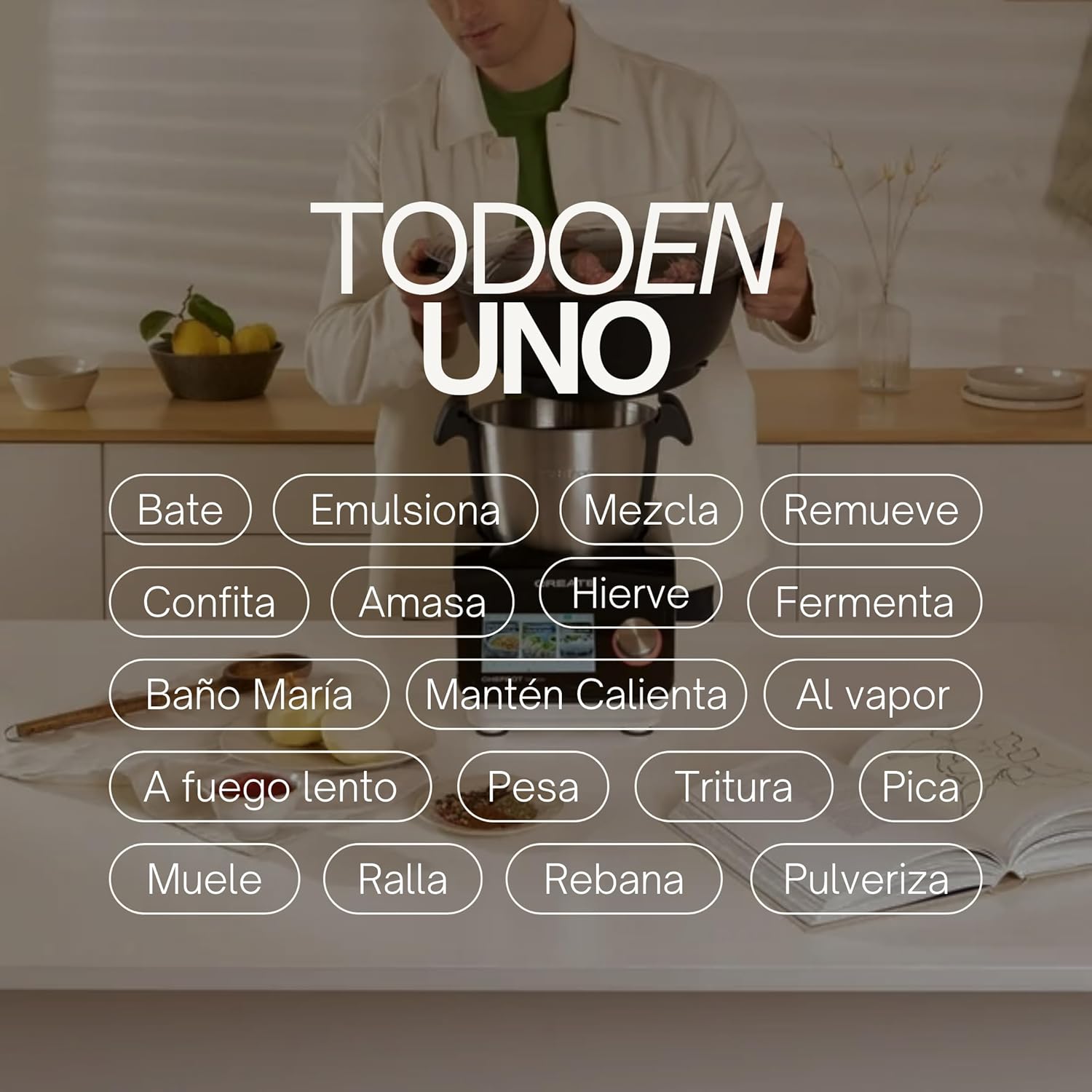
Image: An illustration highlighting the "All-in-One" capabilities of the Chefbot Touch, including functions such as beating, emulsifying, mixing, and more.

Image: A visual summary of the Chefbot Touch's core features: 24 automatic programs, 12 speeds with turbo, and over 140 pre-installed recipes.
3. جزا ۽ لوازمات
The Chefbot Touch comes with a comprehensive set of accessories to support its many functions:
- Ice-crushing Blades: For crushing ice and hard ingredients.
- ملائي پيڊل: For gentle stirring and mixing.
- Hand Spatula: ڇڪڻ ۽ ڇڪڻ لاءِ.
- Separator Basket: For cooking ingredients separately within the bowl.
- ماپ کپ: صحيح مائع ماپن لاءِ.
- Butterfly Whisk: For whipping and emulsifying.
- Reversible Cutting Disc: For slicing and grating.
- Food Processor Lid: For use with the cutting disc.
- کاڌي کي تيز ڪندڙ: For safely guiding food into the cutting disc.
- 2-level Steamer Basket: For steaming multiple ingredients simultaneously.

Image: The Chefbot Touch displayed with its full set of ten accessories, designed for various cooking tasks.
4. سيٽ اپ
4.1 انباڪسنگ ۽ شروعاتي جڳهه
Carefully remove all components from the packaging. Place the Chefbot Touch on a stable, flat, and dry surface. Ensure there is adequate ventilation around the unit. Keep the appliance away from heat sources and direct sunlight.
4.2 پاور ڪنيڪشن
پاور ڪنڊ کي گرائونڊ ٿيل بجلي جي آئوٽليٽ سان ڳنڍيو. پڪ ڪريو ته وولٽيجtage توهان جي ڊوائيس جي وضاحتن سان ملندو آهي (110 وولٽ).
4.3 شروعاتي صفائي
Before first use, clean all removable parts (bowl, lid, accessories) with warm soapy water. Rinse thoroughly and dry completely. Wipe the main unit with a damp ڪپڙو. پاڻي ۾ مکيه يونٽ نه وسايو.
4.4 وائي فائي ڪنيڪشن
To access online recipes and updates, connect your Chefbot Touch to your home WiFi network.
- Turn on the Chefbot Touch.
- Navigate to the settings menu on the touch screen.
- Select "WiFi" or "Network Settings".
- Choose your WiFi network from the list.
- پنھنجي وائي فائي پاسورڊ داخل ڪريو جيڪڏھن اشارو ڪيو وڃي.
- Confirm the connection. Once connected, the device will be able to download recipe updates.
5. آپريٽنگ هدايتون
5.1 جنرل آپريشن
The Chefbot Touch is operated primarily through its 5-inch touch screen and the control knob.
- ٽچ اسڪرين: Use to select programs, recipes, and adjust settings.
- سنڀال ڪنب: Rotate to adjust values (time, temperature, speed) and press to confirm selections.
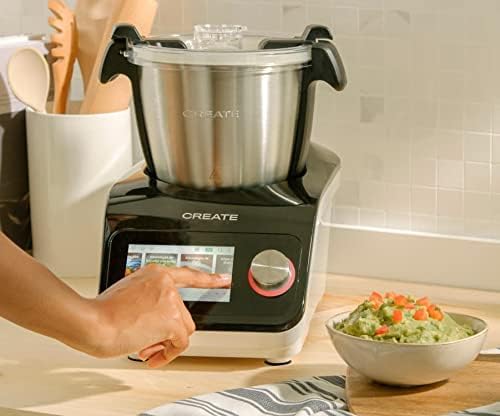
Image: A user demonstrating interaction with the Chefbot Touch's intuitive touchscreen interface.
5.2 خودڪار پروگرامن جو استعمال
The 24 automatic programs simplify complex cooking tasks.
- From the main menu, select "Programs".
- Browse through the available programs (e.g., Knead, Steam, Chop).
- Select the desired program. The device will guide you through the necessary steps and settings.
5.3 Following Preloaded Recipes
Access over 140 preloaded recipes directly on the device.
- Select "Recipes" from the main menu.
- Browse or search for a recipe.
- Select the recipe. The screen will display step-by-step instructions, including ingredients, quantities, and cooking parameters.
- Follow the on-screen prompts to add ingredients and operate the machine.
5.4 دستي موڊ
For custom cooking, use the manual mode to set time, temperature, and speed independently.
- Select "Manual" or "Custom" mode.
- Use the touch screen and control knob to set the desired cooking time (up to 90 minutes), temperature (37°C to 120°C), and speed (1-12 or Turbo).
- کائڻ شروع ڪرڻ لاءِ شروع کي دايو.
5.5 آپريشن دوران حفاظتي احتياط
- Always ensure the lid is properly secured before operating, especially when using high speeds or hot liquids.
- پيالو نه ڀريو.
- Be cautious when handling hot liquids or steam.
- Use the provided spatula or other appropriate utensils to scrape down ingredients, always stopping the machine first.
- Keep hands and utensils away from moving blades.
6. سار سنڀال ۽ صفائي
Regular cleaning ensures the longevity and optimal performance of your Chefbot Touch.
6.1 Cleaning the Bowl and Accessories
- The stainless steel bowl should be washed by hand with warm soapy water. Rinse thoroughly and dry immediately to prevent water spots.
- Most accessories are dishwasher safe. Refer to individual accessory instructions for specific cleaning guidelines.
- For stubborn food residue, soak parts in warm soapy water before cleaning.
6.2 مين يونٽ جي صفائي
- مکيه يونٽ جي ٻاهرين حصي کي نرم، ڊي سان صاف ڪريوamp ڪپڙو.
- گھڙڻ وارا صاف ڪندڙ يا اسڪورنگ پيڊ استعمال نه ڪريو، ڇاڪاڻ ته اهي مٿاڇري کي نقصان پهچائي سگهن ٿا.
- پاڻي ۽ ڪنهن ٻئي مائع ۾ اصلي يونٽ کي ڪڏهن به جڙيو نه.
- پڪ ڪريو ته يونٽ صاف ڪرڻ کان اڳ ان پلگ ٿيل آهي.
6.3 اسٽوريج
Store the Chefbot Touch and its accessories in a clean, dry place when not in use. Ensure all parts are completely dry before storage.
7. مسئلا حل ڪرڻ
If you encounter issues with your Chefbot Touch, refer to the following common problems and solutions:
| مسئلو | ممڪن سبب | حل |
|---|---|---|
| اوزار آن نه ٿو. | پلگ ان ٿيل ناهي؛ پاور سوئچ بند؛ پاور ياtage. | Ensure power cord is securely plugged in. Check the main power switch. Verify power supply. |
| موٽر آپريشن دوران بند ٿي وڃي ٿي يا وڌيڪ گرم ٿي وڃي ٿي. | Overload; prolonged continuous use; safety mechanism activated. | Reduce the amount of ingredients. Allow the appliance to cool down for at least 30-60 minutes before resuming use. This is a safety feature to prevent damage. |
| ڍڪ صحيح طرح بند نه ٿيڻ. | Obstruction; incorrect alignment. | Check for any food particles or accessories blocking the lid. Ensure the lid is correctly aligned and locked into place. |
| وائي فائي ڪنيڪشن جا مسئلا. | Incorrect password; weak signal; router issues. | Double-check the WiFi password. Move the unit closer to the router. Restart your router. |
| اسڪرين تي غلطي جو پيغام. | Specific operational issue. | Note the error code or message. Refer to the digital manual on the device or contact customer support for specific guidance. |
If the problem persists after attempting these solutions, please contact CREATE customer support.
8. وضاحتون
Technical specifications for the CREATE IKOHS Chefbot Touch:
| خاصيت | تفصيل |
|---|---|
| برانڊ | ٺاھيو |
| ماڊل | Chefbot Touch |
| رنگ | ڪارو |
| طاقت | 1400 واٽ |
| جلدtage | 110 وولٽ |
| مواد | Stainless Steel (bowl), Aluminum (body) |
| رفتار جو تعداد | 12 + ٽربو |
| درجه حرارت جي حد | 37°C کان 120°C |
| Max Continuous Operation | 90 منٽ |
| مطابقت رکندڙ ڊوائيسز | IOS، Android |
| پيداوار جي ماپ (L x W x H) | 38 x 24 x 23 سينٽي |
| پيداوار جو وزن | 10 ڪلو |

تصوير: سامهون view of the Chefbot Touch, illustrating its dimensions (465mm height, 380mm width) and 3.5L bowl capacity.
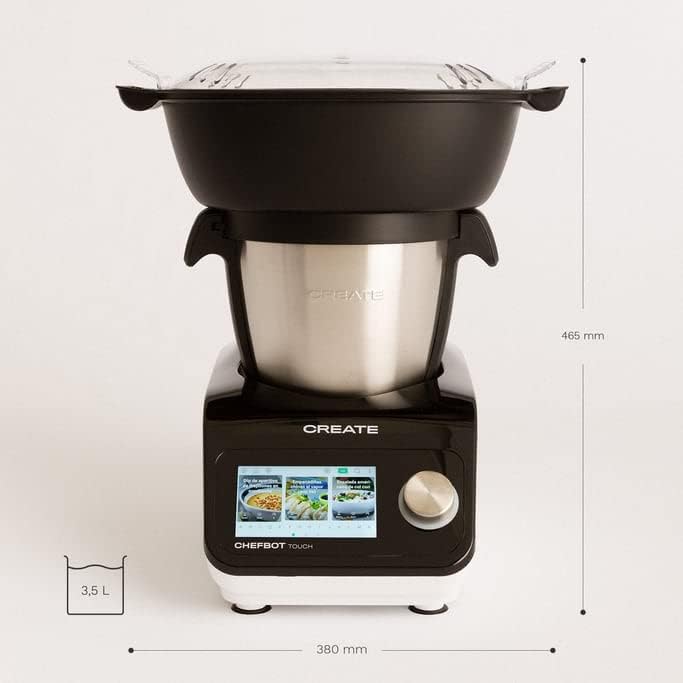
تصوير: پاسي view of the Chefbot Touch, showing its depth dimension of 380mm.
9. وارنٽي ۽ سپورٽ
For information regarding warranty coverage, terms, and conditions, please refer to the documentation included with your purchase or visit the official CREATE webسائيٽ.
If you require technical assistance, have questions about your product, or need to report an issue, please contact CREATE customer support through their official channels.
ٺاهيندڙ: IKOHS ٺاهيو


