1. تعارف
This manual provides detailed instructions for the setup, operation, and maintenance of your Gdrasuya10 Manual Pad Printer. This device is designed for transferring 2-D images onto 3-D products using an indirect offset (gravure) printing process via a silicone pad. It is suitable for printing various elements such as manufacturing trademarks, expiration dates, lot numbers, signs, or logos on a wide range of materials including plastic and metal surfaces.
Please read this manual thoroughly before operating the machine to ensure safe and efficient use and to achieve optimal printing results.
2. پراڊڪٽ ختمview
The Gdrasuya10 Manual Pad Printer is a versatile and precise tool for various printing applications. Its robust design and adjustable features ensure consistent performance.
اهم خاصيتون:
- Adjustable Worktable: Provides flexibility for various applications and object sizes.
- هڪ هٿ وارو آپريشن: Allows for easy placement of objects on the worktable while operating the machine.
- اعلي سڌائي: Maintains accuracy for repetitive printing tasks.
- ورسٽائل ڇپائي: Capable of printing words, numbers, and simple logos on diverse surfaces.
- ڪمپيڪٽ ڊيزائن: Space-saving dimensions suitable for various workspaces.
اجزاء:


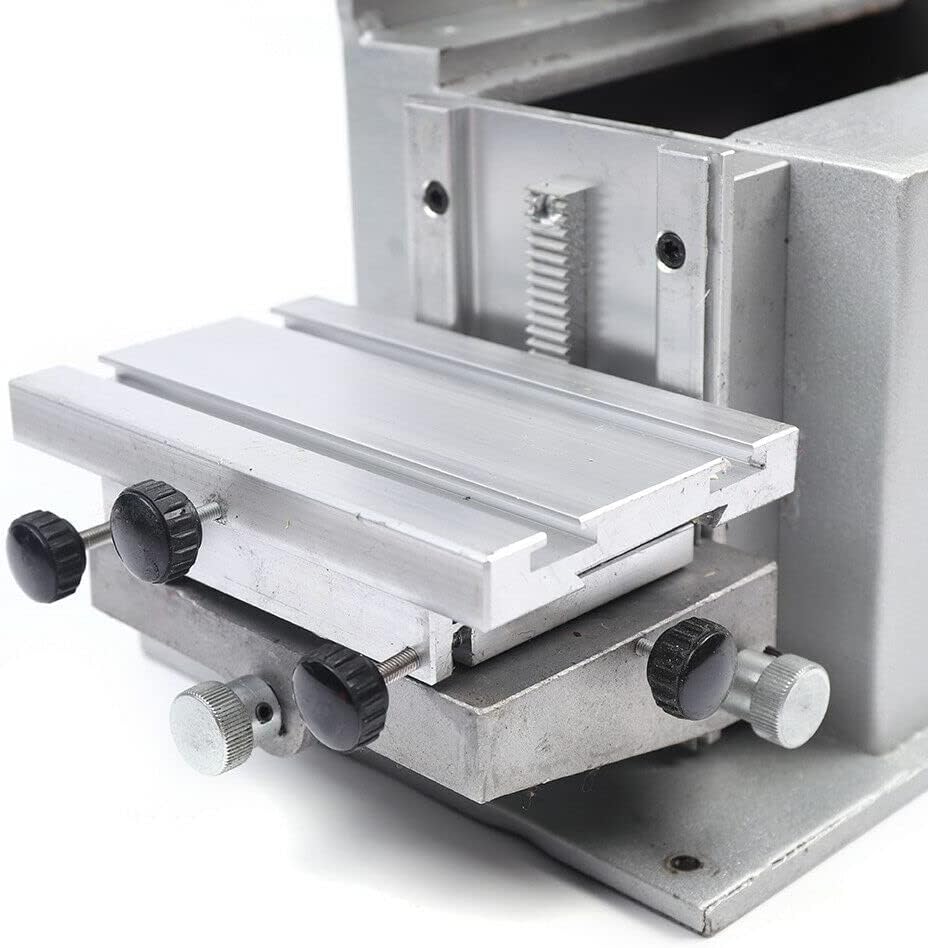
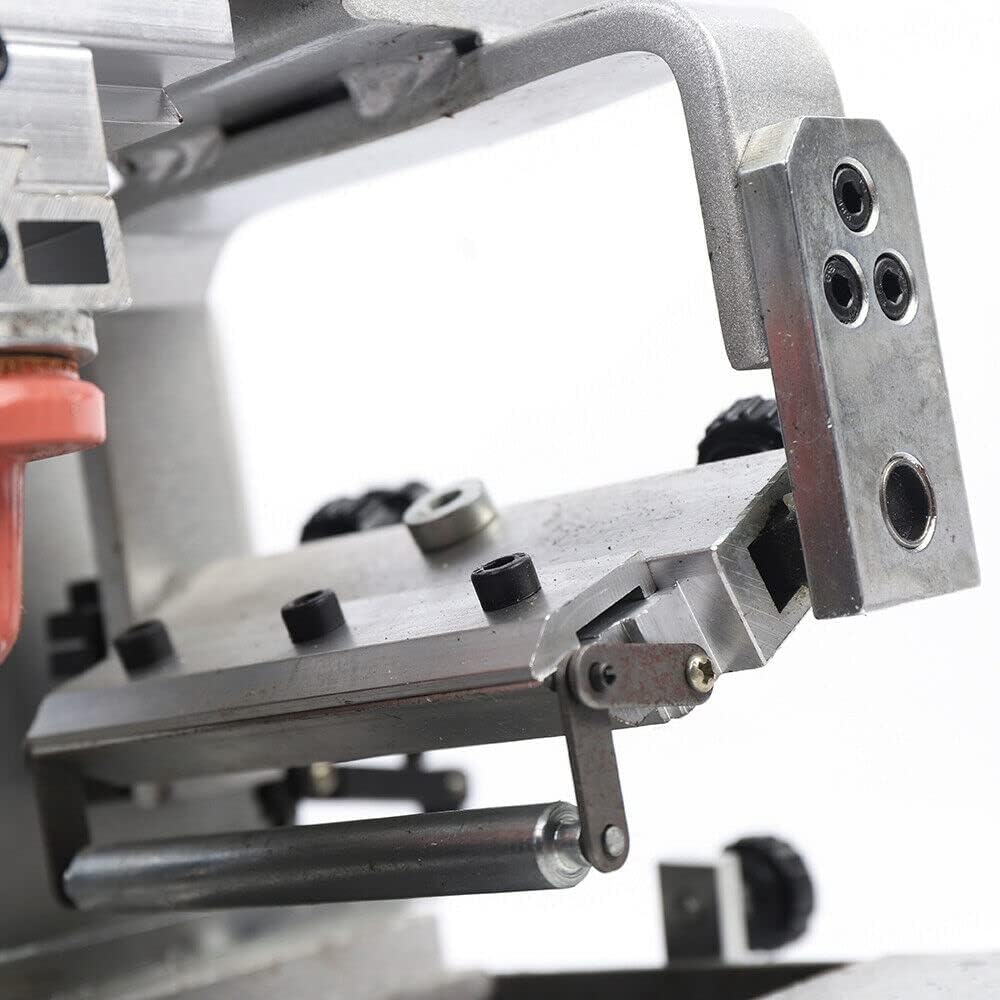
3. سيٽ اپ
Before operating the pad printer, ensure all components are securely assembled and positioned correctly. You will need to provide your own ink, rubber head (silicone pad), and pad printing blade.
- پيڪنگ کولڻ: احتياط سان پيڪنگنگ مان سڀني اجزاء کي هٽايو.
- لڳائڻ: مشين کي هڪ مستحڪم، هموار مٿاڇري تي رکو.
- Install Printing Plate: Secure your desired printing plate (cliché) into the designated holder on the machine.
- Prepare Ink Tray: Fill the ink tray with the appropriate pad printing ink. Ensure the ink is evenly spread.
- Adjust Worktable: Use the adjustment knobs on the worktable to set the desired height and position for the item you intend to print. This ensures proper contact with the silicone pad.
- Check Silicone Pad: Ensure the silicone pad is clean and properly seated in its holder.
- پاور ڪنيڪشن (جيڪڏهن قابل اطلاق هجي): If your model has an electrical component (e.g., for automated ink scraping or pneumatic assist), connect it to a suitable power source as per local electrical standards.
- Air Compressor Connection (if applicable): For pneumatic models, connect an air compressor to the designated inlet. Adjust the air pressure regulator to the recommended operating pressure.
4. آپريٽنگ هدايتون
The pad printing process involves transferring ink from an etched printing plate to the silicone pad, and then from the pad to the product. Follow these steps for effective operation:
- Ink the Plate: Pull the printing arm forward to allow the ink scraping blade to spread ink over the printing plate, filling the etched design, and then scrape off the excess ink.
- Pick Up Image: Lower the silicone pad onto the inked printing plate. The pad will pick up the image from the etched area.
- پوزيشن اعتراض: Place the item to be printed on the adjustable worktable, ensuring it is correctly aligned with the desired print location. The one-handed operation allows for easy object placement.
- Transfer Image: Move the printing arm back and lower the silicone pad onto the object. The pad will transfer the ink image onto the object's surface.
- ورجائي: Lift the pad, remove the printed object, and repeat the process for subsequent items. Precision is maintained for repeat jobs.
Note: This machine prints one color at a time. For multi-color prints, multiple passes with different plates and inks are required.
5. سار سنڀال
Regular maintenance ensures the longevity and optimal performance of your pad printer.
- استعمال کان پوء صفائي: Immediately after each printing session, clean the printing plate, ink tray, and silicone pad with appropriate cleaning solvents to prevent ink from drying and hardening.
- سلڪون پيڊ جي سنڀال: Handle the silicone pad carefully. Avoid sharp objects that could damage its surface. Store it properly to maintain its shape and elasticity.
- لوڻ: Periodically apply a small amount of lubricant to moving parts, such as the sliding rails and pivot points, to ensure smooth operation.
- چڪاس: Regularly inspect all screws, bolts, and connections to ensure they are tight. Check for any signs of wear or damage on mechanical parts.
- اسٽوريج: جڏهن استعمال ۾ نه هجي، مشين کي صاف، سڪل ماحول ۾، سڌي سج جي روشني ۽ انتهائي گرمي پد کان پري رکو.
6. مسئلا حل ڪرڻ
If you encounter issues with your pad printer, refer to the following common problems and solutions:
- Poor Print Quality (Faded or Incomplete Image):
- Ensure the printing plate is clean and free of dried ink.
- Check ink consistency; it might be too thick or too thin. Adjust with appropriate diluents or thickeners.
- Verify the silicone pad is clean and making full contact with both the plate and the object.
- Adjust the pressure applied during ink pickup and transfer.
- Image Smudging or Distortion:
- Ensure the object is securely placed on the worktable and does not shift during printing.
- Check the silicone pad for damage or excessive wear.
- Allow sufficient drying time for the ink, especially if printing multiple layers or colors.
- Machine Movement Not Smooth:
- Inspect sliding rails and moving parts for obstructions or dirt. Clean thoroughly.
- Apply lubricant to moving components as part of regular maintenance.
- Check for loose or overtightened fasteners.
جيڪڏهن انهن حلن جي ڪوشش ڪرڻ کان پوءِ به مسئلو برقرار رهي، مهرباني ڪري ڪسٽمر سپورٽ سان رابطو ڪريو.
7. وضاحتون
| پيرا ميٽر | قدر |
|---|---|
| آپريشن جو طريقو | دستوري |
| Steel Plate Size | 100 × 150 ملي ميٽر |
| Maximum Printing Area | 80 × 120 ملي ميٽر |
| Horizontal Stroke | 150 ملي ميٽر |
| Vertical Stroke of Rubber Head | 60 ملي ميٽر |
| Silicone Pad Diameter | 35 ملي ميٽر |
| پيداوار جي ماپ (L x W x H) | 400 x 220 x 490 ملي ميٽر (15.75"ڊي x 8.66"ڊي x 19.29"ايڇ) |
| مواد | Metal, Plastic, Silicone, Steel |
| رنگ | گهڻ رنگ |
8. وارنٽي ۽ سپورٽ
For specific warranty information, please refer to the documentation provided at the time of purchase or contact the seller directly. Protection plans may be available for extended coverage.
For technical support, spare parts, or further assistance, please contact the manufacturer or seller. You can visit the official Gdrasuya10 Store وڌيڪ معلومات لاءِ.


