تعارف
Welcome to the user manual for your Ttec AirBeat Lite 2 True Wireless Stereo (TWS) Bluetooth Headset. This manual provides detailed instructions on how to set up, operate, and maintain your headset to ensure optimal performance and longevity. Please read this manual carefully before using your device.
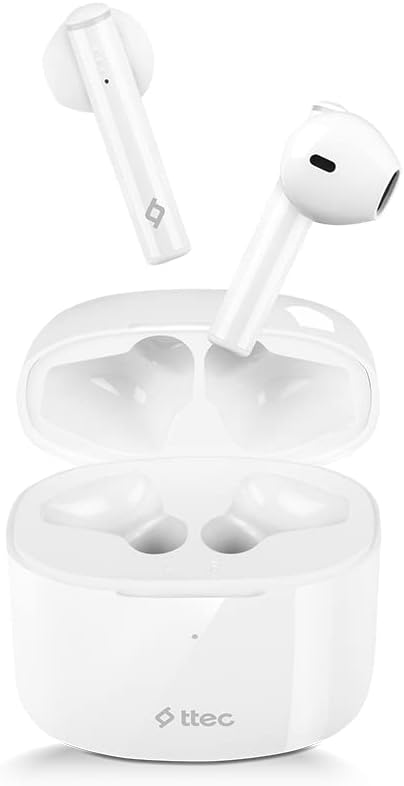
Image: The Ttec AirBeat Lite 2 earbuds resting in their open charging case, showcasing their compact and sleek white design.
دٻي ۾ ڇا آهي
Upon opening your Ttec AirBeat Lite 2 package, you should find the following components:
- Ttec AirBeat Lite 2 True Wireless Earbuds (Left and Right)
- چارج ڪيس
- USB Charging Cable (Type-C, typically)
- استعمال ڪندڙ جو دستياب (ھي دستاويز)
- Ear Cushions (pre-installed or additional sizes, as per product specifications)
Image: The retail packaging for the Ttec AirBeat Lite 2 headset, displaying the product image and brand logo.
سيٽ اپ ڪريو
1. هيڊ سيٽ ۽ ڪيس کي چارج ڪرڻ
Before first use, it is recommended to fully charge both the earbuds and the charging case. The charging case acts as a portable power bank for your earbuds.
- ڪيس چارج ڪرڻ: Connect the provided USB charging cable to the charging port on the case and plug the other end into a USB power adapter (not included) or a computer's USB port. The indicator light on the case will show charging status.
- Earbuds کي چارج ڪرڻ: Place the earbuds into their respective slots in the charging case. Ensure they are correctly seated. The earbuds will automatically begin charging.

Image: The Ttec AirBeat Lite 2 charging case with earbuds, illustrating battery life and quick charge capabilities. A 15-minute charge provides 1 hour of use, with 6 hours of earbud charge life and 26 hours total with the case.
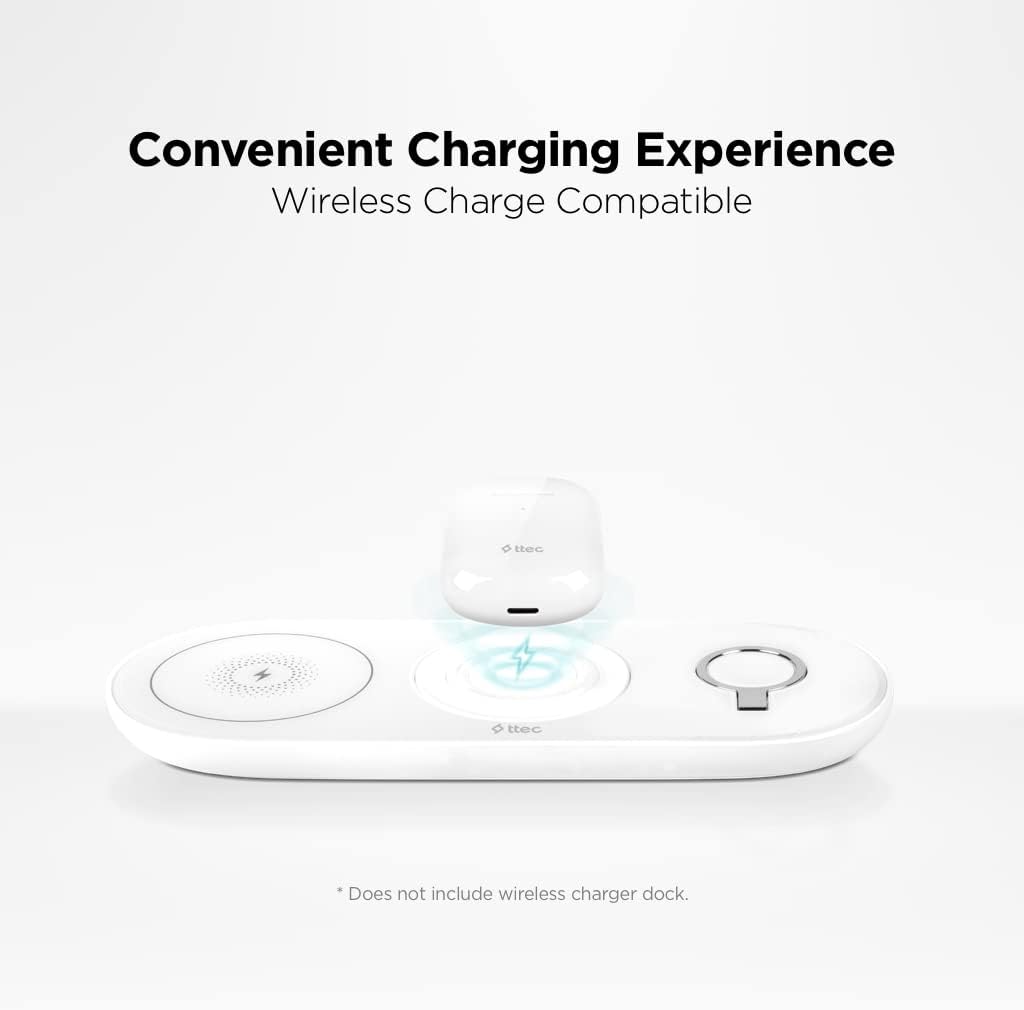
Image: The Ttec AirBeat Lite 2 charging case placed on a wireless charging pad, demonstrating its wireless charge compatibility. Note: Wireless charger dock is not included.
2. هڪ ڊوائيس سان جوڙڻ
The Ttec AirBeat Lite 2 uses Bluetooth 5.0 for a fast and stable connection.
- پڪ ڪريو ته ائربڊس چارج ٿيل آهن ۽ چارجنگ ڪيس ۾ رکيل آهن.
- چارجنگ ڪيس کوليو. ائربڊس پاڻمرادو پيئرنگ موڊ ۾ داخل ٿيندا (اشاري جون بتيون چمڪي سگهن ٿيون).
- پنهنجي ڊوائيس (اسمارٽ فون، ٽيبليٽ، ليپ ٽاپ) تي، بلوٽوٿ سيٽنگز ڏانهن وڃو ۽ بلوٽوٿ آن ڪريو.
- ڳولھيو available devices. Select "Ttec AirBeat Lite 2" from the list.
- هڪ ڀيرو ڳنڍجڻ کان پوءِ، ائربڊس ڪامياب جوڙڻ جي نشاندهي ڪندا (مثال طور، آواز جو اشارو يا مستحڪم روشني).
The earbuds support MonoSmart Technology, allowing both earbuds to be used independently. You can connect either the left or right earbud alone if desired.

Image: A person wearing a Ttec AirBeat Lite 2 earbud, illustrating the fast and easy Bluetooth 5.0 connection technology.
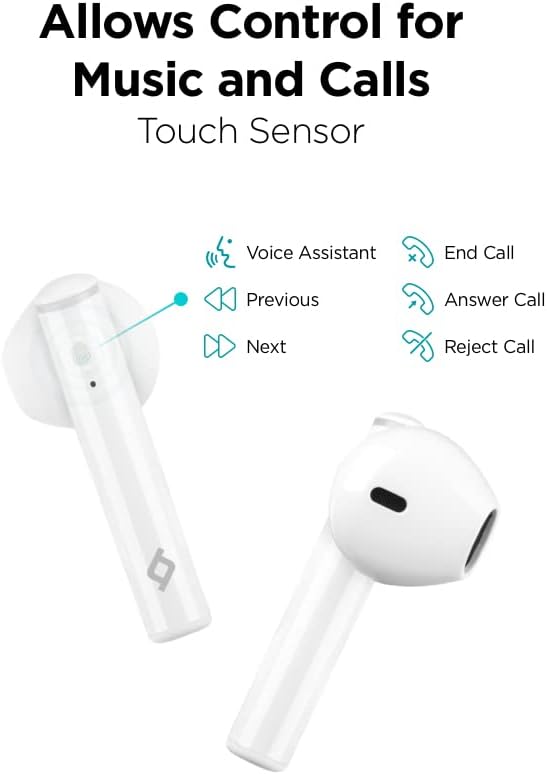
Image: A person using a single Ttec AirBeat Lite 2 earbud, demonstrating the MonoSmart Technology that allows independent use of either earbud.
آپريٽنگ هدايتون
ٽچ ڪنٽرول
The Ttec AirBeat Lite 2 features intuitive touch sensors on each earbud for easy control of music playback and calls.

Image: A close-up of the Ttec AirBeat Lite 2 earbud, highlighting the touch sensor area and illustrating various control functions: Voice Assistant, Previous/Next track, End/Answer/Reject Call.
| عمل | فنڪشن |
|---|---|
| اڪيلو ٽيپ | موسيقي هلايو/روڪيو، ڪال جو جواب ڏيو/ختم ڪريو |
| ٻٽي ٽيپ ڪريو (کاٻي ائربڊ) | اڳيون ٽريڪ |
| ڊبل ٽيپ ڪريو (ساڄو ائربڊ) | ايندڙ ٽريڪ |
| ٽيپ ٽيپ | وائيس اسسٽنٽ کي فعال ڪريو |
| ڊگھو پريس (2 سيڪنڊ) | ڪال رد ڪريو |
Music and Call Quality
The Ttec AirBeat Lite 2 delivers an impressive music experience with superior sound and deep bass. For calls, it features 4 microphones and ENC (Environmental Noise Cancelling) technology, ensuring excellent call clarity by reducing background noise.
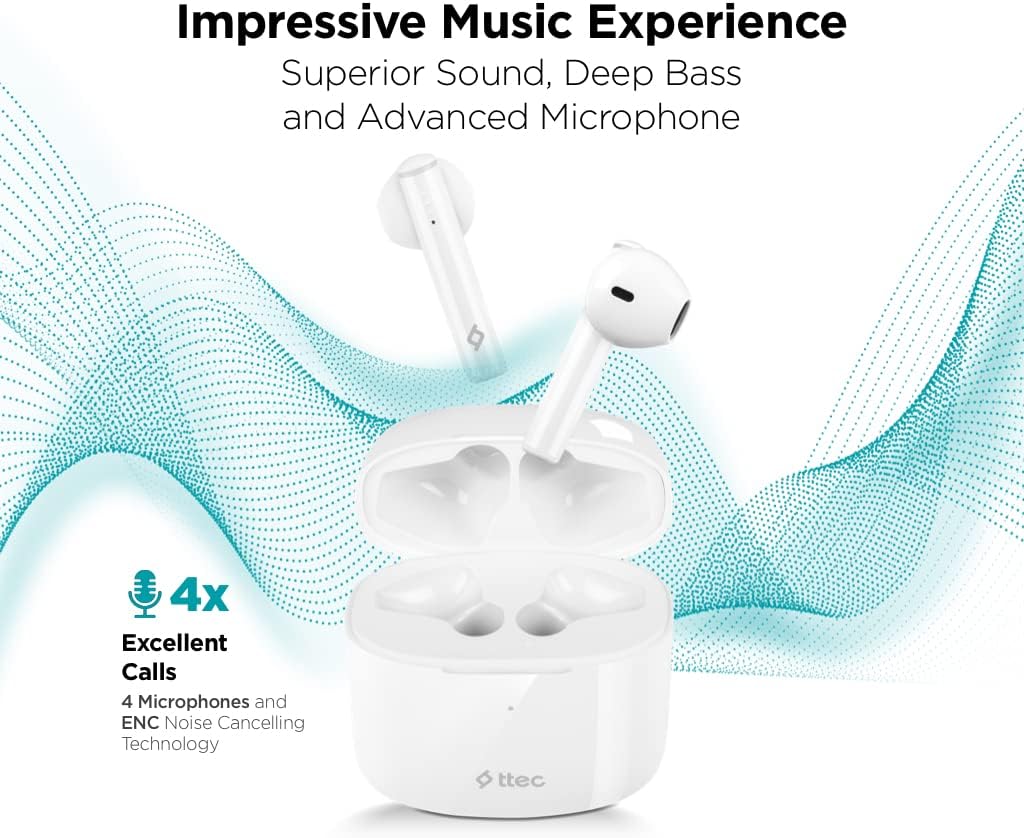
Image: The Ttec AirBeat Lite 2 earbuds in their case, surrounded by sound wave graphics, highlighting superior sound, deep bass, advanced microphone, and 4x excellent calls with ENC Noise Cancelling Technology.
سار سنڀال
Proper maintenance ensures the longevity and optimal performance of your Ttec AirBeat Lite 2 headset.
- صفائي: Regularly clean the earbuds and charging case with a soft, dry, lint-free cloth. Do not use abrasive cleaners or solvents. Gently remove any earwax or debris from the earbud tips and speaker mesh using a small, soft brush or cotton swab.
- اسٽوريج: جڏهن استعمال ۾ نه هجي، ته ائربڊس کي انهن جي چارجنگ ڪيس ۾ رکو ته جيئن انهن کي مٽي، مٽي ۽ جسماني نقصان کان بچائي سگهجي. ڪيس کي سڌي سج جي روشني ۽ انتهائي گرمي پد کان پري ٿڌي، سڪل جاءِ تي رکو.
- پاڻي جي مزاحمت: The earbuds are IPX4 rated, meaning they are sweat and water resistant. This protects them from splashing water from any direction. However, they are not waterproof and should not be submerged in water or exposed to heavy rain. Dry them thoroughly if they get wet.
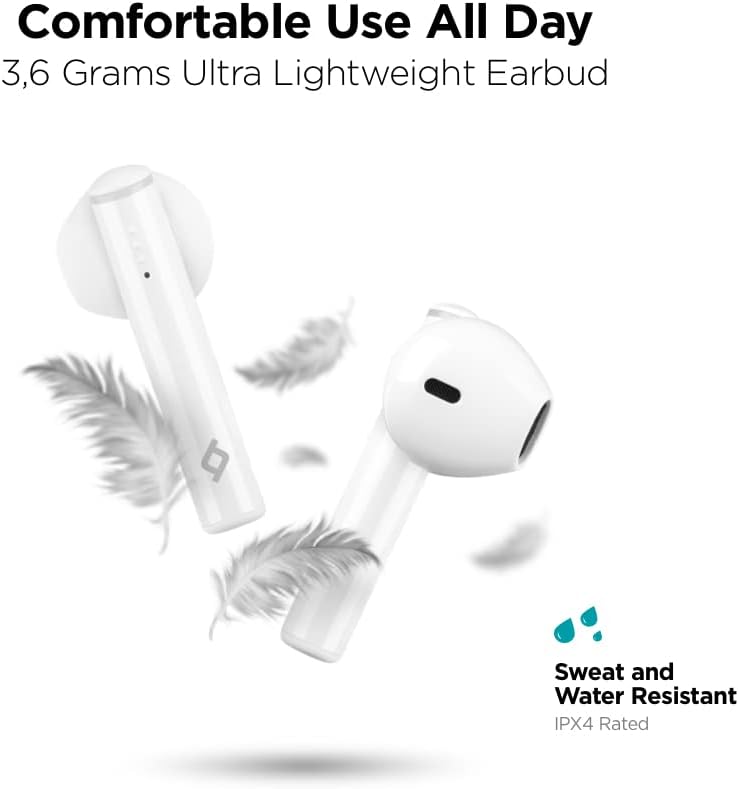
Image: Ttec AirBeat Lite 2 earbuds floating among feathers, emphasizing their ultra-lightweight design (3.6 grams) and highlighting their IPX4 sweat and water resistance.
مشڪلاتون
If you encounter any issues with your Ttec AirBeat Lite 2 headset, try the following troubleshooting steps:
- No Sound from Earbuds:
- پڪ ڪريو ته ائربڊس چارج ٿيل آهن.
- چيڪ ڪريو ته ڇا ائربڊس توهان جي ڊوائيس سان صحيح طرح سان جوڙيل آهن.
- پنهنجي ڊوائيس ۽ ائربڊس ٻنهي تي حجم وڌايو.
- ائربڊس کي ٻيهر جوڙڻ جي ڪوشش ڪريو.
- ائربڊس جوڙو نه ٿي رهيو آهي:
- پڪ ڪريو ته توهان جي ڊوائيس تي بلوٽوت فعال آهي.
- پڪ ڪريو ته ائربڊس پيئرنگ موڊ ۾ آهن (اوپن ڪيس).
- ٻين ويجهن ڊوائيسز تي بلوٽوٿ بند ڪريو جيڪي شايد ڳنڍڻ جي ڪوشش ڪري رهيا هجن.
- Forget "Ttec AirBeat Lite 2" from your device's Bluetooth list and try pairing again.
- چارج جا مسئلا:
- پڪ ڪريو ته چارجنگ ڪيبل ڪيس ۽ پاور سورس ٻنهي سان محفوظ طور تي ڳنڍيل آهي.
- ڪوشش ڪريو هڪ مختلف USB ڪيبل يا پاور اڊاپٽر.
- ائربڊس ۽ ڪيس ٻنهي تي چارجنگ ڪانٽيڪٽس کي صاف ڪريو.
- وقتي ڪنيڪشن:
- پڪ ڪريو ته توهان جو ڊوائيس بلوٽوٿ رينج (عام طور تي 10 ميٽر/33 فوٽ) اندر آهي بغير ڪنهن وڏي رڪاوٽ جي.
- مضبوط برقي مقناطيسي مداخلت کان پاسو ڪريو.
- Try restarting both the earbuds (by placing them in the case and closing it) and your connected device.
If the issue persists, please refer to the support section for further assistance.
وضاحتون
| خاصيت | تفصيل |
|---|---|
| ماڊل نالو | ايئر بيٽ لائيٽ 2 |
| رابطي ٽيڪنالاجي | وائرليس (بلوٽوت) |
| وائرليس ڪميونيڪيشن ٽيڪنالاجي | بلوٽوٿ 5.0 |
| شامل اجزاء | Ear Cushions, USB Charging Cable |
| مواد | پلاسٽڪ |
| مخصوص استعمال | Travel, Everyday Use |
| مطابقت رکندڙ ڊوائيسز | Cellphones, Television, Tablets, Telephones, Laptops, Desktops, Smart Speaker |
| ڪنٽرول قسم | ٽچ ڪنٽرول |
| ڪن جي جڳهه | ڪن ۾ |
| فارم فيڪٽر | ڪن ۾ |
| شور ڪنٽرول | ماحولياتي شور منسوخ ڪرڻ (ENC) |
| ائيربود وزن | 3.6 grams (approx. per earbud) |
| IP جي درجه بندي | IPX4 (پگهر ۽ پاڻي جي مزاحمتي) |
| بيٽري جي زندگي (ايربڊس) | 6 ڪلاڪ (تقريبن) |
| Total Battery Life with Case | 26 ڪلاڪ (تقريبن) |
Note: Some specifications from raw data have been refined for accuracy based on product images and primary description (e.g., ENC instead of ANC, earbud weight instead of package weight).
حفاظت جي ڄاڻ
مهرباني ڪري پنهنجي ڊوائيس کي نقصان پهچائڻ يا پاڻ کي زخمي ٿيڻ کان بچائڻ لاءِ انهن حفاظتي هدايتن کي پڙهو ۽ ان تي عمل ڪريو:
- مصنوعات کي جدا نه ڪريو، مرمت ڪريو، يا تبديل ڪريو.
- ڊوائيس کي انتهائي گرمي پد، نمي، ۽ corrosive مادن کان پري رکو.
- ڊوائيس کي مضبوط اثرن لاءِ ڇڏڻ يا تابع ڪرڻ کان پاسو ڪريو.
- چارجنگ ڪيس کي پاڻي يا نمي جي سامهون نه رکو.
- صرف منظور ٿيل چارجنگ ڪيبل ۽ اڊاپٽر استعمال ڪريو.
- تيز آوازن جي ڊگهي عرصي تائين نمائش ٻڌڻ کي نقصان پهچائي سگھي ٿي. آواز کي وچولي سطح تي ترتيب ڏيو.
- Be aware of your surroundings when using earbuds, especially in traffic or dangerous situations.
- مقامي ضابطن جي مطابق ذميواري سان پيداوار کي ختم ڪريو.
وارنٽي ۽ سپورٽ
Ttec products are designed for quality and reliability. For warranty information and customer support, please refer to the official Ttec webسائيٽ تي وڃو يا پنهنجي مقامي پرچون ڪندڙ سان رابطو ڪريو.
For technical assistance or inquiries, please visit the Ttec support page or contact their customer service directly. Keep your purchase receipt as proof of purchase for warranty claims.
آن لائين وسيلا:
- Official Ttec Webسائيٽ: www.ttec.com.tr (Please verify the correct regional website for support)


