تعارف
This manual provides essential information for setting up, operating, maintaining, and troubleshooting your TomTom GO Expert Truck Sat Nav. Please read it carefully to ensure optimal performance and safe use of your device.
The TomTom GO Expert is designed for professional large vehicle navigation, offering custom routing and POIs for buses, trucks, and coaches, along with live alerts for various road restrictions.
دٻي ۾ ڇا آهي
پيڪيج کولڻ تي، تصديق ڪريو ته سڀئي جزا موجود آهن:
- TomTom GO Expert Device
- ڪار چارجر
- Click-and-Drive Mount
- تڪڙو شروع ھدايت

تصوير: سامهون view of the TomTom GO Expert Sat Nav device, showing its 5-inch capacitive screen and the TomTom logo at the bottom.
سيٽ اپ ڪريو
1. ڊوائيس تي چڙهڻ
- ونڊ شيلڊ صاف ڪريو: Ensure the area where you intend to mount the device is clean and dry.
- جبل کي ڳنڍيو: Securely attach the Click-and-Drive mount to your windshield or dashboard. Press the suction cup firmly against the surface and flip the lever to lock it in place.
- ڊوائيس ڳنڍيو: Slide the TomTom GO Expert device onto the mount until it clicks securely.
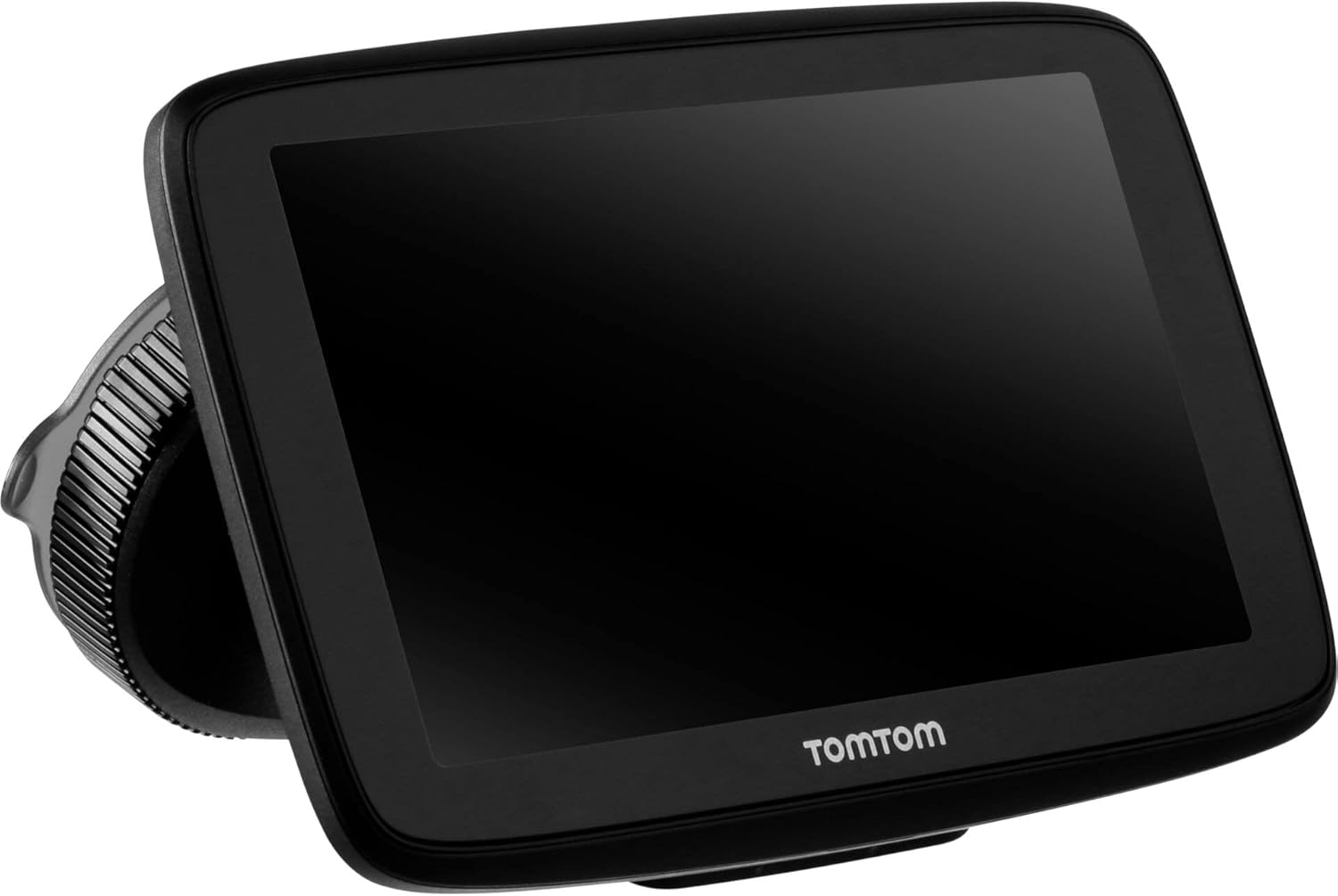
Image: The TomTom GO Expert Sat Nav device attached to its Click-and-Drive mount, viewed from an angle, showing the suction cup base.
2. بجلي تي چارج ۽ چارج ڪرڻ
- ڪار چارجر کي ڳنڍيو: Plug the car charger into your vehicle's 12V power outlet.
- ڊوائيس سان ڳنڍيو: Connect the other end of the charger to the TomTom GO Expert device.
- شروعاتي چارج Allow the device to charge for at least 30 minutes before first use, or until the battery indicator shows sufficient charge.

تصوير: سائڊ پروfile of the TomTom GO Expert Sat Nav device, showing its slim design and how it connects to the Click-and-Drive mount.
3. شروعاتي سيٽ اپ ۽ وائي فائي ڪنيڪشن
- پنهنجي ٻولي ۽ علائقو چونڊڻ لاءِ اسڪرين تي ڏنل هدايتن تي عمل ڪريو.
- Connect to a Wi-Fi network for quick map updates and traffic information. Navigate to سيٽنگون > وائي فائي ۽ پنهنجو نيٽ ورڪ چونڊيو.
- Configure your vehicle profile (truck, bus, coach) by entering dimensions, weight, and other relevant details. This is crucial for custom routing.
توهان جي ڊوائيس کي هلائڻ
نيويگيشن بنياديات
- منزل ۾ داخل ٿيڻ: Tap the search icon on the main menu and enter an address, POI, or coordinates.
- ڪسٽم روٽنگ: The device will automatically calculate routes based on your configured vehicle profile, avoiding unsuitable roads for large vehicles.
- لائيو ٽرئفڪ اپڊيٽس: With an active Wi-Fi connection, the device provides real-time traffic information to help you avoid delays.
- لين جي رهنمائي: The device displays clear lane guidance to help you prepare for exits and turns.
- وائس ڪنٽرول: Use voice commands for hands-free operation. Refer to the on-screen guide for available commands.
Map Updates and Services
Your TomTom GO Expert receives 3X faster updates via Wi-Fi. Ensure your device is connected to a stable Wi-Fi network to download the latest maps and software updates conveniently and at no extra cost.
- نقشي جون تازه ڪاريون: ڏانهن وڃو سيٽنگون > تازه ڪاريون ۽ نيون شيون to check for and install map updates.
- Speed Camera Alerts: The device includes 1 year of speed camera alerts. Ensure this service is active for safer driving.
سار سنڀال
- صفائي: Use a soft, lint-free cloth to clean the screen and device casing. گھڙڻ وارا صاف ڪندڙ يا محلول استعمال نه ڪريو.
- سافٽ ويئر اپڊيٽ: Regularly check for and install software updates via Wi-Fi to ensure optimal performance and access to new features.
- بيٽري جي سنڀال: To prolong battery life, avoid exposing the device to extreme temperatures. If storing for an extended period, ensure the battery is partially charged.
- اسٽوريج: When not in use, store the device in a cool, dry place, away from direct sunlight.
مشڪلاتون
عام مسئلا ۽ حل
- ڊوائيس تي طاقت نه آهي:
- Ensure the car charger is securely connected to both the device and the vehicle's power outlet.
- گاڏي جي پاور آئوٽليٽ جي ڪارڪردگي چيڪ ڪريو.
- Try resetting the device by holding the power button for 15-20 seconds.
- ڪوبه GPS سگنل ناهي:
- پڪ ڪريو ته ڊوائيس صاف آهي view of the sky. Obstructions like tall buildings or tunnels can block the signal.
- Move to an open area and allow the device a few minutes to acquire satellites.
- Check for any pending software updates that might improve GPS performance.
- Map Not Updating:
- تصديق ڪريو ته ڊوائيس هڪ مستحڪم وائي فائي نيٽ ورڪ سان ڳنڍيل آهي.
- Ensure there is sufficient storage space on the device for the new map data.
- Restart the device and try the update again.
- ٽچ اسڪرين غير جوابده:
- ڊوائيس ٻيهر شروع ٿيڻ تائين پاور بٽڻ کي دٻائي نرم ري سيٽ ڪريو.
- پڪ ڪريو ته اسڪرين صاف ۽ ملبي کان پاڪ آهي.
وضاحتون
| خاصيت | تفصيل |
|---|---|
| پيداوار جي ماپ | 5.51 x 0.79 x 3.54 انچ |
| شيءِ جو وزن | 12.7 اونس |
| ماڊل نمبر | 1YB5.002.20 |
| بيٽريون | 1 ليتيم آئن بيٽري گھربل (شامل) |
| آپريٽنگ سسٽم | Windows (internal OS) |
| ڪنيڪشن ٽيڪنالاجيز | بلوٽوٿ، وائرليس (وائي فائي) |
| خاص خاصيتون | Bluetooth, Lane Assist, Touchscreen |
| انساني انٽرفيس ان پٽ | ٽچ اسڪرين |
| رنگ | ڪارو |
| گاڏين جي سروس جو قسم | Bus, Truck |
| اسڪرين جي ماپ | 5 انچ |
| نقشي جو قسم | سڄي دنيا ۾ |
| آڊيو آئوٽ پٽ موڊ | اسپيڪر |
وارنٽي ۽ سپورٽ
For detailed warranty information and technical support, please visit the official TomTom support webسائيٽ تي وڃو يا پنهنجي پراڊڪٽ سان شامل وارنٽي ڪارڊ جو حوالو ڏيو.
آن لائن سپورٽ: www.tomtom.com/support
Ensure you have your device's serial number and model number (1YB5.002.20) ready when contacting support.


