تعارف
Thank you for choosing the Hoco J41 Pro 10000mAh Fast Charging Power Bank. This manual provides essential information for the safe and efficient use of your device. Please read it thoroughly before operation and retain it for future reference.
پيڪيج مواد
- Hoco J41 Pro 10000mAh Power Bank
- USB چارجنگ ڪيبل (ٽائيپ-سي)
- استعمال ڪندڙ دستي
Note: The specific type of USB cable included may vary.
پيداوار ختمview
The Hoco J41 Pro is a portable power bank designed for fast charging of various electronic devices. It features multiple output ports and an LED digital display for battery status.

تصوير 1: سامهون view of the Hoco J41 Pro Power Bank, showcasing its sleek black design and the LED digital display indicating a 100% charge level. A wrist strap is visible on the left side.

تصوير 2: زاويه view of the Hoco J41 Pro Power Bank, highlighting the USB-A output port (22.5W) and the USB-C input/output port (PD 20W). The LED display shows the current battery percentage.
اهم خاصيتون:
- اعلي ظرفيت: 10000mAh (37Wh) for extended use.
- تيز چارجنگ پروٽوڪول: Supports PD20W, QC, FCP/SCP, AFC, VOOC, DASH for wide compatibility.
- گهڻن بندرگاهن: USB-A output (22.5W) and Type-C input/output (PD 20W).
- ڊجيٽل ڊسپلي LED screen shows real-time battery percentage and fast charge indicator.
- ڪمپيڪٽ ڊيزائن: پوربل ۽ آسان رکڻ.
سيٽ اپ ڪريو
پاور بينڪ جي شروعاتي چارجنگ:
- Connect the provided USB charging cable (Type-C) to the Type-C input port on the Hoco J41 Pro power bank.
- Connect the other end of the cable to a compatible USB wall adapter (not included) or a computer's USB port. For fastest charging, use a PD-compatible wall adapter.
- The LED digital display will show the charging progress. When the display shows "100%", the power bank is fully charged.
- هڪ ڀيرو چارج مڪمل ٿيڻ کان پوءِ ڪيبل کي ڌار ڪريو.
It is recommended to fully charge the power bank before its first use.
آپريٽنگ هدايتون
توهان جي ڊوائيسز کي چارج ڪرڻ:
- Ensure your Hoco J41 Pro power bank has sufficient charge. Check the LED display for the current battery percentage.
- Connect your device's charging cable to the appropriate output port on the power bank (USB-A or Type-C).
- ڪيبل جي ٻئي ڇيڙي کي پنهنجي اليڪٽرانڪ ڊوائيس سان ڳنڍيو (مثال طور، اسمارٽ فون، ٽيبليٽ).
- The power bank will automatically begin charging your device. The LED display may show a fast charge indicator if a compatible device and cable are used.
- هڪ دفعو توهان جي ڊوائيس مڪمل طور تي چارج ڪئي وئي آهي، ان کي پاور بئنڪ کان ڌار ڪريو.
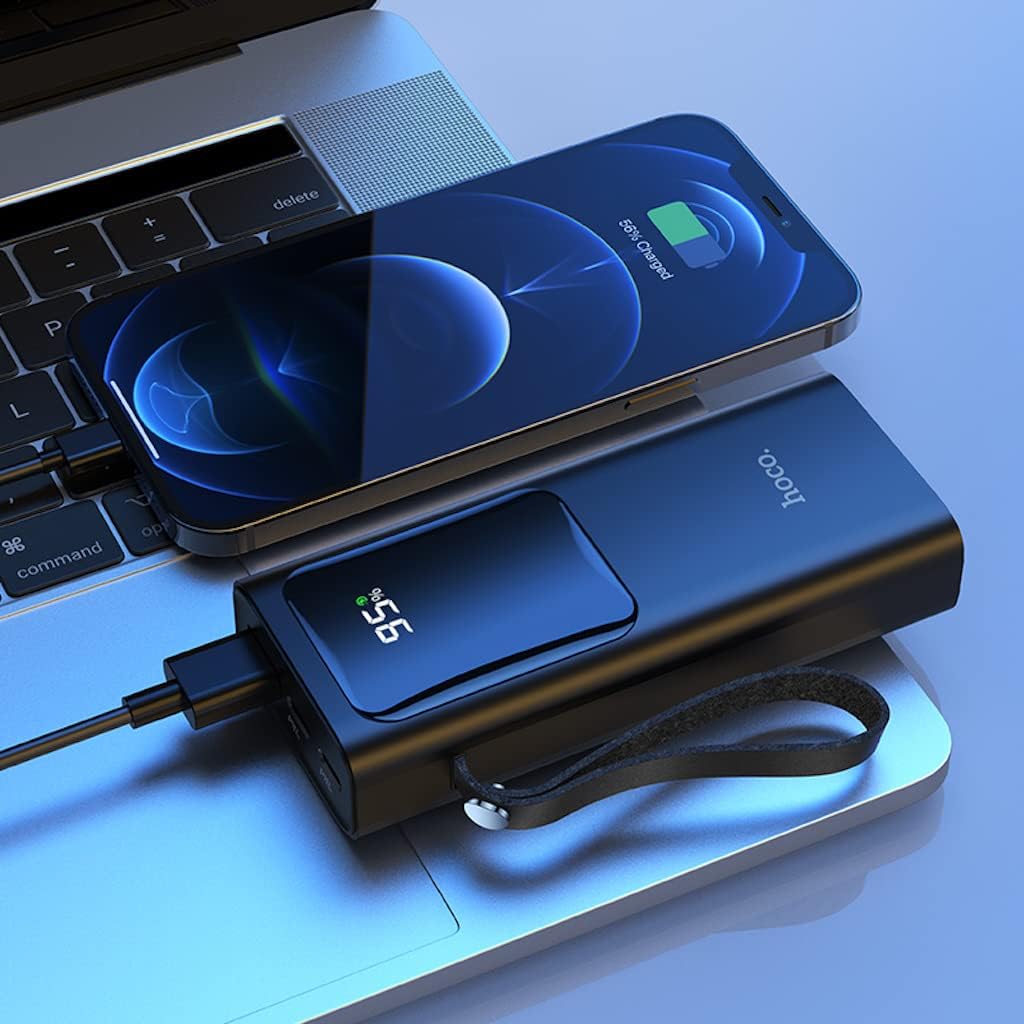
تصوير 3: The Hoco J41 Pro Power Bank actively charging an iPhone, positioned next to a laptop. The power bank's LED display shows a 95% charge, indicating its readiness for use.

تصوير 4: The Hoco J41 Pro Power Bank simultaneously charging two smartphones, demonstrating its multi-device charging capability. The power bank's display shows 100% charge.
Understanding the LED Digital Display:
- ڊسپلي ڏيکاري ٿو باقي بيٽري جو سيڪڙوtagپاور بئنڪ جي e.
- چارج ڪرڻ دوران، سيڪڙوtage و increaseندو.
- When a device is being fast-charged, a specific indicator (e.g., a lightning bolt icon or "PD" / "QC" text) may appear on the display.
سار سنڀال
- صفائي: پاور بينڪ کي صاف ڪرڻ لاءِ نرم، سڪل ڪپڙو استعمال ڪريو. مائع ڪلينر يا ايروسول استعمال نه ڪريو.
- اسٽوريج: پاور بئنڪ کي سڌي سج جي روشني، انتهائي گرمي پد ۽ نمي کان پري ٿڌي، سڪل جاءِ تي رکو.
- بيٽري جي سنڀال: بيٽري جي زندگي کي وڌائڻ لاءِ، جيڪڏهن باقاعده استعمال ۾ نه هجي ته پاور بينڪ کي گهٽ ۾ گهٽ هر ٽن مهينن ۾ هڪ ڀيرو مڪمل چارج ڪريو.
- قطرن کان پاسو ڪريو: پاور بئنڪ کي مضبوط اثرن جي تابع نه ڪريو يا نه ڇڏيو.
مشڪلاتون
| مسئلو | ممڪن سبب | حل |
|---|---|---|
| پاور بينڪ چارج نه ٿي رهيو آهي. |
|
|
| ڊوائيس پاور بينڪ مان چارج نه ٿي رهي آهي. |
|
|
| سست چارج. |
|
|
وضاحتون
| خاصيت | تفصيل |
|---|---|
| ماڊل نالو | جي 41 پرو |
| برانڊ | هيڪو |
| بيٽري جي گنجائش | 10000mAh (37Wh) |
| درجه بندي جي صلاحيت | 5900mAh |
| بيٽري سيل جي جوڙجڪ | ليتيم پوليمر |
| Input (Lightning/Type-C) | 18W (PD) |
| ٻاھر نڪرڻ (قسم-سي) | پي ڊي 20W |
| ٻاھر نڪرڻ (USB-A) | 22.5W (full compatible) |
| مجموعي پيداوار | 5V/3A |
| سپورٽ پروٽوڪول | PD 20W, QC, FCP/SCP, AFC, VOOC, DASH |
| ڏيکاريو | LED Digital Display (Power, Fast Charge Indicator) |
| ڪنيڪٽر جو قسم | بجلي، USB قسم سي |
| جلدtage | 5 وولٽ |
| طول و عرض | 21.8 x 14.5 x 4.4 سينٽي |
| وزن | 206 جي |
| رنگ | ڪارو |
حفاظت جي ڄاڻ
Please read and follow these safety guidelines to prevent damage to your device or personal injury:
- پاور بئنڪ کي پاڻي، نمي، يا انتهائي گرمي پد جي سامهون نه رکو.
- پاور بئنڪ کي ڌار نه ڪريو، تبديل نه ڪريو، يا مرمت ڪرڻ جي ڪوشش نه ڪريو.
- ٻارن کان پري رکو.
- جيڪڏهن پاور بينڪ خراب، سوجن، يا ليڪ ٿي رهي آهي ته استعمال نه ڪريو.
- Avoid dropping or subjecting the power bank to heavy impacts.
- صرف تصديق ٿيل چارجنگ ڪيبل ۽ اڊاپٽر استعمال ڪريو.
- Do not place heavy objects on the power bank.
- مقامي ضابطن جي مطابق پاور بينڪ کي ذميواري سان ضايع ڪريو.
وارنٽي ۽ سپورٽ
Hoco products are manufactured to high-quality standards. For warranty information or technical support, please refer to the warranty card included in your package or contact your local retailer or Hoco customer service. Please have your product model number (J41 Pro) and purchase details ready when seeking support.


